
Payments & AR
Diagnostic Imaging AR Management Software
Rank open imaging claims by value, payer limit and owner, so a denied PET/CT is worked before an aging chest X-ray.
Diagnostic Imaging AR Management Software tracks every unpaid imaging claim from submission to payment and ranks the work by claim value, payer and filing limit. It sorts denials by owner, such as authorization, ordering provider or coverage, and keeps the order, report and approval at hand for each appeal.



 6,500+ specialty providers

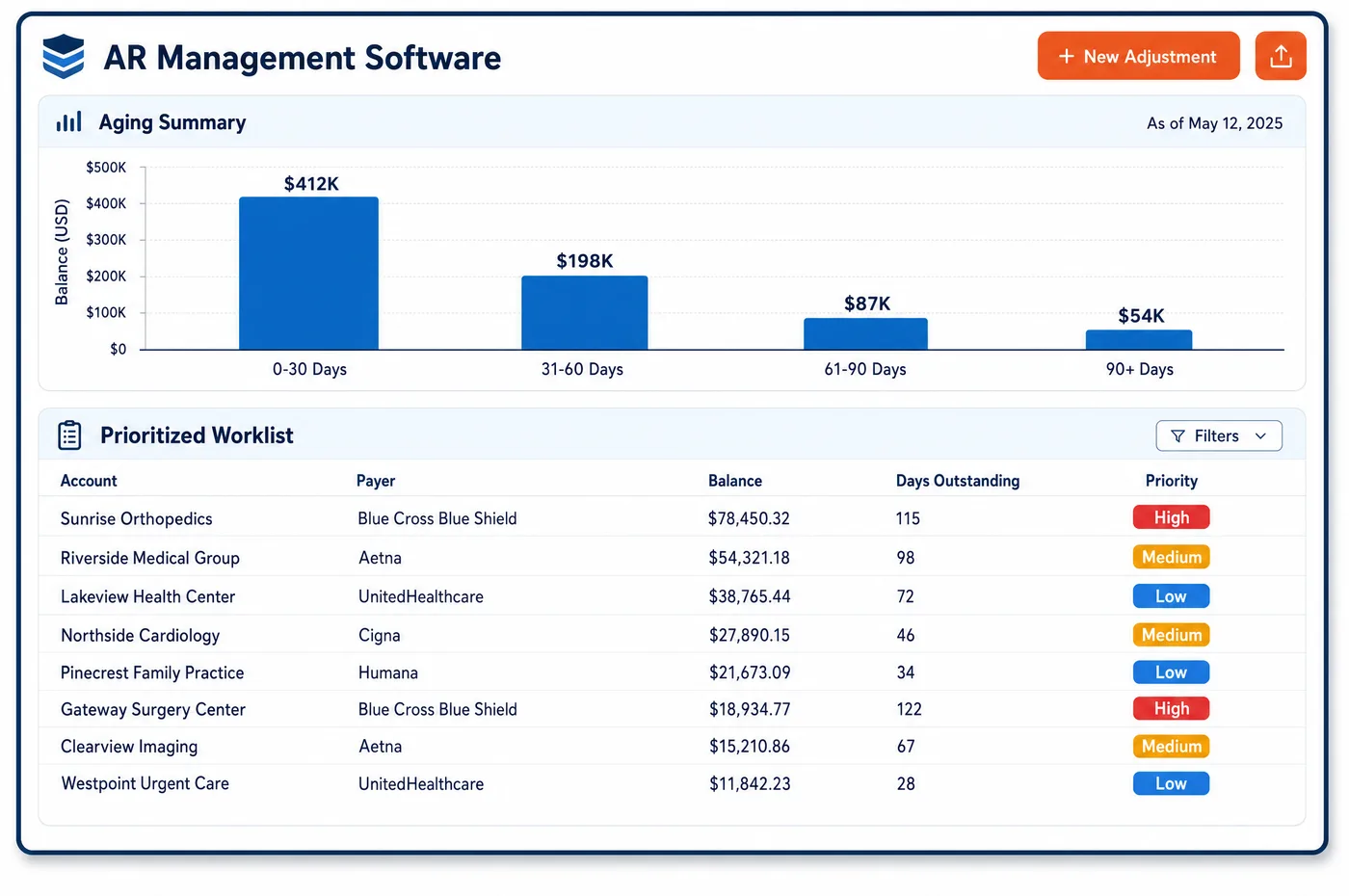
AR Management in a Diagnostic Imaging Practice
Open imaging claims vary widely in value and in what it takes to fix them. A two-view chest X-ray and a PET/CT can sit in the same aging bucket. One is worth a quick status check, the other a full appeal. AR management for imaging ranks every open claim by balance, age and the days left before the payer's filing limit, then groups it by what is wrong. A claim pended for records waits on the report. A denial for a missing approval goes to the team that works with the radiology benefit manager. A wrong ordering NPI goes back to registration. Claim status is pulled from payers in bulk before anyone picks up a phone. When the primary pays, the secondary claim is created from the posted payment. Patient balances are tracked next to insurance balances on the same account, so collectors see the whole picture before they call.
Why Is AR Management Different in Diagnostic Imaging?
Imaging AR mixes claims of very different size. A center may bill many low-value X-rays and ultrasounds for every high-value MRI, CT or PET study. A worklist sorted by age alone makes staff touch every small claim before they reach the costly one that is about to pass its appeal limit. Sorting by balance and deadline inside each aging bucket puts effort where the money is.
The professional side has its own trouble. A radiology group reads for hospitals and rarely meets the patient. Demographics and insurance come from the hospital's registration, often in a feed the group does not control. A wrong member ID or a missed secondary shows up as a rejection in the group's AR, and the fix needs data from the hospital. Those claims have to be grouped by hospital, so one call can clear a batch.
Many imaging denials are also time-limited. Payers and benefit managers set their own rules for retro-authorization and appeals, and they vary from plan to plan. Medicare's timely filing limit is one calendar year from the date of service. An appeal for an advanced study usually needs the written order, the signed report and the approval record. AR management in imaging has to keep those papers with the claim, not in three other systems.
What Diagnostic Imaging AR Management Software Handles
- Medicare filing limit (42 CFR 424.44)
- Under Medicare, an imaging claim has to be filed no later than one calendar year after the date of service. Worklists show the time left before that limit, and before each commercial payer's own limit, on every open imaging claim. (42 CFR 424.44: Time limits for filing claims)
- Authorization denials (CARC 197, CARC 198)
- CARC 197 means the authorization was absent, and CARC 198 means the service went past it, such as a contrast study when only a non-contrast study was approved. These denials land in one queue with the approval number and both codes shown. (X12: Claim Adjustment Reason Codes)
- Coverage denials and NCD remarks (RARC N386)
- When a payer says the diagnosis does not support the study, the remark code matters. N386 says the decision came from a national coverage determination, which tells staff which policy to read before they decide to appeal or correct. (X12: Remittance Advice Remark Codes)
- Written orders at testing facilities (42 CFR 410.33)
- An independent diagnostic testing facility may bill only for tests the treating physician ordered in writing, and it may not add studies under its own protocols. The signed order is kept with the account, so an appeal can attach it at once. (42 CFR 410.33: Independent diagnostic testing facility)
- Technical payments recouped for inpatients
- Medicare does not pay a supplier the technical part of a study for a hospital inpatient, and it recoups any such payment after the hospital claim arrives. Recoupments are flagged with the inpatient dates, so staff can sort out the arrangement with the hospital. (CMS Medicare Claims Processing Manual, Chapter 13: Radiology Services and Other Diagnostic Procedures)
How Does Diagnostic Imaging AR Management Software Work?
1. Build the daily worklist
Open claims are sorted by balance, aging bucket and filing deadline. High-value MRI, CT and PET claims near a limit come first, and low-value lines are grouped for batch work.
2. Check claim status in bulk
Status requests go to payers before anyone calls. Claims that are paid, pended for records or denied are sorted on return, and only true exceptions reach a person.
3. Work denials by owner
Authorization denials go to clearance staff, ordering provider errors to registration, and coverage denials to coding. Each owner sees the codes, the study and the time left to act.
4. Appeal with the right documents
Appeals pull the written order, the signed report and the approval record from the account. Letters follow the payer's template, and each one is tracked through the Medicare appeal levels or the plan's own steps.
5. Bill secondaries and hand off balances
When the primary payment posts, the secondary claim is created and sent. What the patient owes moves to imaging patient billing on the same account.
Diagnostic Imaging AR Management Software vs. Generic Software
| Area | Generic approach | Unlimited Systems |
|---|---|---|
| Prioritization | Oldest claims first, whatever their value. | Sorted by balance, age and filing deadline. |
| Status checks | Staff call payers or log in to portals one claim at a time. | Bulk electronic status checks before anyone calls. |
| Authorization denials | Mixed in with every other denial. | Grouped with the approval record and both codes. |
| Professional claims from hospitals | Worked one by one, with no view of the source. | Grouped by hospital so one fix clears a batch. |
| Secondary claims | Filed by hand days after the primary pays. | Created from the posted primary payment. |
Who Uses It in a Diagnostic Imaging Practice
- AR specialist: A sorted list each morning, with the reason, the study and the deadline shown, so the costly claims are worked first.
- Radiology group billing lead: Professional claims grouped by hospital, so data fixes go to the right registration desk in one request.
- Revenue cycle director: Aging by payer, modality and site, plus a clear view of denials by owner. Clean remittances arrive from imaging payment posting before the worklist is built.
Diagnostic Imaging AR Management Software FAQs
AR management ranks open imaging claims by balance, age and the time left before the payer's filing limit. A denied PET/CT near its appeal limit rises to the top, while low-value X-ray lines are grouped for batch work. Each claim also shows who owns the fix, such as clearance, registration or coding.
A radiology group that reads hospital studies depends on the hospital's registration for the patient's name, insurance and member ID. If that data is wrong, the group's claim is rejected even though the read was correct. Grouping those claims by hospital lets staff send one request for corrected data and clear many claims at once.
Authorization denials can sometimes be reversed, but the rules depend on the plan and its benefit manager. Some allow a retro-authorization request, and others allow only an appeal. Each denial is worked with the approval number, the approved code and the code performed, so staff can show whether the study matched what was approved.
Medicare claims must be filed within one calendar year of the date of service, under 42 CFR 424.44. Commercial plans and Medicaid programs set their own limits, which are often shorter. Each open claim shows the time left before its payer's limit, so claims near the edge are filed or corrected first.
When the primary payment posts, the secondary claim is built from the posted amounts and sent to the next payer. Medicare crossover claims are tracked so staff can see whether the secondary received them. Any patient share left after both payers is moved to the patient account for statements.
If a supplier was paid the technical part of a study for a patient who was a hospital inpatient that day, Medicare recoups it once the hospital claim arrives. The recoupment is flagged with the inpatient dates. Staff can then check the arrangement with the hospital rather than resend a claim that Medicare will not pay.
Related Diagnostic Imaging Software
Payments & AR
In the revenue cycle
AR Management for related specialties
Sources
GET STARTED
See Unlimited Systems in Action
Whether you're actively evaluating new technology or simply preparing for your next vendor renewal, Unlimited Systems can help you understand where your current workflows may be creating avoidable revenue risk.