

Payments & AR
Oncology Integrated Patient Payments Software
Text-to-pay, stored cards and payment plans for oncology balances, posted straight to the ledger lines they pay.
Oncology Integrated Patient Payments Software lets patients pay chemotherapy and infusion balances by text link, mobile wallet, stored card or a monthly plan. Each payment posts straight to the ledger and the claim lines it pays, so the front desk, the financial counselor and the billing team all see the same balance at once.



 6,500+ specialty providers
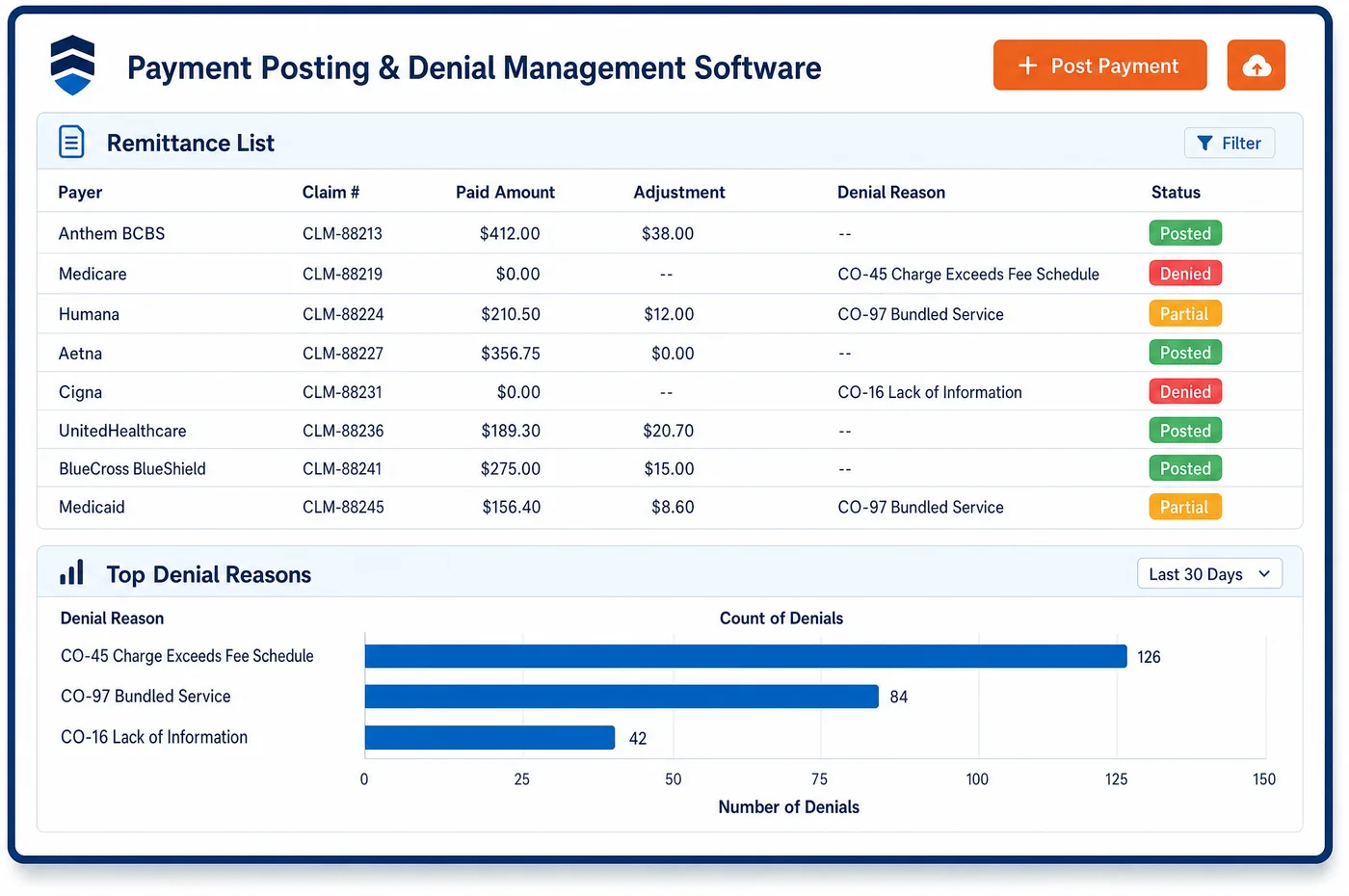
Integrated Patient Payments in a Oncology Practice
Oncology payments rarely come as one lump sum. A patient on a regimen may owe coinsurance on each cycle, and the final amount depends on what Medicare, a supplement and any charity fund pay. Integrated patient payments let the practice collect the right amount at the right time. A text link goes out once the balance is final, and the patient pays by card or mobile wallet in a few taps. Patients with large balances can agree to a monthly plan, with a card token stored through a PCI-compliant gateway and drafts that run on their own. Payments post to the patient record and the claim lines they cover, and the front desk sees the new balance at check-in. Statement content stays with patient billing. This side handles how the money moves and where it lands.
Why Is Integrated Patient Payments Different in Oncology?
Collecting at the chair is harder in oncology. The patient's share for an infusion visit is often not known until Medicare and the supplement have paid. A front desk that guesses at check-in either collects too much and has to refund it, or collects too little and starts a long chase. Collecting once the balance is final, with a fast way to pay, is kinder and more accurate.
Balances also repeat. A regimen can run many cycles, and each one adds a new coinsurance amount. Asking a patient to call in a card number every cycle wears on everyone. A stored card used with the patient's consent, or a monthly plan, lets payments follow the treatment without new paperwork each time. The plan sits on the same ledger, so a missed draft shows up before the next cycle.
Payment sources are mixed. One visit may be paid in part by Medicare, a Medigap plan, a charity foundation and the patient's own card. Each payment has to land on the right line, or the account shows a false balance or a false credit. When card payments live in a separate portal, staff rekey them and the books drift. One ledger for every source also helps deposit matching in oncology accounting.
What Oncology Integrated Patient Payments Software Handles
- PCI DSS card tokens
- Card data is handled through PCI-DSS Level 1 payment gateways, and the practice stores an encrypted token, not the card number. Staff can charge a stored card for a plan draft or a final balance without seeing the full number. (PCI Security Standards Council: PCI Data Security Standard (PCI DSS))
- Medigap crossover before collection
- Many Medicare claims cross over to the patient's supplement on their own. Text-to-pay requests wait until the crossover payment posts, so patients are not asked to pay coinsurance their Medigap plan will cover. (CMS: Coordination of Benefits Agreement (claims crossover))
- Reduced Part B coinsurance on some drugs
- For certain Part B drugs whose prices rose faster than inflation, Medicare lowers the coinsurance for the quarter. Collection amounts come from the posted remittance, so a card is charged what Medicare set, not a fixed share. (CMS: Medicare Prescription Drug Inflation Rebate Program (Part B coinsurance adjustment))
- EOM monthly payment (M0010)
- Patients carry no share of the EOM monthly payment. M0010 lines are left out of the amounts patients are asked to pay, whether at check-in or by text. (CMS: Enhancing Oncology Model Frequently Asked Questions)
- Payment plans versus waivers
- OIG treats routine waivers of Medicare coinsurance as a risk under the anti-kickback statute. A payment plan collects the full amount over time, while a hardship reduction is a separate, documented decision. (HHS-OIG Special Fraud Alert: Routine Waiver of Copayments or Deductibles under Medicare Part B)
- Charity foundation payments
- When an independent charity foundation pays toward a patient's cost sharing, that payment posts to the same lines as the patient's own card payments. The account then shows one true balance. (HHS-OIG Supplemental Special Advisory Bulletin: Independent Charity Patient Assistance Programs)
How Does Oncology Integrated Patient Payments Software Work?
1. Wait for the final balance
Payment requests go out after Medicare, the supplement and any charity fund have paid. Check-in collections use amounts already known, such as a copay for an office visit.
2. Send a text-to-pay link
The patient gets a secure text-to-pay link and pays by card or mobile wallet. The payment posts as soon as it clears.
3. Store a card or set up a plan
With the patient's consent, a card token is stored through the gateway. Monthly plan drafts run on their own and post to the plan balance.
4. Post to the right lines
Each payment lands on the claim lines it pays, next to insurer and foundation payments. The front desk sees the new balance at the next visit.
5. Handle declines and refunds
A declined draft is flagged for the account rep before the next cycle. Overpayments show as credits, so staff can refund or apply them under practice policy.
Oncology Integrated Patient Payments Software vs. Generic Software
| Area | Generic approach | Unlimited Systems |
|---|---|---|
| Payment timing | Guessed coinsurance collected at check-in. | Text-to-pay sent once the balance is final. |
| Card storage | Card numbers written on forms or kept in notes. | Encrypted tokens held through a PCI-DSS Level 1 gateway. |
| Payment plans | Tracked on a spreadsheet, with drafts run by hand. | Monthly drafts that run on their own and post to the ledger. |
| Posting | Portal payments rekeyed into billing. | Payments post straight to the claim lines they pay. |
| Front desk view | The balance at check-in is out of date. | The front desk sees the balance as soon as a payment clears. |
Who Uses It in a Oncology Practice
- Front desk: Current balances at check-in, and no need to take card numbers over the phone.
- Financial counselor: Plans set up with a stored card on file, so patients on long regimens pay over time without new forms each cycle.
- Controller: Card, plan and foundation payments on one ledger, matched to deposits without rekeying.
Oncology Integrated Patient Payments Software FAQs
Integrated patient payments let patients pay by text link, mobile wallet, stored card or monthly plan, and post each payment straight to the ledger. In oncology, coinsurance from each treatment cycle can be paid once the balance is final. Staff see the new balance at once, without rekeying a portal payment into billing.
The patient's share of an infusion visit often depends on what Medicare and the supplement pay, so it may not be known at check-in. Many practices collect known amounts at the desk, such as an office visit copay, and send a text-to-pay link for the rest once the claim is final. That avoids refunds and long chases.
A financial counselor sets up a monthly plan with the patient and stores a card token with their consent. Drafts run each month and post to the plan balance on the ledger. If a draft is declined, the account rep is told before the next cycle, so the plan can be fixed early.
Card data goes through PCI-DSS Level 1 payment gateways, and the practice stores an encrypted token rather than the card number. Staff can charge a stored card for a plan draft or a final balance without seeing the full number. Card numbers no longer need to sit on paper forms or in account notes.
A payment plan collects the full balance over time and does not lower what is owed. OIG has warned that routinely waiving Medicare coinsurance can violate the anti-kickback statute. A reduction for a patient's documented financial hardship is a separate decision, recorded with its reason, and is not handled as a payment.
When an independent charity foundation pays toward a patient's cost sharing, that payment posts to the same claim lines as the patient's own payments. The account then shows one true balance. A text-to-pay request only goes out for the part the foundation and other payers did not cover.
Related Oncology Software
Payments & AR
In the revenue cycle
Integrated Patient Payments for related specialties
Sources
- PCI Security Standards Council: PCI Data Security Standard (PCI DSS)
- CMS: Coordination of Benefits Agreement (claims crossover)
- CMS: Medicare Prescription Drug Inflation Rebate Program (Part B coinsurance adjustment)
- CMS: Enhancing Oncology Model Frequently Asked Questions
- HHS-OIG Special Fraud Alert: Routine Waiver of Copayments or Deductibles under Medicare Part B
- HHS-OIG Supplemental Special Advisory Bulletin: Independent Charity Patient Assistance Programs
GET STARTED
See Unlimited Systems in Action
Whether you're actively evaluating new technology or simply preparing for your next vendor renewal, Unlimited Systems can help you understand where your current workflows may be creating avoidable revenue risk.