

Front office
Oncology Patient Management Software
One record for each cancer patient's course: regimen, cycles, coverage, approvals, balances and care team, from referral to survivorship.
Oncology Patient Management Software keeps one record for each cancer patient across a long course of care. It ties the treatment plan and cycle calendar to coverage, authorizations, drug benefit, balances and the care team. Front desk, nurses, counselors and billers all work from that record from referral to survivorship.



 6,500+ specialty providers
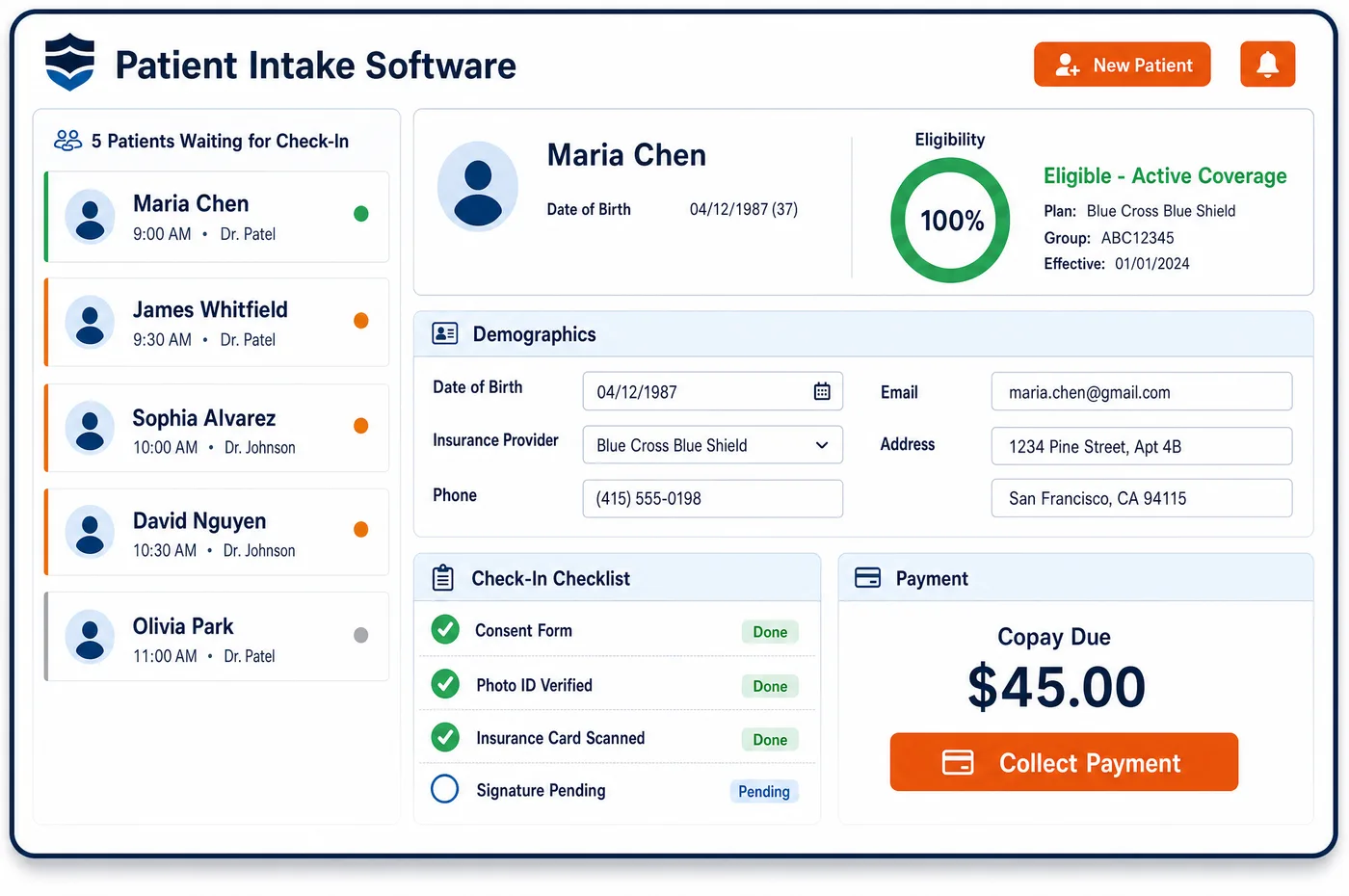
Patient Management in a Oncology Practice
A cancer patient in a community oncology practice is seen again and again. A referral arrives with pathology and staging from a surgeon or hospital. The first consult sets a regimen, and the regimen sets a calendar of labs, provider visits and chair time. Coverage has to be watched the whole way, because infused drugs bill to the medical benefit while many oral agents go through the pharmacy benefit. Oncology patient management software holds all of this in one record. Each cycle shows its authorization and the drugs it covers. The record lists the payer that pays first, any supplement or Medicaid plan that pays second, and copay help on file. When the plan changes, staff see what else must change: a new approval, a new estimate, a new set of visits. After treatment ends, the same record carries the patient into survivorship follow-up.
Why Is Patient Management Different in Oncology?
Cancer care runs as a course, not a string of visits. A regimen may repeat every few weeks, pause for low blood counts, and restart at a lower dose. Each change touches the schedule, the authorization and the charges. A record built for one-off visits loses that thread, so staff rebuild the patient's story from the EHR, the payer portal and paper notes.
Coverage is also split in ways few other specialties see. Infused chemotherapy and immunotherapy are bought and billed by the practice under the medical benefit. Many oral targeted drugs are filled by a specialty pharmacy under the pharmacy benefit, while Medicare Part B covers some oral anticancer drugs that match an infused version. The record has to keep the split between medical and pharmacy coverage in plain view.
The team around each patient is large. Oncologists, advanced practice providers, infusion nurses, navigators, financial counselors and schedulers may all touch the same chart in one week. Patients in the Enhancing Oncology Model also need a written care plan and navigation. Patient management for oncology gives each role the part of the record it needs, with access controls and an audit trail on every change.
What Oncology Patient Management Software Handles
- Oral anticancer drugs under Part B
- Medicare Part B covers an oral anticancer drug only when it has the same active ingredient and use as a covered drug that is not self-administered. The record notes which benefit each drug on the plan bills to, so counselors and billers start from the same answer. (CMS Medicare Benefit Policy Manual, Chapter 15, Sections 50.4.5 (off-label anticancer use and compendia) and 50.5.3 (oral anticancer drugs))
- Off-label regimens and the compendia
- For Medicare, an off-label use in an anticancer regimen is supported when a listed compendium backs it, such as an NCCN Category 1 or 2A rating. Staff record that support with the regimen, so it is at hand for the approval request and any appeal. (CMS Medicare Benefit Policy Manual, Chapter 15, Sections 50.4.5 (off-label anticancer use and compendia) and 50.5.3 (oral anticancer drugs))
- Clinical trial patients (NCT number, Q1, Z00.6)
- When a patient joins a qualifying trial, the record stores the 8-digit NCT number. Routine costs billed to Medicare then carry modifier Q1 and diagnosis Z00.6, and the NCT number is reported on the claim. (CMS: Mandatory Reporting of the National Clinical Trial (NCT) Identifier Number on claims)
- Enhancing Oncology Model episodes
- EOM episodes last six months and cover seven cancer types, and participants must offer navigation, a care plan and 24/7 clinician access. The record flags patients in an EOM episode so the team sees which model duties apply. (CMS Innovation Center: Enhancing Oncology Model (EOM))
- Principal Illness Navigation (G0023, G0024)
- Medicare pays for navigation of a serious, high-risk illness by auxiliary staff such as patient navigators under G0023 and G0024. When the practice bills these codes, navigator contacts are logged on the record, so the work behind each claim is easy to find. (CMS MLN Matters MM13452: CY 2024 Physician Fee Schedule final rule summary (Principal Illness Navigation G0023, G0024))
- Copay coupons and federal coverage
- OIG warns that manufacturer copay coupons implicate the anti-kickback statute when a federal program such as Medicare pays for the drug. The record shows each patient's payer type next to any assistance on file, so staff can see which programs fit. (HHS-OIG Special Advisory Bulletin: Pharmaceutical Manufacturer Copayment Coupons (September 2014))
How Does Oncology Patient Management Software Work?
1. Open the record at referral
A new referral creates the record with the referring physician, diagnosis and pathology on file. Missing reports are listed, so staff can request them before the first consult.
2. Attach the treatment plan
Once the oncologist picks a regimen, its cycles, drugs and visit pattern are tied to the record. Each cycle can then be checked against coverage and the schedule.
3. Track coverage across the course
Eligibility, approvals and benefit type sit beside each cycle. When an approval nears its end date or a plan changes, the record shows it to the oncology financial clearance team.
4. Follow plan changes
A dose reduction, a hold or a regimen switch is recorded as it happens. Staff see which visits, approvals and estimates need an update before the next treatment day.
5. Carry the patient into survivorship
When active treatment ends, the record keeps history, balances and follow-up visits together. Surveillance scans and visits are booked from the same record.
Oncology Patient Management Software vs. Generic Software
| Area | Generic approach | Unlimited Systems |
|---|---|---|
| Treatment course | Each visit stands alone, with no link to the regimen. | Cycles, drugs and visits tied to the treatment plan in one record. |
| Drug benefit | Medical and pharmacy coverage tracked in separate places. | Both benefits on the record, with the benefit each drug bills to. |
| Authorizations | Approvals kept in payer portals and spreadsheets. | Approvals shown beside the cycles they cover, with end dates in view. |
| Care team | Nurses, navigators and counselors keep their own notes. | One record with role-based access and an audit trail. |
| Trial patients | Trial status lives only in the research office's files. | NCT number and trial status on the record, ready for billing. |
Who Uses It in a Oncology Practice
- Front desk: Demographics and insurance from oncology patient registration and forms from pre-visit intake land on one record, so check-in starts from current facts.
- Infusion nurse manager: A view of who is due for treatment, with plan changes and coverage gaps visible before the chair is set up.
- Financial counselor: The payer order, both drug benefits and any assistance on file for each patient, so cost talks start from facts.
- Practice administrator: One record across sites and providers, linked to the EHR, so each patient's course and balance can be seen in one place.
Oncology Patient Management Software FAQs
Patient management in a cancer practice follows a course of treatment rather than single visits. The record ties the regimen, cycle calendar, approvals and drug benefits together, and it updates when a dose is held or a regimen changes. Staff can then see what the change means for the schedule, the estimate and the claim before the next treatment day.
The patient record holds both the medical benefit, which pays for infused drugs the practice buys and bills, and the pharmacy benefit, which often covers oral targeted drugs. Each drug on the plan is marked with the benefit it bills to. Financial counselors and billers then work from one answer instead of checking two systems.
Clinical trial patients have their trial status and NCT number stored on the record. For Medicare, routine costs in a qualifying trial carry modifier Q1 and diagnosis Z00.6, with the NCT number on the claim. Keeping that detail on the record means billers do not have to ask the research office each time a trial patient is treated.
Patients in an Enhancing Oncology Model episode are flagged on the record. The model asks participants to provide navigation, a care plan and round-the-clock clinician access, and episodes run for six months. Seeing the flag on the record helps the team keep those duties in view for each attributed patient.
Access to a cancer patient's record is set by role. Financial counselors see coverage, estimates and assistance, nurses see the treatment plan and schedule, and billers see claims and balances. Every view and change is written to an audit trail, which supports HIPAA privacy rules and internal review.
After active treatment ends, the same record stays open for survivorship care. Past regimens, balances and coverage history stay in place, and follow-up visits and surveillance scans are booked from it. If the cancer returns, the team starts the next course with the full history already on file.
Related Oncology Software
Front office
Patient Management for related specialties
Sources
- CMS Medicare Benefit Policy Manual, Chapter 15, Sections 50.4.5 (off-label anticancer use and compendia) and 50.5.3 (oral anticancer drugs)
- CMS: Mandatory Reporting of the National Clinical Trial (NCT) Identifier Number on claims
- CMS Innovation Center: Enhancing Oncology Model (EOM)
- CMS MLN Matters MM13452: CY 2024 Physician Fee Schedule final rule summary (Principal Illness Navigation G0023, G0024)
- HHS-OIG Special Advisory Bulletin: Pharmaceutical Manufacturer Copayment Coupons (September 2014)
GET STARTED
See Unlimited Systems in Action
Whether you're actively evaluating new technology or simply preparing for your next vendor renewal, Unlimited Systems can help you understand where your current workflows may be creating avoidable revenue risk.