

Front office
Oncology Patient Registration Software
Register new cancer patients with the right identity, payer order and drug coverage before the first consult and the first dose.
Oncology Patient Registration Software captures a new cancer patient's identity, demographics and insurance before the first consult. It sets the order of payers, notes Medicare Advantage, Medicaid and supplement coverage, and flags dual-eligible and self-pay patients. Clean registration lets costly drug claims go to the right payer from the first cycle.



 6,500+ specialty providers
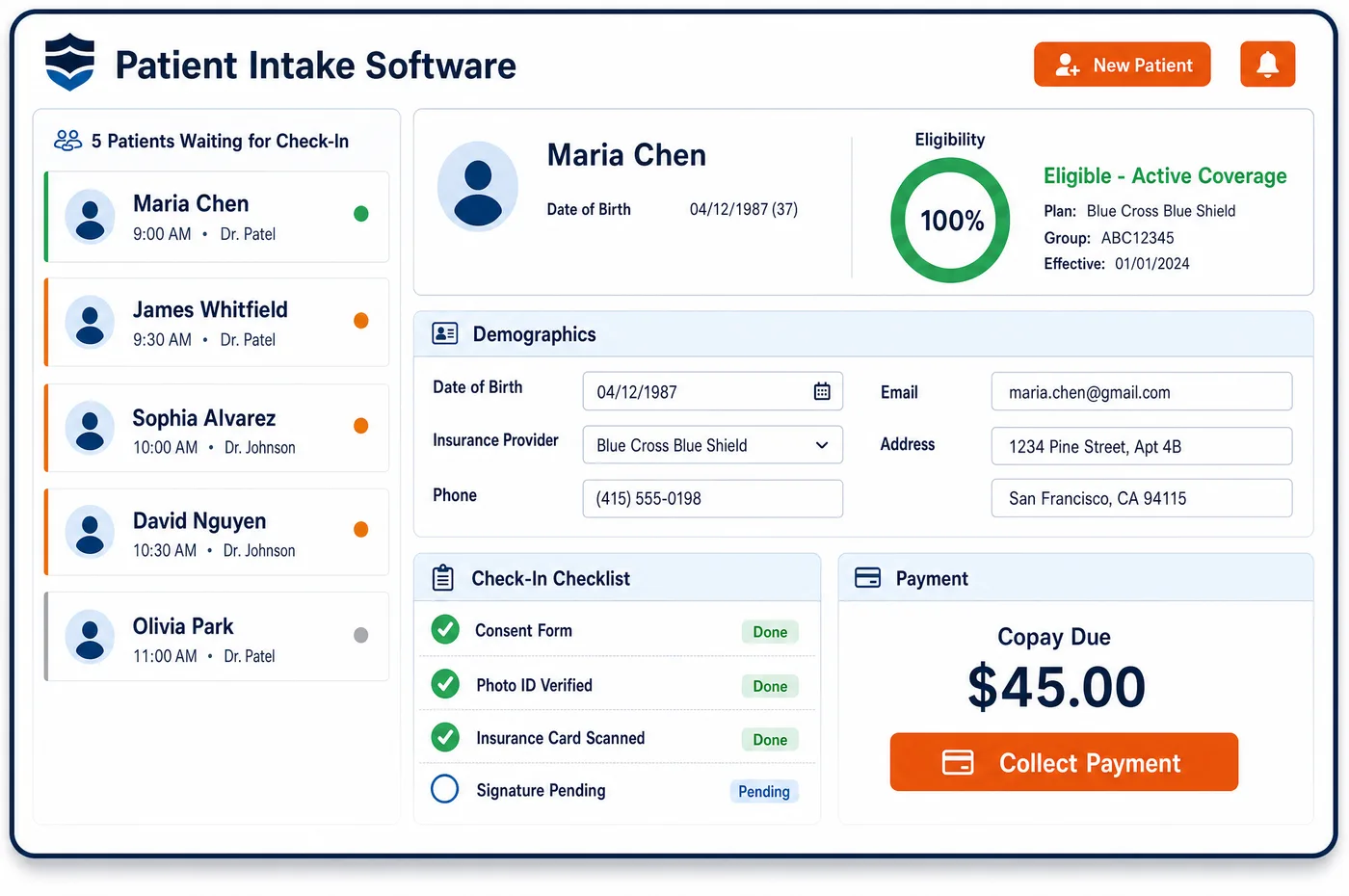
Patient Registration in a Oncology Practice
Registration for a medical oncology practice starts with a referral, often under time pressure. The patient may have just heard the word cancer, and records come from a surgeon, a hospital or a pathology lab. Staff match the patient to any record already on file so outside reports land in one chart. They capture every plan the patient has. That includes Original Medicare or a Medicare Advantage plan, a Medigap or retiree plan, Medicaid, and any job-based plan that may pay before Medicare. Oncology patient registration software checks eligibility on each plan and records the payer order. It also notes facts that change billing later: a QMB patient who can't be billed Medicare cost sharing, a Medicaid plan that wants NDCs on drug lines, or a patient with no coverage who needs a good faith estimate. Getting this right at sign-up keeps a high-dollar infusion claim from going to the wrong payer.
Why Is Patient Registration Different in Oncology?
The stakes of a registration error are higher here than in most clinics. One infusion claim for an immunotherapy drug can be worth more than a month of office visits. If the payer order is wrong, that claim is denied or paid by the wrong plan and later taken back. The practice has already bought the drug, so a slow fix costs real money.
Cancer patients also carry more coverage layers than most. Many are on Medicare, with a supplement or Medicaid for dual-eligible patients paying the drug coinsurance. Others are still working and have a group plan that pays first. Patients who start disability benefits or turn 65 during treatment change payers in the middle of a regimen. Patient registration has to record each layer and catch changes as they happen.
Identity is its own problem. Records for one patient arrive from several outside sources, each with slight name or date differences. A duplicate chart splits pathology, approvals and balances across two records. Oncology practices need firm matching rules at sign-up, so every outside report, order and claim lands on the same patient record across the course of care.
What Oncology Patient Registration Software Handles
- Medicare Secondary Payer order
- Medicare pays second to a group health plan for a working-aged patient when the employer has 20 or more employees. Registration asks about current employment and spousal coverage, so the group plan is billed first when it should be. (CMS MLN Booklet MLN006903: Medicare Secondary Payer)
- Qualified Medicare Beneficiaries (QMB)
- Providers may not bill QMB patients for Medicare Part A or Part B cost sharing, and that covers drug coinsurance. Registration flags QMB status, so statements are held and the state Medicaid program is billed instead. (CMS MLN7936176: Prohibition on Billing Qualified Medicare Beneficiaries)
- Medicare Advantage step therapy for Part B drugs
- Medicare Advantage plans may apply step therapy to Part B drugs, but only to new starts of a drug. Registration records whether the patient has Original Medicare or a Medicare Advantage plan, since that decides which drug rules apply. (42 CFR 422.136: Medicare Advantage and step therapy for Part B drugs)
- Medicaid NDC reporting
- States collect NDCs on physician-administered drug claims to bill manufacturer rebates, and North Dakota Medicaid, for example, wants the 11-character NDC on each drug line. Registration notes the state plan, so drug claims are built to its rules. (North Dakota Medicaid Billing and Policy Manual: Physician Administered Drugs)
- Uninsured cancer patients and the estimate rule
- A patient who isn't using insurance must receive a good faith estimate from the provider. Registration marks self-pay status, which starts the estimate work in financial clearance for oncology. (CMS Medical Bill Rights: Good faith estimates)
How Does Oncology Patient Registration Software Work?
1. Take the referral
The referral comes in with the diagnosis, the referring doctor and any pathology. Staff look for an existing record first, so the new patient isn't created twice.
2. Capture identity and demographics
Name, birth date, address, phone and a photo ID are recorded, with the patient's preferred contact method. A link to oncology intake forms can go out for the rest.
3. Record every plan
Each plan is entered with front and back card images. Staff ask about job-based coverage, supplements and Medicaid, then set the payer order.
4. Check eligibility on each plan
A 270 eligibility request goes to each payer, and the 271 reply shows active coverage and benefits. Gaps or inactive plans go to a work queue.
5. Flag billing rules
QMB status, Medicare Advantage, state Medicaid rules and self-pay status are flagged on the record. Billing and counseling staff see them before the first charge is built.
Oncology Patient Registration Software vs. Generic Software
| Area | Generic approach | Unlimited Systems |
|---|---|---|
| Duplicate records | New charts created for each outside referral. | Existing records matched before a new one is made. |
| Payer order | Medicare entered as primary by default. | Working status and other coverage asked about, then the order is set. |
| QMB patients | Statements sent for drug coinsurance by mistake. | QMB status flagged, with statements held and Medicaid billed. |
| Plan type | Original Medicare and Medicare Advantage treated alike. | Plan type recorded, so the right drug rules follow the patient. |
| Eligibility | Checked by phone on the primary plan only. | 270/271 checks on each plan, with gaps sent to a queue. |
Who Uses It in a Oncology Practice
- New patient coordinator: A registration path that matches records, captures every plan and flags rule-changing facts before the consult.
- Billing manager: Drug claims that start with the right payer order, so fewer high-dollar claims bounce or get taken back.
- Financial counselor: QMB, dual-eligible and self-pay flags at sign-up, so cost talks and estimates begin early.
Oncology Patient Registration Software FAQs
Patient registration sets the payer order for every claim that follows, and oncology claims carry costly drugs. A wrong primary payer can mean a denied or reversed infusion claim for a drug the practice already bought. Capturing each plan, the patient's work status and any supplement or Medicaid coverage at sign-up keeps those claims on track.
Staff ask whether the patient or spouse is still working and covered by a group health plan. For a working-aged patient whose employer has 20 or more employees, the group plan pays first and Medicare pays second. The answers are saved on the record, and the payer order is set before any claim is built.
A Qualified Medicare Beneficiary can't be billed for Medicare cost sharing, including coinsurance on infused drugs. When registration flags QMB status, patient statements for that cost sharing are held, and the balance is billed to the state Medicaid program. This protects the patient and keeps the practice within its Medicare agreement.
Plan type matters because Medicare Advantage plans can set their own approval and step therapy rules for Part B drugs, within federal limits. Original Medicare doesn't require prior approval for most infused cancer drugs. Recording the plan type at registration tells clearance staff which rules to check before the first dose.
Before a new chart is made, staff search for an existing record by name, birth date and other identifiers. Outside reports from surgeons, hospitals and labs are then filed to the matched record. One chart per patient keeps pathology, approvals and balances together across a long course of care.
A patient with no insurance, or one who chooses not to use it, is marked self-pay at registration. The provider must give that patient a good faith estimate, so the flag starts estimate work right away. Financial counselors can also look at assistance options before treatment begins.
Related Oncology Software
Front office
In the revenue cycle
Patient Registration for related specialties
Sources
- CMS MLN Booklet MLN006903: Medicare Secondary Payer
- CMS MLN7936176: Prohibition on Billing Qualified Medicare Beneficiaries
- 42 CFR 422.136: Medicare Advantage and step therapy for Part B drugs
- Medicaid.gov: Physician Administered Drugs (PAD) and state NDC collection for rebates
- North Dakota Medicaid Billing and Policy Manual: Physician Administered Drugs
- CMS Medical Bill Rights: Good faith estimates
GET STARTED
See Unlimited Systems in Action
Whether you're actively evaluating new technology or simply preparing for your next vendor renewal, Unlimited Systems can help you understand where your current workflows may be creating avoidable revenue risk.