

Front office
Oncology Patient Scheduling Software
Book labs, provider visits, chairs, nurses and pump visits around each regimen's cycle, and move the whole cycle when a dose is held.
Oncology Patient Scheduling Software books each cancer treatment day as a linked set: labs, a provider visit when the plan calls for one, and an infusion chair with nurse time sized to the regimen. Cycles are booked from the treatment plan, and when a dose is held, the rest of the cycle moves together.



 6,500+ specialty providers
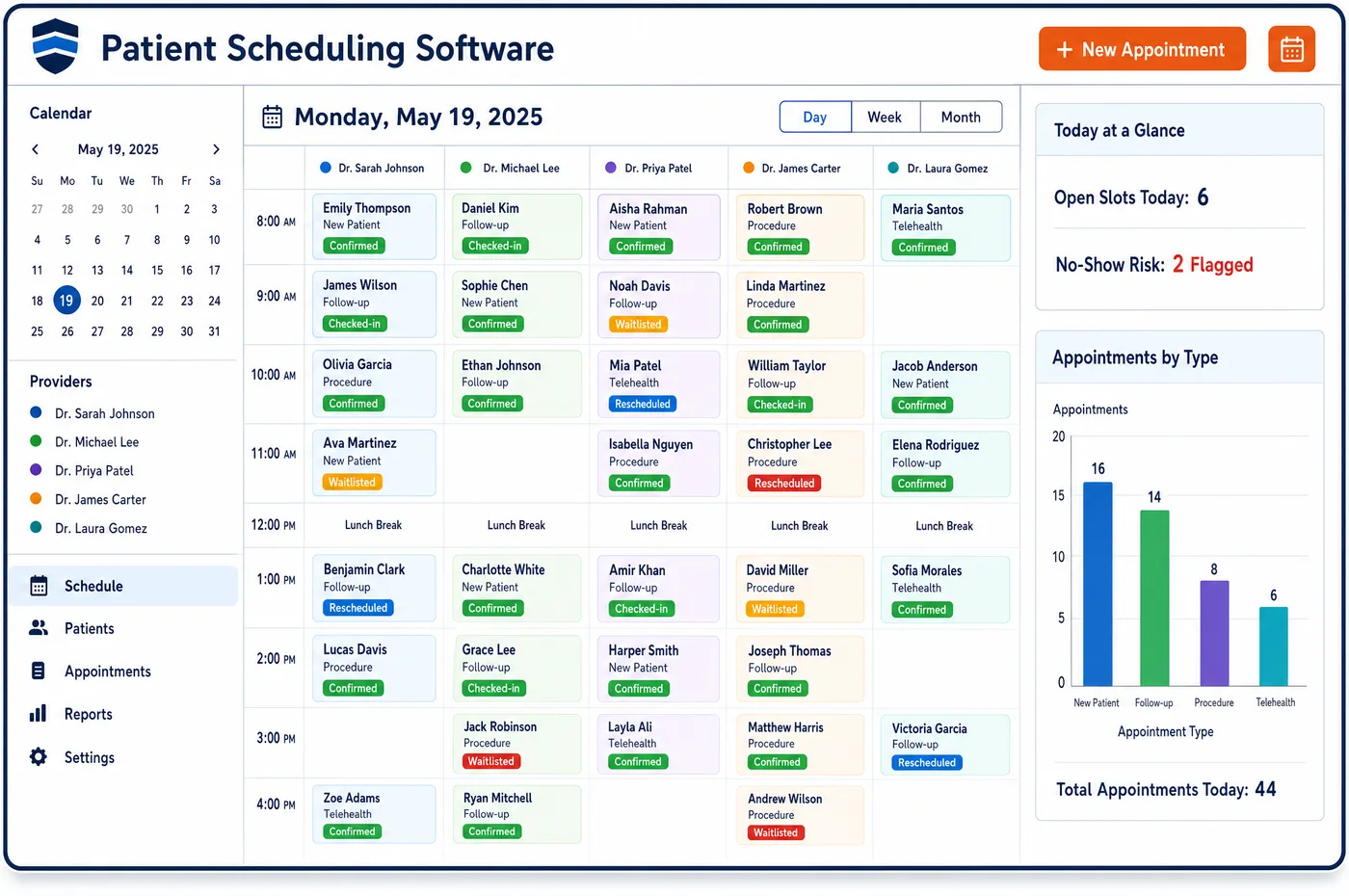
Patient Scheduling in a Oncology Practice
A treatment day in medical oncology is built in layers. Blood counts are drawn first, sometimes days ahead, so the result is back before the dose is mixed. The oncologist or advanced practice provider may see the patient that morning. Then the patient needs a chair for as long as the regimen runs, which can be a short push, a single hour or most of a day. A take-home pump means a later visit to disconnect it. A growth factor shot may follow the next day. Oncology patient scheduling software books these pieces from the regimen, not by hand. Chairs, rooms and nurses are booked as resources, with the practice's own staffing rules applied. Each visit shows whether its approval and drug are ready. When counts are low and the oncologist holds a dose, the remaining labs, visits and chair time shift as a group, so nothing is left at the old date.
Why Is Patient Scheduling Different in Oncology?
Most clinics book a provider's time. A cancer center books chairs, nurses, pharmacy mixing time and lab draws as well, and each regimen uses them differently. A short immunotherapy infusion and a long multi-drug day can't share a template. If the schedule only knows provider names, chairs sit empty in the morning and overflow in the afternoon.
The calendar is also set by the regimen. Many regimens repeat on a fixed cycle, some give drugs on more than one day of each cycle, and many need labs and a visit before each dose. A held dose or a lowered count moves everything after it. Patient scheduling in oncology has to treat a cycle as one unit that can move, not a list of separate bookings.
Finally, the length of a chair visit affects the claim. Administration codes are reported by time, and the time the nurse records has to support what is billed. A slot that is too short pushes nurses to rush or run late. Booking chair time to the regimen's real run time keeps the day on track and the documented times honest.
What Oncology Patient Scheduling Software Handles
- Chemotherapy infusion time (96413, 96415)
- Code 96413 covers an infusion up to 1 hour, and 96415 adds each later hour when the extra time is more than 30 minutes. Chair slots are sized from the regimen's planned run time, so the booking fits the infusion the nurse will document. (CMS Medicare Claims Processing Manual, Chapter 12, Section 30.5: Chemotherapy Administration and Nonchemotherapy Injections and Infusions)
- Push versus infusion (96409, 96413)
- An infusion of 15 minutes or less is billed as a push, such as 96409, rather than as an infusion like 96413. Short drugs are booked as push visits, so chair time isn't held that the claim won't reflect. (CMS Medicare Claims Processing Manual, Chapter 12, Section 30.5: Chemotherapy Administration and Nonchemotherapy Injections and Infusions)
- Prolonged pump infusions (96416, 96521)
- Code 96416 starts an infusion of more than 8 hours on a portable pump, and it includes the first fill. A later refill visit is reported with 96521, so the scheduler books the pump start and any refill or disconnect visit as a pair. (CMS NCCI Policy Manual for Medicare Services, Chapter XI, Section N (Chemotherapy Administration), revised 1/1/2026)
- Port flush visits (96523)
- Code 96523 for flushing an implanted port is paid only when it is the only service that day. Flush-only visits are booked as their own visit type, apart from treatment days, where the flush is part of the drug service. (CMS Medicare Claims Processing Manual, Chapter 12, Section 30.5: Chemotherapy Administration and Nonchemotherapy Injections and Infusions)
- Hormonal antineoplastic injections (96402)
- CMS lists leuprolide and goserelin among hormonal antineoplastics, given as injections reported with 96402. These short visits are booked as injection slots, not chair time. (CMS Medicare Claims Processing Manual, Chapter 12, Section 30.5: Chemotherapy Administration and Nonchemotherapy Injections and Infusions)
- 24/7 clinician access in the Enhancing Oncology Model
- EOM participants must give patients round-the-clock access to a clinician with access to the record. Templates can hold same-day symptom slots, so a patient who calls with side effects is seen in clinic instead of the ER. (CMS Innovation Center: Enhancing Oncology Model (EOM))
How Does Oncology Patient Scheduling Software Work?
1. Build the cycle from the plan
When the treatment plan is signed, its cycle length, drug days and visit pattern create the bookings. Labs, provider visits and chair time are placed in the right order for each cycle.
2. Size chair time to the regimen
Each regimen carries a planned run time, including premeds and observation. The scheduler books a chair and nurse for that time and tracks infusion chair use across the day.
3. Check readiness before the day
Each treatment visit shows whether the approval, the drug and the lab result are in. A missing approval holds the visit until oncology financial clearance resolves it.
4. Remind the patient
Reminders go out by text or email for labs and treatment days, with prep notes. Patients confirm or ask to move the visit by reply through patient engagement for oncology.
5. Move the cycle when a dose is held
If the oncologist holds or delays a dose, the remaining visits in the cycle shift together. Freed chair time is offered to waitlist patients by text.
Oncology Patient Scheduling Software vs. Generic Software
| Area | Generic approach | Unlimited Systems |
|---|---|---|
| Cycle booking | Each lab, visit and infusion booked one at a time. | Whole cycles booked from the signed treatment plan. |
| Chair time | One slot length for every infusion. | Chair and nurse time sized to each regimen's run time. |
| Dose holds | Later visits moved one by one, with some missed. | Remaining visits in the cycle move as a group. |
| Readiness | Approval and drug checked the morning of treatment. | Approval, drug and lab status shown on each booking ahead of time. |
| Pump visits | Disconnect visits booked by memory. | Pump start and follow-up visit booked as a pair. |
Who Uses It in a Oncology Practice
- Infusion scheduler: Chair, nurse and pharmacy time booked from each regimen, with readiness flags that show problems before treatment day.
- Charge nurse: A day planned to real run times and staffing rules, so the unit doesn't overflow in the afternoon.
- Practice manager: One calendar across sites with chair use in view, and treatment times that support clean chemotherapy charge assembly.
Oncology Patient Scheduling Software FAQs
Patient scheduling books a whole chemotherapy cycle from the treatment plan. The cycle's drug days, labs and provider visits are placed in order, and chair time is sized to the regimen. If the oncologist holds a dose, the remaining visits move together, so labs and treatment stay in the right sequence.
Chairs, rooms and nurses are booked as resources, not just provider time. Each treatment visit holds a chair and nurse time for the regimen's run time, and the practice's staffing rules limit how many patients start at once. This spreads starts across the day and keeps chair use visible to the charge nurse.
When lab results are not back or counts are too low, the visit is flagged before the drug is mixed. If the oncologist delays the dose, the rest of the cycle shifts as a group. The open chair time can be offered to a waitlist patient, so the slot is not lost.
When a regimen uses a take-home pump, the pump start visit and the follow-up visit are booked together. Code 96416 includes the first pump fill, and later refills are reported with 96521. Booking both visits at once means the patient knows when to come back and the pump is not missed.
Each treatment visit shows whether its approval is active and whether the drug is in stock. A missing approval or drug raises a flag before the day, so staff can fix it or move the visit. This keeps the practice from mixing a costly drug it may not be paid for.
Templates can hold same-day slots for patients on treatment who call with side effects. Practices in the Enhancing Oncology Model must give round-the-clock clinician access, and open slots let the team see these patients in clinic. Seeing them early can head off an emergency visit or a hospital stay.
Related Oncology Software
Front office
In the revenue cycle
Patient Scheduling for related specialties
Sources
- CMS Medicare Claims Processing Manual, Chapter 12, Section 30.5: Chemotherapy Administration and Nonchemotherapy Injections and Infusions
- CMS NCCI Policy Manual for Medicare Services, Chapter XI, Section N (Chemotherapy Administration), revised 1/1/2026
- CMS Innovation Center: Enhancing Oncology Model (EOM)
GET STARTED
See Unlimited Systems in Action
Whether you're actively evaluating new technology or simply preparing for your next vendor renewal, Unlimited Systems can help you understand where your current workflows may be creating avoidable revenue risk.