

Front office
Oncology Patient Intake Software
Collect cancer history, outside records, consents, symptom scores and coverage before the consult and before each treatment day.
Oncology Patient Intake Software gathers what a cancer visit needs before the patient arrives. New patients send history, prior treatment, current drugs and insurance cards from home. Returning patients answer symptom check-ins before treatment days. Consents are signed and stored, and every answer is written to the chart and billing record.



 6,500+ specialty providers
Patient Intake in a Oncology Practice
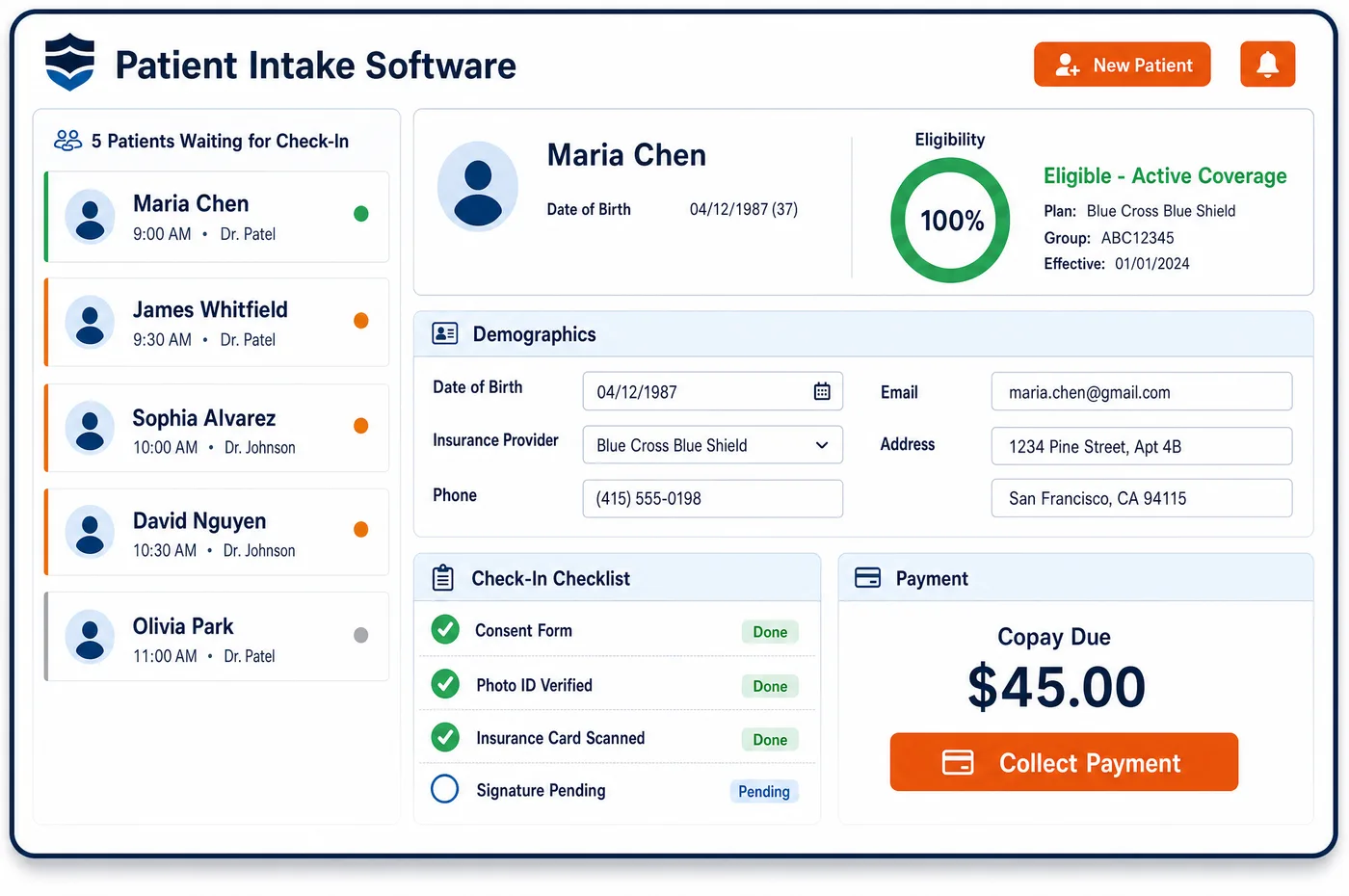
Intake at a medical oncology practice has two jobs. The first is the new patient. Before the consult, the oncologist wants the pathology report, staging scans, biomarker results, prior surgery or radiation and a full drug list, including any oral cancer drugs. A digital intake link asks the patient for history, medicines, allergies, pharmacy, emergency contact and card images, while staff chase the outside reports. The second job repeats for months. Before each treatment day, a short check-in asks about symptoms and side effects, so nurses can spot a problem before the patient is in the chair. Oncology patient intake software handles both. Forms are set by visit type, so a consult, a first dose and a follow-up each ask the right questions. Signed treatment consent is stored before the regimen starts. Card images feed an eligibility check, and answers flow to the EHR as fields, not scanned pages.
Why Is Patient Intake Different in Oncology?
A first oncology visit can't do much without outside records. Choosing a regimen depends on pathology, stage and often biomarker or genetic results. When those reports are missing, the consult becomes a second wait for a scared patient. Intake for oncology has to track what has arrived and what is still out, not only what the patient typed in.
Consent is also more formal than in most clinics. The ASCO and ONS safety standards call for documented consent before a cancer drug regimen starts, and for patient education before the first dose of each treatment plan. That education should be in the patient's preferred language. Patient intake has to capture and store these documents where staff can find them on treatment day.
Intake also doesn't end after the first visit. Patients on active treatment report symptoms again and again, and practices in the Enhancing Oncology Model must collect electronic patient-reported outcomes and screen for health-related social needs. A form that runs once at sign-up misses the work. Intake has to repeat on a plan and feed each answer back to the chart.
What Oncology Patient Intake Software Handles
- Treatment consent and first-dose education
- The ASCO-ONS administration safety standards ask practices to document consent before the regimen starts and to teach patients before the first dose of each plan. Signed consents and education records are stored with the treatment plan, so nurses can confirm them before the first infusion. (ASCO: Antineoplastic Therapy Administration Safety Standards for Adult and Pediatric Oncology (ASCO-ONS, 2024))
- Electronic patient-reported outcomes (EOM)
- EOM participants must collect and monitor ePROs. Symptom check-ins go out before treatment days on the plan the practice sets, and scores are written back to the chart for nurse review. (CMS Innovation Center: Enhancing Oncology Model (EOM))
- Health-related social needs screening (EOM)
- EOM also requires screening for health-related social needs such as food, housing and transport. The screen can be part of the intake packet, and positive answers route to a navigator or social worker. (CMS Innovation Center: Enhancing Oncology Model (EOM))
- Oral anticancer drug history
- Some oral anticancer drugs are covered under Part B when they match a covered drug that is not self-administered, and others go through Medicare Part D. Intake records every oral cancer drug and the pharmacy that fills it, so staff can sort out which benefit pays. (CMS Medicare Benefit Policy Manual, Chapter 15, Section 50.5.3 (oral anticancer drugs))
- Clinical trial enrollment status
- Intake asks whether the patient is in, or has been offered, a clinical trial. For Medicare billing, trial claims need the NCT number, so a yes answer is passed to staff who add it to the record. (CMS: Mandatory Reporting of the National Clinical Trial (NCT) Identifier Number on claims)
How Does Oncology Patient Intake Software Work?
1. Send the intake link
When a new patient is booked, a secure link goes out by text or email. The patient fills in history, drugs, allergies and contacts, and uploads both sides of each insurance card.
2. Track outside records
A checklist shows which pathology, imaging, biomarker and treatment reports have arrived. Staff request the missing ones while the patient finishes the forms.
3. Verify coverage from the card
Card details are read from the images and an eligibility check runs on each plan. Results join the oncology patient registration record, and gaps go to a staff queue.
4. Capture consent
Treatment consent and education records are signed and stored before the regimen starts. Each is filed with the plan it covers, so a new regimen prompts a new consent.
5. Repeat check-ins during treatment
Before treatment days, short symptom and social needs check-ins go out. Answers are written to the cancer patient's longitudinal record and flagged for nurse review when they cross a set level.
Oncology Patient Intake Software vs. Generic Software
| Area | Generic approach | Unlimited Systems |
|---|---|---|
| New patient history | Paper packet filled out in the waiting room. | Digital forms finished at home, set by visit type. |
| Outside records | Missing reports found on the day of the consult. | A checklist tracks each report and what is still out. |
| Consent | Paper consent filed in a binder. | Signed consent stored with the treatment plan it covers. |
| Symptom check-ins | Asked aloud in the chair, if time allows. | Sent before treatment days, with scores written to the chart. |
| EHR entry | Staff retype answers into the chart. | Answers flow to the EHR as fields, not scanned pages. |
Who Uses It in a Oncology Practice
- New patient coordinator: A list of which outside reports are in and which are missing, so the consult isn't wasted waiting for pathology.
- Infusion nurse: Consent, education records and the latest symptom scores in view before the first and each later dose.
- Navigator: Social needs screens and symptom flags routed to them, with the patient's answers attached for follow-up through oncology patient engagement.
Oncology Patient Intake Software FAQs
Patient intake for a first oncology consult collects history, prior surgery, radiation and drug therapy, a full drug list with oral cancer drugs, allergies, pharmacy and contacts, plus both sides of each insurance card. Staff track outside pathology, imaging and biomarker reports at the same time, so the oncologist has what is needed to discuss treatment.
Symptom check-ins can be sent before each treatment day on a plan the practice sets. The patient answers on a phone or computer, and the scores go to the chart. When an answer crosses a level the practice chooses, it is flagged for a nurse, who can call the patient before the chair is set up.
Chemotherapy and other treatment consents are signed digitally or on paper and stored with the treatment plan they cover. Education records for the first dose are kept the same way. When the oncologist changes the regimen, the record shows that a new consent is needed before the new plan starts.
Intake forms can carry the ePRO check-ins and social needs screens that EOM participants must run. Answers are saved as data, not scanned files, so the practice can show that screening took place. Positive social needs screens can be sent to a navigator for follow-up.
Forms can be offered in the languages the practice supports, so more patients finish intake without staff help. This matters in oncology, where safety standards ask that first-dose teaching be given in the patient's preferred language. The language choice is saved on the record for later visits and messages.
Intake answers are written to the patient record and passed to the EHR as discrete fields. Insurance details feed the eligibility check and billing record. Because nothing is retyped, history, consents and coverage stay the same across the chart, the schedule and the claim.
Related Oncology Software
Front office
In the revenue cycle
Patient Intake for related specialties
Sources
- ASCO: Antineoplastic Therapy Administration Safety Standards for Adult and Pediatric Oncology (ASCO-ONS, 2024)
- CMS Innovation Center: Enhancing Oncology Model (EOM)
- CMS Medicare Benefit Policy Manual, Chapter 15, Section 50.5.3 (oral anticancer drugs)
- CMS: Mandatory Reporting of the National Clinical Trial (NCT) Identifier Number on claims
GET STARTED
See Unlimited Systems in Action
Whether you're actively evaluating new technology or simply preparing for your next vendor renewal, Unlimited Systems can help you understand where your current workflows may be creating avoidable revenue risk.