
Platform & AI
Multi-Specialty Workflow Software
Route each task to the right desk and department, with a named owner and a clear next step.
Multi-Specialty Workflow Software gives every task in the group an owner, a queue and a next step. Referrals, authorizations, charge questions and denials are routed to the right person in the right department, and the task shows who is waiting. Work moves between desks by rule, not by email, so nothing sits where nobody is looking.



 6,500+ specialty providers

Workflow in a Multi-Specialty Practice
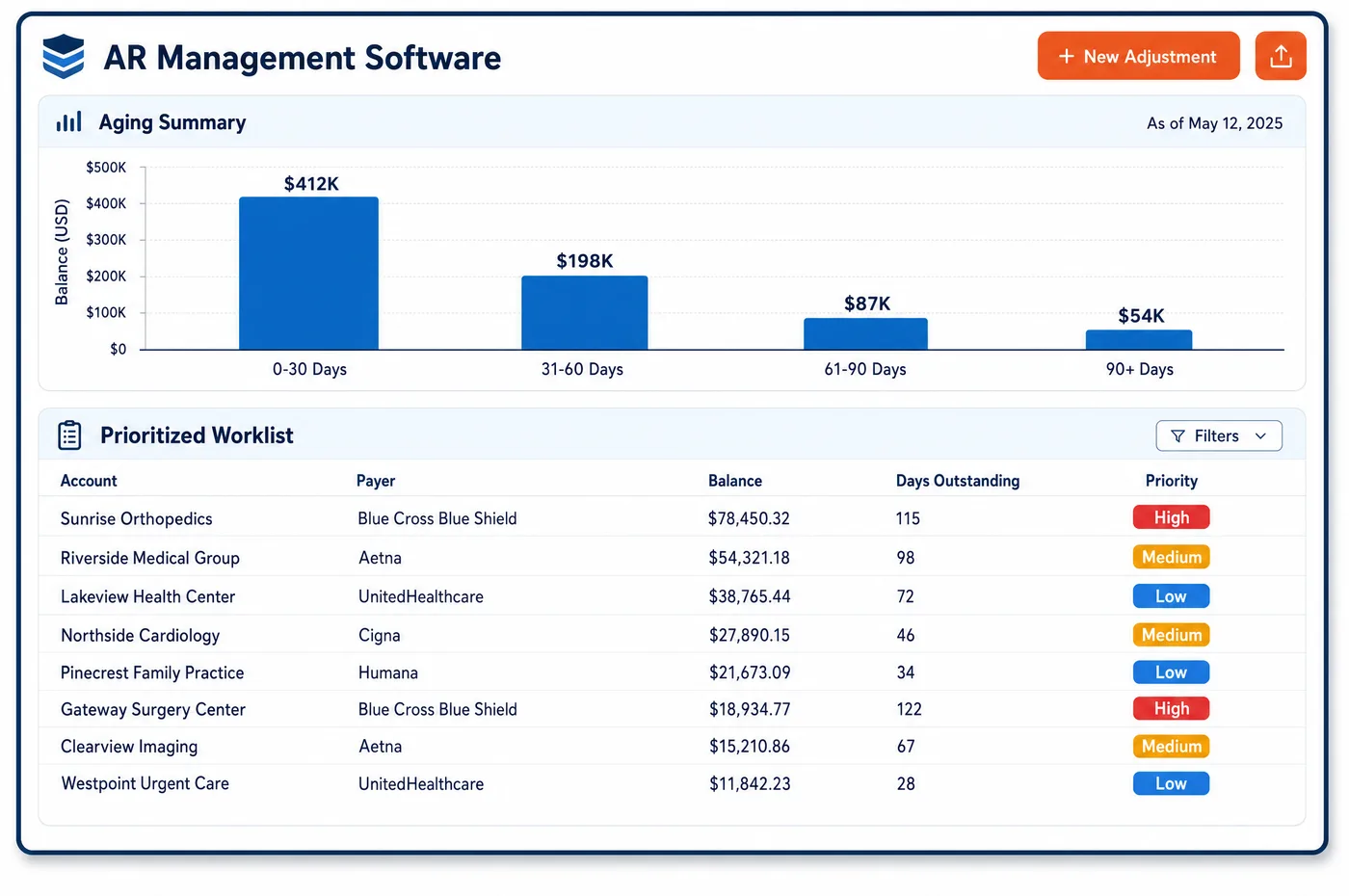
A multi-specialty group passes work between departments all day. A primary care physician refers a patient to cardiology. Cardiology orders imaging. The imaging result changes the plan, and the plan needs an authorization. Each handoff can drop a task. Workflow software turns each handoff into a ticket with an owner. Task lists load for each role and location, so a front desk clerk sees check-in work and a financial counselor sees balances and authorizations. Tickets can pass between departments, such as from checkout to a financial counselor, with the history attached. Custom role queues match how the group is organized. Checklists can hold a step until the required items are done. Managers see which queues are growing and who is waiting on whom. Anything that a rule can finish without a person belongs to automation, and what remains lands here.
Why Is Workflow Different in Multi-Specialty?
The hard part of workflow in a multi-specialty group is that the work crosses departments, and ownership blurs at each crossing. A referral order sits in one department's inbox. The authorization sits in another's. The claim, once it is billed, sits in the central billing office. When something fails, each team assumes another has it.
Compliance rules shape the handoffs too. When a physician refers a Medicare patient for designated health services, such as clinical laboratory, physical therapy or imaging, the self-referral law applies to the group's financial arrangements. Medicare also requires the ordering physician's name and NPI on claims for imaging and laboratory services, and denies claims without them. A workflow that drops the orderer's details causes denials later.
Roles differ more here than in a small practice. A group has front desk staff by site, authorization specialists by specialty, coders, a central billing office and department managers. A single shared queue buries everyone. Queues need to be cut by role, department and location, with escalation rules for items that wait too long.
What Multi-Specialty Workflow Software Handles
- Internal referrals and designated health services
- For Medicare, a referral includes a request for or order of designated health services, such as clinical laboratory, physical therapy, radiology and other imaging, radiation therapy and outpatient prescription drugs. When one department orders these for another's patient, the ticket records who ordered, who performs and who bills, so compliance can review the path. (eCFR via Cornell LII: 42 CFR 411.351, Definitions (designated health services, referral))
- Ordering and referring on Medicare claims
- Under 42 CFR 424.507, Medicare claims for imaging, clinical laboratory and durable medical equipment must carry the ordering professional's legal name and NPI. That professional must be enrolled or have validly opted out. A claim without them is denied, so the order ticket captures them before the claim is built. (eCFR via Cornell LII: 42 CFR 424.507, Ordering covered items and services)
- Physician self-referral rules
- CMS publishes the physician self-referral law and its exceptions, including the in-office ancillary services exception for a group's own lab and imaging. The compliance lead sets which referral types need review, and the workflow routes those tickets to that person. (CMS: Physician Self-Referral)
- Authorization hand-offs
- Prior authorization requests travel as the HIPAA-adopted 278 transaction. Authorization for a specialty service often depends on what another department found. A ticket carries the clinical notes forward with the order, so the authorization specialist does not call the referring office, and status stays on the ticket until a decision arrives. (CMS: HIPAA adopted standards and operating rules)
- In-office ancillary services
- Under 42 CFR 411.355(b), a group's own lab or imaging can fit the in-office ancillary exception when the service is supervised, located and billed as the rule requires. The ticket for an in-house test records who supervised, where it was done and under which billing number. Review of those fields stays with analytics and compliance. (eCFR via Cornell LII: 42 CFR 411.355, General exceptions (in-office ancillary services))
How Does Multi-Specialty Workflow Software Work?
1. Create the ticket at the source
An order, a denial or a question starts a ticket with the patient, the department and the reason. The creator does not need to know who will finish it.
2. Route by rule
Rules send the ticket to a role worklist by department, location and type. A prior authorization goes to an authorization specialist. A charge question goes to a coder.
3. Work with the history attached
The person who picks it up sees notes, documents and earlier actions. They do not start over or ask the sender to resend.
4. Hand off across departments
When a task needs another department, the ticket moves with its history. The new owner is named, and the sender can see the status.
5. Escalate stalled items
Tickets that wait past the group's limit move to a manager's list. The manager can reassign or clear the block.
6. Review queue health
Managers watch queue size and age by role and department. Growth in one queue leads to a staffing or rule change.
Multi-Specialty Workflow Software vs. Generic Software
| Area | Generic approach | Unlimited Systems |
|---|---|---|
| Handoffs | Email and phone calls between departments. | Tickets that move between departments with history attached. |
| Task lists | One shared inbox for everyone. | Task lists by role and location. |
| Ownership | Nobody knows who has an item. | Every ticket has a named owner and a status. |
| Stalled work | Found when a patient or payer complains. | Escalated to a manager when it waits too long. |
| Order details | Orderer information lost between departments. | Orderer details captured on the ticket before billing. |
Who Uses It in a Multi-Specialty Practice
- Front desk: A task list for check-in work by site, with balance and authorization questions passed to the right counselor without leaving the desk.
- Authorization specialist: A queue of authorization tickets with clinical notes already attached, grouped by specialty and by deadline.
- Compliance lead: A record of who ordered, who performed and who billed for referrals inside the group, to support a review of self-referral rules. See EHR integration for how orders arrive.
Multi-Specialty Workflow Software FAQs
Workflow software gives each task an owner, a queue and a next step. Tickets for referrals, authorizations, charge questions and denials move between departments by rule, with their history attached. Managers see which queues are growing and who is waiting on whom, so work does not stall between desks.
Yes. Cross-department tickets can pass from one role to another, such as from checkout to a financial counselor, and the history goes with them. The sender can see the status, and the receiver does not need to ask for documents again. Custom role queues keep each department's work separate.
For Medicare imaging, clinical laboratory and durable medical equipment claims, the ordering professional's name and NPI must appear, and that professional must be enrolled or have opted out. A claim missing them is denied. Capturing the details on the order ticket prevents denials that are hard to fix afterward.
For Medicare, a referral for designated health services starts the self-referral rules. The group should record who ordered, who performs and who bills, and route flagged types to its compliance lead. Policy on what to review is the group's decision, made with legal counsel.
Workflow covers the queues, routing and ownership for tasks that need a person. Automation covers tasks the system finishes unattended, such as eligibility runs and remittance posting. A rule that fails in automation creates a ticket, and workflow sends that ticket to the right desk.
Give each queue an owner, an age limit and an escalation path. Managers should review queue size and age by role, and change staffing or rules when one queue grows. Cutting queues by department and location keeps a large group from burying staff in one shared list.
Related Multi-Specialty Software
Platform & AI
In the revenue cycle
Workflow for related specialties
Sources
- eCFR via Cornell LII: 42 CFR 411.351, Definitions (designated health services, referral)
- eCFR via Cornell LII: 42 CFR 424.507, Ordering covered items and services
- eCFR via Cornell LII: 42 CFR 411.355, General exceptions (in-office ancillary services)
- CMS: Physician Self-Referral
- CMS: HIPAA adopted standards and operating rules
GET STARTED
See Unlimited Systems in Action
Whether you're actively evaluating new technology or simply preparing for your next vendor renewal, Unlimited Systems can help you understand where your current workflows may be creating avoidable revenue risk.