

Billing & claims
Allergy & Immunology Invoicing Software
Invoicing for self-pay allergy drops and testing, ABN-backed Medicare balances, combined shot copays, biologic balances and contract partners, all tracked to payment.
Allergy & Immunology Invoicing Software creates and tracks the bills an allergy practice sends outside the normal insurance claim. That includes self-pay allergy drops and testing, balances after an ABN-backed Medicare denial, combined shot copay invoices, biologic balances with copay credits, and invoices to contract partners. Every invoice stays open on the ledger until it is paid.



 6,500+ specialty providers
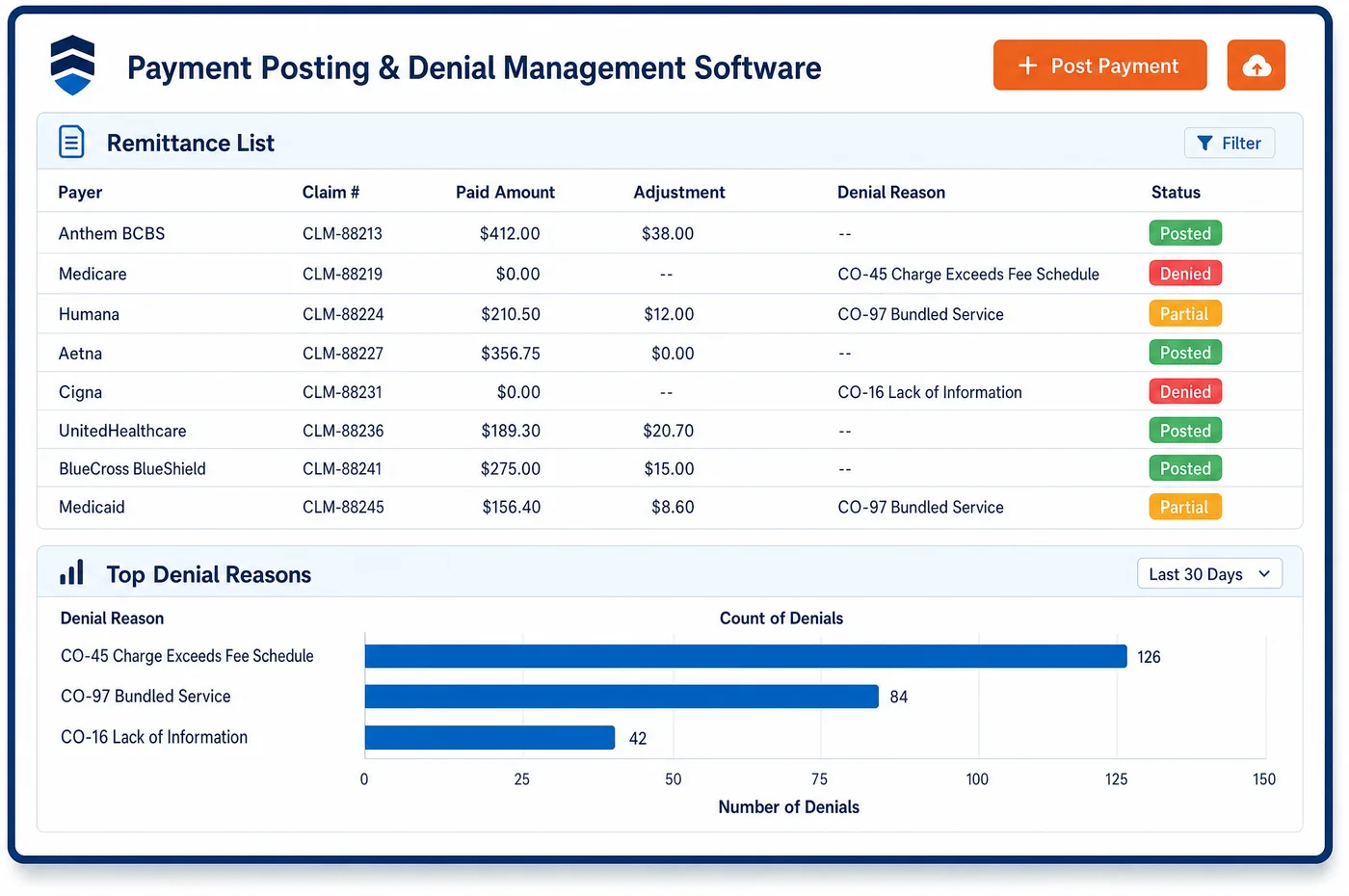
Invoicing in a Allergy & Immunology Practice
Allergy invoicing starts with knowing which charges won't go to a payer. Allergy drops, testing for patients who aren't using insurance, and missed-visit fees under the practice's policy are set up as self-pay services with set prices. Self-pay patients get a good faith estimate first, and the invoice matches it. For Medicare patients, a service expected to be denied is billed only after the patient signs an ABN, and the invoice follows the denial. Shot copays and vial deductibles are gathered into one invoice that lists each visit. For biologics, the invoice shows the charge, any maker copay credit and the amount left. Allergy & immunology invoicing software sends patient invoices by email or text with a link to pay, and card-on-file payments post to the account. Contract invoices to partner groups or hospitals sit on the same ledger, so open balances can be found by type, patient or partner.
Why Is Invoicing Different in Allergy & Immunology?
Not every allergy dollar comes from a claim. Allergy drops are often self-pay. Uninsured patients may pay for testing up front. Medicare patients who sign an ABN can be billed when Medicare denies. Each of these needs a clear invoice tied to the service, the price and any notice the patient signed.
Shot patients create a different problem: many small balances. A copay at each build-up visit, plus a deductible on a new vial, can scatter across dozens of visits. Patients are more likely to pay one clear invoice that lists each visit than a stack of separate bills. For Medicare patients with a signed ABN, the claim carries the GA modifier, and the patient invoice follows the denial.
Biologics and contracts add more lines. Commercially insured patients may have a maker copay credit that lowers what they owe. Some allergy groups also provide services to a hospital or another group under contract and bill them by invoice. Invoicing in allergy has to keep all of these on one ledger, apart from insurance claims, and track each one to payment.
What Allergy & Immunology Invoicing Software Handles
- Allergy drops as a self-pay service
- CGS's shot policy lists sublingual immunotherapy as not reasonable and necessary for Medicare. Practices that offer allergy drops can bill them by invoice at a set price, with the terms explained before the first vial. (CMS Medicare Coverage Database, LCD L40056: Allergen Immunotherapy (AIT) with Subcutaneous Immunotherapy (SCIT) (CGS))
- ABN-backed patient invoices
- An ABN is given when Medicare is expected to deny a service, and the patient may then be responsible for the cost. After the denial, the invoice points to the signed notice, so the patient sees why the charge is theirs. (CMS: Advance Beneficiary Notice of Non-coverage (ABN), Form CMS-R-131)
- Good faith estimates for self-pay
- Under the No Surprises Act, a patient who isn't using insurance must get a good faith estimate. Self-pay testing or drops are invoiced against that estimate, so the bill and the estimate can be compared line by line. (CMS: Good faith estimates for patients not using insurance (No Surprises Act))
- Benefit limits reached (CARC 119)
- When a plan's limit on tests or doses is reached, the remittance shows reason code 119. If the plan assigns that amount to the patient, the invoice names the service and the limit, so the charge is easy to follow. (X12 Claim Adjustment Reason Codes)
- Copay credits and federal patients
- OIG warns that maker copay coupons raise kickback concerns when federal programs pay for the drug. So copay credits appear only on commercial patients' biologic invoices, next to the charge and the amount left. (HHS-OIG Special Advisory Bulletin: Pharmaceutical Manufacturer Copayment Coupons (2014))
How Does Allergy & Immunology Invoicing Software Work?
1. Set up self-pay services
Allergy drops, self-pay testing and policy fees are set up with prices. Each one is marked so it never goes to a payer by mistake.
2. Estimate and consent first
Self-pay patients get a good faith estimate, and Medicare patients get an ABN when a denial is expected. The signed form is saved on the record with the visit.
3. Combine small balances
Shot copays and vial deductibles from several visits are gathered into one invoice. Each visit is listed, so the patient can see what each charge was for.
4. Show credits on drug balances
Biologic invoices show the charge, any maker copay credit and the amount left. Credits are matched as they post, and help options come from allergy financial clearance.
5. Send, collect and track
Invoices go out by email or text with a link to pay, and card-on-file payments post to the account. Unpaid invoices age on the same ledger as allergy patient billing balances.
Allergy & Immunology Invoicing Software vs. Generic Software
| Area | Generic approach | Unlimited Systems |
|---|---|---|
| Self-pay services | Sent to insurance by mistake, then written off. | Marked self-pay with set prices. |
| Medicare denials | Billed to the patient without a notice on file. | Billed only with a signed ABN on the record. |
| Shot copays | A separate bill for every visit. | One invoice listing each visit. |
| Copay credits | Patients can't see why the balance changed. | Charge, credit and balance shown on the invoice. |
| Contract billing | Kept in a separate spreadsheet. | Contract invoicing on the same ledger. |
Who Uses It in a Allergy & Immunology Practice
- Billing staff: One invoicing queue to build and send self-pay, ABN and contract invoices, with payments posted back to the ledger.
- Front desk: Set prices for allergy drops and self-pay testing, and a good faith estimate ready before the visit.
- Practice owner: Self-pay and contract revenue tracked to payment, and fewer small shot balances written off.
Allergy & Immunology Invoicing Software FAQs
Invoicing in an allergy practice covers bills that don't go out as insurance claims. That includes self-pay allergy drops and testing, balances after a Medicare denial with a signed ABN, combined shot copays, biologic balances after copay credits, and invoices to contract partners. Each invoice sits on one ledger and is tracked until paid.
Coverage for allergy drops varies, and one Medicare contractor's LCD lists sublingual immunotherapy as not reasonable and necessary. Many practices offer drops as a self-pay service with a set price. The patient gets an estimate and agrees to the cost before the first vial, and the drops are billed by invoice rather than by claim.
A practice can bill a Medicare patient for a denied service when the patient signed a valid ABN before the service. The claim goes to Medicare first with the right modifier. After the denial, the patient gets an invoice that names the service and points to the signed notice, so the charge is clear.
Shot copays and vial deductibles from several visits are combined into one invoice that lists each visit. Patients can pay the whole amount by text link, or keep a card on file for each visit. Fewer, clearer bills tend to get paid, and fewer small balances are left to write off.
Biologic invoices for commercially insured patients show the charge, any maker copay credit and the amount still owed. Credits are matched to the visit as they post. Patients in Medicare and other federal programs generally can't use maker coupons, so their invoices show other help, such as charity funds, if it applies.
Patients who aren't using insurance must get a good faith estimate before the service. For allergy testing or drops, the estimate lists the expected tests, vials and visits. The final invoice is built from the same lines, so the patient can compare the bill with the estimate.
Related Allergy & Immunology Software
Billing & claims
Invoicing for related specialties
Sources
- CMS Medicare Coverage Database, LCD L40056: Allergen Immunotherapy (AIT) with Subcutaneous Immunotherapy (SCIT) (CGS)
- CMS: Advance Beneficiary Notice of Non-coverage (ABN), Form CMS-R-131
- CMS: Good faith estimates for patients not using insurance (No Surprises Act)
- X12 Claim Adjustment Reason Codes
- HHS-OIG Special Advisory Bulletin: Pharmaceutical Manufacturer Copayment Coupons (2014)
GET STARTED
See Unlimited Systems in Action
Whether you're actively evaluating new technology or simply preparing for your next vendor renewal, Unlimited Systems can help you understand where your current workflows may be creating avoidable revenue risk.