

Platform & AI
Ambulatory Surgery Center Workflow Software
Workflow that routes ASC billing and pre-admission tasks to the right owner, from authorization mismatches and implant invoices to device-credit holds and terminated-case reports.
Ambulatory Surgery Center Workflow Software puts each billing and pre-admission task in a queue with an owner, a due date and a next step. It routes authorization mismatches, implant invoice requests, device-credit holds and terminated-case reports to the staff who can fix them, and escalates anything that sits too long.



 6,500+ specialty providers
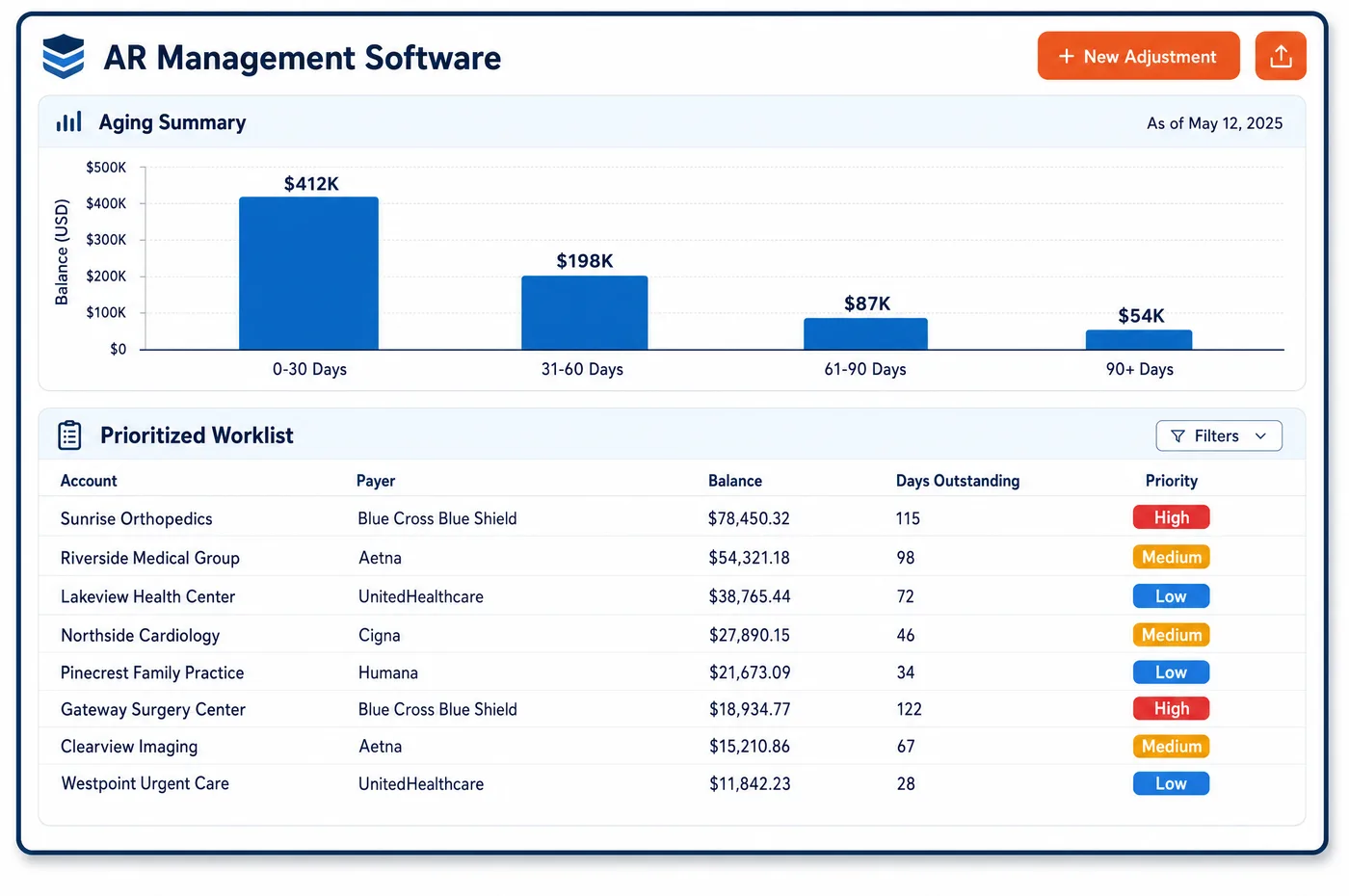
Workflow in a Ambulatory Surgery Center Practice
An ASC case passes through many hands. The surgeon's office books it and sends the order. Pre-admission staff confirm coverage and the authorization. The clinical team performs the case, and the business office codes, bills and collects. Workflow software gives each of those hand-offs a task instead of an email. When the procedure performed differs from the one authorized, a task goes to the authorization coordinator before the claim drops. When a payer wants an implant invoice, a task goes to materials management. When a device came at no cost or with credit, the claim waits in a hold queue until the credit decision is in. When a case stops before anesthesia, the coder gets a task to confirm the operative report says why. Each queue shows age, owner and due date, and leads see what is stuck. Routine checks run unattended through ASC automation, so the queues hold only what needs a person.
Why Is Workflow Different in Ambulatory Surgery Center?
Many ASC billing problems start outside the business office. The surgeon's office may book one CPT code, and the surgeon may perform another. Materials management holds the implant invoices. The clinical team writes the operative report that explains a terminated case. A workflow that only covers billers misses where the fix lives. ASC workflow has to route tasks across departments, and sometimes to the surgeon's own staff.
Some ASC tasks have to happen before the patient arrives. The center must give patients verbal and written notice of their rights before the procedure, and a written list of physicians who have a financial interest in the center. A self-pay booking also triggers a good faith estimate that must go out on time. These steps belong on a pre-admission checklist with an owner, not on a sticky note.
Other tasks wait on someone outside the center. A partial device credit can take time to settle, and Medicare lets the ASC hold the claim or bill first and adjust later. Either way, someone has to own the follow-up. ASC workflow queues with due dates, escalation and a clear owner keep these cases from slipping between departments, and they hand clean claims to ASC medical billing.
What Ambulatory Surgery Center Workflow Software Handles
- Notice of patient rights (42 CFR 416.50)
- The ASC must give the patient verbal and written notice of rights before the procedure starts. A pre-admission checklist task records that it was given and by whom. (eCFR: 42 CFR Part 416, Ambulatory Surgical Services (416.47 medical records, 416.50 patient rights))
- Physician ownership disclosure
- The ASC must give a written list of physicians who have a financial interest or ownership in the center. The checklist includes this disclosure, so it is not left to the day of surgery. (eCFR: 42 CFR Part 416, Ambulatory Surgical Services (416.47 medical records, 416.50 patient rights))
- Terminated case reports (modifiers 73 and 74)
- Medicare expects an operative report for a terminated case that gives the reason it stopped, what was done and what was used. The coder gets a task to confirm the report before the claim is billed. (Medicare Claims Processing Manual, Chapter 14: Ambulatory Surgical Centers (sections 40.4, 40.8))
- Device credit holds (FC)
- For a partial device credit, the ASC may hold the claim until the maker decides, or bill first and request an adjustment later. A hold queue tracks each case and escalates when the credit decision runs late. (Medicare Claims Processing Manual, Chapter 14: Ambulatory Surgical Centers (sections 40.4, 40.8))
- Good faith estimate tasks
- Self-pay patients who schedule ahead must receive a good faith estimate. Booking a self-pay case creates a task for the estimate with its due date. (CMS Medical Bill Rights: Good faith estimates)
- Medical record contents (42 CFR 416.47)
- ASC records must include items such as informed consent, anesthesia entries and the discharge diagnosis. A billing task flags a case whose record is missing a part the payer is likely to ask for. (eCFR: 42 CFR Part 416, Ambulatory Surgical Services (416.47 medical records, 416.50 patient rights))
How Does Ambulatory Surgery Center Workflow Software Work?
1. Create the task
Tasks are created by rules, such as an authorization mismatch or a payer request, or by staff. Each task links to the case and the claim.
2. Route to the owner
Each task type has an owner role, such as pre-admission, coding, materials or business office. Tasks that need the surgeon's office go to the named contact there.
3. Set the due date
Due dates come from the payer's deadline, the surgery date or the filing limit. The nearest deadline sets the order of the queue.
4. Work by exception
Staff see only the tasks that need them, which is the idea behind exception-based work. Notes and attachments stay on the task.
5. Escalate what stalls
Tasks past due move to a lead, and tasks that keep coming back are flagged as a pattern. Leads can reassign work when someone is out.
6. Close and learn
Closed tasks keep their reason and outcome. Counts by type and department show where cases get stuck.
Ambulatory Surgery Center Workflow Software vs. Generic Software
| Area | Generic approach | Unlimited Systems |
|---|---|---|
| Hand-offs | Email and hallway requests. | Tasks linked to the case, with an owner and due date. |
| Authorization mismatches | Found when the claim denies. | Routed to the coordinator before the claim drops. |
| Implant invoices | Requested again and again by email. | One task to materials management per request. |
| Device credits | Remembered by one person. | A hold queue with escalation. |
| Pre-admission steps | Paper checklist in the chart. | Checklist tasks with names and dates. |
Who Uses It in a Ambulatory Surgery Center Practice
- Pre-admission coordinator: A checklist for each case covering rights notice, ownership disclosure, estimate and authorization, tied to ASC patient scheduling.
- Coder: Tasks for terminated cases and coding questions, each with the operative report and claim attached.
- Business office lead: Queue age, owner and due date for every department, so stuck work is reassigned before deadlines pass.
Ambulatory Surgery Center Workflow Software FAQs
Workflow software in an ASC turns each hand-off into a task with an owner, a due date and a next step. It routes authorization mismatches, implant invoice requests, device-credit holds and terminated-case reports to the people who can fix them. Leads see what is stuck in each queue and can move work before a deadline passes.
When the procedure performed differs from the one authorized, a task goes to the authorization coordinator before the claim is sent. The coordinator contacts the payer about the change and records the result on the case. The claim then moves on with the right authorization, rather than denying and coming back to the business office later.
Tasks that need the surgeon's office, such as a corrected order or a missing note, can be routed to a named contact there. The task keeps its due date and history in the ASC's queue. Staff can see which requests are waiting on an outside office and follow up before they hold up a claim.
The checklist covers steps that must happen before surgery: notice of patient rights, the written list of physician owners, a good faith estimate for self-pay patients, and coverage and authorization checks. Each step has an owner and a date. A case with an open step is flagged before the day of surgery.
When a device came at no cost or with a credit, the case goes to a hold queue. The ASC can hold the claim until the maker decides on a partial credit, or bill first and adjust later. Either way, the task stays open until the credit decision and any claim adjustment are done.
Workflow queues and automation work together. Rules handle routine checks, such as eligibility and claim edits, without a person. Anything a rule cannot settle becomes a task in a queue with the reason attached. That way staff time goes to the exceptions, and nothing that needs judgment is lost.
Related Ambulatory Surgery Center Software
Platform & AI
In the revenue cycle
Workflow for related specialties
Sources
GET STARTED
See Unlimited Systems in Action
Whether you're actively evaluating new technology or simply preparing for your next vendor renewal, Unlimited Systems can help you understand where your current workflows may be creating avoidable revenue risk.