

Platform & AI
Oncology EHR Integration Software
Connect OncoEMR, Epic or Oracle Health to oncology billing so orders, doses, infusion times and visits arrive as charges without rekeying.
Oncology EHR Integration Software connects the oncology EHR, such as OncoEMR, Epic or Oracle Health, to practice billing. Demographics, regimen orders, administered doses with NDCs, infusion start and stop times, and visit notes flow to the billing side as they are recorded, and charges, balances and visit status flow back.



 6,500+ specialty providers
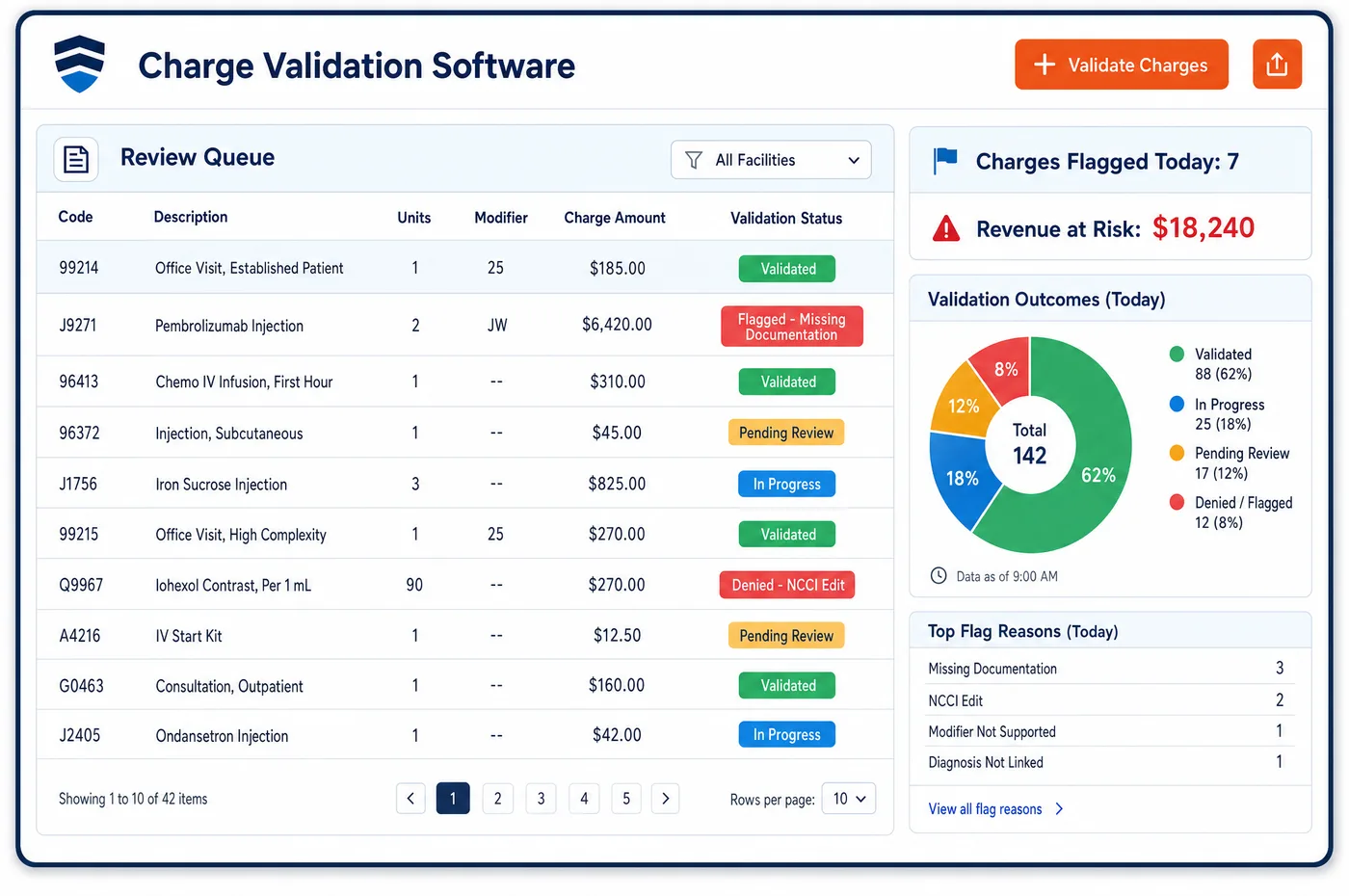
EHR Integration in a Oncology Practice
Most medical oncology charges begin in the EHR. The oncologist orders a regimen, the pharmacy mixes each dose, and the infusion nurse records what was given and when. EHR integration for oncology carries that record to billing without retyping. Pre-built connectors exchange demographics, appointments and charge activity in both directions over HL7 and FHIR. Each administered drug arrives with its NDC, dose and any discarded amount, so the claim line, the HCPCS units and the JW or JZ modifier match the chart. Infusion start and stop times arrive with each administration, because they decide the initial, sequential and additional-hour codes. Visit notes show whether a separate E/M visit was documented. On the way back, balances, coverage status and check-in status update the EHR. New connections are tested in a sandbox before they touch live data. Exchange with hospitals, labs and payers is the subject of oncology interoperability.
Why Is EHR Integration Different in Oncology?
The infusion record is the charge record. In most specialties a visit note drives one or two codes. In medical oncology, one chair visit can produce drug lines for each agent and each discarded amount, plus administration codes set by the order and timing of each infusion. If billing staff key these from a printed record, units and times drift from the chart, and the claim no longer matches what the nurse documented.
Timing rules make this exact. Under Medicare, only one initial administration code is reported per encounter in most cases, and the add-on for each additional hour applies only past a set threshold. A push and a short infusion are coded differently. These rules work only if the billing side gets the real start and stop times, not a rounded estimate typed in later.
Payers also want drug detail. State Medicaid programs need NDCs on claims for physician-administered drugs so they can bill drug makers for rebates. The NDC, the HCPCS code and the units must agree. When the EHR passes the NDC and dose with each administration, oncology charge assembly starts from the same facts the clinical team recorded.
What Oncology EHR Integration Software Handles
- Additional-hour infusion add-on (96415)
- Under Medicare, the add-on code 96415 for each additional hour of chemotherapy infusion is reported only when the infusion runs more than 30 minutes past the first hour. Start and stop times from the EHR set whether the add-on applies. (Medicare Claims Processing Manual, Chapter 12, Section 30.5: Payment for Codes for Chemotherapy Administration and Nonchemotherapy Injections and Infusions)
- One initial code per encounter (96413)
- Medicare allows one initial code, such as 96413, per encounter unless the protocol needs two separate IV sites. The EHR sends every administration in order, and the billing side picks the initial code by the main reason for the visit, not by which drug ran first. (Medicare Claims Processing Manual, Chapter 12, Section 30.5: Payment for Codes for Chemotherapy Administration and Nonchemotherapy Injections and Infusions)
- Antiemetics and supportive drugs (96360-96379)
- Medicare does not treat injections or infusions of anti-anemia or antiemetic drugs as chemotherapy administration. Supportive drugs arrive tagged apart from the cancer drugs, so their administration is coded from the hydration and therapeutic infusion range instead. (Medicare Claims Processing Manual, Chapter 12, Section 30.5: Payment for Codes for Chemotherapy Administration and Nonchemotherapy Injections and Infusions)
- Separate visit with modifier 25
- A significant, separately identifiable E/M visit on an infusion day is reported with modifier 25, and a different diagnosis is not required. Medicare does not pay 99211 with drug administration codes. The EHR passes the visit note so a coder can confirm the visit stands apart. (Medicare Claims Processing Manual, Chapter 12, Section 30.5: Payment for Codes for Chemotherapy Administration and Nonchemotherapy Injections and Infusions)
- NDCs for Medicaid drug claims
- State Medicaid programs collect NDCs on claims for physician-administered drugs so they can bill manufacturers for rebates. The EHR passes each NDC with the dose given, and the claim carries it next to the HCPCS code and units. (Medicaid.gov: Physician Administered Drugs (NDC collection for rebates))
- Waste recorded with the dose (JW, JZ)
- Medicare Part B wants discarded drug from single-dose containers on a JW line, and JZ when none was discarded. The administered amount and the discarded amount arrive from the EHR together, so both lines are built from the chart. (CMS: Discarded Drugs and Biologicals (JW and JZ modifiers))
How Does Oncology EHR Integration Software Work?
1. Connect and test
A pre-built connector links the EHR, such as OncoEMR, Epic or Oracle Health, to billing. Each feed is checked in a sandbox before go-live.
2. Sync patients and visits
Demographics, coverage and appointments move both ways as they change. Check-in status and balances flow back to the EHR.
3. Bring in each administration
Each dose arrives with drug, NDC, amount given, discarded amount, route and start and stop times. Treatment notes and compounding lines come with it.
4. Build and check charges
Drug lines, units, waste lines and administration codes are built from the record. Charges then go to oncology charge validation for edits before the claim.
5. Flag mismatches
If the EHR and billing disagree, such as a dose with no time or an NDC that doesn't match the HCPCS code, the charge is held. The task goes to the nurse or coder who can fix it.
Oncology EHR Integration Software vs. Generic Software
| Area | Generic approach | Unlimited Systems |
|---|---|---|
| Data entry | Billing staff retype doses and times from the chart. | Doses, NDCs and times arrive with each administration. |
| Sync timing | Overnight flat-file batches. | Changes flow as they are recorded, in both directions. |
| Infusion codes | Set from rounded or estimated times. | Set from documented start and stop times. |
| Waste lines | Added later from memory. | Built from the dose and discarded amount in the record. |
| New connections | Custom builds tested in production. | Ready-made EHR connectors, checked in a sandbox before go-live. |
Who Uses It in a Oncology Practice
- Infusion nurse: Document once in the EHR, with no second entry for billing and fewer questions from coders.
- Coder: Administrations in time order with NDCs and doses, so the infusion code hierarchy can be applied from the record.
- IT or practice administrator: Pre-built connectors to OncoEMR, Epic and Oracle Health, with sandbox testing before go-live.
Oncology EHR Integration Software FAQs
EHR integration uses pre-built connectors to major EHR platforms, including OncoEMR, Epic and Oracle Health (Cerner). Demographics, appointments and charge activity move both ways over HL7 and FHIR. Each new connection is tested in a sandbox with test panels before it touches live patient data.
Start and stop times decide which administration codes apply. Under Medicare, the add-on code 96415 for each additional hour of chemotherapy infusion is reported only when the infusion runs more than 30 minutes past the first hour, and a very short infusion counts as a push. Exact times from the EHR keep the codes matched to the chart.
Each administration arrives from the EHR with the drug, NDC, amount given and any amount discarded. The billing side converts the dose to HCPCS billing units, builds the drug line and adds a JW line or a JZ modifier as needed. If the NDC and HCPCS code don't match, the charge is held for review.
Billing data flows back to the EHR as it changes. Check-in status, coverage changes and patient balances update in the EHR, so clinical staff see the same status the front desk sees. This keeps the clinical and financial records from drifting apart over a long course of treatment.
A significant, separately identifiable office visit on an infusion day can be billed with modifier 25, and Medicare does not require a different diagnosis. Medicare does not pay 99211 with drug administration codes. The EHR passes the visit note, so a coder can confirm the visit stands on its own before it is billed.
When the record and the charge don't match, such as a dose with no stop time or an NDC that doesn't fit the HCPCS code, the charge is held before the claim is built. A task goes to the nurse, pharmacist or coder who can fix the record, and the charge is rebuilt once it is corrected.
Related Oncology Software
Platform & AI
In the revenue cycle
EHR Integration for related specialties
Sources
GET STARTED
See Unlimited Systems in Action
Whether you're actively evaluating new technology or simply preparing for your next vendor renewal, Unlimited Systems can help you understand where your current workflows may be creating avoidable revenue risk.