

Platform & AI
Chiropractic Workflow Software
Route ABN tasks, injury-case denials, records requests and Medicare edits to the right person at the right clinic, with an owner and a due date.
Chiropractic Workflow Software gives each task in a chiropractic office an owner, a queue and a due date. ABNs to sign go to the front desk, and care-status questions go to the doctor. Injury-case denials and records requests go to the personal injury coordinator. Anything left too long moves up to the office manager.



 6,500+ specialty providers
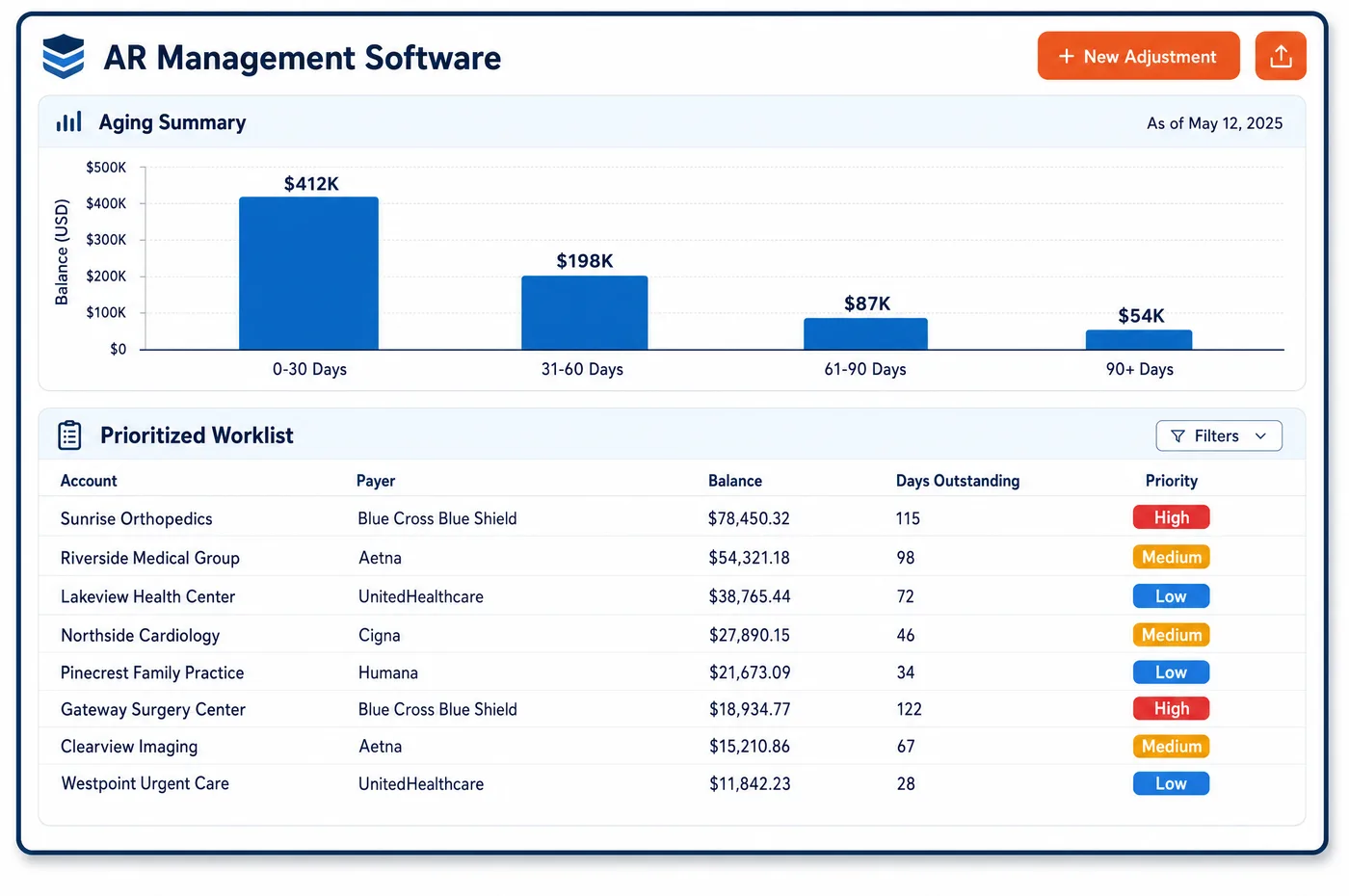
Workflow in a Chiropractic Practice
Work in a chiropractic office passes between very few people, so a dropped handoff shows fast. The front desk learns a patient has hit a plan limit. The doctor decides whether care is still corrective. The biller sees a Medicare edit fail. The injury coordinator hears from an attorney. Unlimited Systems turns each of these moments into a task in a role queue, routed by type and by clinic. A visit-limit flag lands with the front desk for that location. A maintenance visit with no ABN on file becomes a task to have the patient sign before the next visit. A denial naming an auto or work-injury carrier goes to the injury coordinator, not the general billing pile. Each task carries the reason, the account and a due date. Items that sit past their date move to the office manager, so the workflow keeps moving even on the busiest days.
Why Is Workflow Different in Chiropractic?
Chiropractic offices are often small, and small teams rely on memory. That works until a care plan spans many visits and several people touch it. A sticky note about a missing ABN or an attorney's call is easy to lose. A shared workflow with named owners replaces memory with a list each person can trust, and it shows the manager what is waiting on whom.
Some chiropractic tasks must happen in a set order. Medicare expects the ABN to be signed before maintenance care is given, not after. An accident claim for a Medicare patient must go to the no-fault or liability payer first. Records can go to an attorney only after the patient signs an authorization. A workflow that enforces the order keeps the practice out of trouble, and it stops staff from doing work twice.
Groups with several clinics add a location layer. Each front desk should see its own patients' tasks, while the injury coordinator or central biller may cover every site. Role queues set by clinic and by job make that split clear. Tasks that the chiropractic automation cannot finish on its own land in the right queue with the reason already written down.
What Chiropractic Workflow Software Handles
- ABN before maintenance care
- Medicare expects the ABN to be issued before non-covered care is delivered. When the doctor marks care as maintenance, a task to get the patient's signature goes to the front desk for the next visit. (CMS Medicare Claims Processing Manual, Chapter 30, Section 50 (Advance Beneficiary Notice))
- Doctor review of care status
- Under Medicare, care becomes maintenance once it is supportive rather than corrective and further improvement isn't expected. A task asks the doctor to confirm care status at re-exam, since that choice drives AT or GA. (CMS Medicare Benefit Policy Manual, Chapter 15, Section 240.1.3 (Maintenance Therapy))
- Injury-carrier denials
- Health plan denials with CARC 19, 20 or 21 name a workers' compensation, liability or no-fault carrier. They route to the injury coordinator's queue with the carrier details needed to rebill. (X12 Claim Adjustment Reason Codes)
- Accident claims for Medicare patients
- The no-fault, liability or workers' compensation payer must be billed before Medicare. Intake answers about an accident create a task for billing to open the case and bill that payer first. (CMS MLN006903: Medicare Secondary Payer (July 2025))
- Records for attorneys
- Disclosure to a patient's attorney needs a signed HIPAA authorization. A records request stays blocked in the queue until the authorization is attached. (45 CFR 164.508: Uses and disclosures for which an authorization is required)
- Medicare documentation requests
- An ADR from a Medicare contractor routes to the compliance owner with a due date. CMS notes that failing to respond is a major reason for claim denials. (CMS MLN1232664: Medicare Documentation Checklist and Guidelines for Chiropractic Doctors (April 2025))
How Does Chiropractic Workflow Software Work?
1. Capture the trigger
Eligibility replies, claim edits, denials, intake answers and incoming requests each create a task. The task names the account, the reason and what has to happen next.
2. Route by role and clinic
Tasks go to the queue for the right job at the right location. Front desk tasks stay with that clinic, while injury and compliance tasks may go to one person for every site.
3. Enforce the order
Some tasks wait on others. A records request waits for the authorization, and a maintenance visit waits for a signed ABN.
4. Work and hand off
Staff close tasks or pass them on with a note. Cross-team handoffs keep the history, so the next person does not start over.
5. Escalate what stalls
Tasks past their due date move to the office manager. The manager sees what is late, who owns it and why.
Chiropractic Workflow Software vs. Generic Software
| Area | Generic approach | Unlimited Systems |
|---|---|---|
| Ownership | Shared inbox, so tasks belong to no one. | Every task has a named owner and due date. |
| ABNs | Remembered after Medicare denies the visit. | Task to sign before the next maintenance visit. |
| Injury denials | Mixed into general billing follow-up. | Routed to the injury coordinator with carrier details. |
| Records requests | Sent before the authorization is checked. | Blocked until the authorization is attached. |
| Multi-clinic work | Each site keeps its own paper list. | Role queues by clinic, with a central view for managers. |
Who Uses It in a Chiropractic Practice
- Front desk: A short list for their clinic: ABNs to sign, patients near a visit limit and missing cards on file, each tied to today's schedule.
- Personal injury coordinator: One queue for injury-carrier denials, attorney requests and records waiting on authorization, across every clinic.
- Office manager: A view of every open task by owner and age, with stalled items escalated and denials worked at their source.
Chiropractic Workflow Software FAQs
Workflow software gives each task a queue, an owner and a due date. Tasks are created from eligibility replies, claim edits, denials and outside requests. They route by role and by clinic, so the front desk, doctors, billers and the injury coordinator each see their own list. Late tasks move up to the office manager.
When the doctor marks a Medicare patient's care as maintenance, a task goes to the front desk to have the patient sign an ABN before the next maintenance visit. The task shows the services and the cost estimate to include. Once the signed ABN is on file, the task closes and GA can be used on the claim.
Denials with codes that name a workers' compensation, liability or no-fault carrier go to the personal injury coordinator, not the general billing queue. The task includes the carrier details from the remittance. The coordinator opens or updates the case and bills the right payer, so the claim is not simply written off.
Records requests from attorneys stay blocked until the patient's signed HIPAA authorization is attached. The coordinator sees the request, the date it arrived and what is missing. Once the form is on file, the request moves forward, and the send date is logged on the case for later questions.
Each clinic's front desk sees tasks for its own patients, while roles such as the injury coordinator or central biller can cover every location. The office manager sees all queues together. Tasks keep their clinic tag, so reports on open and late work can be read by site as well as by person.
Every task has a due date. When it passes, the task moves up to the office manager with its full history. The manager can reassign it, add a note or close it with a reason. Nothing sits forgotten in a shared inbox, and patterns of late tasks show where a process or a queue needs attention.
Related Chiropractic Software
Platform & AI
In the revenue cycle
Workflow for related specialties
Sources
- CMS Medicare Claims Processing Manual, Chapter 30, Section 50 (Advance Beneficiary Notice)
- CMS Medicare Benefit Policy Manual, Chapter 15, Section 240.1.3 (Maintenance Therapy)
- X12 Claim Adjustment Reason Codes
- CMS MLN006903: Medicare Secondary Payer (July 2025)
- 45 CFR 164.508: Uses and disclosures for which an authorization is required
- CMS MLN1232664: Medicare Documentation Checklist and Guidelines for Chiropractic Doctors (April 2025)
GET STARTED
See Unlimited Systems in Action
Whether you're actively evaluating new technology or simply preparing for your next vendor renewal, Unlimited Systems can help you understand where your current workflows may be creating avoidable revenue risk.