

Platform & AI
Orthopedics Workflow Software
Route orthopedic work to the right person, from surgery authorizations to work injury reports, with clear owners and escalation.
Orthopedics Workflow Software organizes the work people do in an orthopedic practice into queues with clear owners. It routes surgery authorizations, global-period coding holds, work injury cases, implant invoices and denials to the staff who handle them. It sets due dates, escalates items that stall, and keeps every handoff on the record.



 6,500+ specialty providers
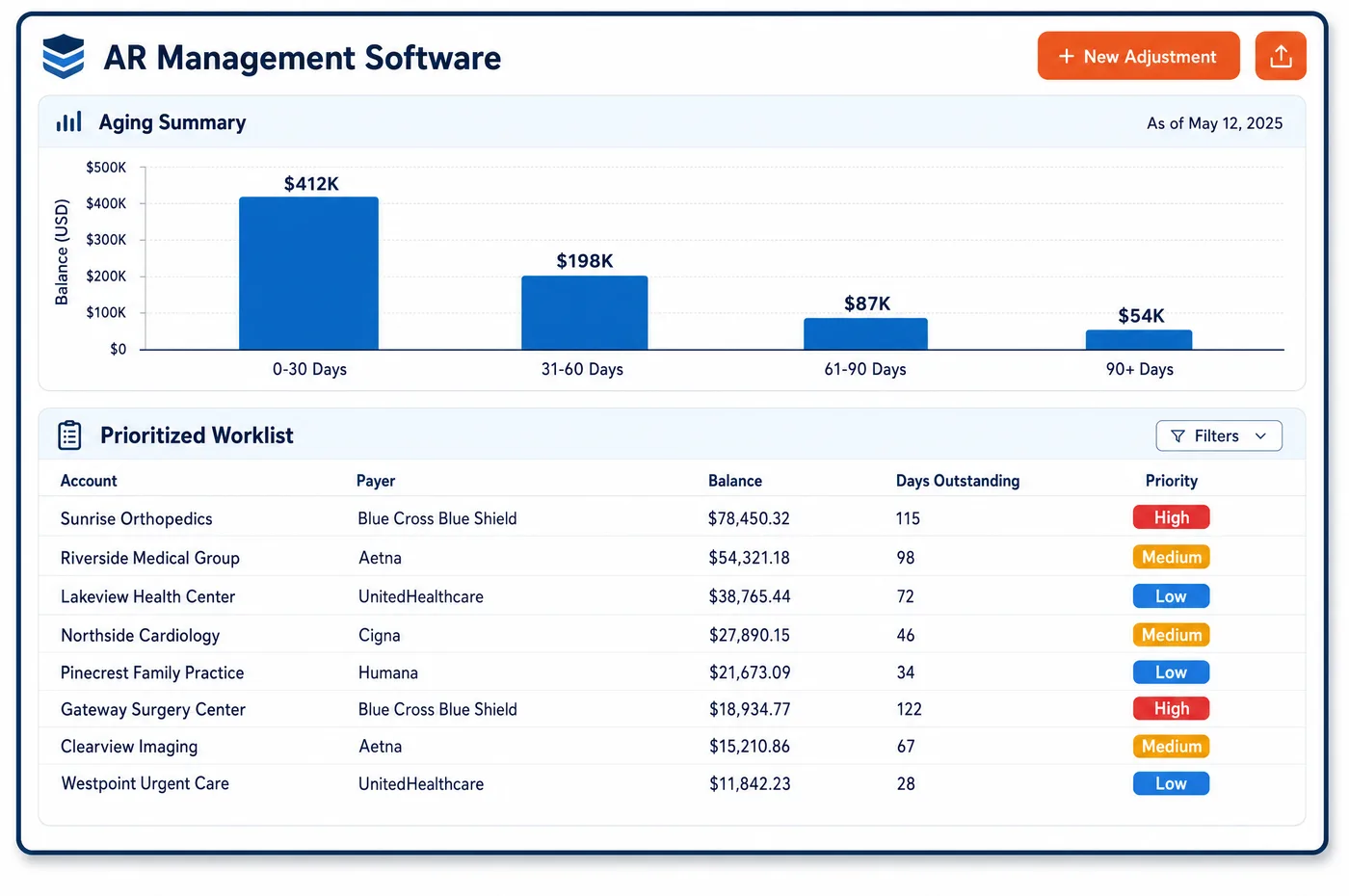
Workflow in a Orthopedics Practice
A single knee replacement passes through many hands. The surgical scheduler books the case. The authorization team gets approval. A financial counselor reviews the estimate with the patient. After surgery, a coder checks the operative note, the ASC billing team waits for the implant invoice, and the billing office follows the claim. Workflow software gives each step its own queue. Items arrive with the facts the person needs, such as the CPT codes, the payer, the surgery date and any notes. Each item has an owner and a due date tied to the surgery date or the filing limit. If an item sits too long, it moves to a lead. Work injury cases follow their own path, with tasks for adjuster calls and doctor's reports. Most items reach a queue after automation has done what it can, so staff spend their time on the work that needs judgment.
Why Is Workflow Different in Orthopedics?
Orthopedic work is tied to dates that cannot move. A surgery date sets the deadline for authorization and patient clearance. A global period sets which visits can be billed. A work injury case sets dates for progress reports. When work lives in email and sticky notes, these deadlines slip, and the cost shows up as a canceled case or a denied claim.
Orthopedic groups also hand work across teams more than most practices. The clinic, the ASC, imaging, therapy and the billing office often sit in different places and report to different managers. A missing implant invoice may need the ASC buyer. A prior authorization for MRI may need the clinic to send therapy notes. Workflow has to route items across teams and show who owns each one at any time.
The best queues are built on exceptions. Routine items, such as clean claims and matched remits, should never reach a person. What does reach a person should be sorted by value and deadline. That is the idea behind exception-based work management, and it lets a small team keep up with a large surgical practice. Denials that reach a queue link to denial management so the root cause gets fixed.
What Orthopedics Workflow Software Handles
- Surgery authorization queue
- Scheduled surgeries without a matching authorization sit in one queue, sorted by surgery date. Items near the date move to a lead. CMS-0057-F sets decision time limits for Medicare Advantage, Medicaid and some other plans, and those decisions update the item when they arrive. (CMS Interoperability and Prior Authorization Final Rule (CMS-0057-F))
- Global-period coding hold
- Visits held by the global-period edit go to a coder with the surgery date and note attached. The coder adds modifier 24, 25 or 79 when supported, or releases the visit as no-charge. (CMS MLN Global Surgery Booklet)
- Work injury report tasks
- Each work injury case gets tasks for adjuster calls and doctor's reports, such as the PR-2 in California. Tasks are due on the dates the case requires. (California Division of Workers' Compensation forms)
- DME standard written order check
- Braces and boots billed to Medicare need a standard written order and supporting notes. Missing items open a task for the clinic before the claim is sent. (Medicare Program Integrity Manual, Chapter 5: DMEPOS items and services)
- Denial queues by CARC code
- Denials are routed by reason code. CARC 197 goes to the authorization team, CARC 4 to coding and CARC 16 to the billing office. (X12 Claim Adjustment Reason Codes)
How Does Orthopedics Workflow Software Work?
1. Create the item
An item opens when automation finds something it cannot settle, or when a person adds a task. It carries the patient, case, payer and reason.
2. Route to an owner
Rules send the item to the right team and person. Routing follows the item type, site, payer or surgeon.
3. Set the due date
Each item gets a due date tied to its deadline, such as the surgery date or the filing limit. The queue sorts on that date and on value.
4. Work and hand off
The owner works the item and adds notes. If another team is needed, the item is handed off with the history attached.
5. Escalate when stuck
Items past due move to a lead. Leads see every stuck item across teams on one screen.
6. Close and learn
Closed items record how they were resolved. Repeat causes are sent back so the rule or process can be fixed.
Orthopedics Workflow Software vs. Generic Software
| Area | Generic approach | Unlimited Systems |
|---|---|---|
| Task tracking | Email, sticky notes and shared spreadsheets. | Queues with an owner and a due date for each item. |
| Handoffs | A phone call or hallway chat with no record. | Handed off in the system with history attached. |
| Deadlines | Remembered by the person who took the task. | Tied to the surgery date or filing limit. |
| Escalation | Found when a case is canceled or a claim is denied. | Past-due items move to a lead. |
| Work injury cases | Tracked by one staff member in a notebook. | Tasks for adjuster calls and reports on each case. |
Who Uses It in a Orthopedics Practice
- Surgery scheduler: A clear view of which booked cases still need authorization, clearance or an implant order, sorted by surgery date.
- Billing supervisor: Every queue and owner on one screen, with past-due items flagged and a record of each handoff.
- Practice administrator: Workload by team and site, so staff can be moved to the queues that are falling behind.
Orthopedics Workflow Software FAQs
Workflow software for an orthopedic practice puts the work people do into queues with owners and due dates. It routes surgery authorizations, global-period coding holds, work injury tasks, implant invoices and denials to the right staff. Items that stall move to a lead. Every handoff is recorded, so nothing depends on memory.
Scheduled surgeries without a matching authorization sit in one queue, sorted by surgery date. The authorization team works them in date order. Items close to the surgery date move to a lead. The scheduler can see the status of every case, so a surgery is not booked into a slot that will later be canceled.
Each work injury case gets tasks for adjuster calls, doctor's reports and billing follow-up. Tasks are due on the dates the case requires. The case owner sees every task in one place, and a lead sees cases with overdue reports. Notes from each call stay on the case for the next person.
Workflow covers the work staff do: queues, routing, ownership and escalation. Automation covers the work the system does on its own, such as eligibility checks and posting. In an orthopedic practice, automation handles routine items, and workflow receives the exceptions and sends each one to the right person.
Items can be routed to any team, site or person, based on rules such as item type, site, payer or surgeon. A missing implant invoice can go to the ASC buyer, while a request for therapy notes goes to the clinic. Each team sees its own queue, and leads see all of them.
Every item has a due date tied to its real deadline. When an item passes that date, it moves to a lead's queue with its full history. Leads see every past-due item across teams on one screen and can reassign it. This keeps a stalled task from turning into a canceled case or a denial.
Related Orthopedics Software
Platform & AI
In the revenue cycle
Workflow for related specialties
Sources
GET STARTED
See Unlimited Systems in Action
Whether you're actively evaluating new technology or simply preparing for your next vendor renewal, Unlimited Systems can help you understand where your current workflows may be creating avoidable revenue risk.