

Front office
Clinical Research Patient Intake Software
Consent, history and check-in steps that get a participant ready for a study visit and tell the desk what, if anything, to collect.
Clinical Research Patient Intake Software gets each participant ready before a study visit. It sends the pre-visit forms the protocol calls for, stores the signed consent and research authorization, and checks the person in against the right visit, so the front desk knows whether the visit is sponsor-paid, billable routine care or both.



 6,500+ specialty providers
Patient Intake in a Clinical Research Practice
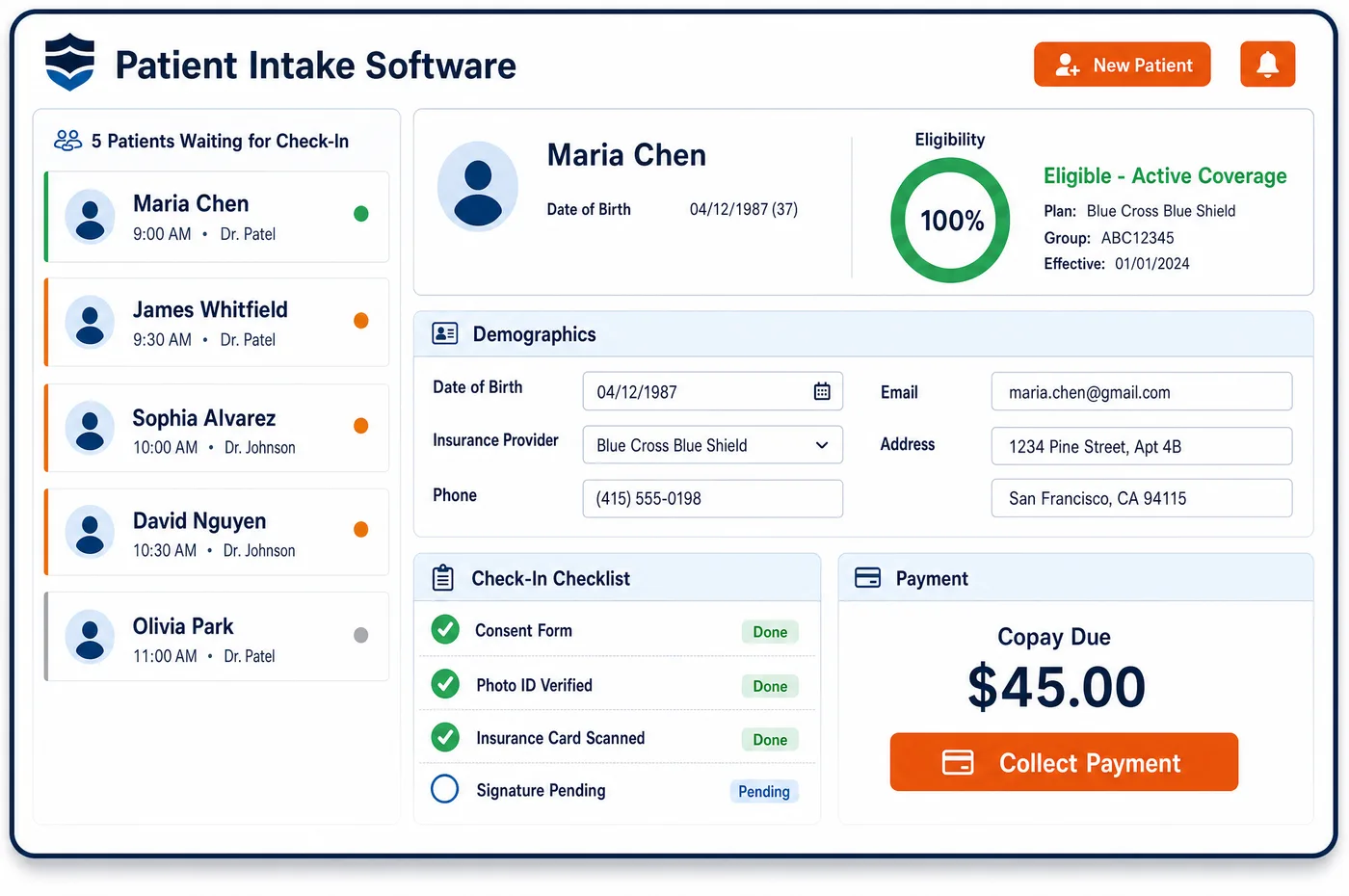
Intake for a trial visit starts before the participant arrives. Forms go out by text or email with the questions the visit needs, such as a medication list or a symptom check, in the participant's language. The signed informed consent is kept with its version date, along with the HIPAA research authorization, which may be part of the same form. At check-in, staff confirm the visit on the protocol calendar and see which services the sponsor pays for and which will bill to insurance. That tells them what to collect. A visit made up only of sponsor-paid services should not carry a charge to the participant. Routine care billed to Original Medicare still carries the normal deductible and coinsurance, so the desk collects as it would for any visit. Clinical research patient intake software writes each form back to the record, so nothing has to be typed in again from paper.
Why Is Patient Intake Different in Clinical Research?
Consent comes first in research, and it is not the usual treatment consent. Federal rules list what an informed consent must explain. For many trials that includes any added costs the participant may face and whether care or compensation is available if they are hurt. Intake has to store the signed form and its version, because a participant who has not signed the current version may not be ready for the next study step.
Collecting money at the desk is also harder. Some visits are fully paid by the sponsor, some are routine care that bills to insurance, and many are a mix. A participant should not be asked for a copay on a service the sponsor pays for, but they may owe cost-sharing on routine care. The desk needs that split before the participant walks up, not after billing sorts it out.
Pre-visit questions are often set by the protocol. A study may need a symptom score, a medication list or a diary entry before each visit. Patient intake for a research site sends these as part of the normal pre-visit flow, so the coordinator is not chasing paper on the day. Participants who are seen only for the study still get the same forms and reminders as any other patient.
What Clinical Research Patient Intake Software Handles
- Informed consent cost and injury terms (21 CFR 50.25)
- FDA rules list what consent must explain. That includes any added costs from joining the study and, for trials above minimal risk, whether compensation or treatment is available after an injury. The signed consent is stored with its version date so staff can find these terms. (eCFR: 21 CFR 50.25, Elements of informed consent)
- ClinicalTrials.gov statement in consent
- Consent for an applicable clinical trial must state that a description of the trial will be on ClinicalTrials.gov. The same registry assigns the NCT number that later goes on claims, so staff can check one against the other. (eCFR: 21 CFR 50.25, Elements of informed consent)
- HIPAA research authorization (45 CFR 164.508)
- Under HIPAA, a research authorization may be combined with the consent to join the study. A provider may make research-related treatment depend on the person signing it. Intake stores the authorization so staff can show it was signed before study care began. (eCFR: 45 CFR 164.508, Uses and disclosures for which an authorization is required)
- Medicare cost-sharing on routine care
- Medicare's deductible and coinsurance rules apply to covered clinical trial services, except for managed care enrollees, whose deductibles are treated as met. Check-in shows the plan type, so the desk knows whether to collect. (CMS Medicare Claims Processing Manual, Chapter 32, Section 69.2 (Payment for Qualifying Clinical Trial Services))
- Participant payments in the consent
- FDA guidance says payment amounts and schedules belong in the consent form, and that travel reimbursement is not treated as undue influence. Staff can see those terms at check-in, and payments to participants are kept apart from patient balances. (FDA Guidance: Payment and Reimbursement to Research Subjects)
How Does Clinical Research Patient Intake Software Work?
1. Send forms before the visit
Forms for the visit go out by text or email with a link. Participants fill them in on a phone or tablet, and the answers reach the record before they arrive.
2. Collect consent and authorization
For a first study visit, the signed consent and HIPAA research authorization are stored with their version dates. When a new consent version is approved, staff send it out and log the new signature.
3. Confirm identity and coverage
At check-in, staff confirm the person and their plan against the details from patient registration. A card that changed since the last visit is scanned again.
4. Show what the visit includes
The check-in screen shows the protocol visit and which services are sponsor-paid or billable. Staff collect any cost-sharing owed on routine care, using the split set during study financial clearance, and nothing on sponsor-paid services.
5. Write it back to the record
Forms, signatures and check-in times are saved to the participant's record. Coordinators see the visit as ready inside clinical research patient management.
Clinical Research Patient Intake Software vs. Generic Software
| Area | Generic approach | Unlimited Systems |
|---|---|---|
| Consent tracking | Signed paper consents sit in a study binder. | Signed consents are stored on the record with version dates. |
| Pre-visit questions | Coordinators hand out paper forms on the day. | Forms go out before the visit and come back to the record. |
| Collections | The desk asks every patient for a copay. | The desk sees which services are sponsor-paid before asking. |
| Research authorization | Kept in a separate folder from the chart. | Stored on the record beside the consent. |
| Check-in | Study visits look the same as normal visits. | The protocol visit and its billing split show at check-in. |
Who Uses It in a Clinical Research Practice
- Front desk: A check-in view that shows the study visit and what the participant owes, if anything, so no one is charged for sponsor-paid care.
- Research coordinator: Consents, authorizations and pre-visit answers in the record before the visit, with the version each person signed.
- Compliance lead: A record of who signed which consent and when, ready for monitors and audits.
Clinical Research Patient Intake Software FAQs
Patient intake sends the forms the protocol and the practice need before a study visit, such as a medication list, a symptom check or updated contact details. For a first visit it also handles the signed consent and research authorization. Participants fill the forms in on their phone, and the answers are saved to the record before they arrive.
It depends on what the visit includes. A participant should not be charged for services the sponsor pays for. Routine care billed to insurance may carry normal cost-sharing, such as the Medicare deductible and coinsurance. The check-in view shows which services are sponsor-paid and which are billable, so the desk collects only what is owed.
Under HIPAA, an authorization for research may be combined with the consent to take part in the study. If research-related treatment depends on signing it, the form has to separate the required parts from the optional ones. Intake stores the signed form and its date on the participant's record, next to the study enrollment.
When the IRB approves a new consent version, staff send it to the participants who need to sign it and log each new signature with its date. The record shows which version each person is on, so coordinators can check before the next study step that everyone who needed to re-sign has done so.
FDA guidance says the amount and schedule of any payment to participants should be in the consent document and reviewed by the IRB. Staff can see those terms with the stored consent. Stipends are payments to the participant, so they are tracked apart from charges and patient balances and never appear on a claim.
Participants who come only for study visits are checked in with the same steps as any patient: identity, coverage and forms. The difference is that every visit links to the protocol calendar. That tells staff which services the sponsor pays for and keeps any later normal care visit separate from the study.
Related Clinical Research Software
Front office
In the revenue cycle
Patient Intake for related specialties
Sources
- eCFR: 21 CFR 50.25, Elements of informed consent
- eCFR: 45 CFR 164.508, Uses and disclosures for which an authorization is required
- CMS Medicare Claims Processing Manual, Chapter 32, Section 69.2 (Payment for Qualifying Clinical Trial Services)
- FDA Guidance: Payment and Reimbursement to Research Subjects
GET STARTED
See Unlimited Systems in Action
Whether you're actively evaluating new technology or simply preparing for your next vendor renewal, Unlimited Systems can help you understand where your current workflows may be creating avoidable revenue risk.