
Front office
Multi-Specialty Patient Intake Software
Collect forms, consents and insurance cards before the visit, with the right paperwork for each department the patient is about to see.
Multi-Specialty Patient Intake Software gathers demographics, insurance card images, history and signed consents before a patient arrives, and shows the front desk what is still missing. Each department's forms are chosen by the visit being booked, so a patient seeing two specialties gets one packet instead of two.



 6,500+ specialty providers

Patient Intake in a Multi-Specialty Practice
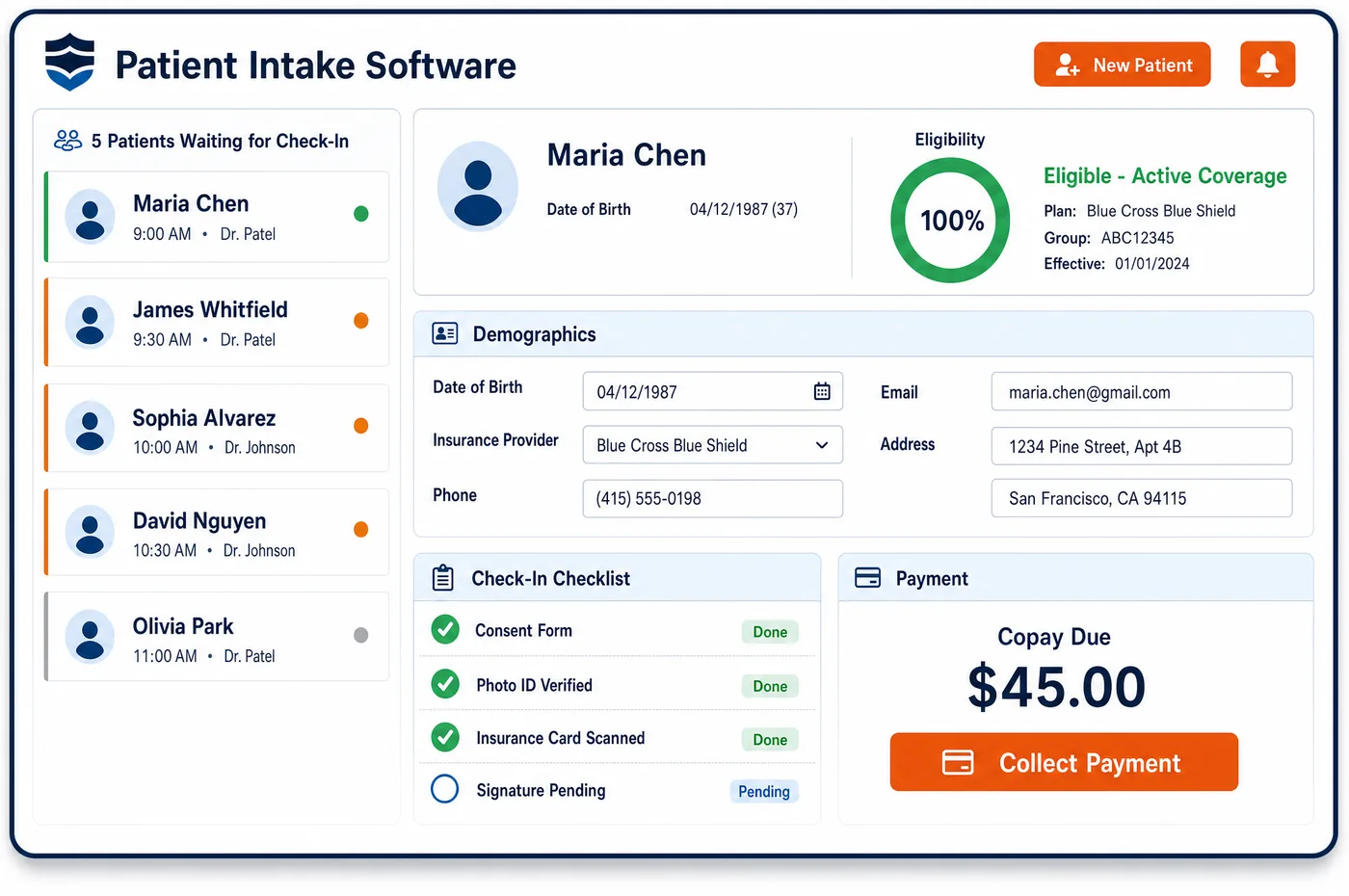
Patient intake in a group practice has to work for a mix of visit types. A patient booked with a surgeon needs a surgical consent and a history. A patient booked with primary care needs a short update. Multi-specialty patient intake software lets the patient finish demographics, upload the front and back of the insurance card and sign consents from a phone. A check-in dashboard shows who has finished, who has not and whose coverage still needs a look. Forms are chosen by department and visit type, so each specialty collects only what it uses. Signed consents are stored with the record. Staff who see a gap can send a text or call before the visit instead of at the desk. Patient intake feeds patient management with a full history and builds on patient registration, so the demographics are already clean when the forms arrive.
Why Is Patient Intake Different in Multi-Specialty?
One packet does not fit every department. A surgical consult asks about prior operations, blood thinners and imaging. A pain visit asks about medication history. A pediatric or family visit asks about school, immunizations and the adult who may consent. When all of these live in one long form, patients skip parts of it, and staff end up asking again at the desk.
Consents add another layer. A group may be one covered entity or several, and each department has its own treatment, telehealth and procedure consents. Federal rules ask a provider with a direct treatment relationship to make a good faith effort to get a written acknowledgment of its privacy notice at the first service. Patient intake has to track which forms a patient has already signed, so it neither skips a required one nor repeats one the patient signed last week in another department.
Coverage questions also differ by visit. Medicare asks whether another plan might pay first. A visit that Medicare is likely to deny may call for an advance written notice. An uninsured patient needs a different set of cost forms. A shared front desk handles all of these in one afternoon, so the patient intake step has to carry the right questions for each patient and each visit.
What Multi-Specialty Patient Intake Software Handles
- Notice of privacy practices acknowledgment
- Providers with a direct treatment relationship must make a good faith effort to get a written acknowledgment of the notice, and document the effort if the patient declines. Patient intake can store the signed acknowledgment on the record; compliance staff decide whether each department needs its own, based on how the group is organized under HIPAA. (eCFR: 45 CFR 164.520, Notice of privacy practices for protected health information)
- Medicare Secondary Payer questions
- Medicare asks providers to find out whether another payer, such as an employer plan or liability coverage, is primary. A patient intake form can hold the questions, and the answers are saved with the coverage on the record. (CMS MLN: Medicare Secondary Payer (MSP))
- Advance Beneficiary Notice (Form CMS-R-131)
- Under Medicare Part B, a provider who expects Medicare to deny a service as not reasonable and necessary can give the patient an ABN before the service. Each ABN names the service, a reason and an estimated cost. Staff choose which departments' visits get one; see ABN. (CMS: Beneficiary Notices Initiative (ABN, Form CMS-R-131))
- Good faith estimate for uninsured and self-pay patients
- Under the No Surprises Act, uninsured and self-pay patients get an estimate that lists expected items and services grouped by provider or facility, with service and diagnosis codes. Patient intake flags self-pay patients so the estimate is built before the visit. (CMS: FAQs on Good Faith Estimates for Uninsured (or Self-Pay) Individuals, Part 4)
- Referral and order documents from outside offices
- Many managed care plans expect a referral from a primary care provider before a specialist visit. Staff attach the referral to the patient record when it arrives, so the specialty desk can see it before the day of the visit. (X12: Claim Adjustment Reason Codes (CARC 242, 243 and 288 cover referral and authorization by network or primary care providers))
How Does Multi-Specialty Patient Intake Software Work?
1. Send the right packet by visit type
When a visit is booked, the department and visit type decide which forms go out. A patient seeing two departments gets one link with both sets of forms, with repeated questions shown only once.
2. Patient completes forms and uploads cards
The patient fills out demographics, history and consents from a phone or tablet, and uploads the front and back of the insurance card. The card image is kept with the record for staff to compare against the coverage on file.
3. Staff review gaps on the check-in dashboard
The dashboard shows who has finished, who is missing a consent and whose coverage needs follow-up. Staff text or call those patients before the visit, which keeps the lobby short.
4. Store consents and acknowledgments
Signed consents are stored with the patient record and listed by department. The next department can see which ones are already on file and ask only for what is new.
5. Hand off to clearance and billing
Clean patient intake data moves on to financial clearance for eligibility and any needed approval. The same data supports the claim later, so staff do not re-key it.
Multi-Specialty Patient Intake Software vs. Generic Software
| Area | Generic approach | Unlimited Systems |
|---|---|---|
| Forms | One long packet for every department, or paper forms at each desk. | Forms chosen by department and visit type. |
| Repeated questions | Each department asks the same history again. | Answers already on file are shown, and only new items are asked. |
| Insurance cards | Staff scan or type each card at the desk. | Card images are uploaded before the visit and kept with the record. |
| Consents | Signed paper forms filed by department. | Digital consents stored on the record and listed by department. |
| Gaps found | At the front desk, with the patient waiting. | On a check-in dashboard, before the patient arrives. |
Who Uses It in a Multi-Specialty Practice
- Front desk staff: A list of who has not finished forms and what is missing, so calls and texts happen before the visit. At check-in they confirm details instead of typing them.
- Department nurse or medical assistant: The history and medication list arrive before the room visit, with the specialty's own questions already answered. The nurse spends the visit time on the patient, with the flow set by scheduling.
- Compliance officer: A clear view of which acknowledgments and consents are on file for each patient and department, which supports the group's privacy and consent policies.
Multi-Specialty Patient Intake Software FAQs
The shared patient record holds answers a patient has already given, so a second department sees them and asks only for what is new. A patient who updated their medication list for primary care does not retype it for cardiology. Staff can still confirm anything that may have changed since the last visit.
Yes. The practice sets up forms by department and visit type, so surgery gets a surgical history and consent, and primary care gets a shorter update. When a patient is booked in two departments, both sets arrive in one link, with shared questions shown once.
The check-in dashboard shows the gap, so staff can text or call before the patient arrives. If forms are still missing at check-in, the front desk finishes them on a tablet. Staff can treat a missing consent or coverage answer as a hold before the visit.
A patient can upload cards for each plan, front and back. Staff compare them with the coverage on file and the payment order. That matters for patients with a secondary plan or a separate carrier for an injury, because each department's claim needs the right plan first.
Each signed consent is stored on the shared record with its department and date. A second department sees which ones exist and requests only the ones it needs. Restricted programs, such as substance use treatment, follow their own consent rules, which the practice sets for staff.
A Medicare Part B patient needs an ABN when the provider expects Medicare to deny a specific service as not reasonable and necessary, and wants to hold the patient responsible. The ABN must be given before the service. Staff in the department that expects the denial decide, using the payer's coverage policy.
Related Multi-Specialty Software
Front office
In the revenue cycle
Patient Intake for related specialties
Sources
- eCFR: 45 CFR 164.520, Notice of privacy practices for protected health information
- CMS MLN: Medicare Secondary Payer (MSP)
- CMS: Beneficiary Notices Initiative (ABN, Form CMS-R-131)
- CMS: FAQs on Good Faith Estimates for Uninsured (or Self-Pay) Individuals, Part 4
- X12: Claim Adjustment Reason Codes (CARC 242, 243 and 288 cover referral and authorization by network or primary care providers)
GET STARTED
See Unlimited Systems in Action
Whether you're actively evaluating new technology or simply preparing for your next vendor renewal, Unlimited Systems can help you understand where your current workflows may be creating avoidable revenue risk.