
Front office
Multi-Specialty Patient Engagement Software
Send one coherent stream of reminders, statements and messages for a patient who sees several departments.
Multi-Specialty Patient Engagement Software sends reminders, statements and messages from the live schedule and ledger, and combines them across departments. A patient who sees three specialties hears from the group once per need, in the channel they chose, with balances and visit details that match what staff see.



 6,500+ specialty providers
Patient Engagement in a Multi-Specialty Practice
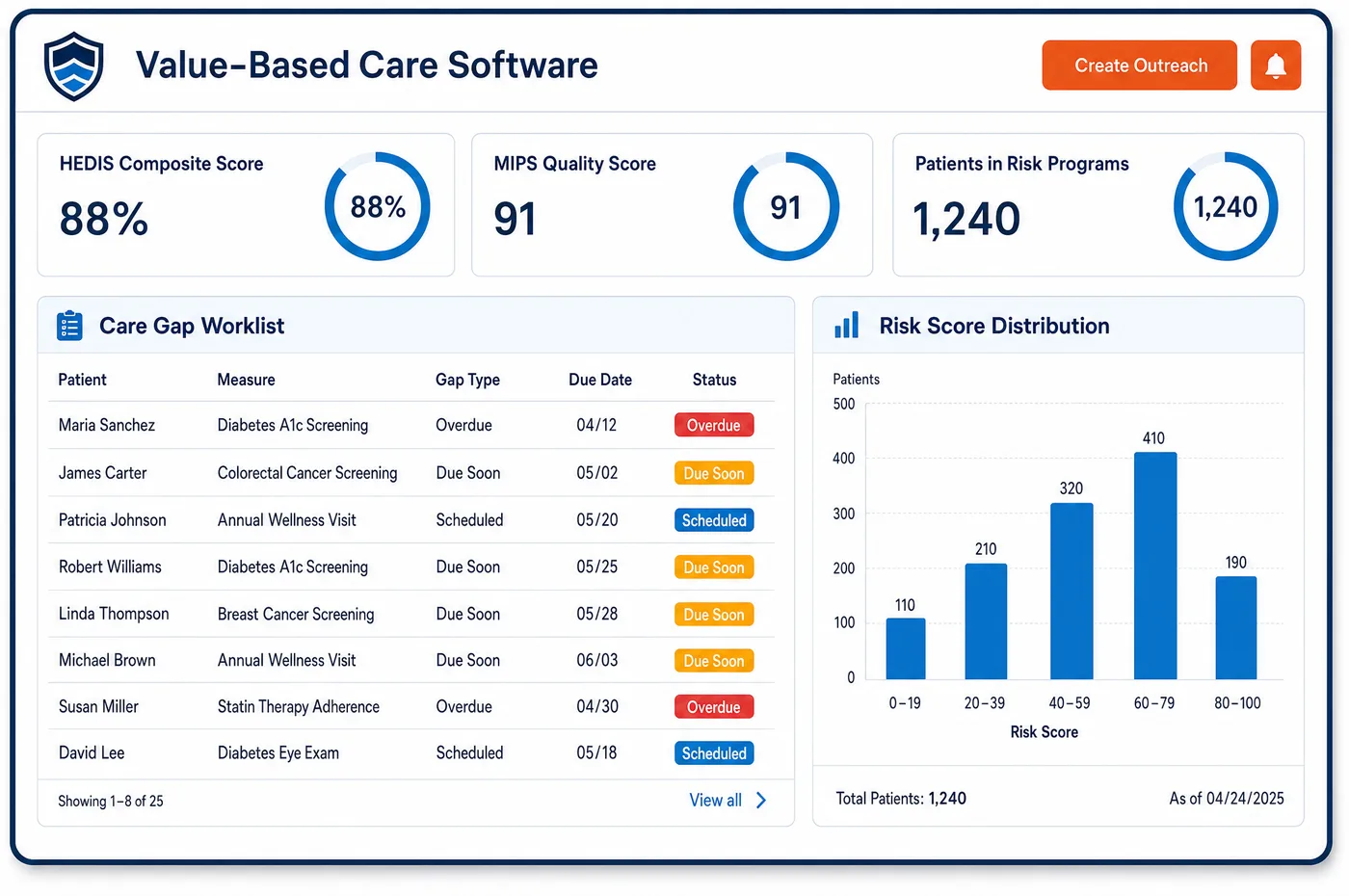
A group's patients hear from many departments. Without coordination, one person gets a reminder from cardiology, another from orthopedics and a statement from each. Multi-specialty patient engagement software reads the live schedule and the patient's account, so each message reflects the current visit and balance. Reminder queues cover appointments, balances and care plan follow-up. The patient's preferred channel is stored once on the shared record and respected by every department. An interactive portal shows the ledger as it stands, with itemized balances that update when a charge or payment posts. Card-on-file and point-of-service payment let a patient settle a balance on arrival. Cost estimates are presented before treatment, using the work done in financial clearance. Reminders follow bookings made in scheduling, and replies from patients go back to the same record for staff.
Why Is Patient Engagement Different in Multi-Specialty?
Message overload is the main risk. A patient with several conditions can get many reminders in a week, from different departments, in different words. People start to ignore them, and the one that matters, such as a pre-visit instruction or a referral appointment, gets lost. A shared stream lets the group send fewer, better messages.
Preferences must travel with the patient. Under HIPAA, a patient can ask to be reached by an alternative means or at an alternative location, and the provider must accommodate reasonable requests. If a patient told primary care to use email only, orthopedics should not call the home phone. A shared record can keep that choice in one place for every department.
Content needs care across specialties. A reminder that names a department or a procedure can reveal a diagnosis to anyone who sees the screen. What is safe to say in a text for a flu shot may not be safe for a visit with a sensitive specialty. Each department sets its own wording within group rules, so the message is useful without telling too much.
What Multi-Specialty Patient Engagement Software Handles
- Confidential communications requests
- A covered provider must permit patients to request, and must accommodate reasonable requests to receive, communications by alternative means or at alternative locations. A preference saved on the shared record applies to every department's messages. (45 CFR 164.522, Rights to request privacy protection for protected health information (confidential communications))
- Reminders by phone message or mail
- HHS guidance says that health care providers may leave appointment reminders on answering machines or with family members, with limited information, and may mail reminders. Message text should carry the minimum needed to identify the visit. (HHS: May physician's offices or pharmacists leave messages for patients at their homes to remind them of appointments?)
- Electronic communication with patients
- HHS states that the Privacy Rule allows providers to communicate with patients by email, when reasonable safeguards are used, such as confirming the address first and limiting the details in a message. Texts and portal messages follow the same approach. (HHS: Does the HIPAA Privacy Rule permit health care providers to use e-mail to discuss health issues and treatment with their patients?)
- Notice of privacy practices
- A provider with a direct treatment relationship must make a good faith effort to get a written acknowledgment of its privacy notice. Portal onboarding is one place the practice can offer the notice and record the acknowledgment. (45 CFR 164.520, Notice of privacy practices for protected health information)
- Referral follow-up
- Payers return CARC 288 when a referral is absent. Reminders that tell the patient to bring or confirm the referral help prevent that denial in departments that need one. (X12: Claim Adjustment Reason Codes (CARC 288, referral absent))
How Does Multi-Specialty Patient Engagement Software Work?
1. Save contact preferences once
Preferred channel, language and consent are saved on the shared record. Every department reads the same setting.
2. Send reminders from the live schedule
Reminder queues read bookings across departments, so a patient with two visits gets one coordinated message. Changes to the schedule update what is sent.
3. Share the ledger through the portal
The portal mirrors the live account, with itemized balances that update when a charge or payment posts. Patients see one balance with lines for each department.
4. Collect at the right moment
Card-on-file and point-of-service payment settle balances when the patient arrives, and each payment posts to the ledger. Reminders for balances link to the payment page.
5. Route replies to the right person
Replies and questions land on the patient record and go to the department that owns the topic. Staff in patient management see the full conversation history.
Multi-Specialty Patient Engagement Software vs. Generic Software
| Area | Generic approach | Unlimited Systems |
|---|---|---|
| Reminders | Each department sends its own. | One coordinated stream from the live schedule. |
| Contact preferences | Kept separately in each department. | Stored once on the shared record. |
| Statements | A static mailed PDF from each department. | A portal view of the live ledger. |
| Payment | Taken at the desk and keyed in later. | Card on file or at arrival, posted to the ledger. |
| Cost conversations | After the bill arrives. | Estimates shown before treatment. |
Who Uses It in a Multi-Specialty Practice
- Patient access manager: Fewer inbound calls about statements and balances, because patients can see the live ledger. The manager sets group rules for wording and timing across departments.
- Department nurse: Replies from patients routed to the right inbox, with the visit and instructions in view. The nurse answers once instead of searching several systems.
- Billing manager: Reminders that carry current balance details, which supports invoicing and reduces returned mail and stale addresses.
Multi-Specialty Patient Engagement Software FAQs
Reminders read the live schedule and account for the whole patient, not for each department alone. If two visits fall in the same week, one coordinated message can cover them. Channel preferences are stored once, so each department sends through the way the patient chose.
A patient can ask for a preferred channel, such as email or text, and a provider must accommodate reasonable requests for alternative means under HIPAA. The choice is saved on the shared record, so every department uses it unless the patient changes it in a particular case.
A text should carry the minimum needed to identify the visit, such as date, time and the group's name, and it should leave out diagnoses and procedure names. HHS guidance allows reminders with limited information. Each department can add wording within the group's rules.
The patient portal mirrors the live ledger, so balances from every department appear in one view with itemized lines. The view updates when a charge or payment posts. That replaces separate mailed statements that arrive at different times and show different totals.
Yes. Card-on-file and point-of-service collection let patients pay balances when they arrive, and each payment posts to the ledger. Reminders for balances link to a payment page. Staff can see which patients have paid, and which ones still need a follow-up call.
Replies land on the patient record and are routed to the department that owns the topic. Staff see the conversation history, so a second department does not ask a question that was already answered. Urgent clinical questions follow the group's own rules for escalation.
Related Multi-Specialty Software
Front office
Patient Engagement for related specialties
Sources
- 45 CFR 164.522, Rights to request privacy protection for protected health information (confidential communications)
- HHS: May physician's offices or pharmacists leave messages for patients at their homes to remind them of appointments?
- HHS: Does the HIPAA Privacy Rule permit health care providers to use e-mail to discuss health issues and treatment with their patients?
- 45 CFR 164.520, Notice of privacy practices for protected health information
- X12: Claim Adjustment Reason Codes (CARC 288, referral absent)
GET STARTED
See Unlimited Systems in Action
Whether you're actively evaluating new technology or simply preparing for your next vendor renewal, Unlimited Systems can help you understand where your current workflows may be creating avoidable revenue risk.