
Billing & claims
Multi-Specialty Invoicing Software
File claims in each payer's format and send patients one invoice for what several departments left them to pay.
Multi-Specialty Invoicing Software formats and files claims to each payer's rules, then turns the patient share left after payment into one invoice that covers every department. Claims go out over a live clearinghouse connection, and patient invoices reach people by email or text, built from the same ledger staff work from.



 6,500+ specialty providers

Invoicing in a Multi-Specialty Practice
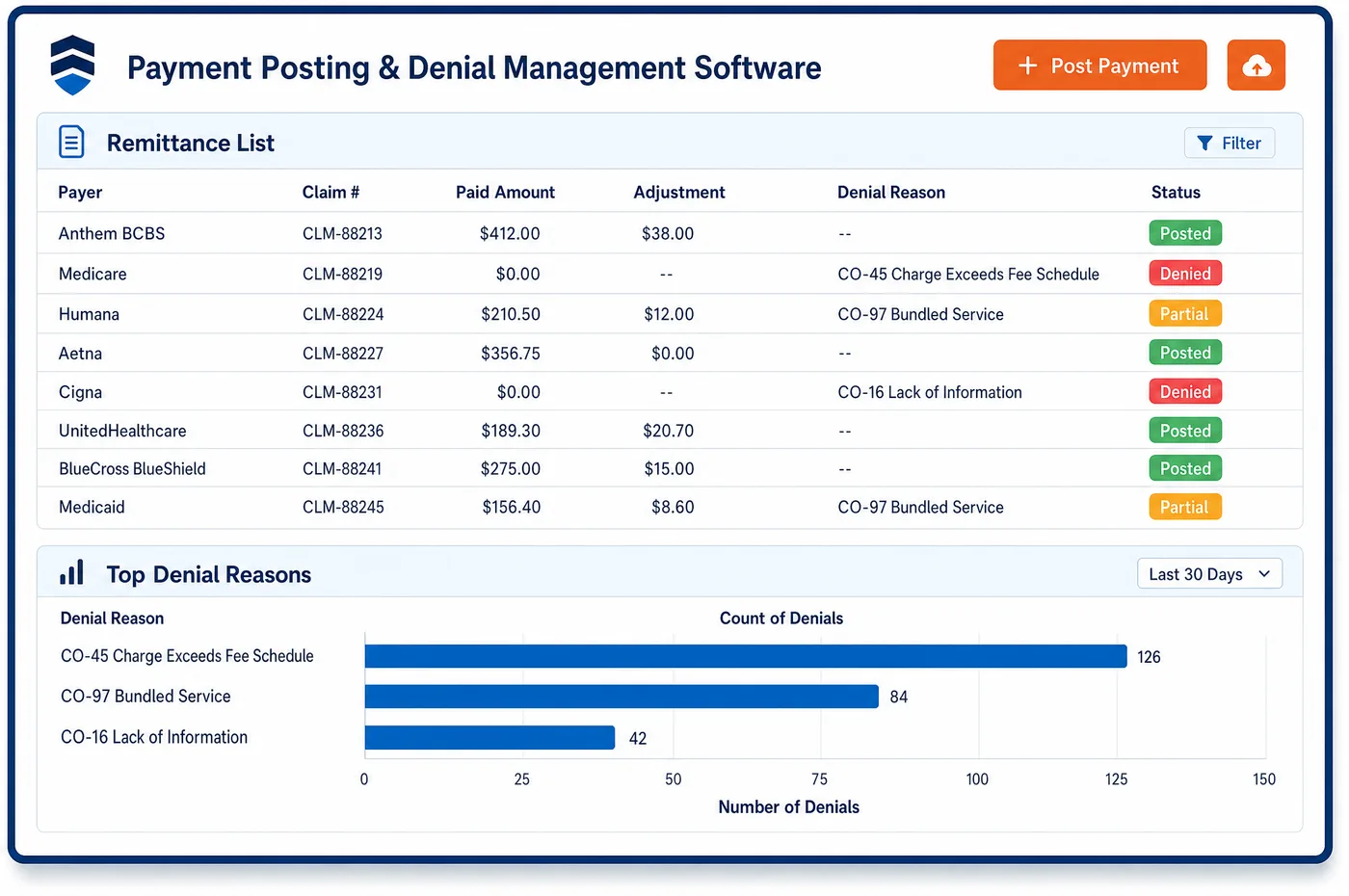
Invoicing in a group has two jobs. The first is the payer invoice, which is the claim. Multi-specialty invoicing software formats each claim to the payer's demands without staff editing it, and files it over a real-time clearinghouse connection. Payers differ in what they require, and hospital-based departments may file institutional claims while office departments file professional ones. The second job starts after the payer pays. The amount marked as patient responsibility on the remittance becomes the patient's balance. Because several departments may have seen the patient, the balance is built from all of them, with each line named by department and date. The patient gets one digital invoice by email or text, and card-on-file matching can post deductible payments to the ledger. This follows the claims built in medical billing and feeds the RCM view of what is still owed.
Why Is Invoicing Different in Multi-Specialty?
A patient who sees three departments can get three statements for one deductible. Each department bills what it knows, and none of them knows what the others have posted. The patient sees conflicting totals, calls the front desk and pays late or not at all. A group needs a single invoice that reflects every department's balance after payers have paid.
Claim formats vary as well. Hospital-based departments in a group can file institutional claims, while office departments file professional claims. Payers have their own companion guides and edits. A system that formats every claim the same way produces rejections in some departments and not in others. Formatting rules need to be set per payer and applied without hand edits.
Patient responsibility has layers. A remittance splits the amount into patient responsibility, contractual write-offs and other adjustments, using group codes. The patient invoice should include only the first. If a department posts the wrong group code, patients get charged for amounts the contract says they do not owe, which creates disputes and complaints.
What Multi-Specialty Invoicing Software Handles
- Claim formatting by payer
- Claim formatting is configured per payer, so claims go out in the format each payer expects without staff editing them. HIPAA adopts the X12 837 standard for institutional, professional and dental claims. (CMS: HIPAA Adopted Standards and Operating Rules)
- Patient responsibility group code (PR)
- On a remittance, group code PR marks Patient Responsibility, CO marks Contractual Obligation, OA marks Other Adjustment and PI marks Payor Initiated Reduction. Only PR amounts move to the patient invoice; see claim adjustment group codes. (X12: Claim Adjustment Group Codes)
- Billing group on the invoice
- Item 33 of the CMS-1500 holds the billing provider's name and address and item 33a the NPI of the billing provider or group. The same billing identity should appear on the patient invoice so the patient recognizes who is asking for payment. (CMS Medicare Claims Processing Manual, Chapter 26 (Items 33 and 33a))
- Deductible, coinsurance and copay reasons
- Reason codes 1, 2 and 3 are Deductible Amount, Coinsurance Amount and Co-payment Amount. Staff use them to label each line on the patient invoice, so the patient sees why an amount is owed. See deductible. (X12: Claim Adjustment Reason Codes (CARC 1, 2, 3 and 22))
- Secondary payer and coordination of benefits
- CARC 22 says care may be covered by another payer per coordination of benefits. Invoicing the patient before the secondary pays can overbill, so the secondary claim is sent first when the record shows another plan. (X12: Claim Adjustment Reason Codes (CARC 1, 2, 3 and 22))
How Does Multi-Specialty Invoicing Software Work?
1. Format claims by payer
Each payer's format is configured once, and claims follow it automatically. Departments that file facility claims and those that file professional claims use their own formats.
2. File and track
Claims are filed over the clearinghouse connection, and acknowledgments and status return to the claim. Rejections go to a queue with the reason.
3. Split the remittance
When the payer pays, patient responsibility is separated from contractual and other adjustments. Secondary claims are sent before the patient is billed.
4. Build one invoice per patient
The patient share from every department is combined into one invoice with a line for each department, date and service. Copay card credits and prior payments are shown.
5. Deliver and collect
The invoice goes by email or text, and the patient can pay by card. Cards on file can match deductible payments, and payments post back to the ledger. See patient engagement for reminders.
Multi-Specialty Invoicing Software vs. Generic Software
| Area | Generic approach | Unlimited Systems |
|---|---|---|
| Payer claim format | Staff adjust claims by payer by hand. | Formatting configured per payer and applied automatically. |
| Patient statements | One statement per department. | One invoice across departments. |
| Patient share | Estimated from the explanation of benefits. | Taken from patient responsibility on the remittance. |
| Delivery | Mailed paper statements. | Digital invoices by email and text. |
| Card payments | Keyed in and matched later. | Card-on-file matching posts to the ledger. |
Who Uses It in a Multi-Specialty Practice
- Billing manager: Claims that go out in the right format for each payer, and a patient balance that matches the remittance. Fewer reworked claims and fewer disputed statements.
- Front desk lead: One total to quote for any patient, with the lines by department in view. The lead can answer a question about a balance without calling other departments.
- Patient accounts specialist: A consolidated invoice ledger that shows liability by payer and department, so follow-up calls reference the right visit. Work ties back to patient management.
Multi-Specialty Invoicing Software FAQs
Invoicing builds the patient's balance from the patient responsibility amounts on remittances across every department. Each line shows the department, date and service. The patient receives one invoice instead of one per department, and payments post back to the same ledger the billing team uses.
Hospital-based departments can file institutional claims, while office departments file professional claims. Payers also have their own rules within the X12 837 standard. Invoicing software lets staff configure formatting by payer so claims go out as each payer expects, without editing individual claims.
A secondary payer may cover some of what the primary left. If the patient is billed first, the invoice can overstate what is owed. Sending the secondary claim first, based on the payer order on the record, lets the final patient balance reflect all coverage.
Invoicing here covers claims to payers and invoices to patients. It does not invoice other parties such as facilities or employers, and staff should not expect it to. Any other billing is handled outside this process, under the practice own agreements and its accounting records.
The patient can pay online by card or through a card on file, and the payment posts to the ledger against the lines on the invoice. Reminders by email or text link to the payment page. Staff can also take payment at the desk against the same balance.
Group code PR means patient responsibility on a remittance. It covers amounts such as deductible, coinsurance and copay that the patient owes. Contractual obligation, other adjustment and payer initiated reduction are separate group codes. Only the patient responsibility amounts should be placed on a patient invoice.
Related Multi-Specialty Software
Billing & claims
Invoicing for related specialties
Sources
GET STARTED
See Unlimited Systems in Action
Whether you're actively evaluating new technology or simply preparing for your next vendor renewal, Unlimited Systems can help you understand where your current workflows may be creating avoidable revenue risk.