
Front office
Multi-Specialty Financial Clearance Software
Check coverage, referrals and approvals for each department's visit, and give the patient one estimate across everything booked.
Multi-Specialty Financial Clearance Software checks coverage, referral requirements and authorizations for every department a patient is booked with, before the visit happens. It sends eligibility requests at booking, tracks approvals by specialty and service, and helps staff build one estimate of what the patient will owe across all booked care.



 6,500+ specialty providers

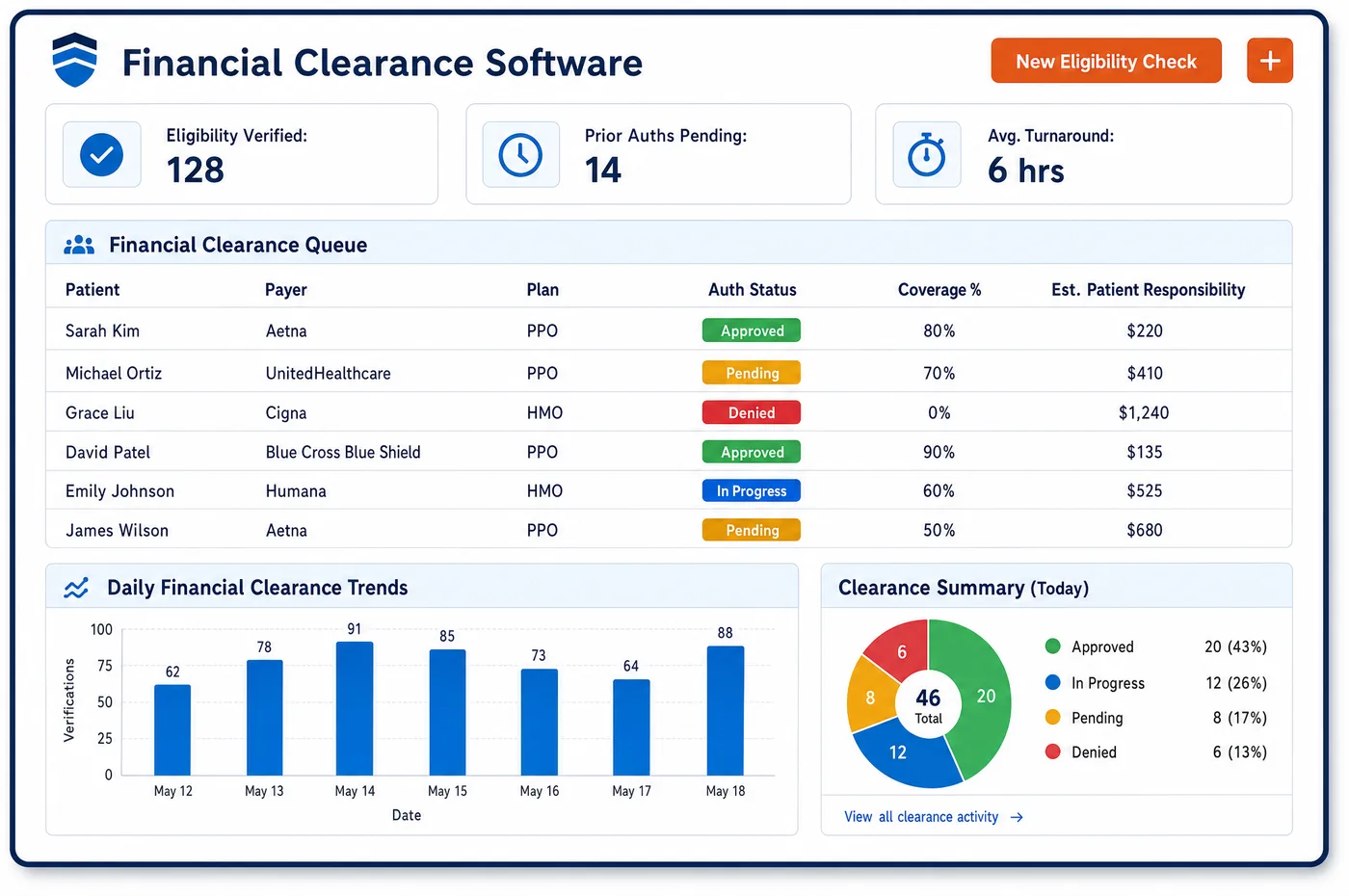
Financial Clearance in a Multi-Specialty Practice
Financial clearance in a group runs once per visit, not once per patient. A patient may be booked for a primary care check, a cardiology stress test and an orthopedic consult in the same month, each with different plan rules. Multi-specialty financial clearance software sends a 270 eligibility request at booking. The 271 response shows the deductible, copay and coinsurance. Staff then note any referral the plan requires and any approval the payer wants. Open items sit on a list the front office works, with the visit date beside them. The estimate for the patient draws on the same coverage data for each visit. Clearance relies on the clean demographics from patient registration and the forms from patient intake, and its result flows to scheduling, so a visit that lacks approval can be held.
Why Is Financial Clearance Different in Multi-Specialty?
Rules change by department. Imaging for cardiology often needs payer approval. Surgery can need approval for the procedure and the facility. A specialist visit under a managed care plan may need a referral from a named primary care provider. Primary care usually needs only eligibility. A front office must remember which payer wants what for which department. The answers differ by plan.
Eligibility sources differ, too. Original Medicare coverage can be checked through the CMS eligibility system. That system does not cover Medicare Advantage or Part D plans. Advantage and commercial plans use their own payer connections. A patient who changed plans can look active in one source and be wrong in another. Clearance has to record where each answer came from.
Patients meet the cost in pieces. Each department quotes its own copay or deposit. The patient never sees the total. A combined estimate across booked visits lets the front office talk about the whole picture once. Without it, the patient pays the first department and disputes the third bill.
What Multi-Specialty Financial Clearance Software Handles
- Medicare eligibility through HETS
- The CMS HIPAA Eligibility Transaction System takes real-time 270 requests and returns 271 responses for Original Medicare Parts A and B only. It is not for Medicare Advantage or Part D, so staff check those plans through the payer. Data is refreshed daily. A response is not a guarantee of payment. (CMS: About HETS 270/271 (HIPAA Eligibility Transaction System))
- Authorization requests (X12 278)
- The X12 278 is the HIPAA standard for referral certification and authorization requests and responses. Authorizations can be requested electronically and tracked on the booking record. Some payers use portals or phone, so staff note the route for each payer. (CMS: Referral Certification and Authorization (X12 278))
- Referral and authorization denial codes
- Payers return CARC 197 when precertification, authorization or notification is absent, CARC 288 when a referral is absent, and CARCs 242 and 243 when services are not provided or not authorized by network or primary care providers. Clearance work aims to prevent those denials. (X12: Claim Adjustment Reason Codes (CARC 22, 197, 242, 243 and 288))
- Coordination of benefits at the front end
- CARC 22 means care may be covered by another payer per coordination of benefits. Check the payer order and the Medicare Secondary Payer answers before the visit. That keeps a department from billing the wrong plan first. (X12: Claim Adjustment Reason Codes (CARC 22, 197, 242, 243 and 288))
- Good faith estimate for self-pay patients
- For uninsured or self-pay patients, the estimate lists expected items and services grouped by provider or facility, with service and diagnosis codes. In a group, staff decide which department is the convening provider for a patient booked in several. (CMS: FAQs on Good Faith Estimates for Uninsured (or Self-Pay) Individuals, Part 4)
How Does Multi-Specialty Financial Clearance Software Work?
1. Verify coverage when the visit is booked
A 270 eligibility request goes out at booking and the 271 response is saved on the visit. Staff see the plan, deductible, copay and coinsurance, and any gap in coverage.
2. Apply the department's rules
Staff check whether the department's service needs a referral or an authorization under the patient's plan. Rules are set by the practice for each payer and specialty, and an open item stays on the visit.
3. Request and track approvals
Authorization requests are sent electronically or through the payer's portal, and the reference number is stored on the booking. A visit whose approval is not yet back stays flagged for the front office to chase.
4. Build one estimate across booked visits
The patient's expected share for each booked visit is combined into one estimate that the front office can explain. The patient then knows what to expect from every department, as set up in patient scheduling.
5. Sign off and hand to the schedule
The patient's financial responsibility is acknowledged before the visit. Items that cannot be cleared go to a work queue, with the date of the visit on each, so no visit surprises the desk on arrival.
Multi-Specialty Financial Clearance Software vs. Generic Software
| Area | Generic approach | Unlimited Systems |
|---|---|---|
| Eligibility | Checked at the desk, or not at all for follow-up visits. | Checked at booking and saved with the visit. |
| Referral rules | Remembered by whoever has worked the longest. | Kept as payer and specialty rules the practice configures. |
| Authorizations | Tracked in each department's own spreadsheet. | Tracked on the booking, with the reference number stored. |
| Patient estimates | Each department quotes its own share. | One combined estimate across booked visits. |
| Open items | Found on the day of the visit. | Listed on a front-office work queue by visit date. |
Who Uses It in a Multi-Specialty Practice
- Authorization coordinator: One list of open approvals across every department, ordered by visit date, with the payer, service and reference number in view. The coordinator works the next visit at risk first.
- Front desk lead: A single estimate to read to patients booked in more than one department, drawn from the coverage on the visit. This ties back to medical billing, since the same coverage data is on the claim later.
- Billing manager: Fewer authorization and referral denials to rework, because gaps were found before the visit. Denials that still occur show which department or payer rule needs a fix.
Multi-Specialty Financial Clearance Software FAQs
The practice sets referral and authorization rules by payer and by department, and clearance applies them when a visit is booked. A cardiology imaging visit can be flagged for approval while a primary care visit under the same plan needs only eligibility. Staff see which items are open for each booked visit.
No. The CMS eligibility system covers Original Medicare Parts A and B only, and CMS bars its use for Medicare Advantage and Part D plans. Staff check Advantage plans through the plan's own eligibility connection or portal, and the source of each answer is saved with the visit.
Clearance aims to prevent CARC 197 for missing authorization, CARC 288 for an absent referral, CARCs 242 and 243 for services outside network or not authorized by primary care, and CARC 22 for coordination of benefits. Each one traces back to a check that belongs before the visit.
Each booked visit carries its coverage details, so the expected patient share can be added up across visits and shown once. The front office can explain the total and collect what is due. The estimate is a guide, not a guarantee. It can change if the payer processes a claim differently.
Staff in the receiving department attach the referral to the record. They check that the plan referral rule is met before the visit. When a referral is missing, the visit shows an open item on the front-office list, so someone calls the referring office in time.
For uninsured and self-pay patients, staff prepare a good faith estimate that lists expected items and services by provider or facility with codes. In a group, staff decide which department is the convening provider. The estimate covers the scheduled care. Add a new version when more visits are booked.
Related Multi-Specialty Software
Front office
In the revenue cycle
Financial Clearance for related specialties
Sources
GET STARTED
See Unlimited Systems in Action
Whether you're actively evaluating new technology or simply preparing for your next vendor renewal, Unlimited Systems can help you understand where your current workflows may be creating avoidable revenue risk.