

Front office
Clinical Research Patient Scheduling Software
Book each protocol visit inside its window, with the staff, rooms and timing the study calls for, next to the person's normal care.
Clinical Research Patient Scheduling Software books each study visit from the protocol calendar and inside its allowed window. It holds the coordinator, room, chair or lab slot each visit needs. It also shows when a person has a normal care visit on the same day, so the two can be billed apart.



 6,500+ specialty providers
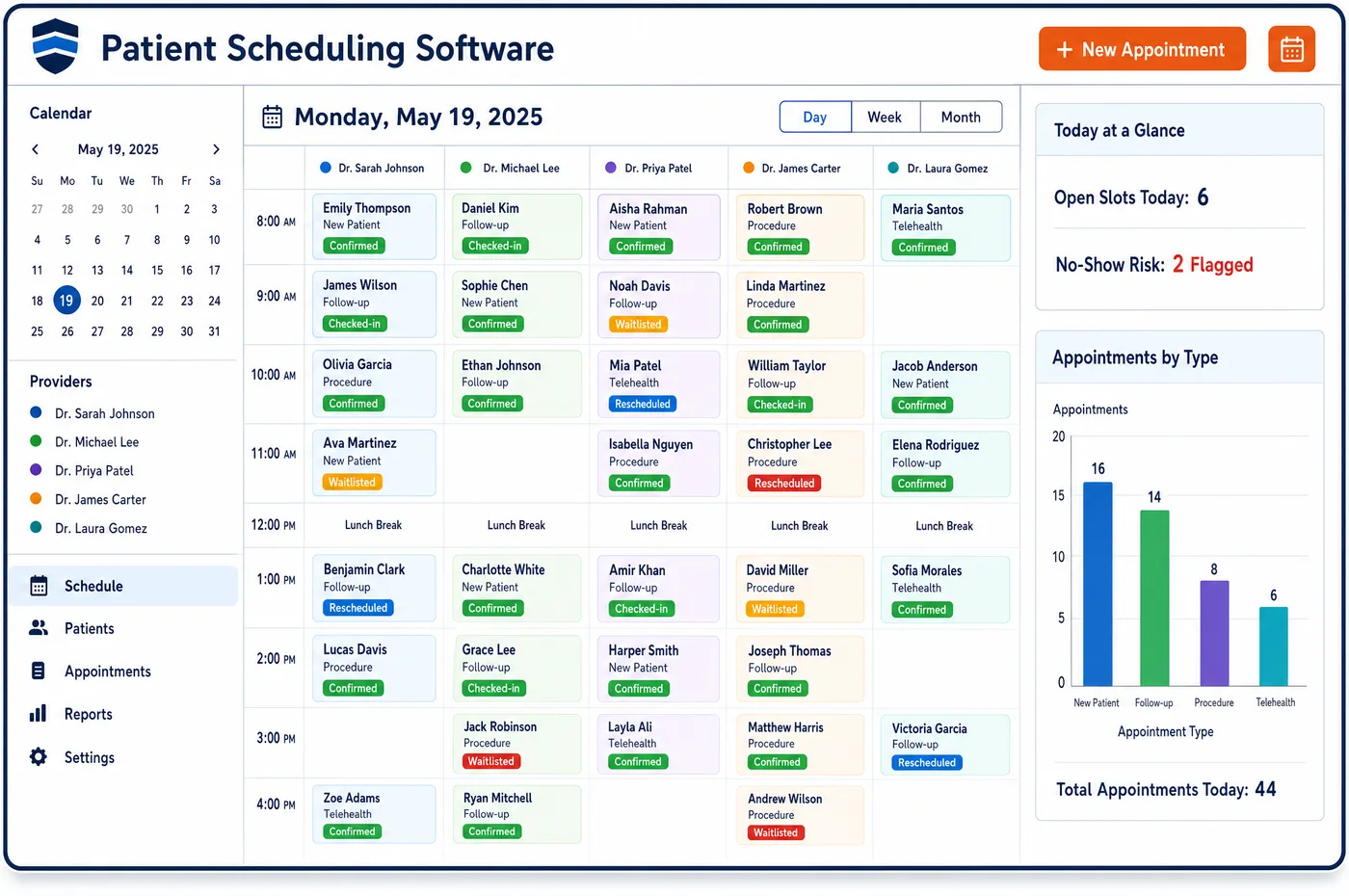
Patient Scheduling in a Clinical Research Practice
A protocol sets the visit plan before the first person enrolls. There is a screening visit, a first dose or baseline visit, treatment visits and follow-up visits, each with a target day and a window around it. Patient scheduling for a research site turns that plan into a calendar for each person, counted from their own start date. Staff book inside the window and see a warning when a date falls outside it, since an out-of-window visit is a protocol deviation. Each visit type holds the time, the staff and the space it needs. Some need fasting labs early in the day. Some hold an infusion chair for most of a day. When a person also has a normal visit on the same day, the schedule shows both, so routine trial care and unrelated care stay on separate lines or claims. Reminders go out before every study visit.
Why Is Patient Scheduling Different in Clinical Research?
A study visit is not booked when it suits the patient. It is booked when the protocol says, within a window that may be narrow. Miss the window and the visit becomes a deviation the site has to report to the sponsor. Booking from a blank calendar invites those misses, so each person's study calendar has to be built from the protocol and their start date.
Study visits also need more than a provider. A treatment visit may need a coordinator, a nurse, a chair, timed lab draws and a slot to process samples. Many sites run trials inside a busy practice, so those resources are shared with normal patients. The schedule has to hold them for study visits without blocking the rest of the clinic.
Then there is the billing side of the calendar. A person may see their regular doctor in the morning and come back for a study visit in the afternoon. For Medicare, trial and non-trial services go on separate lines. For Medicare Advantage members, an institutional provider must split them onto separate claims. Patient scheduling sets this up by keeping study visits and normal visits apart on the same day.
What Clinical Research Patient Scheduling Software Handles
- Trial and non-trial services on the same day
- Medicare asks providers to put clinical trial and non-trial services on separate lines when both are on one claim. Booking study and normal visits as separate visit types keeps them apart from the start. (CMS Medicare Claims Processing Manual, Chapter 32, Sections 69.5 and 69.9 (billing trial and non-trial services; managed care enrollees))
- Advantage members seen for both on one day
- For Medicare Advantage members, institutional providers must not bill outpatient trial services and unrelated services on the same claim. Trial services bill to Original Medicare, and the unrelated care bills to the plan. (CMS Medicare Claims Processing Manual, Chapter 32, Sections 69.5 and 69.9 (billing trial and non-trial services; managed care enrollees))
- Unscheduled visits for complications
- Medicare covers care to diagnose and treat complications from taking part in a trial. An unscheduled visit is booked as its own type, and staff decide how it bills once the reason is known. (CMS National Coverage Determination 310.1: Routine Costs in Clinical Trials)
- Visits only for study data
- Services done only to collect study data, and not used to manage the person's care, are not covered by Medicare. A visit made up of only these services is booked as sponsor-paid. (CMS National Coverage Determination 310.1: Routine Costs in Clinical Trials)
- Stipends that build visit by visit
- FDA guidance says payment to participants should build as the study goes on, not wait until the end. Completed visits are marked on the schedule, so the coordinator knows which visits earned a payment. (FDA Guidance: Payment and Reimbursement to Research Subjects)
How Does Clinical Research Patient Scheduling Software Work?
1. Build visit types from the protocol
Each protocol visit gets a visit type with its target day, window, length and resources. Screening, baseline, treatment and follow-up visits are booked from these types.
2. Set each person's calendar
When a person starts the study, their visit dates are worked out from their start date. Staff see the full set of target dates and windows at once.
3. Book inside the window
Staff book each visit inside its window and get a warning if a date falls outside. Each visit stays tied to the review done in study financial clearance.
4. Send reminders
Reminders go out by text or email before each study visit through patient engagement for trial participants. Notes such as fasting or bringing a diary can be added.
5. Mark the visit done
When a visit is complete, staff mark it done on the schedule. The services move on to study charge assembly, and the coordinator can see the visit count for stipends.
Clinical Research Patient Scheduling Software vs. Generic Software
| Area | Generic approach | Unlimited Systems |
|---|---|---|
| Visit dates | Coordinators count days by hand from a paper calendar. | Dates are set from each person's start date and the protocol. |
| Windows | An out-of-window visit is found at the monitor's next review. | Staff are warned before the visit is booked. |
| Resources | Chairs and lab slots are booked by phone. | Rooms, chairs and staff are booked with the visit. |
| Same-day normal care | Study and normal visits blur together. | Each is booked as its own visit type. |
| Unscheduled visits | Added as a normal visit with no study link. | Booked as an unscheduled study visit for review. |
Who Uses It in a Clinical Research Practice
- Research coordinator: A calendar for each person built from the protocol, with windows shown and no counting by hand.
- Front desk: A clear view of which of today's visits are study visits and which are normal care.
- Clinic manager: Shared chairs, rooms and staff booked without study visits crowding out the rest of the clinic.
Clinical Research Patient Scheduling Software FAQs
Patient scheduling sets each study visit with a target day and a window from the protocol. When a person starts the study, their dates are worked out from their start date. Staff book inside the window and are warned if a date falls outside it, which helps the site avoid deviations it would have to report.
A person can have a study visit and a normal visit on the same day. They are booked as separate visit types. That matters for billing, since Medicare wants trial and non-trial services on separate lines, and for Advantage members an institutional provider must split them onto separate claims.
A study visit type can hold the coordinator, a nurse, an infusion chair or exam room, and lab or sample processing time. These are booked with the visit, so they are not double-booked with normal patients. Visits that need fasting labs can be set to book early in the day.
An unscheduled visit, such as one for a side effect, is booked as its own visit type tied to the study. It is not on the protocol calendar, so staff review the reason. Medicare covers care for complications from taking part in a trial, so the review decides whether it bills as routine care or to the sponsor.
Completed visits are marked on the schedule, so the coordinator can see which visits a person has finished. FDA guidance says payments to participants should build as the study goes on. The visit count gives the coordinator what they need to pay each stipend, while the stipend itself stays out of billing.
When a person cancels, staff rebook inside the same window if they can. The schedule shows the latest date that still fits. If no date fits, the coordinator knows early and can follow the protocol's steps for a missed visit, instead of finding out at the next monitoring visit.
Related Clinical Research Software
Front office
In the revenue cycle
Patient Scheduling for related specialties
Sources
GET STARTED
See Unlimited Systems in Action
Whether you're actively evaluating new technology or simply preparing for your next vendor renewal, Unlimited Systems can help you understand where your current workflows may be creating avoidable revenue risk.