
Billing & claims
Diagnostic Imaging Invoicing Software
One clear patient invoice after the payers have paid, with screening, diagnostic and self-pay amounts explained against the estimate.
Diagnostic Imaging Invoicing Software prepares the invoice a patient receives after insurance has paid. It gathers what the patient owes for each study on one statement, separates screening from diagnostic exams, compares self-pay charges with the estimate given earlier, and delivers the invoice by email or text so the patient can pay from the same message.



 6,500+ specialty providers

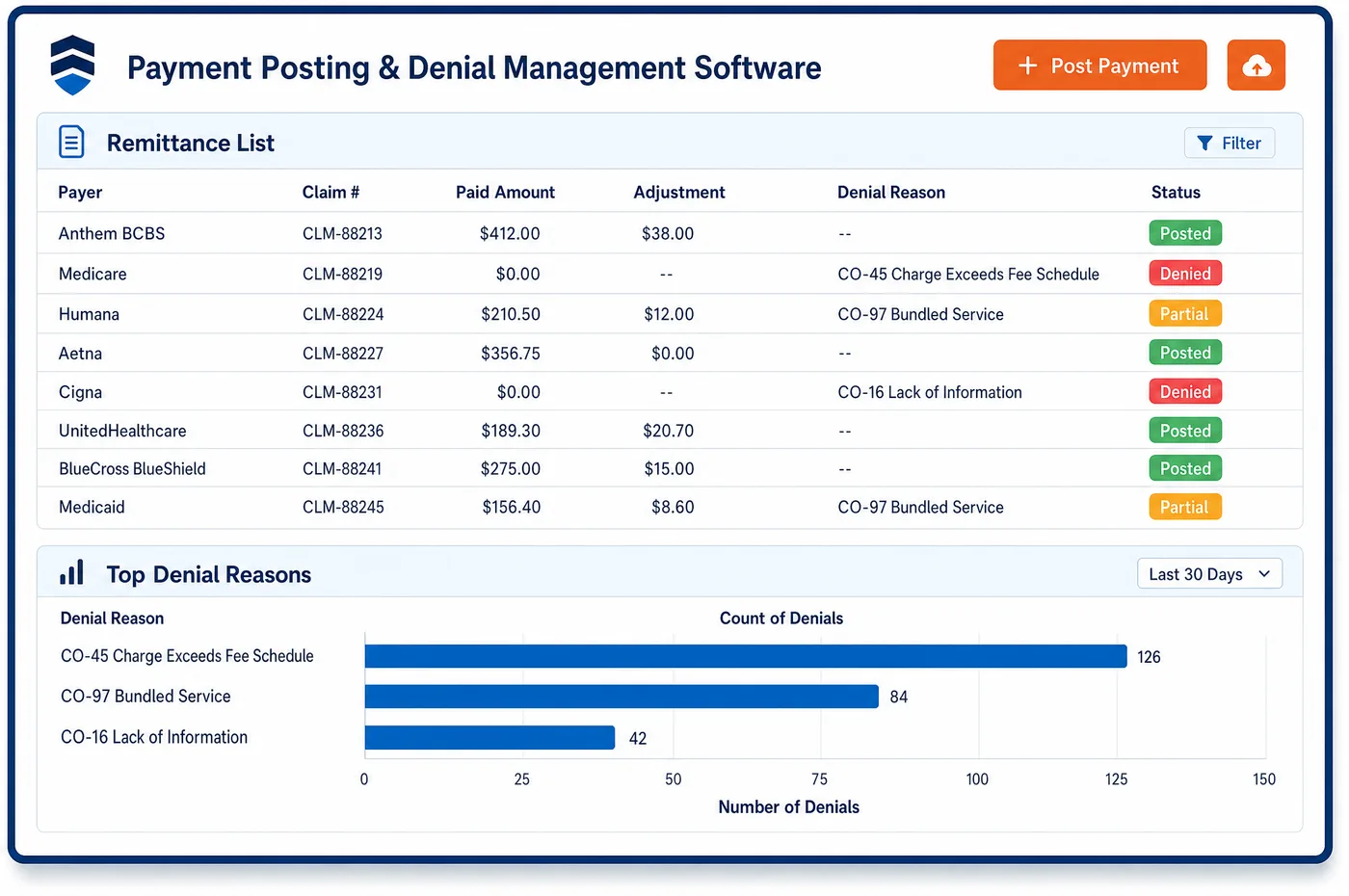
Invoicing in a Diagnostic Imaging Practice
An imaging patient often owes money to more than one party for a single exam. The center bills the technical part and a radiology group bills the read, each with its own invoice. Invoicing software cannot merge those bills, but it can make the center's invoice clear about what it covers and who sends the rest. The invoice appears only after the payers have answered. It shows the exam, the date, what the payer allowed and what is left for the patient. A patient who had a screening mammogram that turned diagnostic sees why the amount changed. A self-pay patient sees the final charge next to the good faith estimate. Cards on file can be matched to the invoice, and staff offer a payment plan when the balance is large. Invoices come from the same account staff see through imaging patient registration, and reminders follow through patient engagement. Invoicing ends when the balance is paid or moves to follow-up.
Why Is Invoicing Different in Diagnostic Imaging?
Imaging invoices confuse patients more than most bills. The patient had one scan and receives two or three envelopes. One is from the center, one from the radiologist, and sometimes one from the hospital that owns the scanner. A short note on each invoice that says what part of the exam it covers prevents many calls. The center cannot control the other bills, but it can name them.
The amount also depends on the kind of exam. A Medicare screening mammogram carries no deductible or coinsurance when the provider accepts assignment. Part B coinsurance applies to a diagnostic mammogram once the deductible is met. When a screening turns into a diagnostic exam, the patient may owe money for a visit they thought was free. The invoice has to explain that change plainly, using the exam type on the record.
Some balances cannot be billed at all. Under UnitedHealthcare's outpatient radiology protocol, a center that did not request approval may be denied administratively, and the member cannot be billed. For Medicare, a patient can be held liable for a service Medicare denies as not necessary only when a valid notice was given before the exam. Invoicing has to hold back a statement until the cause of a denial is known.
What Diagnostic Imaging Invoicing Software Handles
- Medicare screening mammogram
- A screening mammogram for a woman 40 or older carries no deductible or coinsurance when the provider accepts assignment, so the invoice shows no patient balance for the screening code, and Medicare coinsurance is left to the diagnostic line. (Medicare.gov: Mammograms)
- Diagnostic mammogram coinsurance
- Part B coinsurance applies to a diagnostic mammogram once the deductible is met. When a screening turns diagnostic, the invoice states which code carries the patient share and why. (Medicare.gov: Mammograms)
- Good faith estimate compared with the final invoice
- A patient who pays without insurance should get an estimate of expected charges when scheduling ahead. The estimate is needed if the patient later wants to dispute the bill, so the center keeps it with the account and shows it next to the invoice. (CMS: What is a good faith estimate?)
- Administrative denials for missing approval
- UnitedHealthcare says that a rendering provider who does not request approval for advanced imaging may be denied administratively, and the member cannot be billed for the service. Staff hold the patient invoice until the denial reason is known. (UnitedHealthcare: Outpatient radiology prior authorization FAQ, commercial and Individual Exchange plans)
- Medicare patient liability and the ABN
- Medicare's limitation on liability rules decide who pays when a service is denied as not reasonable and necessary. The signed notice given before the exam is what supports billing the patient, so the notice is kept with the account. (CMS Medicare Claims Processing Manual, Chapter 30: Financial Liability Protections)
- Separate technical and professional bills
- When different parties furnish the two parts, the center bills the technical component and the interpreting physician bills the professional component. The invoice says which part it covers. (CMS Medicare Claims Processing Manual, Chapter 13, Sections 20.1 and 20.2: Professional and Technical Components)
How Does Diagnostic Imaging Invoicing Software Work?
1. Wait for the payer answers
The invoice is created after the payers have paid or denied. A denial that may not be billed to the patient stays on hold until staff decide what is owed.
2. Explain the exam and the share
Each line names the exam, the date, what the payer allowed and what remains. Screening and diagnostic lines are shown apart, so the reason for a coinsurance amount is plain.
3. Add the estimate for self-pay patients
A self-pay invoice shows the charge beside the good faith estimate. If the charge is higher than the estimate, a staff member reviews it before it goes out.
4. Send by email or text with a payment link
The invoice goes out by email or SMS. A card on file can be matched to the balance, and the patient can pay from the message or ask for a payment plan, which links to imaging financial clearance estimates for the next exam.
5. Follow the balance
Payments post to the account and reminders stop when the balance is paid. Open invoicing balances move to a follow-up list, where staff see the history from imaging patient management.
Diagnostic Imaging Invoicing Software vs. Generic Software
| Area | Generic approach | Unlimited Systems |
|---|---|---|
| Timing | Statements go out before the payer has answered. | Invoice created after payers have paid or denied. |
| Exam type | One total with no reason for it. | Screening and diagnostic lines shown separately. |
| Self-pay | Final bill sent with no tie to the estimate. | Charge shown next to the good faith estimate. |
| Denied claims | Patient billed for any denial. | Holds on denials that cannot be billed to the patient. |
| Delivery | Paper statement only. | Email or text invoice with a payment link. |
Who Uses It in a Diagnostic Imaging Practice
- Patient financial counselor: A single account that shows the exam, the payer result, the estimate and the patient share, so questions are answered from one screen.
- Billing manager: Fewer invoices sent in error through invoicing, and a hold list for denials that must be sorted out before the patient is asked to pay.
- Patient: A plain invoice that says what the exam was, what insurance paid, what is left and who sends any other bill.
Diagnostic Imaging Invoicing Software FAQs
Imaging invoicing software prepares the invoice a patient receives after insurance has answered. It lists each exam, what the payer allowed and the patient's share, separates screening from diagnostic lines, and shows self-pay charges beside the estimate. It sends the invoice by email or text with a way to pay, and posts the payment to the account.
When the radiologist and the imaging center are different parties, the center bills the technical component and the radiologist bills the professional component. They send separate invoices. The center's invoice says which part it covers, so the patient knows to expect the other bill and does not think the first one is a mistake.
A Medicare screening mammogram for a woman 40 or older carries no deductible or coinsurance when the provider accepts assignment, so the screening code leaves no patient balance. If the visit turns diagnostic, the diagnostic code carries Part B coinsurance once the deductible is met, and the invoice explains that change.
That depends on the payer and the cause. Under UnitedHealthcare's outpatient radiology protocol, a center that did not request approval may receive an administrative denial and the member cannot be billed. Staff hold the invoicing step until the denial reason is known and the payer's rule is checked.
A patient who pays without insurance should get a good faith estimate when scheduling ahead. The final invoice is shown next to that estimate. If the charge is higher, a staff member reviews it first, since the estimate is the basis for any later dispute of the bill.
The invoice is sent by email or text, and the patient can pay from the same message. A card on file can be matched to the balance, and a payment plan can be offered when the balance is large. Payments post to the patient's account, so staff do not re-key them.
Related Diagnostic Imaging Software
Billing & claims
Invoicing for related specialties
Sources
- Medicare.gov: Mammograms
- CMS: What is a good faith estimate?
- UnitedHealthcare: Outpatient radiology prior authorization FAQ, commercial and Individual Exchange plans
- CMS Medicare Claims Processing Manual, Chapter 30: Financial Liability Protections
- CMS Medicare Claims Processing Manual, Chapter 13, Sections 20.1 and 20.2: Professional and Technical Components
GET STARTED
See Unlimited Systems in Action
Whether you're actively evaluating new technology or simply preparing for your next vendor renewal, Unlimited Systems can help you understand where your current workflows may be creating avoidable revenue risk.