

Front office
Chiropractic Patient Intake Software
Pre-visit history, pain and function questionnaires, consent for manipulation and accident details, done before the patient reaches the table.
Chiropractic Patient Intake Software collects the history, symptoms, consent and accident details a chiropractor needs before the first adjustment. Patients complete forms on a phone or a desk tablet, sign consent for manipulation, and answer function questionnaires. The answers land on the chart, ready for the exam that will show whether a subluxation is present.



 6,500+ specialty providers
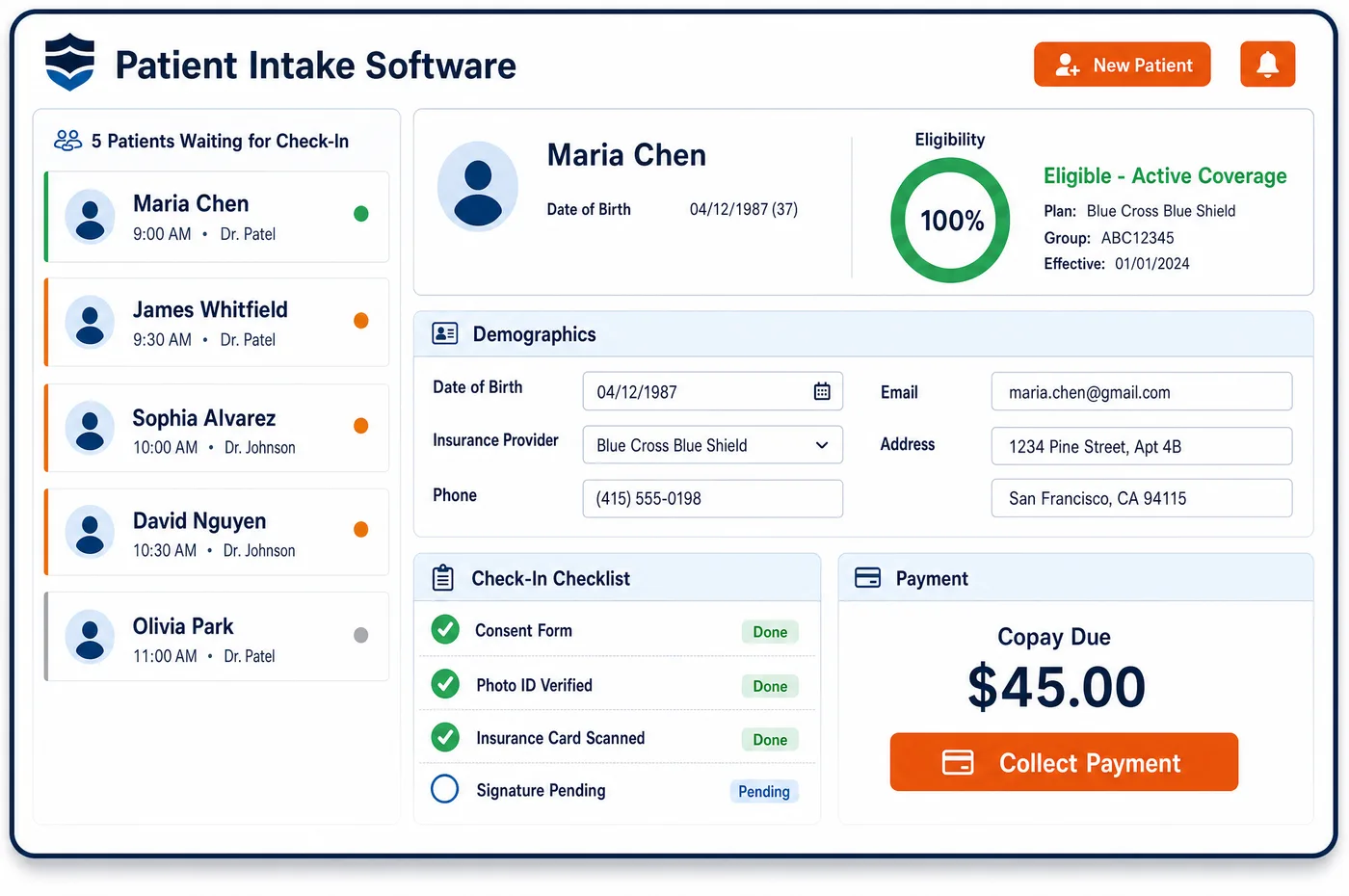
Patient Intake in a Chiropractic Practice
Intake for a new chiropractic patient starts with a link sent when the visit is booked. The patient describes what brought them in, where it hurts, when it started and what makes it better or worse. They list past injuries, surgeries, medicines and prior care for the same problem. Screening questions ask about blood thinners, bone loss and other conditions that change how a chiropractor treats the spine. A pain and function questionnaire gives a starting score that later visits can be measured against. Car accident patients describe how the injury happened and confirm the claim details. The patient signs consent for manipulation and the office's financial policy. Chiropractic patient intake software stores each answer as part of the chart. At the desk, check-in is a quick confirmation, and the chiropractor walks into the room already knowing the history.
Why Is Patient Intake Different in Chiropractic?
The history has a billing job in chiropractic. Medicare's manual lists what the record should hold for a new patient: the symptoms that brought them in, the mechanism of trauma, the onset, location and radiation of symptoms, and prior treatment. Symptoms must relate to the level of the subluxation that is cited. A thin intake form leaves the chiropractor to rebuild all of that by hand, and gaps show up later in a records request.
Safety screening is part of the visit, too. Medicare's manual names relative contraindications to dynamic thrust, such as bleeding disorders, anticoagulant use and severe bone demineralization. It also says the doctor should discuss that risk with the patient and record it. Intake questions that surface those conditions early give the chiropractor time to plan the visit and the consent talk.
Progress must be measured, not just felt. Treatment plans need objective measures, and commercial payers look for measurable goals when they review continued care. A function questionnaire at intake, repeated at re-exams, gives a baseline the record can point back to. Patient intake for chiropractic is where that baseline is set.
What Chiropractic Patient Intake Software Handles
- History elements Medicare expects
- The intake form asks for symptoms, past health history, mechanism of trauma, onset, location, radiation, and what makes symptoms better or worse. The chiropractor reviews and confirms those answers in the exam note. (CMS Medicare Benefit Policy Manual, Chapter 15, Section 240: Chiropractic Services)
- Contraindication screening for dynamic thrust
- Questions cover anticoagulant use, bleeding disorders, bone demineralization and other relative contraindications the manual lists. Positive answers are flagged for the chiropractor, who discusses the risk with the patient and records it. (CMS Medicare Benefit Policy Manual, Chapter 15, Section 240: Chiropractic Services)
- Baseline function scores
- Treatment plans need objective measures of progress. A pain and function questionnaire chosen by the practice is scored at intake and again at each re-exam, so change can be shown in numbers. (CMS Medicare Benefit Policy Manual, Chapter 15, Section 240: Chiropractic Services)
- Measurable goals for commercial review
- Aetna's chiropractic policy looks for a written plan of care with objective and subjective data and measurable goals. Intake scores give the plan a starting point that payer reviewers can follow. (Aetna Clinical Policy Bulletin 0107: Chiropractic Services)
- No routine Medicare notices
- Medicare bars giving an advance notice of non-coverage on a routine basis. A Medicare liability notice is not added to every intake packet. It is given only when the chiropractor expects a denial, such as when care becomes maintenance. (CMS MLN Booklet: Medicare Advance Written Notices of Non-coverage (MLN006266))
- Accident questions for payer order
- Accident patients describe how and when the injury happened. Those answers back up the injury case, since no-fault or liability coverage pays first for accident care before Medicare. (CMS MLN Booklet: Medicare Secondary Payer (MLN006903))
How Does Chiropractic Patient Intake Software Work?
1. Send the intake link at booking
The link goes out by text or email as soon as the first visit is booked. Patients can stop and return to the forms before the visit.
2. Collect history and symptoms
The patient describes the problem, its onset and what changes it, along with past injuries, surgeries and medicines. Answers build on the demographics from chiropractic patient registration.
3. Screen for safety and score function
Screening questions flag conditions that may change treatment. A pain and function questionnaire sets the baseline score for the treatment plan.
4. Sign consent and policies
The patient signs consent for manipulation, the financial policy, and any lien or assignment form for an accident case. Each signed form is saved to the chart with a date.
5. Confirm at check-in
At the desk, staff confirm the forms are complete and collect any copay. The chiropractor sees the history and flags before entering the room, and a patient schedule built on visit type keeps new exams long enough.
Chiropractic Patient Intake Software vs. Generic Software
| Area | Generic approach | Unlimited Systems |
|---|---|---|
| History | A one-page form with a body diagram and little else. | Structured questions that follow the history Medicare's manual lists. |
| Safety screening | Asked out loud during the visit, if at all. | Flagged from intake answers before the patient is on the table. |
| Function baseline | No score until a payer asks for one. | A questionnaire scored at intake and repeated at re-exams. |
| Consent | Paper consent filed in a folder. | Signed consent saved to the chart with a date. |
| Accident details | Written on the back of the form. | Captured in a set format and tied to the injury case. |
Who Uses It in a Chiropractic Practice
- Front desk: Fewer clipboards and a short check-in, with signed forms already on the chart. Patients can finish forms through the patient portal at home.
- Chiropractor: A full history, safety flags and a starting function score before the exam, so the first visit is spent examining and treating.
- Office manager: Complete intake packets on every chart, with answers that stay with the patient across visits in patient management for chiropractic.
Chiropractic Patient Intake Software FAQs
Chiropractic patient intake should ask what brought the patient in, where it hurts, when it started and what makes it better or worse. It should cover past injuries, surgeries, medicines and prior care. It should also screen for conditions such as blood thinner use or bone loss, and set a baseline pain and function score.
Medicare's manual lists bleeding disorders and anticoagulant therapy as relative contraindications to dynamic thrust. They do not rule out treatment, but they add risk. Asking at intake gives the chiropractor time to plan the technique, discuss the risk with the patient, and record that talk in the chart before treating.
An ABN should not be part of every Medicare intake packet, because Medicare does not allow advance notices of non-coverage on a routine basis. A notice is given when the chiropractor expects Medicare to deny a visit, most often when care becomes maintenance. Handing one to every patient at intake does not protect the practice and goes against the notice rules.
A pain and function questionnaire gives a score at the first visit. The same form at each re-exam shows whether the patient is getting better. That gives the treatment plan the objective measures Medicare expects, and it gives commercial reviewers measurable progress to look at when the chiropractor asks for more visits.
Accident patients describe how and when the injury happened and confirm the carrier and claim number. They may sign an assignment of benefits or a lien form, based on the case and state law. These forms are saved with the injury case, so billing has what it needs to send claims to the right carrier.
Patients who don't finish at home can complete intake on a tablet at the desk. The questions and forms are the same, and the answers go to the same chart. Staff can see which sections are missing and help the patient finish them before the chiropractor begins the exam.
Related Chiropractic Software
Front office
In the revenue cycle
Patient Intake for related specialties
Sources
GET STARTED
See Unlimited Systems in Action
Whether you're actively evaluating new technology or simply preparing for your next vendor renewal, Unlimited Systems can help you understand where your current workflows may be creating avoidable revenue risk.