

Front office
Chiropractic Patient Registration Software
Sign up each chiropractic patient with the right payer from the start: Original Medicare, a Medicare Advantage plan, a commercial plan, an auto claim or a cash plan.
Chiropractic Patient Registration Software captures who the patient is and who will pay before the first adjustment. It records demographics, insurance cards, Medicare type, accident and claim details, and self-pay status. Each new patient gets one record, so a returning patient with a new injury is not set up twice.



 6,500+ specialty providers
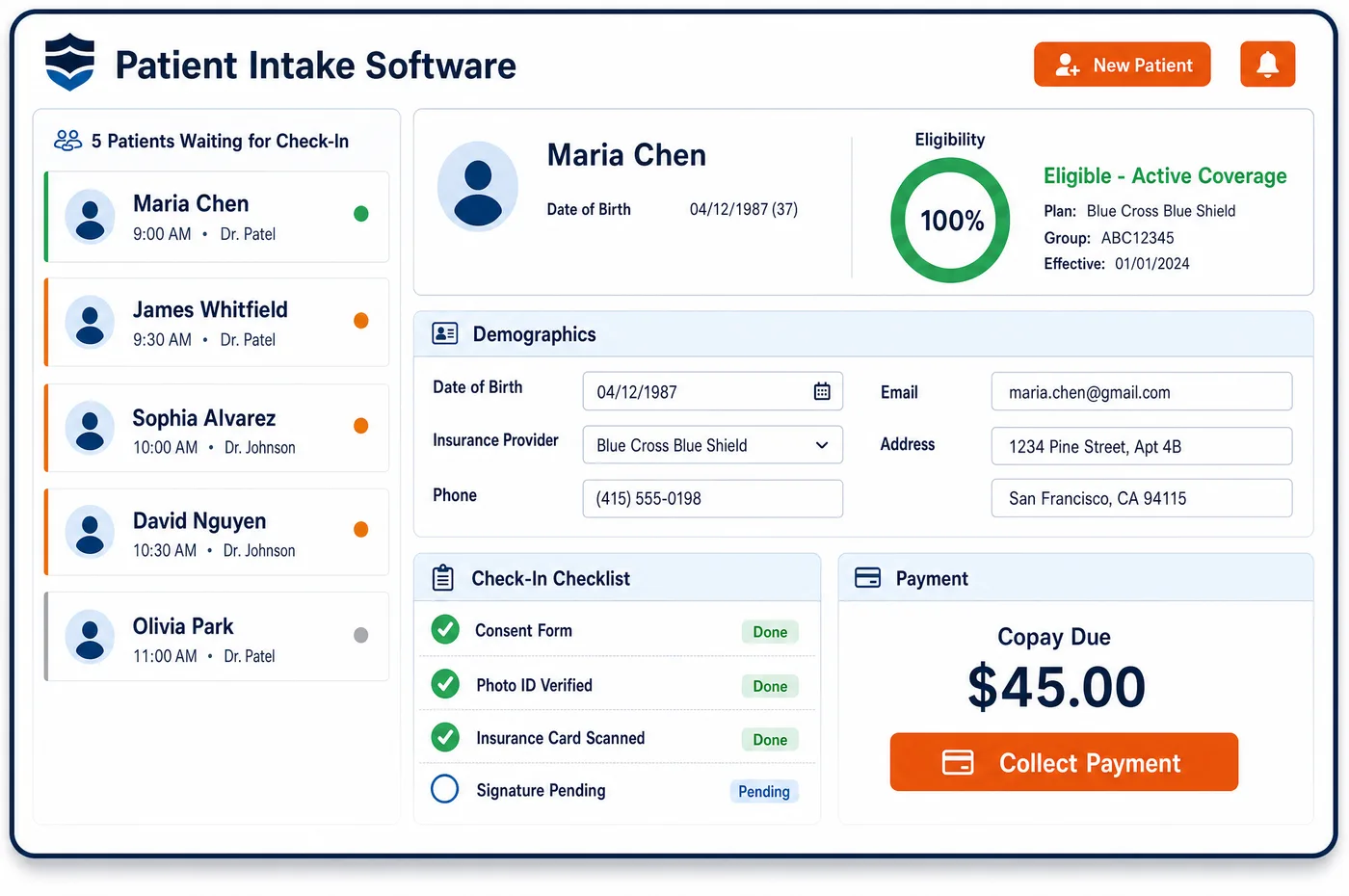
Patient Registration in a Chiropractic Practice
Registration in a chiropractic office sorts patients by payer before anything else happens. A patient may book online, call in after a car accident, or come in on an attorney's referral. The patient fills out demographics and takes photos of the insurance card on a phone, or staff scan the card at the desk. Chiropractic patient registration software then asks the questions that set the payer order. Is this visit tied to an accident or a work injury? Is the patient in Original Medicare or a Medicare Advantage plan? Does the patient plan to use insurance at all? The answers decide what comes next. A Medicare patient gets Medicare Secondary Payer questions. An accident patient gets a case with the carrier and claim number. A patient paying cash gets a good faith estimate. Staff search for an existing record first, so each patient has only one chart.
Why Is Patient Registration Different in Chiropractic?
The payer list in chiropractic is wide. One morning can bring a Medicare patient, a commercial patient whose plan routes chiropractic through a separate review program, two auto accident patients and a cash-pay family. Each of these needs different facts at sign-up. A registration form built for primary care, with one insurance slot, can't hold them.
Medicare type matters more than usual. Original Medicare pays for spinal manipulation only. Its advance notice rules apply to fee-for-service patients. A Medicare Advantage plan may add routine chiropractic visits as a benefit, or may require approval for a plan of care. If registration records only the word Medicare, the front desk can't tell which set of rules applies.
Injury cases bring their own data. The date of injury, the auto or liability carrier, the claim number, the adjuster and any attorney all shape who pays and when. Without them at sign-up, the first claims go to health insurance and come back denied, or Medicare pays when another insurer should have. Patient registration in a chiropractic office has to capture the accident before it captures the adjustment.
What Chiropractic Patient Registration Software Handles
- Medicare Secondary Payer questions
- Medicare asks providers to collect accurate information on other coverage from each patient. For accident cases, claims go to the no-fault or liability insurer first, so registration asks about accidents and work injuries up front. (CMS MLN Booklet: Medicare Secondary Payer (MLN006903))
- Original Medicare versus Medicare Advantage
- Advance written notices of non-coverage apply to patients with Medicare fee-for-service coverage. Registration records whether the patient is in Original Medicare or a named Medicare Advantage plan, so staff know which notice and approval rules apply. (CMS MLN Booklet: Medicare Advance Written Notices of Non-coverage (MLN006266))
- Medicare Advantage plan-of-care approval
- UnitedHealthcare's January 2025 notice for its Medicare Advantage plans says providers request approval for the whole plan of care, including the number of visits. Capturing the plan at sign-up lets staff start that request before treatment. (UnitedHealthcare: Medicare Advantage prior authorization updates for outpatient therapy and chiropractic services (January 2025))
- Chiropractic eligibility checks (service type code 33)
- X12 service type code 33 covers chiropractic. The eligibility check run off the registered card asks for that benefit, so the reply shows chiropractic coverage and limits rather than general office visit benefits. (X12 Service Type Codes (code 33, Chiropractic))
- Good faith estimate for self-pay patients
- Patients not using insurance are owed a good faith estimate of expected charges when they ask for one or book far enough ahead. Registration marks the patient as self-pay, so the estimate goes out with the booking. (CMS: What is a good faith estimate?)
- No opt-out for chiropractors
- Medicare's opt-out law does not define physician to include chiropractors, so they may not opt out and provide services under private contract. A Medicare patient's covered care is still billed to Medicare, so Medicare must be registered as the payer. (CMS Medicare Benefit Policy Manual, Chapter 15, Section 240: Chiropractic Services)
How Does Chiropractic Patient Registration Software Work?
1. Search before creating
Staff look up the name, birth date and phone number before creating a new chart. A returning patient with a new injury gets a new case on the existing chart, not a second chart.
2. Collect demographics and cards
The patient enters demographics and photographs both sides of each card from home, or staff scan them at the desk. Card details are read into the record, so member IDs are not typed by hand.
3. Ask the payer-order questions
Registration asks whether the visit is tied to an accident or a work injury and which Medicare plan the patient has. The answers set the payer for the first case.
4. Open the first case
An insurance case, an injury case or a cash plan case is opened with the right details. Car accident cases get the carrier, claim number, adjuster and attorney.
5. Check eligibility before the visit
A benefits check goes out for the chiropractic benefit on the plan on file. The reply, along with any visit limit it lists, is saved for the front desk.
Chiropractic Patient Registration Software vs. Generic Software
| Area | Generic approach | Unlimited Systems |
|---|---|---|
| Payer types | One insurance field for every patient. | Room for Medicare type, commercial plans, injury carriers and self-pay. |
| Accident details | Asked at the third visit, after claims deny. | Asked at sign-up and stored on the injury case. |
| Duplicate charts | A new chart for each injury or each payer. | One chart per patient, with a case for each episode. |
| Card capture | Member IDs typed from a photocopy. | Card images read into the record from the patient's phone or a desk scan. |
| Self-pay patients | No estimate until someone asks. | Self-pay status set at sign-up, with the estimate sent at booking. |
Who Uses It in a Chiropractic Practice
- Front desk: A short set of questions that sorts each new patient by payer, with the answers carried into chiropractic patient intake so the patient is not asked twice.
- Billing team: Claims that start with the right payer, carrier and member ID, and injury cases that are set up before the first visit is billed.
- Practice owner: One chart for each patient that grows into a full record of every case, which chiropractic patient management then carries through the whole course of care.
Chiropractic Patient Registration Software FAQs
Chiropractic patient registration asks whether the visit is tied to a car accident or a work injury, which type of Medicare the patient has, and whether the patient plans to use insurance at all. Those answers set the payer order before the first visit, so accident care goes to the carrier and Medicare is billed only when it should be.
Original Medicare and Medicare Advantage plans follow different rules. Original Medicare pays only for manual manipulation of the spine, and its advance notice rules apply to fee-for-service patients. Medicare Advantage plans set their own approval steps and may add routine chiropractic visits. Recording the exact plan at sign-up tells staff which rules apply to each visit.
A patient referred by an attorney after an accident is registered with an injury case. The case holds the date of injury, the auto or liability carrier, the claim number, the adjuster and the attorney's contact. Any letter of protection or lien paperwork is stored with the case, so billing knows who to send claims and statements to.
Staff search for the existing chart first. A returning patient keeps one chart, and the new injury opens a new case on it with its own payer and dates. The past history stays on the chart, which helps the chiropractor, and the new claims carry the new case's details instead of the old ones.
Self-pay patients give the same demographics, but registration marks them as not using insurance. That status prompts a good faith estimate of expected charges, which patients not using insurance can ask for and receive when they book ahead. The patient can still add insurance later if they decide to use it.
Patients can register from a phone before the first visit. They enter demographics, answer the accident and payer questions, and take photos of both sides of each insurance card. The card details are read into the record, and an eligibility check can run before the patient arrives, so check-in is short.
Related Chiropractic Software
Front office
In the revenue cycle
Patient Registration for related specialties
Sources
- CMS MLN Booklet: Medicare Secondary Payer (MLN006903)
- CMS MLN Booklet: Medicare Advance Written Notices of Non-coverage (MLN006266)
- UnitedHealthcare: Medicare Advantage prior authorization updates for outpatient therapy and chiropractic services (January 2025)
- X12 Service Type Codes (code 33, Chiropractic)
- CMS: What is a good faith estimate?
- CMS Medicare Benefit Policy Manual, Chapter 15, Section 240: Chiropractic Services
GET STARTED
See Unlimited Systems in Action
Whether you're actively evaluating new technology or simply preparing for your next vendor renewal, Unlimited Systems can help you understand where your current workflows may be creating avoidable revenue risk.