

Front office
Chiropractic Patient Scheduling Software
Book new exams, short adjustment visits, re-exams and cash plan visits on a schedule that follows each patient's treatment plan.
Chiropractic Patient Scheduling Software books each visit to the case and treatment plan it belongs to. New patient exams get longer slots, adjustment visits stay short, and re-exams land where the plan calls for them. The schedule counts approved visits, keeps Medicare patients to one treatment a day, and marks visits that are self-pay.



 6,500+ specialty providers
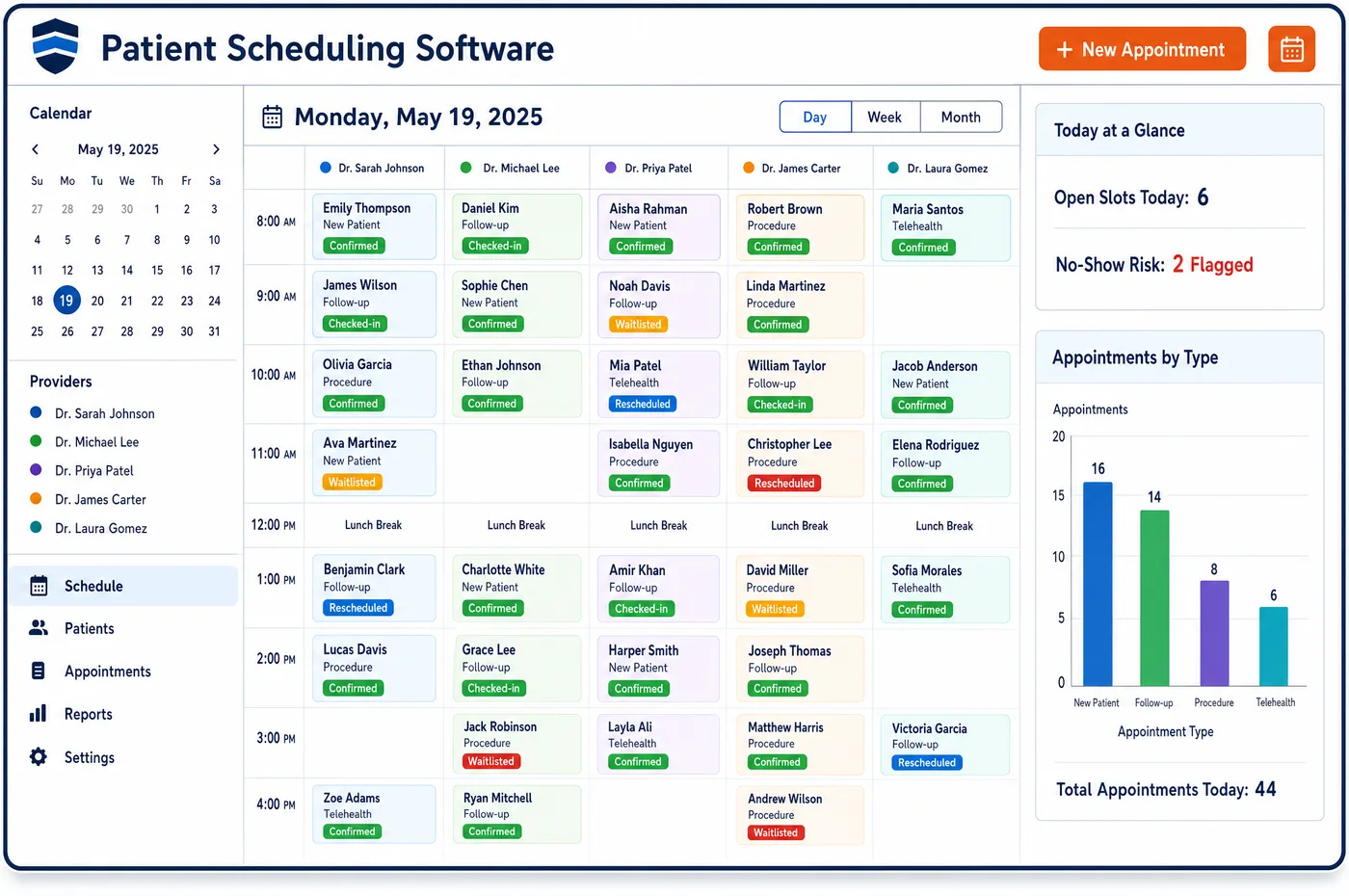
Patient Scheduling in a Chiropractic Practice
A chiropractic day is built from many short visits by patients who come back often. A new patient needs a longer slot for history, exam and, at times, x-rays. After that, the treatment plan sets the pace, often several visits a week at first and fewer as the patient improves. Chiropractic patient scheduling software books that plan as a series, each visit tied to the patient's case. The schedule counts visits against any payer approval and holds a booking that would go past it. It drops a re-exam into the series where the plan calls for one. For Medicare patients, it blocks a second manipulation visit on the same day. Cash plan visits and maintenance visits are marked, so the front desk knows what to collect. Reminders go out before each visit, and open slots are offered to patients on a waitlist who want to come in sooner.
Why Is Patient Scheduling Different in Chiropractic?
Frequency is part of the treatment. Medicare's manual says acute care may start with frequent visits that taper as the patient gets better, while chronic care may run longer but not more often. A schedule that books one visit at a time loses the shape of the plan. Patients drift, visits bunch up, and the record no longer matches what the chiropractor prescribed.
Each visit also has to fit a payer limit. One patient has a set number of approved visits, another has a yearly cap, and a third is in a cash plan with a fixed number of prepaid visits. Booking without those counts in view leads to visits nobody will pay for, or to a patient told at the desk that today's visit is not covered.
Medicare adds a firm daily rule. Payment is limited to one treatment per day, so a second manipulation visit for the same patient on the same day will not be paid. Medicare also pays nothing for the chiropractor's exam, which matters when a new Medicare patient books a first visit. Patient scheduling in a chiropractic office has to carry these rules into every booking.
What Chiropractic Patient Scheduling Software Handles
- Treatment frequency that tapers
- Medicare's manual notes that acute care may be frequent at first and then less frequent as the patient improves. The series is booked to match the plan, and staff adjust it when the chiropractor changes the plan. (CMS Medicare Benefit Policy Manual, Chapter 15, Section 240: Chiropractic Services)
- One Medicare treatment per day
- Medicare limits payment to not more than one treatment per day, and room or ward fees for intensive day programs are not covered. The scheduler warns staff before a second manipulation visit is booked for a Medicare patient on the same date. (CMS Medicare Benefit Policy Manual, Chapter 15, Section 240: Chiropractic Services)
- Visits approved against a plan of care
- UnitedHealthcare's Medicare Advantage plans approve the plan of care with a number of visits. Each booking counts against that number, and visits past it are held until chiropractic financial clearance has a new approval. (UnitedHealthcare: Medicare Advantage prior authorization updates for outpatient therapy and chiropractic services (January 2025))
- Re-exams that show improvement
- Aetna's policy expects improvement to be documented and treats care past maximum therapeutic benefit as not medically necessary. Re-exams are booked into the series so the chiropractor records progress before more visits are requested. (Aetna Clinical Policy Bulletin 0107: Chiropractic Services)
- Medicare exams are patient-pay
- Medicare covers only manual manipulation of the spine by a chiropractor, so the new patient exam is not a Medicare benefit. The visit type marks the exam as patient-pay, and the desk tells the patient before the visit. (CMS Medicare Benefit Policy Manual, Chapter 15, Section 240: Chiropractic Services)
- Maintenance visits and the signed notice
- When a Medicare patient moves to maintenance care, the next visits are booked as maintenance. They are held for a signed advance notice, so the GA modifier and the patient's choice are on file before the visit. (CMS MLN Booklet: Medicare Advance Written Notices of Non-coverage (MLN006266))
How Does Chiropractic Patient Scheduling Software Work?
1. Set visit types and lengths
The practice sets types for new exams, adjustments, re-exams, x-rays and therapy, each with its own length. Cash plan and maintenance visits get their own types too.
2. Book the plan as a series
After the first exam, staff book the visits the plan calls for in one step. Each visit is tied to the case, so the payer and visit count follow it.
3. Count visits and hold overages
The schedule shows visits approved, used and left. A booking past the approved count or end date is held until staff get more visits approved.
4. Remind and confirm
Reminders go out by text or email before each visit through chiropractic patient engagement. Patients confirm or ask to move the visit by reply.
5. Refill open slots
When a patient cancels, waitlist patients are offered the slot by text. Checked-in visits then pass their case and visit type to charge assembly.
Chiropractic Patient Scheduling Software vs. Generic Software
| Area | Generic approach | Unlimited Systems |
|---|---|---|
| Visit types | One slot length for every visit. | Lengths set for exams, adjustments, re-exams and x-rays. |
| Treatment plans | Visits booked one at a time. | The whole plan booked as a series tied to the case. |
| Approved visits | Counted by hand, often too late. | Counted at booking, with holds past the approved number. |
| Medicare daily limit | Two visits slip onto the same day. | A warning before a second Medicare treatment is booked. |
| Cash and maintenance visits | Look the same as insured visits. | Marked by type, so the desk knows what to collect. |
Who Uses It in a Chiropractic Practice
- Front desk: A schedule that shows each patient's plan, visits left and what to collect, so booking the next visit takes one step.
- Chiropractor: Re-exams that land where the plan says, and a day where short visits flow without gaps or visits that fail medical necessity review later.
- Practice owner: Fuller days, fewer unpaid visits past a limit, and a clear view of how much of the schedule is insured care, injury care and cash plans.
Chiropractic Patient Scheduling Software FAQs
Chiropractic patient scheduling books the visits in the plan as a series tied to the patient's case. The series follows the plan's frequency, with re-exams placed where the plan calls for them. When the chiropractor changes the plan, staff adjust the remaining visits, and the visit count against any payer approval updates at the same time.
Bookings past an approved visit count or end date are held on the schedule. The front desk sees the hold, and staff ask the payer for more visits before the patient comes in. If the patient chooses to come in without approval, staff can explain what the patient may owe before the visit.
Medicare limits payment to one chiropractic treatment per day. A second manipulation visit for the same patient on the same date will not be paid, so the scheduler warns staff before one is booked. Practices that once ran all-day intensive programs should know that room or ward fees are not covered either.
Cash plan visits use their own visit type and are tied to the patient's cash plan case. The schedule shows how many prepaid visits are left on the plan. Because the type is different, the front desk knows not to bill insurance for the visit and can see what, if anything, to collect.
When a Medicare patient moves to maintenance, later visits are booked as maintenance visits. Each one is held until a signed advance beneficiary notice is on file. The visit then passes to billing with the GA modifier, and the patient knows ahead of time that they may owe the full amount.
Reminders go out before each visit, and patients can confirm or reschedule by reply. Open slots are texted to patients on the waitlist. Missed visits are tracked by patient and visit type, so staff can reach out when a patient falls behind the plan.
Related Chiropractic Software
Front office
In the revenue cycle
Patient Scheduling for related specialties
Sources
- CMS Medicare Benefit Policy Manual, Chapter 15, Section 240: Chiropractic Services
- UnitedHealthcare: Medicare Advantage prior authorization updates for outpatient therapy and chiropractic services (January 2025)
- Aetna Clinical Policy Bulletin 0107: Chiropractic Services
- CMS MLN Booklet: Medicare Advance Written Notices of Non-coverage (MLN006266)
GET STARTED
See Unlimited Systems in Action
Whether you're actively evaluating new technology or simply preparing for your next vendor renewal, Unlimited Systems can help you understand where your current workflows may be creating avoidable revenue risk.