

Front office
Orthopedics Patient Intake Software
Pre-visit orthopedic forms that collect the injury story, the side, prior treatment and signed notices before the patient reaches the desk.
Orthopedics Patient Intake Software sends patients the right forms before each visit and checks them in when they arrive. A new injury gets a history of how it happened and which side hurts. An injection visit asks which joint and which dose in the series. A post-op check confirms the surgery and skips forms already on file.



 6,500+ specialty providers
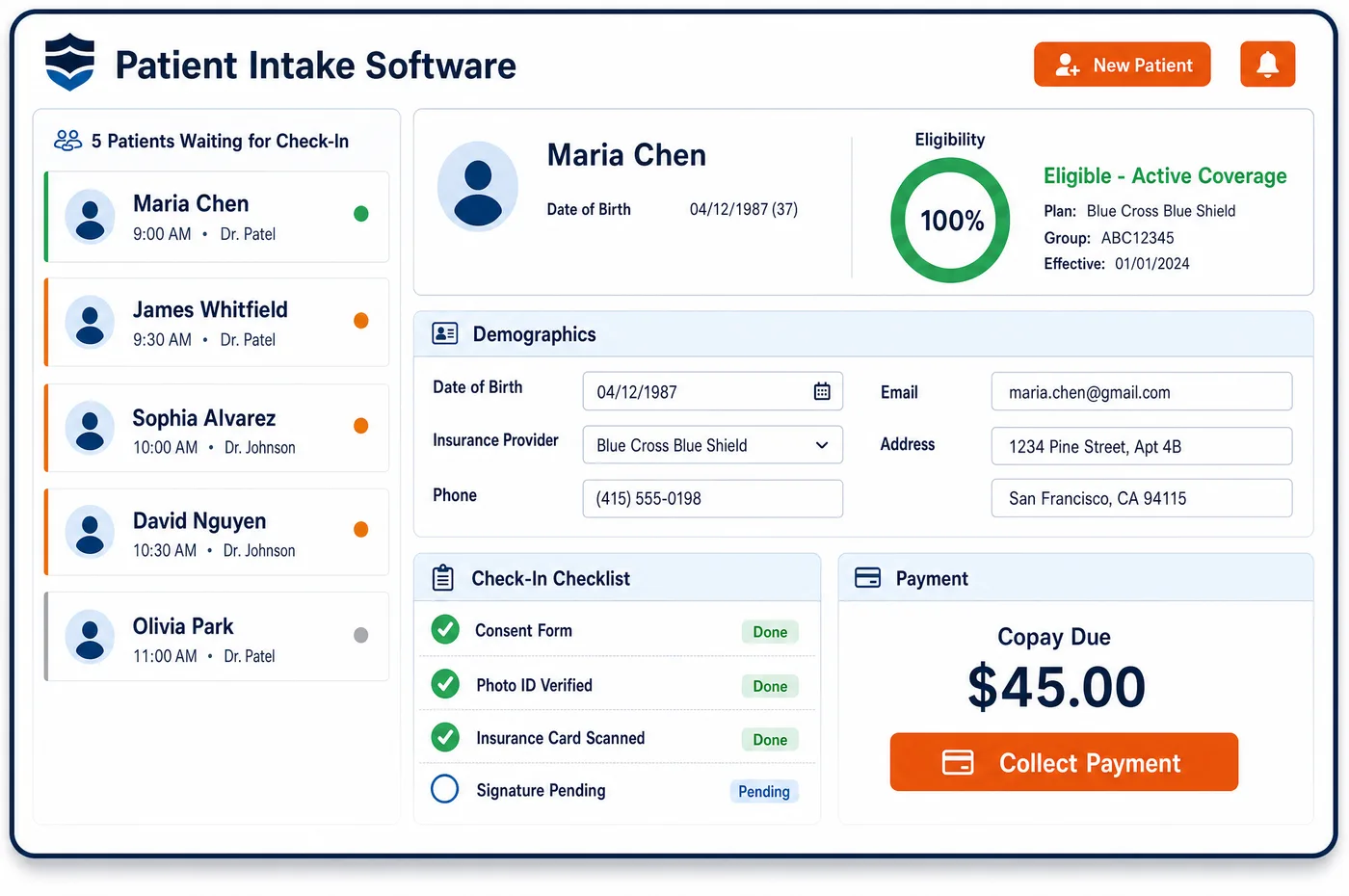
Patient Intake in a Orthopedics Practice
Unlimited Systems builds orthopedic intake around the visit type on the schedule. When a new knee injury is booked, the patient gets a link on their phone with a history form, a pain and function questionnaire, and a question on which side is hurt. Questions branch: a yes to a work injury opens fields for the employer and the injury date. The form also asks about prior X-rays, MRI, physical therapy, medications and injections, which the surgeon and the authorization team will both need later. Consents are signed on the phone and stored with the record. At check-in, the desk sees what is done and what is missing on a live lobby view. Insurance card images are read so details are not typed by hand. Completed answers post to the chart as structured fields rather than scanned pages. For injection and post-op visits, intake asks only what has changed.
Why Is Patient Intake Different in Orthopedics?
Orthopedic intake has more to collect than a standard check-in. The history of the injury matters clinically and financially. How it happened tells billing whether a work or accident carrier pays. Which side hurts drives right and left modifiers and the laterality in the diagnosis code. Whether this is the first visit for the injury or a later one sets the 7th character on many injury codes. A form that just asks for the reason for the visit leaves all of that to be chased later.
Prior treatment is the other big piece. Payers often want proof of conservative care, such as therapy, medication or injections, before they approve an MRI or surgery. If intake asks for those dates and places up front, the authorization team starts with a full picture instead of a records hunt. Intake is also where Medicare patients sign an Advance Beneficiary Notice when a service may not be covered, and that notice has to be signed before the service, not after.
Orthopedic visits also repeat. A patient in a three-injection series, or in the weeks after surgery, should not refill a full packet each time. Orthopedics patient intake software asks only what is new and confirms the joint and side for each visit. It draws on the demographics and payers captured during patient registration, and the answers flow into the orthopedic patient record that follows the whole episode.
What Orthopedics Patient Intake Software Handles
- ICD-10-CM laterality and encounter 7th characters
- Intake asks which side is affected and whether this is the first visit for the injury. Those answers support the laterality in the diagnosis code and the initial or subsequent encounter character on injury codes. (CMS ICD-10 code files and official ICD-10-CM coding guidelines)
- Hyaluronan injection series and the EJ modifier
- For viscosupplement visits, intake confirms the knee being treated and which injection in the series this is. A left knee series is separate from a right knee series, and the first injection does not take the EJ modifier. (WPS Billing and Coding Article A56157: Intraarticular Knee Injections of Hyaluronan)
- Post-op visits inside a global period
- When the visit is a related post-op check, intake marks it as part of the global package. Medicare includes those visits in the surgical payment, so no separate visit charge or copay is expected. (CMS MLN907166 Global Surgery Booklet (December 2025))
- Advance Beneficiary Notice (ABN)
- When a Medicare patient is scheduled for a service Medicare may deny, intake presents the ABN for signature before the service. The patient picks an option themselves, and the signed notice is stored with the visit. (CMS FFS Advance Beneficiary Notice of Non-coverage (ABN))
- CMS-1500 items 10 and 14 confirmed at check-in
- The intake history confirms the accident type and the injury date already on file. If the patient's answer differs from registration, the desk sees the conflict before the claim is built. (Medicare Claims Processing Manual, Chapter 26: Completing and Processing Form CMS-1500)
How Does Orthopedics Patient Intake Software Work?
1. Send forms by visit type
Booking a visit triggers a secure link by text or email. A new injury gets a full history. An injection or post-op visit gets a short update form.
2. Collect the injury story
The patient describes how and when the injury happened and names the side that hurts. A work or accident answer opens follow-up fields. Prior imaging, therapy and injections are listed with dates.
3. Sign consents and notices
Practice consents are signed on the patient's device. If a Medicare patient needs an ABN, it is presented before the service. Signed forms are stored on the record.
4. Check in at the desk
Staff see completed and missing items on the lobby view. Insurance card images are confirmed against what is on file. Any copay due is collected at check-in.
5. Post answers to the chart
Intake answers move to the chart as structured fields. The surgeon sees the history and prior care before entering the room. The authorization team can reuse the same history later.
Orthopedics Patient Intake Software vs. Generic Software
| Area | Generic approach | Unlimited Systems |
|---|---|---|
| Injury history | Paper form with a blank line for the reason for visit. | Branching questions on mechanism, date, side and work status. |
| Prior treatment | Gathered by phone once a payer asks for it. | Imaging, therapy and injection history captured before the visit. |
| Repeat visits | Full packet handed out at every visit. | Short update forms for injection and post-op visits. |
| Medicare notices | ABN found missing after the denial arrives. | ABN presented and signed before the service. |
| Chart entry | Scanned pages that staff retype. | Answers posted to the chart as structured fields. |
Who Uses It in a Orthopedics Practice
- Front desk: A lobby view that shows which patients finished their forms, which notices are unsigned, and which cards still need a look.
- Orthopedic surgeon: A history of the injury, the side and prior care in the chart before the visit starts.
- Authorization coordinator: Conservative care dates already collected, ready for an imaging or surgery authorization request.
- Patient: Forms done at home on a phone, and short check-ins for repeat injection and post-op visits.
Orthopedics Patient Intake Software FAQs
Orthopedics patient intake software collects the injury history, the affected side, prior imaging and treatment, current medications, pain and function answers, and signed consents. Questions branch by visit type, so a new injury gets a full history while an injection or post-op visit gets a short update. Answers post to the chart as structured fields and are checked in at the desk on a live lobby view.
Patient intake asks which side is injured because laterality shows up on both the diagnosis and the procedure. Many ICD-10-CM injury and joint codes specify right or left, and procedures on paired joints take RT, LT or a bilateral modifier. Capturing the side from the patient at intake, and confirming it at the visit, reduces mismatches between the diagnosis and the claim.
Intake helps with prior authorization by collecting conservative care history before the visit. Payers often ask what therapy, medications or injections were tried before they approve an MRI or surgery. When the patient lists those treatments, dates and places on the intake form, the authorization team has a starting point and only needs the supporting records rather than a full history.
An Advance Beneficiary Notice is signed before the service is provided, when the practice expects Original Medicare may deny it. The patient or a representative chooses one of the options on the form. Intake presents the ABN as part of the pre-visit packet or at check-in for the scheduled service, and stores the signed copy with the visit for billing.
Injection patients do not need a full packet at every visit. For a series, intake sends a short form that confirms the joint, the side, any change in health or medications, and which injection in the series this is. The rest of the history carries over from the first visit, which keeps check-in quick for repeat patients.
A copay is not normally collected for a related post-op visit inside a global surgical period. Medicare includes those visits in the surgical payment and they are reported with code 99024, which carries no separate charge. Intake marks the visit as post-op, so the desk does not ask for a payment, and only an unrelated problem seen at the same visit is billed.
Related Orthopedics Software
Front office
In the revenue cycle
Patient Intake for related specialties
Sources
- CMS ICD-10 code files and official ICD-10-CM coding guidelines
- WPS Billing and Coding Article A56157: Intraarticular Knee Injections of Hyaluronan
- CMS MLN907166 Global Surgery Booklet (December 2025)
- CMS FFS Advance Beneficiary Notice of Non-coverage (ABN)
- Medicare Claims Processing Manual, Chapter 26: Completing and Processing Form CMS-1500
GET STARTED
See Unlimited Systems in Action
Whether you're actively evaluating new technology or simply preparing for your next vendor renewal, Unlimited Systems can help you understand where your current workflows may be creating avoidable revenue risk.