

Front office
Orthopedics Financial Clearance Software
Clear eligibility, authorizations and patient cost for orthopedic imaging, surgery, braces and injections before the service date.
Orthopedics Financial Clearance Software checks that each orthopedic service is covered, approved and priced before it happens. It runs coverage checks, tracks prior auth for MRI, scopes, joint replacement and spine cases, and logs adjuster sign-off on work injuries. Patients get a cost estimate before elective surgery, while there is still time to plan.



 6,500+ specialty providers
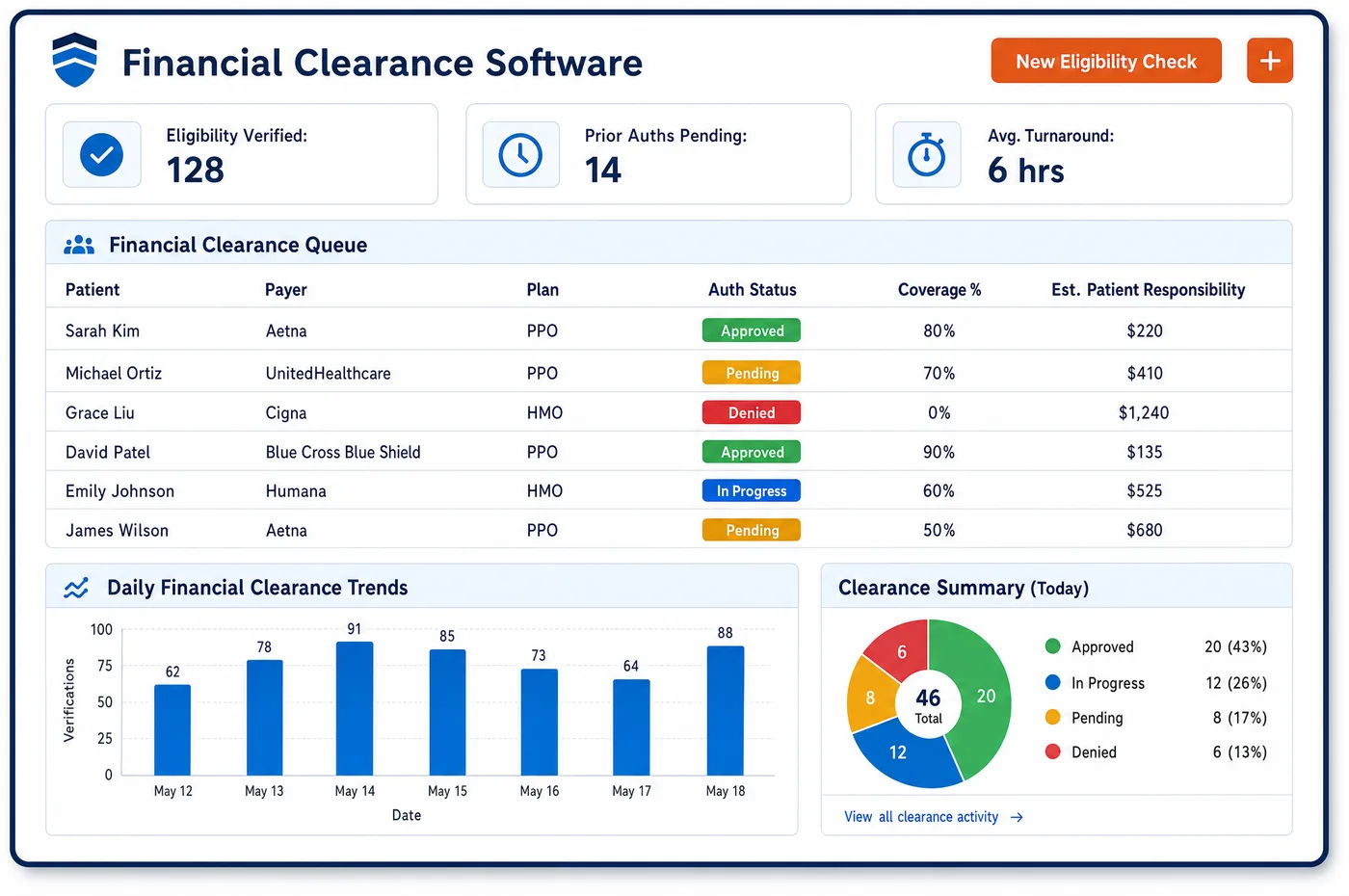
Financial Clearance in a Orthopedics Practice
Clearance in an orthopedic practice runs on several tracks at once. A knee MRI may need an approval from a radiology benefit manager. The scope that follows may need its own request, with the MRI report and notes on failed therapy. A brace given out after surgery can have its own rules. A work injury needs the adjuster to say yes to the visit, the scan and the surgery. Unlimited Systems sends a 270 coverage check when the service is booked. The 271 reply shows the deductible and the patient's share. Prior auth requests go out over the 278 from the scheduler. Each approval is stored with its codes, units and dates. If an approval is pending or close to running out, the booking is held. Staff see only the cases with a real gap. The rest move ahead on their own, and the patient hears the cost before the date is set.
Why Is Financial Clearance Different in Orthopedics?
Orthopedic care is costly, and payers watch it closely. Joint replacement, spine surgery and many scopes need prior authorization from health plans and Medicare Advantage. Payers want the MRI findings and proof of failed therapy in the first request. Original Medicare has added its own checks. Under the WISeR model, knee scopes for arthritis in six states now need prior auth or a review before payment. Medicare also wants approval for some knee braces before they are handed over.
Work and accident injuries add a second kind of clearance. The workers' compensation carrier decides if the claim is accepted. It also approves each test and surgery. An auto or no-fault carrier may set its own limits. A health plan check says nothing about whether the adjuster will pay for an MRI. Orthopedics financial clearance software tracks carrier sign-off with the same care as a payer approval. A missed one can cost the whole surgery.
Patient cost matters more here too. Many people plan a joint replacement early in the plan year, when the deductible is still open. The site changes the bill, since an ASC case and a hospital case are priced in different ways. Uninsured and self-pay patients are owed a good faith estimate under the No Surprises Act. Clearing cost early gives patients time to plan. It also gives the orthopedic scheduling team a firm date to book.
What Orthopedics Financial Clearance Software Handles
- WISeR model: knee scopes for knee arthritis
- For Original Medicare patients in New Jersey, Ohio, Oklahoma, Texas, Arizona and Washington, the queue flags knee arthroscopy for arthritis. Staff can send a prior auth request or accept a review before payment. The case shows which path was picked. (CMS Innovation Center: WISeR Model)
- Medicare prior auth list for knee braces
- Codes such as L1832 and L1851 are on Medicare's required prior auth list for DMEPOS. Brace orders for Medicare patients are checked against the list. The approval is tracked before the brace is fitted. (CMS DMEPOS Required Prior Authorization List)
- CMS-0057-F prior auth rule
- Impacted payers had to meet some prior auth rules starting January 1, 2026. Most API rules follow on January 1, 2027. Clearance logs each request and answer, so staff can follow payer replies as the rules phase in. (CMS Interoperability and Prior Authorization Final Rule (CMS-0057-F))
- Good faith estimates for self-pay patients
- When an uninsured or self-pay patient books surgery, clearance builds the estimate from the planned codes and site. The estimate is kept on the case. That helps if the patient later uses the dispute process. (CMS No Surprises Act: Provider Requirements and Resources)
- ABN before a likely Medicare denial
- When a Medicare patient is booked for a service Medicare may not cover, clearance flags the visit for an ABN. The notice is signed before the service. The patient then decides whether to go ahead. (CMS FFS Advance Beneficiary Notice of Non-coverage (ABN))
- Place of service and patient cost
- The estimate reflects where the case is booked: an office (POS 11), an ASC (POS 24) or a hospital outpatient site (POS 19 or 22). If the site moves, the estimate moves with it before the patient hears a number. (CMS Place of Service Code Set)
How Does Orthopedics Financial Clearance Software Work?
1. Check coverage at booking
When a visit, MRI or surgery is booked, a 270 check goes to the payer. The 271 reply shows active coverage, the deductible and the patient's share. Benefits for therapy and braces are noted when the payer sends them.
2. Find what needs approval
The planned codes are checked against payer and Medicare rules. MRI, scopes, joint replacement, spine cases and some braces are flagged. Work injuries are flagged for adjuster sign-off.
3. Build and send the request
The request pulls the MRI report and the therapy history gathered at orthopedic intake. It goes out over the 278 when the payer takes it. The approval number, codes, units and dates are stored on the case.
4. Hold until cleared
If an approval is pending, denied or close to running out, the booking is held. Staff see only the cases with a real gap. Approvals near their end date show up before the service date.
5. Estimate and talk to the patient
The estimate uses the patient's benefits, the planned codes and the site. Patients get the number before the surgery date is final. Self-pay patients get a good faith estimate.
Orthopedics Financial Clearance Software vs. Generic Software
| Area | Generic approach | Unlimited Systems |
|---|---|---|
| Surgery approvals | Requests sent with partial notes and sent back for more. | MRI and therapy history attached to the first request. |
| Work injuries | Surgery booked before the adjuster says yes. | Carrier sign-off tracked like any payer approval. |
| Braces | Brace given out, then the Medicare claim denies. | Prior auth list checked before the brace is fitted. |
| Approvals near their end date | Found when the claim denies for no approval. | Shown before the service date, with the booking held. |
| Patient estimates | Patients learn their share from the first bill. | Estimate given before the surgery date is final. |
| Staff time | Every case worked by hand in payer portals. | Only cases with a real gap sent to staff. |
Who Uses It in a Orthopedics Practice
- Prior auth coordinator: One queue with every open MRI, surgery, brace and adjuster request, sorted by service date, with the history ready to attach.
- Surgery scheduler: A clear sign that a case is cleared before the OR time and implant are confirmed.
- Patient: A cost estimate for elective surgery while there is still time to plan around the deductible.
- Billing manager: Fewer denials for a missing approval, and approval numbers that flow to the claim from coverage checks already on file.
Orthopedics Financial Clearance Software FAQs
Orthopedics financial clearance software checks coverage and benefits, prior auth, carrier sign-off on work and accident injuries, and what the patient will owe. It covers office visits, MRI, injections, braces and surgery in the office, ASC or hospital. Each service is cleared before its date. Cases with a gap are held and sent to staff instead of going ahead.
MRI, joint replacement, spine surgery and many scopes often need prior auth from health plans and Medicare Advantage. In Original Medicare, some knee braces are on the DMEPOS prior auth list. Knee scopes for arthritis fall under the WISeR model in six states. Rules differ by payer, so each request is checked against the patient's own plan before it is sent.
Financial clearance for workers' compensation depends on the carrier and the adjuster, not the patient's health plan. The carrier decides if the claim is accepted. It also approves tests such as MRI and any surgery. The queue tracks those approvals with the claim number and adjuster on the case. A work injury surgery is not booked until the carrier has said yes.
Self-pay and uninsured surgery patients get a good faith estimate under the No Surprises Act. The estimate is built from the planned codes, the site of service and the items expected with them. It is kept on the case so the practice can show what was quoted. If the final bill is far higher, the patient may use the dispute process.
When an approval is about to run out before the service date, the case shows up in the queue and the booking is held. Staff can ask the payer for an extension or a new approval, or move the date. This often happens when surgery is pushed back for medical reasons. Catching it early avoids a denial for a missing approval later.
Financial clearance covers braces given out in the office. Medicare treats them as DMEPOS items, so the practice must be enrolled as a DMEPOS supplier. Some knee braces need prior auth before they are fitted. Health plans may have their own rules. Clearance checks the code against these rules, tracks any approval, and confirms the patient's share first.
Related Orthopedics Software
Front office
In the revenue cycle
Financial Clearance for related specialties
Sources
- CMS Innovation Center: WISeR Model
- CMS DMEPOS Required Prior Authorization List
- CMS Interoperability and Prior Authorization Final Rule (CMS-0057-F)
- CMS No Surprises Act: Provider Requirements and Resources
- CMS FFS Advance Beneficiary Notice of Non-coverage (ABN)
- CMS Place of Service Code Set
- CMS Enroll as a DMEPOS Supplier
GET STARTED
See Unlimited Systems in Action
Whether you're actively evaluating new technology or simply preparing for your next vendor renewal, Unlimited Systems can help you understand where your current workflows may be creating avoidable revenue risk.