

Billing & claims
Chronic Care Medical Billing Software
Build, scrub and send each month's care management claim with the right date of service, place of service, practitioner and code pairings.
Chronic Care Medical Billing Software turns each enrolled patient's month into a clean claim. It builds the CCM, PCM, APCM or remote monitoring lines, sets the date and place of service by CMS rules, scrubs the claim against payer and pairing edits, and sends it through the clearinghouse with status tracked to payment.



 6,500+ specialty providers
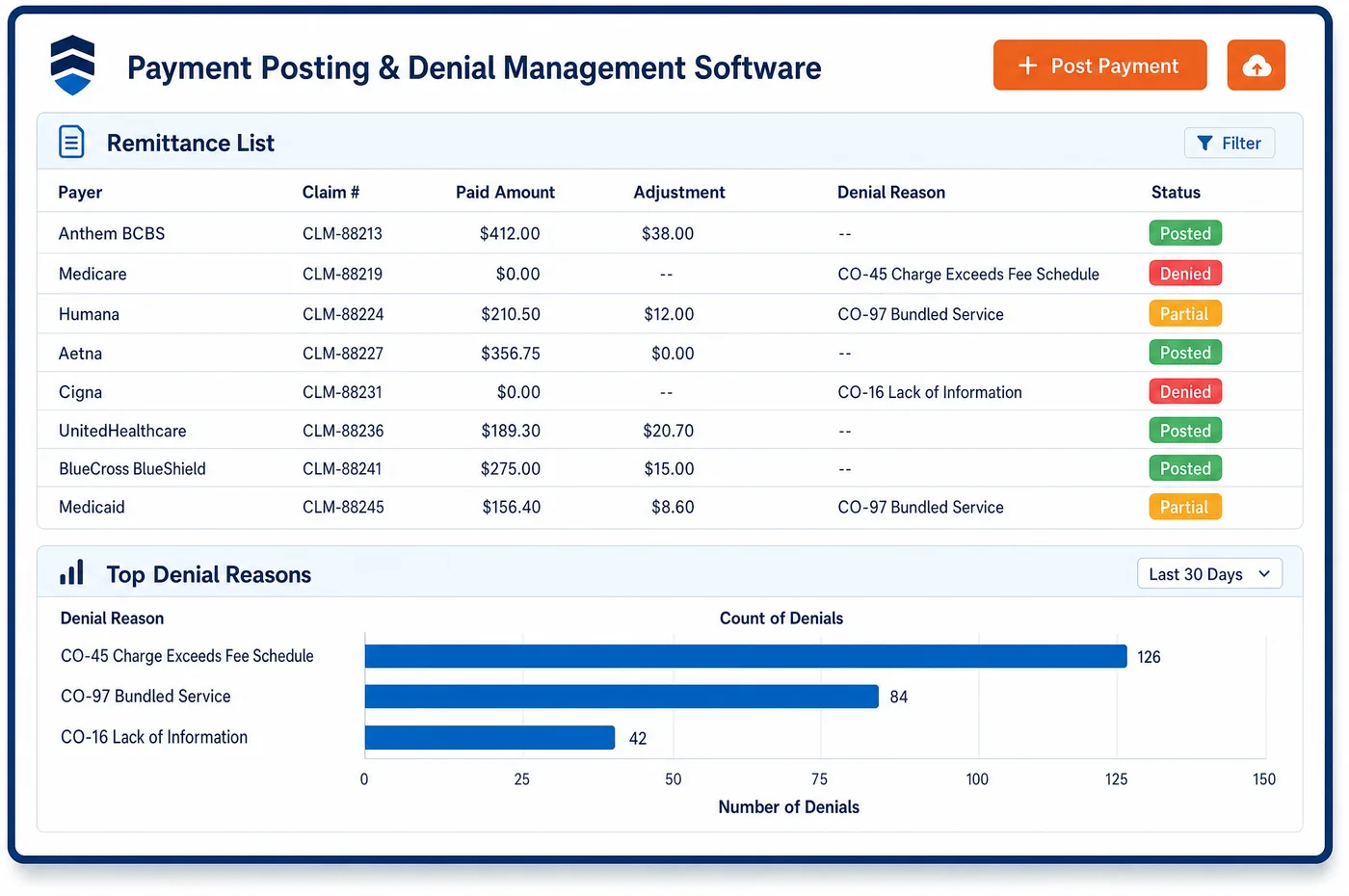
Medical Billing in a Chronic Care Practice
A care management claim is short, but every field carries a rule. The date of service depends on the code. Complex CCM is reported at the end of the month, while other CCM codes can go out once their time is met, using that date. The place of service is where the billing practitioner would usually see the patient in person, even though the work was done by phone. The claim goes under the billing practitioner, because clinical staff time is billed by the practitioner who supervises it. Then come the pairing rules. Practitioner CCM can't share a month with staff or complex CCM. Complex CCM can't share a month with prolonged E/M services. An office visit in the same month is fine, as long as no minute counts twice. Chronic care medical billing software checks these pairings before the claim leaves, sends it as an electronic claim and tracks it until the remittance posts.
Why Is Medical Billing Different in Chronic Care?
Care management claims come in batches. At month end, a practice may send a claim for nearly every enrolled patient at once. A rule problem in the claim setup, such as the wrong place of service or a bad code pairing, repeats across the whole batch. Medical billing in chronic care has to catch setup errors before the batch goes, not after a wave of denials comes back.
The billing practitioner matters more than usual. Clinical staff do most CCM work, but they don't bill on their own. Their time is billed by the physician or other practitioner who directs and supervises it. Only one practitioner can bill CCM for a patient in a month, and only one can bill APCM. A claim sent under the wrong practitioner, or by a second practice, invites a denial and a hard conversation with the patient.
Several programs can land on one claim month. A patient may have CCM, remote monitoring and an office visit in the same month, all allowed if time is kept apart. Another patient may have APCM, which the same practitioner can't pair with CCM, PCM or TCM. Each pairing has its own rule, and the scrubber has to know them all.
What Chronic Care Medical Billing Software Handles
- Date of service by code (99487, 99489, 99490, 99491)
- Complex CCM codes 99487 and 99489 are reported at the end of the service month. For 99490, 99439, 99491 and 99437, practitioners may report once the time is met and use that date as the date of service. (CMS: Frequently Asked Questions about Billing the Physician Fee Schedule for CCM Services)
- Place of service for non-face-to-face work
- The place of service on a CCM claim should be where the billing practitioner would usually see the patient in person. CCM is priced in facility and non-facility settings, so the place of service code sets the rate. (CMS: Frequently Asked Questions about Billing the Physician Fee Schedule for CCM Services)
- Clinical staff time billed by the practitioner
- Clinical staff can furnish CCM under the billing practitioner's direction. Staff codes 99487, 99489, 99490 and 99439 carry general supervision, so the practitioner need not be present. The claim goes under the billing practitioner. (CMS MLN Booklet: Chronic Care Management Services (MLN909188))
- Practitioner CCM pairing (99491, 99437)
- Codes 99491 and 99437 can't be reported in the same calendar month as 99487, 99489, 99490 or 99439. The scrubber holds a claim that pairs the practitioner family with the staff or complex family. (CMS MLN Booklet: Chronic Care Management Services (MLN909188))
- Complex CCM and prolonged E/M
- CMS doesn't allow complex CCM and prolonged E/M services for the same patient in the same calendar month. An E/M visit itself can be billed in a CCM month, as long as no time counts toward both. (CMS MLN Booklet: Chronic Care Management Services (MLN909188))
- APCM in RHCs and FQHCs
- RHCs and FQHCs can bill APCM and get separate payment with or without a qualifying visit. APCM there is paid at the Physician Fee Schedule non-facility rate, so the claim setup differs from a visit claim. (CMS: Advanced Primary Care Management (APCM) Services FAQ)
How Does Chronic Care Medical Billing Software Work?
1. Build the month's lines
When the month closes, or when a threshold is met, the claim is built from the coded charges that care management charge assembly produced. Each line carries the code, units and diagnosis pointers.
2. Set the date and place
The date of service follows the code's rule, and the place of service is the location where the practitioner would usually see the patient. The rendering and billing practitioner is the one who supervises the care.
3. Scrub the pairings
Claim scrubbing checks payer edits and the care management pairing rules. A claim with practitioner CCM and staff CCM in one month, or complex CCM with prolonged E/M, is held for a fix.
4. Send and track
Claims go out as electronic 837 claims through the clearinghouse. Acknowledgments and status are tracked, and rejections are fixed while the month is still fresh.
5. Post and pass on
Remittances post to the patient's account, and coinsurance moves to Medigap or the patient. The full cycle, from consent to collection, is measured in chronic care RCM.
Chronic Care Medical Billing Software vs. Generic Software
| Area | Generic approach | Unlimited Systems |
|---|---|---|
| Date of service | The first of the month on every claim. | Date set by each code's rule, at month end or when time is met. |
| Place of service | Telehealth or home picked because the work was by phone. | The practitioner's usual in-person location. |
| Code pairings | Found when the payer denies the claim. | Care management pairing rules checked before the claim leaves. |
| Batch errors | One setup error repeated across the month's batch. | Setup checked before the batch is sent. |
| Claim status | Checked by phone when payment seems late. | Acknowledgments and status tracked on every claim. |
Who Uses It in a Chronic Care Practice
- Billing specialist: Month-end claims built from coded charges, with pairing errors held before they reach the payer.
- Billing practitioner: Claims under their own number that match the care they directed, with time kept apart from their office visits.
- Billing manager: A clean batch each month and status on every claim, so stalled claims are found early. Underpaid lines are followed up through care management AR management.
Chronic Care Medical Billing Software FAQs
Medical billing software for care management checks the date of service, the place of service, the billing practitioner and the code pairings. Practitioner CCM can't share a month with staff or complex CCM, and complex CCM can't share a month with prolonged E/M. The claim is also scrubbed against payer edits before it goes to the clearinghouse.
CMS says the place of service on a CCM claim should be where the billing practitioner would usually see the patient face to face. That holds even though most of the work happens by phone. CCM is priced in both facility and non-facility settings, so the place of service on the claim decides which rate applies.
Medicare and CPT allow E/M visits to be billed in the same service period as CCM. Time spent on CCM work on the same day as a visit can count toward CCM, as long as it isn't also counted toward the visit code. One listed limit is complex CCM, which can't be billed in the same month as prolonged E/M services.
When clinical staff do CCM work under the practitioner's direction, the service is billed by the practitioner. CMS assigns general supervision to the staff codes 99487, 99489, 99490 and 99439, so the practitioner doesn't need to be present. Clinical staff can be employees or contractors, but the claim still goes under the billing practitioner.
RHCs and FQHCs can bill APCM and receive separate payment with or without a qualifying visit, at the Physician Fee Schedule non-facility rate. For 2026, CMS also allowed RHCs and FQHCs that furnish APCM to report the behavioral health add-ons G0568, G0569 or G0570. Claim setup should reflect these rules for each site type.
CCM and remote physiologic monitoring can both be billed for a patient in the same month, as long as time and effort aren't counted twice. They may go on one claim or separate claims, depending on timing. Device codes follow a thirty-day period, while CCM follows the calendar month, so the dates of service often differ.
Related Chronic Care Software
Billing & claims
In the revenue cycle
Medical Billing for related specialties
Sources
- CMS MLN Booklet: Chronic Care Management Services (MLN909188)
- CMS: Frequently Asked Questions about Billing the Physician Fee Schedule for CCM Services
- CMS: Advanced Primary Care Management (APCM) Services FAQ
- Federal Register: CY 2026 Physician Fee Schedule final rule (November 5, 2025), remote monitoring and APCM sections
GET STARTED
See Unlimited Systems in Action
Whether you're actively evaluating new technology or simply preparing for your next vendor renewal, Unlimited Systems can help you understand where your current workflows may be creating avoidable revenue risk.