

Payments & AR
Clinical Research Payment Posting Software
Post sponsor payments against the trial budget and insurance remits against routine-care claims, each tied to its study, so no service is paid twice.
Clinical Research Payment Posting Software posts the two kinds of money a research site receives: sponsor payments made under the clinical trial agreement, and insurance remittances for routine care billed with Q1 and Z00.6. Each payment lands on the study, the participant and the visit it covers, so finance can show that no service was paid twice.



 6,500+ specialty providers
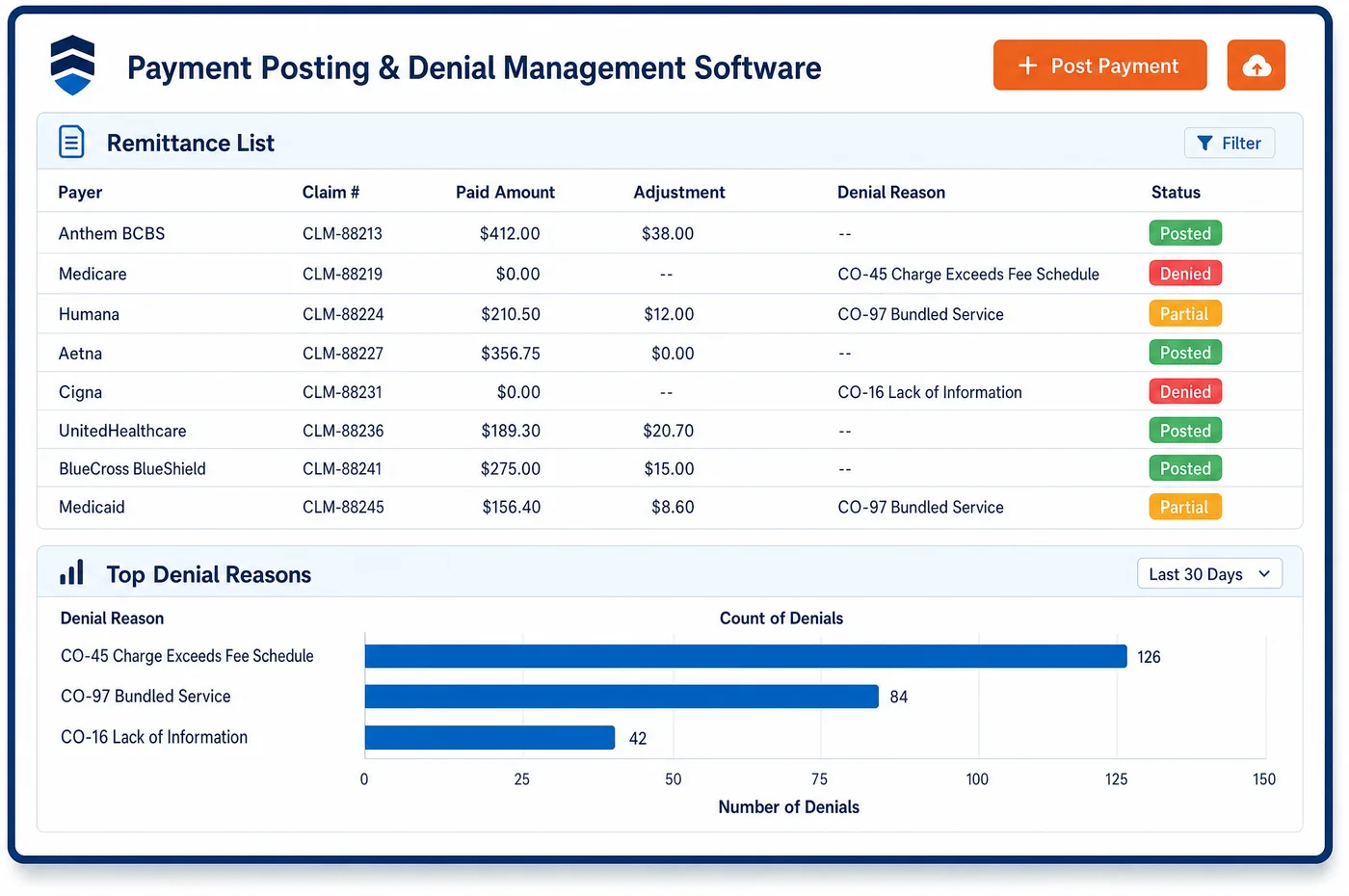
Payment Posting in a Clinical Research Practice
A research site is paid from two directions. Insurers send 835 remittances for routine care that the coverage analysis marked billable, such as a standard-of-care scan done at a study visit. Sponsors and CROs send checks or wires against the trial budget, often for a batch of visits, a screen failure or a start-up fee, with a sheet that lists what they think they paid. Unlimited Systems posts the 835 lines to the claim as it would for any payer, and lines carrying the Q1 or Q0 modifier stay tied to the study. Sponsor receipts post to the study account against the invoice lines they cover. Staff match each line on the sponsor's sheet to a visit or an invoiceable item, and anything short or unexplained goes to a queue. When an insurer pays for a service the sponsor also paid for, the line is held for review, because that money may have to go back.
Why Is Payment Posting Different in Clinical Research?
Payment posting at a research site has two payers for one visit. The insurer pays the routine labs and the office visit. The sponsor pays the research-only ECG, the extra blood draw and the coordinator's time. Those payments arrive on different schedules and in different formats, and only one of them comes as an 835. If both post to a single patient account with no study link, nobody can tell later which party paid for which service.
Sponsor payments are also harder to read than a remittance. A CRO may pay a lump sum for several participants, net out a holdback until the study closes, or pay a screen failure at a different rate than a completed visit. The sheet that comes with the money may use the sponsor's visit names, not the site's. Posting has to translate that sheet back to the visits and invoice lines the site billed, or short payments go unnoticed until close-out.
Double payment is a compliance issue, not just a ledger error. Medicare's clinical trial policy does not cover items the sponsor provides free of charge to every enrollee, and CMS says those items generally may not be billed to Medicare. When an insurer pays for a service the sponsor has already covered, the site may be holding an overpayment it must return. Posting is often the first place that overlap can be seen.
What Clinical Research Payment Posting Software Handles
- Q1 routine-cost lines
- For Original Medicare enrollees, Q1 lines are paid under the usual fee schedule, and the normal deductible and coinsurance rules apply. The patient share on those lines moves to the next payer or the patient, just as on any other claim. (CMS Medicare Claims Processing Manual, Chapter 32, Section 69: Qualifying Clinical Trials)
- Medicare Advantage enrollees in qualifying trials
- Original Medicare pays routine costs in qualifying trials for Medicare Advantage enrollees, so the remittance comes from the MAC, not the plan. The plan then owes the enrollee the gap between Original Medicare cost sharing and its own in-network cost sharing. (CMS Medicare Managed Care Manual, Chapter 4, Section 10.7: Clinical Trials)
- Returned claims (CARC 16 with MA50, MA130 or M76)
- Medicare returns a practitioner claim without the 8-digit trial number as unprocessable, with CARC 16, MA50 and MA130. A Q1 claim without Z00.6 comes back with CARC 16 and M76. These post at zero with the remark codes shown and go back to billing for a new claim. (CMS Medicare Claims Processing Manual, Chapter 32, Section 69: Qualifying Clinical Trials)
- Sponsor-provided items shown as non-covered
- When a free sponsor item must appear on the claim to get the covered service paid, CMS tells providers to list it as non-covered and make sure the patient is not held liable. That line posts at zero with no patient balance. (CMS Medicare Claims Processing Manual, Chapter 32, Section 69: Qualifying Clinical Trials)
- Overpayments from a double payment
- Under 42 CFR 401.305, a provider that has identified a Medicare overpayment must report and return it. A timely, good-faith investigation into related overpayments can pause the deadline, so the flagged line records when review began. (42 CFR 401.305: Requirements for reporting and returning overpayments)
How Does Clinical Research Payment Posting Software Work?
1. Import 835s and tag study lines
Remittances from Medicare, Medicaid and commercial plans post to their claims as they arrive. Lines with Q0 or Q1, or claims carrying an NCT number, keep their link to the study and the participant.
2. Post sponsor receipts to the study
A sponsor check or wire posts to the study account, not to a patient. The receipt is applied to the sponsor invoices it pays, by visit, invoiceable item or milestone.
3. Match the sponsor's sheet line by line
Staff compare each line on the sponsor's sheet to the visit or item the site billed. Short payments, missing participants and holdbacks go to a follow-up queue with the invoice attached.
4. Check for overlap before closing
Before a batch closes, any service paid by both the sponsor and an insurer is flagged. Compliance decides whether a refund is owed, and open research claims go to follow-up on unpaid claims.
5. Reconcile to the bank
EFT payments are paired with their 835 by trace number, and sponsor wires are matched to the deposit. Cash, adjustments and refunds then flow to study-level accounting.
Clinical Research Payment Posting Software vs. Generic Software
| Area | Generic approach | Unlimited Systems |
|---|---|---|
| Sponsor checks | Deposited to a general other-income line with no visit detail. | Posted to the study and matched to visit and invoice lines. |
| Q1 and Q0 remits | Posted like any claim, so the study link is lost. | Tagged to the study and participant, so trial revenue rolls up correctly. |
| Short sponsor payments | Found at close-out, if at all. | Short or unexplained lines queued for follow-up with the sponsor. |
| Double payment | Discovered in an audit after the fact. | A service paid by both sponsor and insurer is held for compliance review. |
| Returned trial claims | Mixed in with ordinary denials. | CARC 16 returns with MA50 or M76 sent back to billing to fix and resubmit. |
Who Uses It in a Clinical Research Practice
- Payment poster: One place to post 835s and sponsor receipts, with study tags that carry from the claim to the ledger.
- Research finance manager: Sponsor receipts matched to the budget line by line, with short payments and holdbacks visible by study.
- Compliance officer: A held list of services paid by both the sponsor and an insurer, with the review trail for each one.
Clinical Research Payment Posting Software FAQs
Payment posting at a research site uses two paths. Insurance remittances post to the claim, and lines with Q0 or Q1 keep their study tag. Sponsor checks and wires post to the study account and are applied to the invoices they pay. Both paths roll up to the same study, so finance can see total revenue for a trial without mixing the two payers.
For a qualifying clinical trial, Original Medicare pays the routine costs even when the participant is in a Medicare Advantage plan. The site bills the MAC, and the deductible is treated as met. The plan then owes the enrollee the difference between Original Medicare cost sharing and the plan's own in-network cost sharing. IDE device studies follow a different rule, with the plan paying.
A short sponsor payment posts for what was received, and the gap stays open on the invoice line. Staff see which visit or item was underpaid, whether the sponsor withheld a holdback, and whether a participant is missing from the sheet. The open item goes to a follow-up queue, so the site can query the sponsor before the study closes.
Medicare returns trial claims as unprocessable when required trial data is missing. A practitioner claim without the 8-digit NCT number comes back with CARC 16, MA50 and MA130. A Q1 claim without diagnosis Z00.6 comes back with CARC 16 and M76. These are not appealable, so the fix is a new, complete claim sent from billing.
A service paid by both the sponsor and an insurer is held when it posts, and compliance reviews it. If the insurer was Medicare and the payment was not owed, the rule at 42 CFR 401.305 requires the site to report and return it. The review, the decision and any refund are recorded on the line, so the trail is ready for an audit.
Holdbacks can be tracked when the sponsor withholds part of each payment until the study closes. The withheld amount stays open on the study as money still due, not as a write-off. At close-out, finance can see the total held back across all visits and match the final payment against it, which keeps a study from closing with money left on the table.
Related Clinical Research Software
Payments & AR
In the revenue cycle
Payment Posting for related specialties
Sources
- CMS Medicare Claims Processing Manual, Chapter 32, Section 69: Qualifying Clinical Trials
- CMS Medicare Managed Care Manual, Chapter 4, Section 10.7: Clinical Trials
- CMS National Coverage Determination 310.1: Routine Costs in Clinical Trials
- 42 CFR 401.305: Requirements for reporting and returning overpayments
GET STARTED
See Unlimited Systems in Action
Whether you're actively evaluating new technology or simply preparing for your next vendor renewal, Unlimited Systems can help you understand where your current workflows may be creating avoidable revenue risk.