

Payments & AR
Dermatology Integrated Patient Payments Software
Take copays, Mohs deductibles, cosmetic deposits and payment plans by card, text or portal, with every payment landing on the same dermatology ledger.
Dermatology Integrated Patient Payments Software takes card, text-to-pay, portal and payment plan payments and posts them straight to the patient's account. Copays for skin checks, deductibles after a Mohs case and self-pay cosmetic charges each land on the right balance. Staff don't key payments into a second system or reconcile two ledgers at month end.



 6,500+ specialty providers
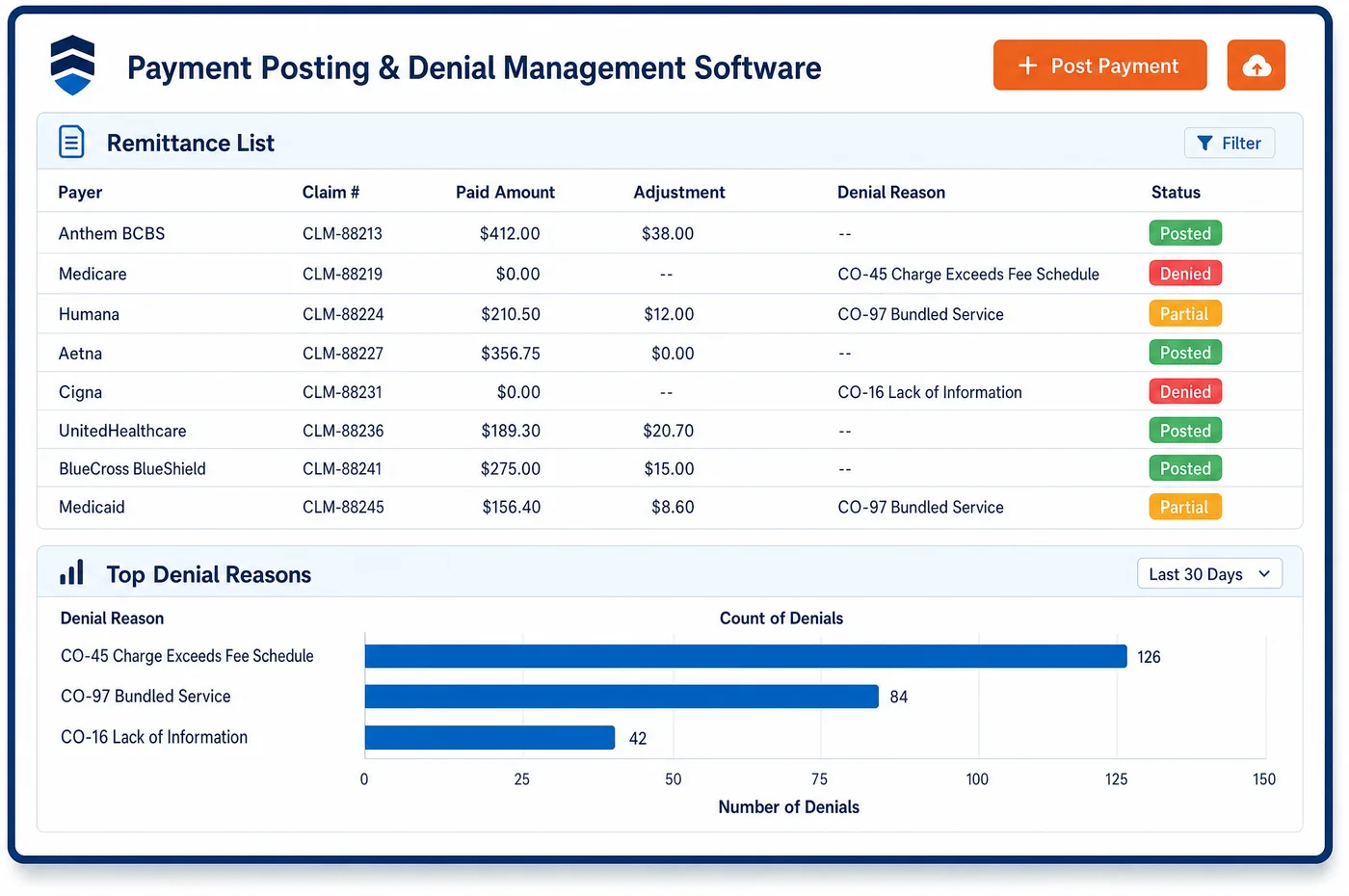
Integrated Patient Payments in a Dermatology Practice
A dermatology patient may pay three different ways in one season. They pay a copay at the desk for a skin check. They get a text once the Mohs claim is paid, with a link to pay the deductible. They book a cosmetic treatment and leave a card on file. Unlimited Systems runs all of these through one payment flow tied to the practice ledger. Cards are stored as tokens through a PCI-compliant gateway. Payment plans charge the stored card on the schedule the patient agreed to. The online portal shows past statements and open balances, and email and text reminders link straight to it. Each payment is applied to the balance it was meant for, so a cosmetic payment never pays down a medical deductible by accident. Because the payment and the posting happen in the same place, the front desk and the billing team see the same number.
Why Is Integrated Patient Payments Different in Dermatology?
Dermatology collects both before and after care. Cosmetic work is usually paid up front or at the visit, sometimes with a deposit when the treatment is booked. Medical balances, such as a deductible after a Mohs case or a coinsurance share after a biopsy, can only be known once the payer has paid. A payment tool has to handle both timings without mixing up which dollars go where.
Many skin practices also run a separate point-of-sale or spa system for cosmetic work. When payments are taken there, someone has to key or import them into the practice ledger later. That gap is where cosmetic and medical balances get crossed, and where a patient's credit on one side goes unnoticed while the other side goes to collections. Integrated patient payments close that gap by posting every payment where it belongs as it is taken.
The rules on what a patient can be charged also differ by service. Medicare patients enrolled as Qualified Medicare Beneficiaries can't be billed for Medicare cost sharing. Cosmetic surgery isn't a medical expense under IRS rules, so patients may not be able to use HSA or FSA funds for it. A payment flow for dermatology has to keep these lines clear, so the right card is charged for the right balance.
What Dermatology Integrated Patient Payments Software Handles
- PCI DSS for stored cards
- Cards on file are stored as tokens through a gateway that meets the PCI Data Security Standard. Staff never see or keep the full card number, and the card on file is charged only for balances the patient agreed to. (PCI Security Standards Council: PCI Data Security Standard)
- QMB billing protection
- Federal law bars billing Qualified Medicare Beneficiaries for Medicare deductibles, coinsurance or copays. Staff check QMB status before a stored card or a plan is used for a Medicare cost-sharing balance. (CMS MLN Booklet: Prohibition on Billing Qualified Medicare Beneficiaries (MLN7936176))
- Cosmetic charges and HSA or FSA cards
- IRS Publication 502 says cosmetic surgery generally isn't a medical expense. Cosmetic charges are kept on their own lines, so a patient using an HSA card can see which charges are medical. (IRS Publication 502: Medical and Dental Expenses (Cosmetic Surgery))
- Self-pay estimates before payment
- Uninsured and self-pay patients can ask for a good faith estimate for care they schedule. A deposit for a self-pay treatment is taken against the quote the patient was given. (CMS: Good Faith Estimates under the No Surprises Act)
- Medicare cosmetic exclusion
- Since Medicare does not pay for cosmetic surgery, Medicare patients pay for cosmetic work themselves. Those payments are taken as self-pay and never held waiting for a remittance. (CMS Medicare Benefit Policy Manual, Chapter 16, Section 120: Cosmetic Surgery)
How Does Dermatology Integrated Patient Payments Software Work?
1. Collect at the desk
Copays and self-pay charges are taken by card at check-in or checkout. The payment posts to the right balance at once, and the receipt shows what it paid for.
2. Store a card with consent
For cosmetic bookings or patients who want it, a card is stored as a token with the patient's consent. It is charged later only for the amounts and dates the patient agreed to.
3. Send text-to-pay after insurance pays
When a Mohs or biopsy claim is paid and the patient's share is final, a text-to-pay link goes out. Patients pay from their phone, and the full statement comes from dermatology patient billing.
4. Set up a payment plan
A larger balance, such as a deductible after Mohs surgery and a flap repair, can be split into a payment plan. The stored card is charged on each due date without staff follow-up.
5. Reconcile to the bank
Card batches and portal payments are matched to the deposit. Cash then flows into the general ledger for dermatology accounting, with medical and cosmetic revenue kept apart.
Dermatology Integrated Patient Payments Software vs. Generic Software
| Area | Generic approach | Unlimited Systems |
|---|---|---|
| Cosmetic payments | Taken in a spa system and keyed in later. | Posted to the practice ledger as they are taken. |
| Mohs deductibles | Paper statement and a phone call. | Text-to-pay link once the claim is paid. |
| Payment plans | Tracked on a spreadsheet and charged by hand. | Plans charge the stored card on schedule. |
| Stored cards | Card numbers written on forms. | Tokens through a PCI-compliant gateway. |
| Reconciliation | Two ledgers matched at month end. | One ledger matched to each deposit. |
Who Uses It in a Dermatology Practice
- Front desk: One place to take copays, cosmetic charges and deposits, with each payment applied to the right balance on the spot.
- Billing manager: Patient balances that pay down through plans and text links instead of statements and calls, all on the ledger the team already works.
- Patient: A text link to pay after insurance, a portal with past statements, and a plan option for larger balances.
Dermatology Integrated Patient Payments Software FAQs
Integrated patient payments take card, text-to-pay, portal and payment plan payments and post them directly to the patient account. A copay at a skin check, a deductible after Mohs surgery and a cosmetic charge each go to the right balance. Staff don't move payments between systems, and the ledger always matches what was collected.
Cosmetic deposits can be taken by card at booking or stored as a card on file with the patient's consent. The deposit is applied to the self-pay charge when the treatment is done. Because it posts to the same ledger as medical balances, the deposit stays tied to the cosmetic service and is not used for a deductible.
A deductible after a Mohs case can be set up as a payment plan. The patient agrees to the amount and dates, and the stored card is charged on each date without a call from staff. Each payment posts to the account, so the remaining balance is always current for the patient and the front desk.
Stored cards are kept as tokens through a gateway that meets the PCI Data Security Standard. The practice never holds the full card number. Staff can see that a card is on file and charge it only for balances the patient has agreed to, such as a plan or a booked cosmetic service.
IRS Publication 502 says cosmetic surgery generally doesn't count as a medical expense, so HSA and FSA funds may not cover it. The practice doesn't decide what a patient's plan allows. Keeping cosmetic and medical charges on separate lines helps patients see which charges are medical and use the right card.
Every payment, whether taken at the desk, through a text link, in the portal or from a plan, posts to the patient account right away. Statements, the front desk view and reports all show the new balance. There is no second system to reconcile, and no gap where a payment sits unapplied.
Related Dermatology Software
Payments & AR
In the revenue cycle
Integrated Patient Payments for related specialties
Sources
- PCI Security Standards Council: PCI Data Security Standard
- CMS MLN Booklet: Prohibition on Billing Qualified Medicare Beneficiaries (MLN7936176)
- IRS Publication 502: Medical and Dental Expenses (Cosmetic Surgery)
- CMS: Good Faith Estimates under the No Surprises Act
- CMS Medicare Benefit Policy Manual, Chapter 16, Section 120: Cosmetic Surgery
GET STARTED
See Unlimited Systems in Action
Whether you're actively evaluating new technology or simply preparing for your next vendor renewal, Unlimited Systems can help you understand where your current workflows may be creating avoidable revenue risk.