

Front office
Diabetes Care Patient Intake Software
Collect the diabetes history, hypoglycemia events, education order and device data each visit needs, before the patient reaches the desk.
Diabetes Care Patient Intake Software gathers the forms and history a diabetes visit depends on before the patient arrives. Patients report medicines, devices, low blood sugar events and foot problems from their phones, and staff load the DSMT or nutrition order with its hours, topics and group or individual setting.



 6,500+ specialty providers
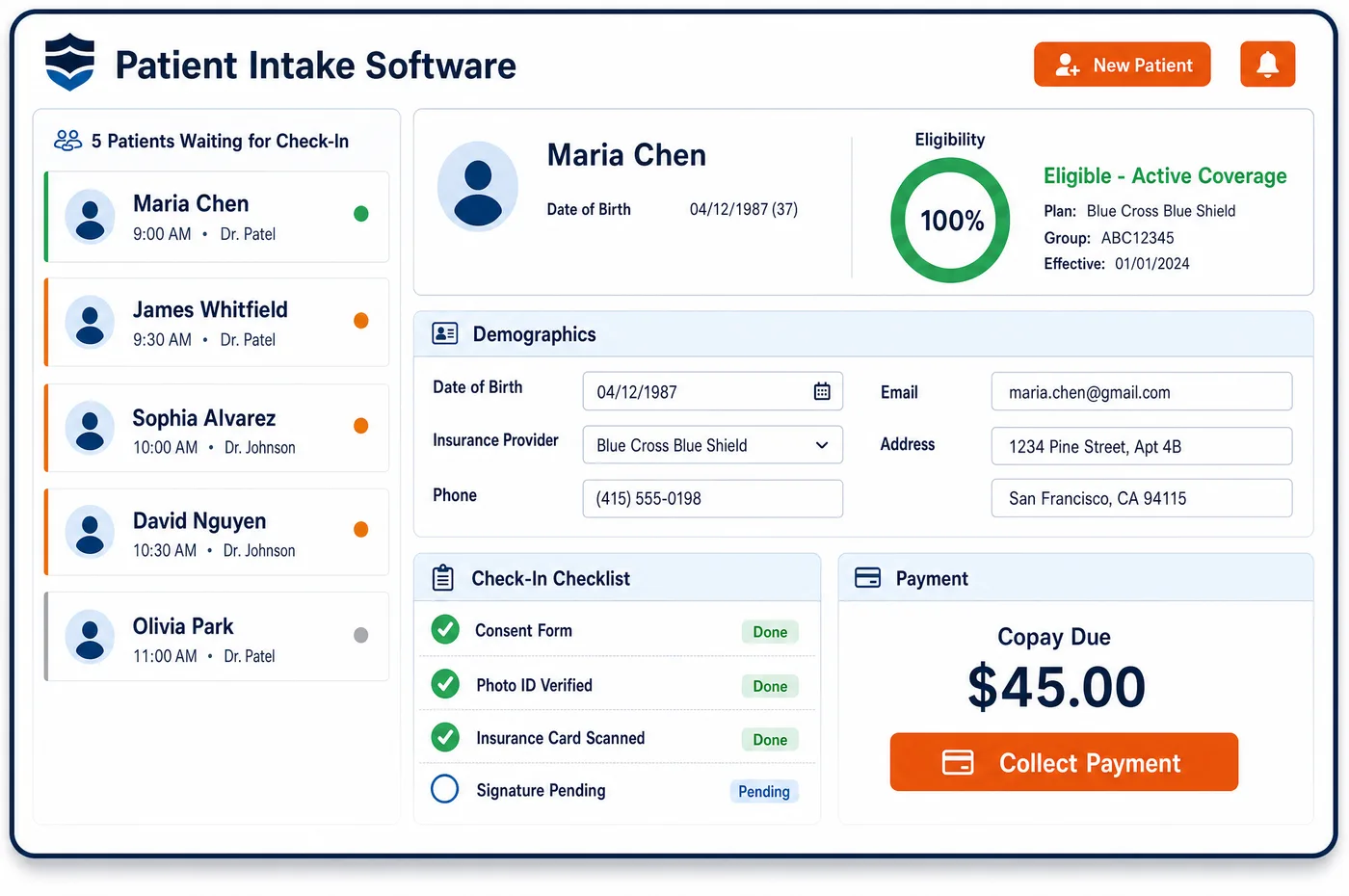
Patient Intake in a Diabetes Care Practice
A diabetes visit runs on information the patient brings. The clinician needs the current regimen, recent glucose data, any severe lows and the last eye exam. An educator needs the education order and the patient's goals. Patient intake in diabetes care collects these ahead of time, so medical billing starts from a complete visit. A pre-visit form asks about insulin, GLP-1s and oral agents, CGM or meter use, and hypoglycemia that needed help from someone else. A foot questionnaire flags numbness, calluses and past ulcers. For a new DSMT patient, staff check that the order lists the hours, the topics and whether training is group or individual. Patients sign consents and upload card images from home, and the forms post to the chart as structured fields. On the day, check-in reminds the patient to bring their glucose receiver if the visit includes a CGM download. The answers then land on the diabetes patient record without retyping.
Why Is Patient Intake Different in Diabetes Care?
Diabetes intake is heavy on history that changes between visits. Doses shift, a new agent is added, a sensor is switched, and lows come and go. A form copied from last year can be wrong in ways that matter for coverage. Medicare's CGM policy, for example, can rest on the patient being insulin-treated or on a documented history of problematic hypoglycemia. If intake doesn't ask, the note may not say it.
Education intake has its own rules. A Medicare DSMT order must state the number of hours, the topics to be covered and whether training is group or individual. Individual training beyond the single hour Medicare allows needs a reason in the referral, such as severe vision, hearing or language limits, or an order for more insulin training. Accredited programs must also collect a set of assessment data, from A1c and blood pressure to the last eye exam date.
Patients with diabetes often see several teams in one week: the endocrinologist, an educator, a dietitian and perhaps a podiatrist. Each one asks the same questions if intake isn't shared. One set of forms, filled in once and reused across the visit types, spares the patient and keeps the answers consistent. Demographics and plans stay with registration, so intake can focus on the clinical picture.
What Diabetes Care Patient Intake Software Handles
- DSMT order contents (G0108, G0109)
- A Medicare DSMT order states the hours ordered, the topics and group or individual training, with the practitioner's signed statement. Intake checks the order for each element before the first class is booked. (CMS Medicare Benefit Policy Manual, Chapter 15, Section 300: Diabetes Self-Management Training Services)
- Reasons for individual training
- Individual DSMT is covered when no group class is available within two months, when vision, hearing or language limits make group work hard, or when more insulin training is ordered. The referral must name the reason, and intake captures it with the order. (CMS Medicare Benefit Policy Manual, Chapter 15, Section 300: Diabetes Self-Management Training Services)
- DSMT assessment data (42 CFR 410.146)
- Accredited DSMT entities must record items such as diabetes duration, insulin, GLP-1 or oral agents used, A1c, blood pressure, self-monitoring results and the last eye exam date. Intake forms ask for these, so the educator's file is complete. (CMS MLN Fact Sheet MLN909381: Provider Information on Medicare Diabetes Self-Management Training)
- Hypoglycemia history for CGM coverage
- Medicare's CGM policy accepts recurrent level 2 hypoglycemic events, or one level 3 event, as a route to coverage for patients not on insulin. The intake form asks about severe lows in plain words, and the answers reach the clinician for the note. (CMS Medicare Coverage Database, LCD L33822: Glucose Monitors)
- Patient-provided CGM receiver (95249)
- Code 95249 covers the start-up of a patient-owned CGM and is reported once while the patient owns that receiver. The patient must bring the receiver to the office, so check-in messages remind them. (American Academy of Family Physicians: Coding for Remote Patient Monitoring and Continuous Glucose Monitoring)
- Foot screening for diabetic shoes
- Medicare shoe coverage needs a qualifying condition such as prior ulcer, prior amputation, pre-ulcerative callus, neuropathy with callus, deformity or poor circulation. A foot questionnaire at intake prompts the exam that documents it. (CMS Medicare Coverage Database, Policy Article A52501: Therapeutic Shoes for Persons with Diabetes)
How Does Diabetes Care Patient Intake Software Work?
1. Send forms with the appointment
When a visit is booked, the patient gets a link to forms matched to the visit type. A pump start, a DSMT class and an endocrinology follow-up each ask for different things.
2. Collect history and device data
Patients enter medicines, devices, recent lows and foot symptoms. They can upload card images and sign consents in the same session.
3. Check the education order
For DSMT and nutrition visits, staff confirm the order has the hours, the topics and the training setting. Gaps go back to the referring office before the class date.
4. Check in on arrival
Check-in confirms the forms are done and the patient brought any receiver or meter the visit needs. A lobby view shows who is still missing forms.
5. Post answers to the chart
Completed forms post to the chart as structured fields, not scanned pages. Benefits and authorizations for the visit then run through financial clearance.
Diabetes Care Patient Intake Software vs. Generic Software
| Area | Generic approach | Unlimited Systems |
|---|---|---|
| History forms | Paper forms copied from last year. | Pre-visit forms on the patient's phone, matched to the visit type. |
| Hypoglycemia events | Not asked unless the clinician thinks of it. | Asked on every diabetes form in plain language. |
| DSMT orders | Missing hours or topics found after the class. | Order elements checked before the first session is booked. |
| Shared visits | Each team asks the same questions again. | One set of answers reused across clinician, educator and dietitian visits. |
| Chart entry | Staff retype forms into the EHR. | Answers post to the chart as structured fields. |
Who Uses It in a Diabetes Care Practice
- Clinician: Current regimen, recent lows and foot symptoms on the screen before the visit starts.
- Diabetes educator: A complete order and the required assessment data in hand for each new DSMT patient.
- Front desk: A lobby view of missing forms and a check-in that reminds patients to bring their receiver, so the visit schedule holds.
Diabetes Care Patient Intake Software FAQs
Patient intake for diabetes should ask about current medicines and doses, devices in use, recent glucose readings, low blood sugar events, foot symptoms and the last eye exam. For education visits it should also capture goals and barriers to learning. These answers shape the visit and support the notes that coverage for devices and education relies on.
Lows change often, and they matter for treatment and for coverage. Medicare's CGM policy covers some patients who aren't on insulin when there is a documented history of problematic hypoglycemia. Asking on each form makes sure the clinician hears about these events and can record them, rather than relying on the patient to bring them up.
A Medicare DSMT order must state the number of initial or follow-up hours ordered, the topics to be covered, and whether training is individual or group, along with the practitioner's signed statement that training is needed. If individual training is ordered beyond the usual single hour, the reason must appear in the referral.
When a visit includes the start-up of a patient-owned CGM under code 95249, the patient must bring the receiver to the office. Other visits often include a review of downloaded data. Check-in reminders tell the patient what to bring, which avoids a wasted trip and a visit without the data the clinician needs.
A patient who sees the endocrinologist, an educator and a dietitian in the same period can fill in one history set that each team reuses. Each visit type adds only the questions it needs. That spares the patient from repeating answers and keeps the regimen and device list the same across notes.
A foot questionnaire asks about numbness, calluses, past ulcers, amputation and circulation problems. Positive answers prompt the clinician to examine and document the foot. Medicare covers therapeutic shoes only when a qualifying condition is documented and a certifying MD or DO managing the diabetes signs off, so the screening starts that chain.
Related Diabetes Care Software
Front office
In the revenue cycle
Patient Intake for related specialties
Sources
- CMS Medicare Benefit Policy Manual, Chapter 15, Section 300: Diabetes Self-Management Training Services
- CMS MLN Fact Sheet MLN909381: Provider Information on Medicare Diabetes Self-Management Training
- CMS Medicare Coverage Database, LCD L33822: Glucose Monitors
- American Academy of Family Physicians: Coding for Remote Patient Monitoring and Continuous Glucose Monitoring
- CMS Medicare Coverage Database, Policy Article A52501: Therapeutic Shoes for Persons with Diabetes
GET STARTED
See Unlimited Systems in Action
Whether you're actively evaluating new technology or simply preparing for your next vendor renewal, Unlimited Systems can help you understand where your current workflows may be creating avoidable revenue risk.