

Front office
Diabetes Care Patient Scheduling Software
Book clinic visits, DSMT classes, nutrition sessions, CGM placements and device follow-ups around educators, rooms and the rules that tie them together.
Diabetes Care Patient Scheduling Software books each kind of diabetes visit with the people, rooms and timing it needs. Endocrinology follow-ups, group DSMT classes, one-on-one training, nutrition sessions, professional CGM placements and pump starts each get their own visit type, and the scheduler keeps DSMT and nutrition therapy off the same day.



 6,500+ specialty providers
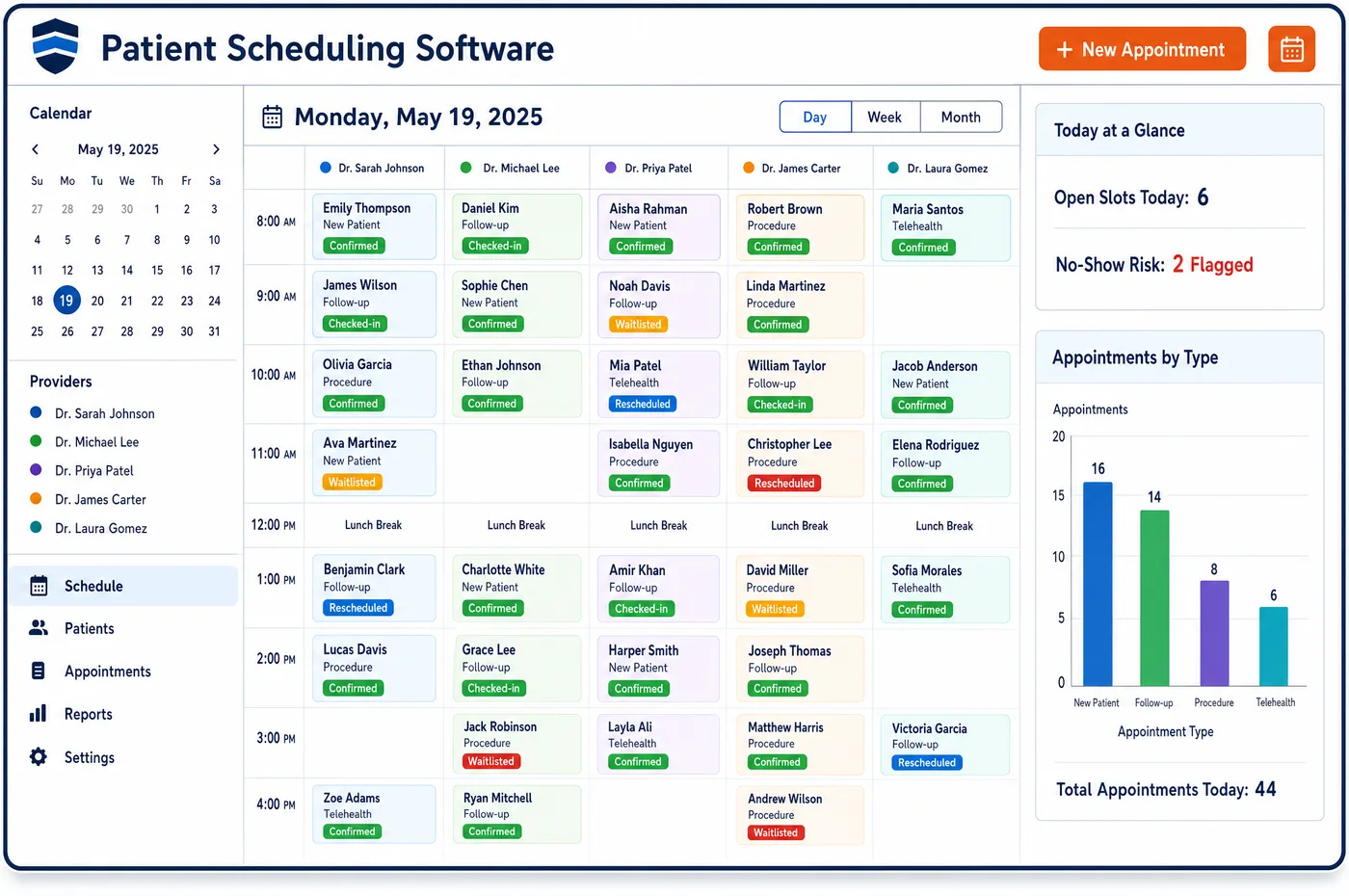
Patient Scheduling in a Diabetes Care Practice
A diabetes schedule mixes very different bookings. Clinic follow-ups run on the provider's template. A DSMT class is one session with a roster, and Medicare counts a group as 2 to 20 people. A professional CGM start places a sensor that must be worn for days, so the return visit is booked at the same time. Pump starts need an educator and a longer slot. Patient scheduling in diabetes care sets each up as a visit type with its own length, staff role and room. It also knows the rules between visits. Medicare won't pay DSMT and nutrition therapy on the same day for the same patient, so the scheduler warns when both land on one date. Device users who need a follow-up to keep coverage are booked ahead of the due date. Reminders go out by text, and a waitlist fills seats when someone drops out of a class.
Why Is Patient Scheduling Different in Diabetes Care?
Educators are the tight resource in most diabetes programs. The same few nurses and dietitians teach classes, train new pump users, start CGMs and see nutrition patients. A calendar built only around physicians hides that load. A pump start booked on top of a full class leaves one of them short. Scheduling has to book the educator as a resource, not just the room.
The class model is its own problem. Medicare expects initial DSMT to be mostly group training, with only one hour individual unless an exception applies, such as no group class within two months of the order. That means the practice needs classes often enough to seat new patients, and a roster that knows who still has hours left. When a patient drops out, the open seat should go to someone on the waitlist.
Timing between visits matters too. DSMT and nutrition therapy can't share a date for one patient under Medicare. A professional CGM needs a placement visit and a return. Patients on a pump or CGM need follow-ups on a set cadence to keep their supplies covered. A scheduler that only finds open slots misses these links, so visits get booked that can't be billed or fall too late to protect coverage. Clearance at booking checks the hours behind each class seat.
What Diabetes Care Patient Scheduling Software Handles
- Group DSMT classes (G0109)
- Medicare counts a DSMT group as 2 to 20 people, who need not all be Medicare patients, and G0109 is billed per 30 minutes. Classes are booked as one session with a roster and a seat limit. (CMS Medicare Benefit Policy Manual, Chapter 15, Section 300: Diabetes Self-Management Training Services)
- Individual training exception (G0108)
- Medicare covers individual initial DSMT under G0108 when no group session is available within two months of the order, among other reasons. The scheduler shows the next class date, so staff can see when that exception applies. (CMS Medicare Benefit Policy Manual, Chapter 15, Section 300: Diabetes Self-Management Training Services)
- DSMT and MNT on separate days
- Medicare's edits block DSMT and medical nutrition therapy on the same date of service for the same patient. The scheduler warns when a booking would put both on one day. (CMS Medicare Claims Processing Manual, Chapter 4, Section 300: Medical Nutrition Therapy Services)
- Professional CGM placement and return (95250)
- Code 95250 covers a practice-owned sensor worn for a minimum of 72 hours, and 95250 or 95251 is not reported more than once a month. Placement and return visits are booked as a pair. (American Academy of Family Physicians: Coding for Remote Patient Monitoring and Continuous Glucose Monitoring)
- DSMT by telehealth
- Medicare allows DSMT as a telehealth service when an eligible practitioner of the DSMT entity acts as the distant site practitioner. Virtual class sessions are booked as their own visit type with a video link and the telehealth place of service noted. (CMS MLN Fact Sheet MLN909381: Provider Information on Medicare Diabetes Self-Management Training)
- Device follow-up cadence
- Medicare's CGM policy asks for an in-person or approved telehealth visit every six months after the first order to document adherence. CGM users are booked for their next follow-up before the current one is due. (CMS Medicare Coverage Database, LCD L33822: Glucose Monitors)
How Does Diabetes Care Patient Scheduling Software Work?
1. Build visit types by service
Each service gets a visit type with a length, a staff role and a room: clinic follow-ups, group classes, individual training, nutrition sessions, CGM placements and pump starts. Staff book from these types rather than open time.
2. Book educators as resources
Educators and dietitians have their own templates. A pump start or CGM placement reserves the educator, so a class and a device start can't land on the same person at once.
3. Seat patients in classes
Classes have a roster and a seat limit. Before a patient is seated, the hours left on their order are checked, and dropped seats go to the waitlist by text.
4. Link visits that belong together
A CGM placement books its return visit at the same time. The scheduler flags a DSMT and nutrition visit on one date, and books device follow-ups ahead of their due date.
5. Remind and confirm
Patients get text reminders through patient engagement for diabetes care, with forms to complete through pre-visit intake. They can confirm or ask to move by reply.
Diabetes Care Patient Scheduling Software vs. Generic Software
| Area | Generic approach | Unlimited Systems |
|---|---|---|
| Educator time | Booked on a shared calendar with no limits. | Educators booked as resources with their own templates. |
| Group classes | Paper rosters and a sign-up sheet. | Class sessions with a seat limit, roster and waitlist. |
| Same-day rules | DSMT and nutrition visits booked together, then denied. | Warning when both fall on one date for one patient. |
| CGM wear periods | Return visit booked by hand, often too soon. | Placement and return booked as a pair. |
| Device follow-ups | Booked when the patient calls about supplies. | Booked ahead of the date coverage depends on. |
Who Uses It in a Diabetes Care Practice
- Scheduler: Visit types that set length, educator and room, so a pump start or CGM placement is booked right the first time.
- Diabetes educator: A day that reflects classes, training and device starts together, without double-booking.
- Program manager: Full classes, a waitlist that refills dropped seats, and device users booked before their follow-up is due, with visit history on the patient record.
Diabetes Care Patient Scheduling Software FAQs
Patient scheduling treats each DSMT class as one session with a roster and a seat limit. Medicare counts a group as 2 to 20 people. Before a patient is added, staff check the hours left on their order. When someone drops out, the seat is offered to the waitlist by text, so classes stay full.
Under Medicare, DSMT and medical nutrition therapy can't both be paid for the same patient on the same date, even though both benefits can be used in the same year. The scheduler warns when a booking would put both on one day, so staff move one of them before the patient arrives.
A professional CGM uses a practice-owned sensor worn for at least 72 hours under code 95250. The placement visit and the return visit are booked together, so the sensor comes off and the data is downloaded on time. The interpretation under 95251 is then done by a physician, NP or PA.
Pump starts are booked as their own visit type with a longer slot and an educator reserved as a resource. That keeps the educator from being double-booked against a class. Follow-up visits for pump users are then set on the cadence their coverage needs, ahead of the due date.
Medicare allows DSMT to be furnished as a telehealth service when an eligible practitioner of the DSMT program acts as the distant site practitioner. Virtual sessions are set up as a separate visit type with a secure link. Commercial plan rules on virtual classes vary, so staff check each plan.
Medicare asks for a follow-up visit every six months after the first CGM order to document that the patient is using it. The scheduler books that visit ahead of the due date and reminds the patient. If the patient cancels, it goes back on the list, so the visit doesn't slip past the point the supplier depends on.
Related Diabetes Care Software
Front office
In the revenue cycle
Patient Scheduling for related specialties
Sources
- CMS Medicare Benefit Policy Manual, Chapter 15, Section 300: Diabetes Self-Management Training Services
- CMS Medicare Claims Processing Manual, Chapter 4, Section 300: Medical Nutrition Therapy Services
- American Academy of Family Physicians: Coding for Remote Patient Monitoring and Continuous Glucose Monitoring
- CMS MLN Fact Sheet MLN909381: Provider Information on Medicare Diabetes Self-Management Training
- CMS Medicare Coverage Database, LCD L33822: Glucose Monitors
GET STARTED
See Unlimited Systems in Action
Whether you're actively evaluating new technology or simply preparing for your next vendor renewal, Unlimited Systems can help you understand where your current workflows may be creating avoidable revenue risk.