

Billing & claims
Diabetes Care Charge Assembly Software
Turn class rosters, nutrition sessions, CGM work and in-office tests into the right coded charge lines for each patient.
Diabetes Care Charge Assembly Software gathers everything documented for a diabetes encounter into coded charge lines. It turns class rosters into DSMT units per patient, picks the right nutrition therapy code for each visit, separates CGM start-up from interpretation, and adds the in-office A1c, so each encounter is complete before charges are checked.



 6,500+ specialty providers
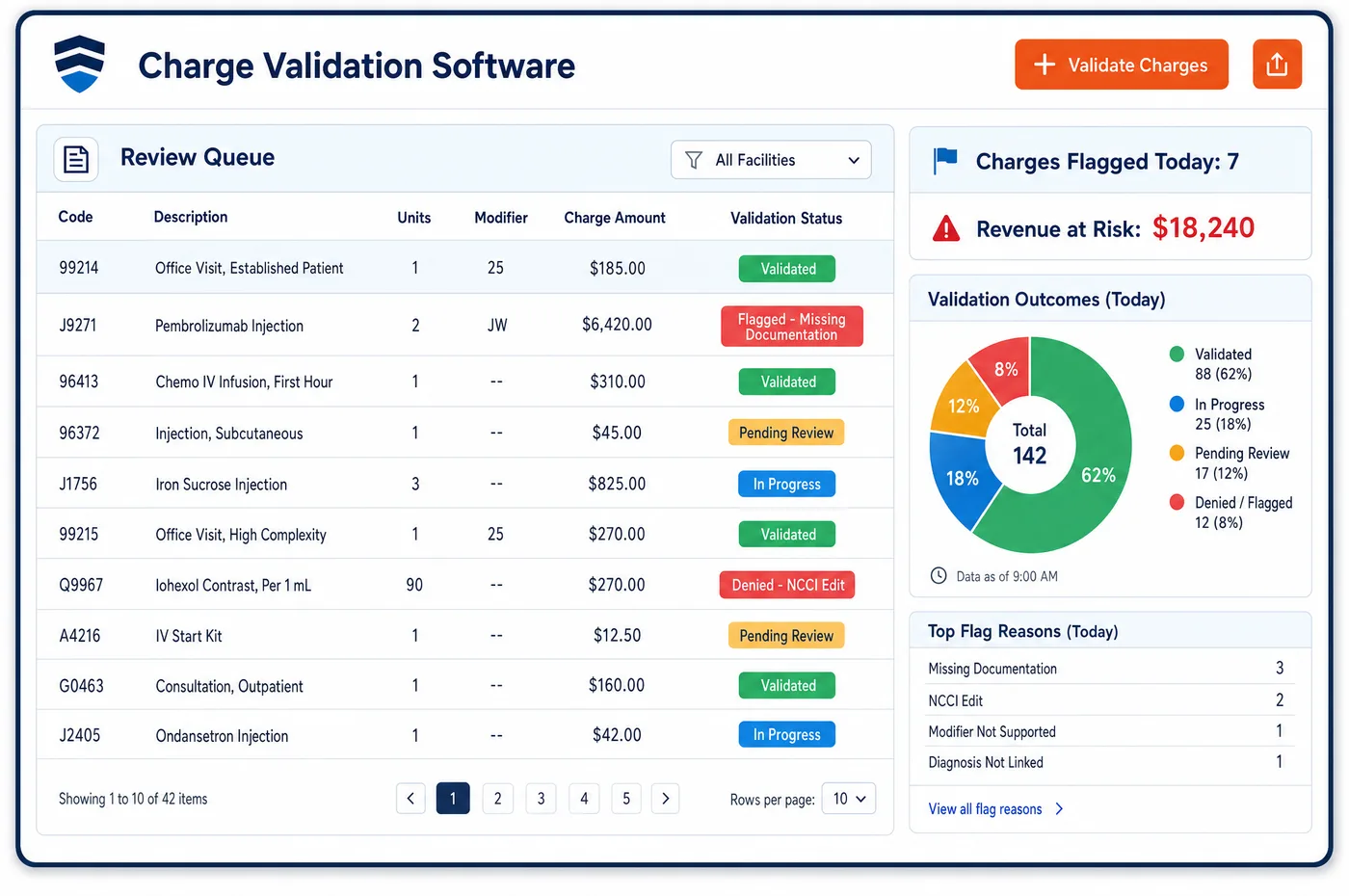
Charge Assembly in a Diabetes Care Practice
Charges in a diabetes practice come from many places. The clinician's note gives the E/M and any CGM interpretation. The educator's roster gives class time for each patient who attended. The dietitian's note gives a nutrition therapy visit, and whether it was the first assessment, a follow-up or a group session. The lab log gives the in-office A1c. Diabetes care charge assembly software brings these into one charge assembly per encounter. Class minutes become G0108 or G0109 units in half-hour steps. The first nutrition visit becomes 97802, and later ones 97803 or 97804. A patient-owned CGM start becomes 95249, used once while the patient owns that receiver, and the review becomes 95251. Event-driven flags send the encounters that need a person, such as a second nutrition referral in the same year, to the right staff member. The at-a-glance view shows what was billed before, so a repeat of a once-only code stands out.
Why Is Charge Assembly Different in Diabetes Care?
Most of a diabetes practice's charges are small and time-based, and they come from staff who don't write the physician's note. Educators record classes on a roster. Dietitians document their own visits. If those records don't reach billing as structured data, someone types them in later, and units are lost or doubled. Charge capture has to start where the work is recorded.
Code choice also depends on history. Medicare uses 97802 only once, for the first nutrition assessment, and every later individual visit is 97803. Code 95249 is reported once while the patient owns the receiver. Hours past the normal yearly nutrition limit, after a second referral, move to G0270 or G0271. Assembling a charge correctly means looking back at what has already been billed for this patient, not just at today's note.
Devices and drugs are mostly someone else's charges. Sensors, receivers, pumps and diabetic shoes are billed by suppliers, and GLP-1s are filled by pharmacies under the drug plan. The practice's charge assembly should leave them out unless the practice is enrolled to bill them, while still capturing the CGM work it does perform. Rule checks on the finished lines then run in charge validation.
What Diabetes Care Charge Assembly Software Handles
- Class time to DSMT units (G0108, G0109)
- Initial DSMT can be given in any mix of half-hour increments up to 10 hours under G0108 and G0109. The roster's attended time for each patient becomes units, with individual and group time kept on separate lines. (CMS Medicare Benefit Policy Manual, Chapter 15, Section 300: Diabetes Self-Management Training Services)
- First and later nutrition visits (97802, 97803)
- Medicare uses 97802 only once, for the initial assessment, and bills all later individual visits, including reassessments, as 97803. The assembly checks billing history before choosing the code. (CMS Medicare Claims Processing Manual, Chapter 4, Section 300: Medical Nutrition Therapy Services)
- Group and second-referral nutrition codes (97804, G0270, G0271)
- Group nutrition visits use 97804 per 30 minutes. Extra hours after a second referral in the same year for a change in condition use G0270 individually or G0271 in a group, so the referral type picks the code. (CMS Medicare Claims Processing Manual, Chapter 4, Section 300: Medical Nutrition Therapy Services)
- CGM start-up (95249, 95250)
- Code 95249 is for a patient-owned CGM and is reported once during the time the patient owns the receiver. Code 95250 is for practice-owned equipment worn for at least 72 hours. The device owner in the note decides the code. (American Academy of Family Physicians: Coding for Remote Patient Monitoring and Continuous Glucose Monitoring)
- CGM interpretation (95251)
- Code 95251 covers analysis, interpretation and report, may be reported only by a physician, NP or PA, and isn't reported more than once a month. The interpretation becomes its own line, tied to the reviewing clinician. (American Academy of Family Physicians: Coding for Remote Patient Monitoring and Continuous Glucose Monitoring)
- In-office A1c (83036QW)
- A waived A1c analyzer is billed as 83036 with modifier QW. The lab log's result becomes a charge line with the modifier added, under the site's CLIA certificate. (CMS MLN Matters MM13455: New Waived Tests (CLIA certificate edits and modifier QW))
How Does Diabetes Care Charge Assembly Software Work?
1. Gather each source
The clinician's note, the educator's roster, the dietitian's note and the lab log feed one charge assembly per encounter. Nothing is rekeyed from paper.
2. Turn time into units
Class and nutrition minutes are converted to units for each code's time increment. Individual and group time stay on separate lines.
3. Choose codes from history
The at-a-glance billing history shows whether 97802 or 95249 has been billed before. If so, the later code is used.
4. Flag encounters that need a person
Event-driven flags send unusual encounters, such as a second nutrition referral or a CGM review in a month already billed, to a named staff member. Search and task assignment show who owns each one.
5. Hand off for checks
Finished charge lines move to validation and then to claim building. Device and drug items billed by suppliers or pharmacies stay off the practice's lines.
Diabetes Care Charge Assembly Software vs. Generic Software
| Area | Generic approach | Unlimited Systems |
|---|---|---|
| Class charges | Rosters keyed in by hand after the class. | Attended time on the roster becomes units per patient. |
| Nutrition codes | 97802 billed again on a later visit. | Billing history checked before the code is chosen. |
| CGM codes | Start-up and interpretation lumped together. | Separate lines for start-up and interpretation, by device owner. |
| Review queue | Every encounter reviewed the same way. | Flags send only the encounters that need a person. |
| Supplier items | Sensor or shoe charges entered by mistake. | Items billed by suppliers kept off the practice's charges. |
Who Uses It in a Diabetes Care Practice
- Charge entry specialist: One charge assembly per encounter with rosters and notes already pulled in, and a task list of the encounters that need them.
- Diabetes educator: Class attendance recorded once, with units built from it for every patient.
- Billing manager: Fewer repeated once-only codes, and a clean claim start for time-based services.
Diabetes Care Charge Assembly Software FAQs
Charge assembly in a diabetes practice gathers every documented service for an encounter into coded charge lines. That includes E/M visits, CGM start-up and interpretation, in-office A1c tests, DSMT class time and nutrition therapy visits. The lines are built from the note, the roster and the lab log, then passed on for rule checks.
The roster records who attended and for how long. Attended time is turned into G0108 or G0109 units in half-hour steps for each patient, with individual and group time on separate lines. Medicare pays only for sessions the patient attended, so the roster also supports the claim if it is reviewed.
Under Medicare, 97802 is used only once, for the first nutrition assessment of a new patient. Every later individual visit, including reassessments, is billed as 97803, and group visits as 97804. The assembly checks the patient's billing history, so 97802 isn't repeated.
Code 95249 is the start-up of a patient-owned CGM and is reported once while the patient owns that receiver. Code 95250 is the start-up of practice-owned equipment worn for at least 72 hours. Code 95251 is the analysis, interpretation and report. The note's device owner and the work done decide which lines are built.
In most cases it doesn't. CGM sensors, receivers, pumps and diabetic shoes are billed by suppliers, and GLP-1s are filled by pharmacies under the drug plan. The practice builds charges for its own work, such as CGM start-up and interpretation, unless it is enrolled to bill those items itself.
Encounters that break the usual pattern are flagged, such as a second nutrition referral in the same year, a CGM review in a month that already has one, or a class with no attendance time. Each flag goes to a named staff member, so the encounter is resolved before the charges move on.
Related Diabetes Care Software
Billing & claims
In the revenue cycle
Charge Assembly for related specialties
Sources
- CMS Medicare Benefit Policy Manual, Chapter 15, Section 300: Diabetes Self-Management Training Services
- CMS Medicare Claims Processing Manual, Chapter 4, Section 300: Medical Nutrition Therapy Services
- American Academy of Family Physicians: Coding for Remote Patient Monitoring and Continuous Glucose Monitoring
- CMS MLN Matters MM13455: New Waived Tests (CLIA certificate edits and modifier QW)
GET STARTED
See Unlimited Systems in Action
Whether you're actively evaluating new technology or simply preparing for your next vendor renewal, Unlimited Systems can help you understand where your current workflows may be creating avoidable revenue risk.