
Billing & claims
Diagnostic Imaging Charge Validation Software
Check every imaging charge against code-pair edits, modifiers, ordering provider rules and the signed study before a claim is built.
Diagnostic Imaging Charge Validation Software checks each assembled charge before it becomes a claim. It tests code pairs and add-on rules, modifiers such as 26, TC, GG and CT, the ordering provider's NPI and name, and whether the exam, the order and the signed report agree. Charges that fail go to a fix queue with the reason.



 6,500+ specialty providers

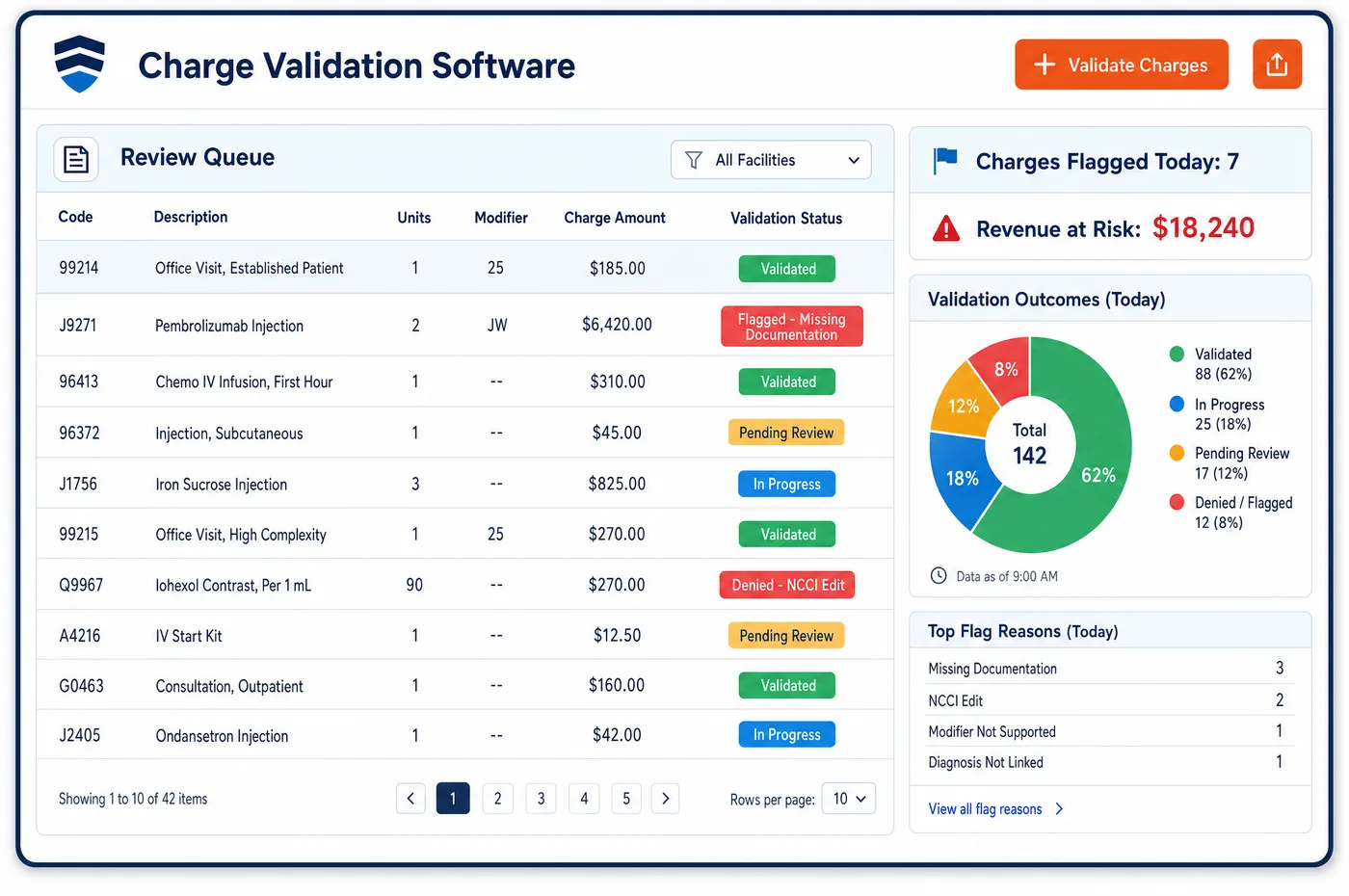
Charge Validation in a Diagnostic Imaging Practice
Charge validation sits between the assembled charge and the claim. It applies the edits a payer would apply, but earlier, while the technologist and the radiologist can still answer a question. The checks fall into groups. Code rules look at pairs from the NCCI tables, add-on codes and limits on units. Modifier rules ask whether a modifier is needed, allowed or missing. Order rules ask whether the study on the charge matches the order and whether the ordering provider is named with an individual NPI. Document rules ask whether the report is signed and supports the exam. A charge that passes moves to claim building. One that fails is held with the rule that stopped it. The inputs come from charge assembly, and the clean charge feeds imaging medical billing. Staff set which rules apply to which payer, and the national correct coding edits are one set among them.
Why Is Charge Validation Different in Diagnostic Imaging?
Imaging has many rules that look the same on paper and differ in effect. A CT and a CT angiogram of one area bill together only if two distinct studies were done. An MRI of the brain and an MRI of the orbit do not bill together when the orbit is only seen on the brain study. Add-on 77063 requires 77067. A charge validation step that knows these rules saves the radiologist from a query long after the study.
Modifiers carry more weight in imaging than they first seem to. Modifier 26 and modifier TC decide which party is paid for which part. Modifier GG marks a diagnostic mammogram done on the same day as a screening one. Modifier CT marks a CT done on equipment that does not meet the NEMA XR-29-2013 dose standard, and it brings a reduction in the technical payment. Modifier KX goes on an MRI for a patient with a pacemaker used under FDA-approved MRI labeling. Each one has its own test.
Order rules are the last piece. Medicare checks claims for ordered imaging against enrollment data, and a name or NPI that does not match returns remark code N264 or N265. For the Medicare benefit, the treating clinician must order the test. A study done without an order, or a different study than the one ordered, cannot be fixed by billing, so charge validation has to stop it while the exam can still be sorted out.
What Diagnostic Imaging Charge Validation Software Handles
- NCCI pairs for CT with CTA and MRI with MRA
- The NCCI manual allows both for the same anatomic region only at separate encounters, or as two distinct technical studies at one encounter. A pair that does not meet this is held for a coder to review. (CMS NCCI Policy Manual for Medicare Services, Chapter IX: Radiology Services (CPT 70000-79999), 2026)
- Incidental views not billed twice
- An MRI of the orbit is not reported with an MRI of the brain when an orbital finding is seen only on the brain study. The rule is applied when both codes appear on one charge. (CMS NCCI Policy Manual for Medicare Services, Chapter IX: Radiology Services (CPT 70000-79999), 2026)
- Bilateral organs and PTP modifiers
- For many code pairs on paired organs, an NCCI modifier is allowed only when the two procedures were done on opposite sides. Charge validation requires that the laterality in the record supports the modifier. (CMS NCCI Policy Manual for Medicare Services, Chapter IX: Radiology Services (CPT 70000-79999), 2026)
- Screening and diagnostic mammography modifiers
- On one date of service, Medicare wants modifier GG on the diagnostic code and modifier 59 or XU on the screening code. Add-on 77063 is reported only with 77067. (CMS NCCI Policy Manual for Medicare Services, Chapter IX: Radiology Services (CPT 70000-79999), 2026)
- MRI with a pacemaker (modifier KX)
- For dates of service on and after July 7, 2011, Medicare wants modifier KX on the MRI code for a patient with a pacemaker used under FDA-approved MRI labeling. Validation asks for the device record before it accepts the modifier. (CMS Medicare Claims Processing Manual, Chapter 13, Section 40: MRI procedures (modifier KX for pacemaker MRI))
- Modifier CT
- The modifier is for CT on equipment that does not meet NEMA XR-29-2013 and applies to the technical component. The scanner on the study is checked against the list the center keeps. (Noridian Medicare: Modifier CT (CT equipment not meeting NEMA XR-29-2013))
- Ordering provider remark codes N264 and N265
- Claims from imaging centers for ordered procedures are checked for a valid individual NPI and the provider's name, with no nickname or credentials. A missing or invalid value is denied with N264 or N265, so validation checks both fields. (Noridian Medicare JE Part B: PECOS ordering and referring edits)
- Contrast code and unit limits
- Q9951 carries a medically unlikely edit value of 0 in the NCCI manual because the manual found no products at that strength. Validation checks that the concentration recorded matches the contrast code billed. (CMS NCCI Policy Manual for Medicare Services, Chapter XII: HCPCS Codes A0000-V9999)
How Does Diagnostic Imaging Charge Validation Software Work?
1. Receive the assembled charge
The charge arrives with the exam, the contrast line, the modifiers and the order. Charge validation runs the rules set for that payer on that exam type.
2. Test code pairs and add-ons
Pairs, add-on requirements and unit limits are tested. A CT with CTA, a 77063 without 77067 or a contrast code that does not fit the agent is held.
3. Test modifiers
Staff-set rules ask whether each modifier is needed and supported, such as 26 and TC against the owner of each part, and GG or CT where they apply. The record must back each one.
4. Test the order and the report
The study is compared with the order. The ordering provider must carry an individual NPI. For a global or professional charge the report must be signed, and the exam must match what was ordered.
5. Release or return
A clean charge moves on to claim building. A held charge goes to a queue with the rule, and radiology or billing fixes it. Repeated failures are counted for imaging denial management to trace back.
Diagnostic Imaging Charge Validation Software vs. Generic Software
| Area | Generic approach | Unlimited Systems |
|---|---|---|
| Edit timing | Payer edits found after the claim is sent. | Edits tested before the claim is built. |
| Code pairs | Rely on the coder to remember NCCI pairs. | Pairs and add-on rules tested on every charge. |
| Modifiers | Added by habit or left off. | Each one tested against the record and the owner of the part. |
| Ordering provider | Checked only on a denial. | Individual NPI and name checked on every ordered study. |
| Order match | Exam billed as ordered, even if changed. | Performed exam compared with the order before release. |
Who Uses It in a Diagnostic Imaging Practice
- Coder: A queue of held charges, each with the rule that stopped it, so the effort goes to real questions.
- Radiologist: Fewer late queries, since the checks that need a physician's answer reach them while the study is fresh.
- Compliance officer: Rules that are set by payer and recorded with every hold and release, which helps when auditors ask how an NCCI edit was handled.
Diagnostic Imaging Charge Validation Software FAQs
Charge validation checks code pairs, add-on rules, unit limits, modifiers, the ordering provider and the match between the exam, the order and the signed report. It tests the same things a payer would test, but before the claim leaves, so the radiologist or technologist can still answer. Failed charges go to a queue with the reason.
Validation tests modifiers 26 and TC against the owner of each part of the study. It also tests GG and 59 or XU on same-day screening and diagnostic mammography, modifier CT for CT on equipment that does not meet NEMA XR-29-2013, and KX on an MRI for a pacemaker used under FDA-approved MRI labeling.
Medicare checks claims for ordered imaging for a valid individual NPI and the provider's name as enrolled. A group NPI, a nickname or credentials in the name field can fail the check, and the remark codes are N264 and N265. Validation tests both fields before the claim is sent.
Under the NCCI Medicare manual, a CT and a CTA of the same anatomic region may be reported together only if they were done at separate encounters, or as two separate and distinct technical studies at one encounter. Validation holds the pair for review and asks for the record that shows two studies.
There is no AUC check to run for Medicare imaging now. CMS paused the appropriate use criteria program and rescinded its regulations at 42 CFR 414.94. Charge validation focuses on the order, medical necessity documentation, code pairs and modifiers. The CMS page is watched in case the program is restarted.
Staff set the rules that apply to each payer and exam type, such as an approval check for a plan that uses a radiology benefit manager. The software runs them, and staff review the holds. Changes are recorded, so a manager can see when a rule was added and which charges it affected.
Related Diagnostic Imaging Software
Billing & claims
In the revenue cycle
Charge Validation for related specialties
Sources
- CMS NCCI Policy Manual for Medicare Services, Chapter IX: Radiology Services (CPT 70000-79999), 2026
- CMS NCCI Policy Manual for Medicare Services, Chapter XII: HCPCS Codes A0000-V9999
- Noridian Medicare: Modifier CT (CT equipment not meeting NEMA XR-29-2013)
- Noridian Medicare JE Part B: PECOS ordering and referring edits
- CMS Medicare Claims Processing Manual, Chapter 13, Section 40: MRI procedures (modifier KX for pacemaker MRI)
- CMS: Appropriate Use Criteria Program (current status)
GET STARTED
See Unlimited Systems in Action
Whether you're actively evaluating new technology or simply preparing for your next vendor renewal, Unlimited Systems can help you understand where your current workflows may be creating avoidable revenue risk.