
Billing & claims
Diagnostic Imaging Medical Billing Software
Global, technical and professional claims built from the signed study, scrubbed against imaging edits and sent with the right ordering provider and place of service.
Diagnostic Imaging Medical Billing Software turns a finished, signed study into a clean claim. It builds the global, technical or professional claim for the party that owns each part, carries the ordering provider and place of service, scrubs the claim against imaging edits, sends it through the clearinghouse and follows its status until the payer answers.



 6,500+ specialty providers

Medical Billing in a Diagnostic Imaging Practice
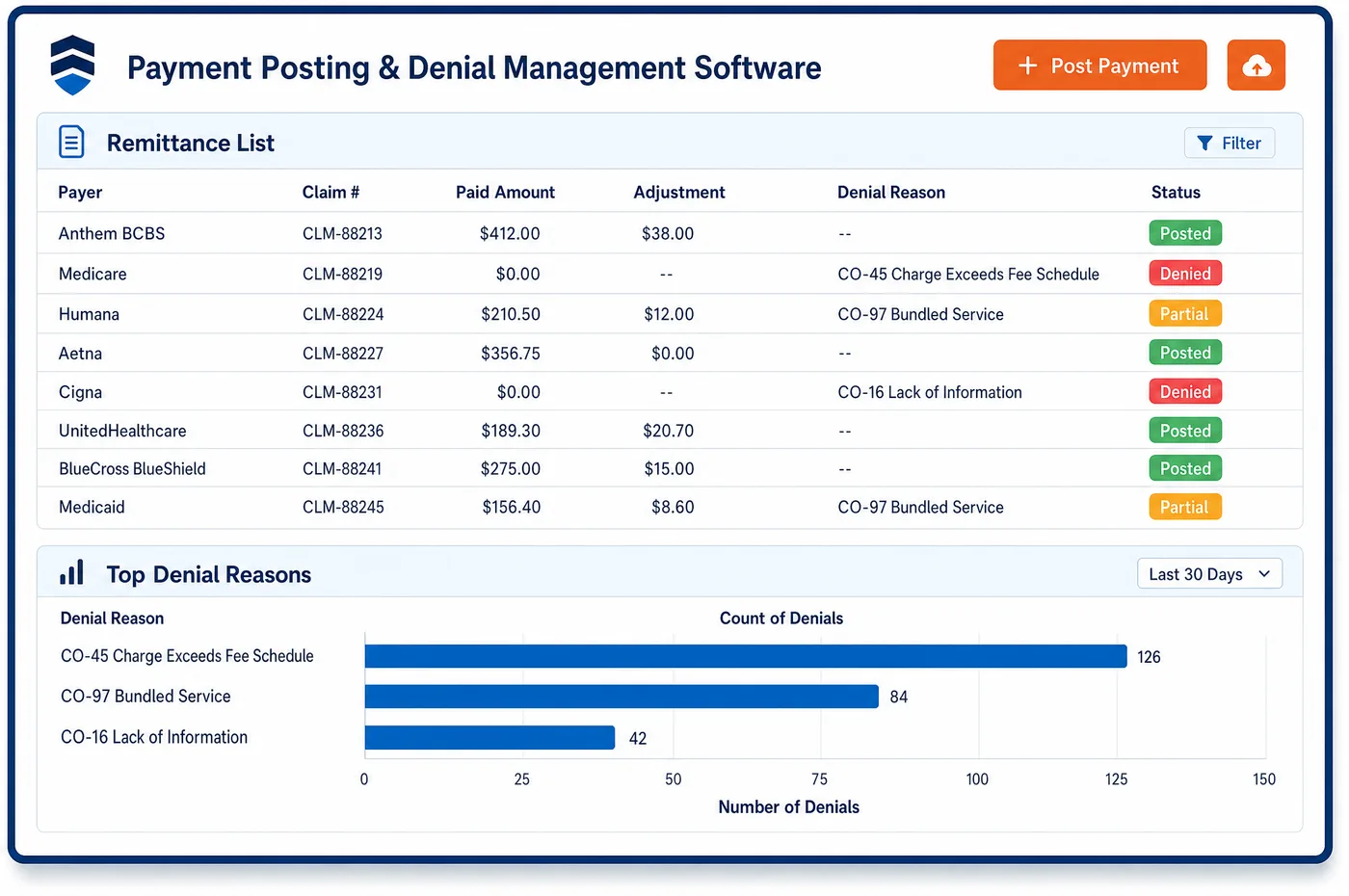
Claim building in imaging starts from a short list of facts: the exam performed, the owner of the technical part, the owner of the read, the ordering clinician and the setting. Medical billing software pulls them from the study record and chooses the claim shape. A center that owns both parts bills the global code. A center that does not bills the technical component with modifier TC, and the reading radiologist bills with modifier 26. The claim then passes through a scrubber that checks code pairs, modifiers, the ordering provider's name and NPI, and diagnosis pointers. Clean claims go to the clearinghouse, where acknowledgements come back as the payer accepts or rejects them. Rejections return to a work queue with the reason attached. Payer status is checked on claims that have not been paid. The strategy that sits above this work belongs to imaging RCM, and the checks on charges belong to charge validation.
Why Is Medical Billing Different in Diagnostic Imaging?
An imaging claim can be wrong in ways that have nothing to do with the exam. The ordering provider can be missing or listed under a group NPI. The place of service on the read can differ from the setting of the scan. The location of the test can be left off a global claim, which sends payment to the wrong locality. Each of these returns a claim that was coded correctly, and each is a billing error rather than a clinical one.
The code rules also have traps. Under the NCCI Medicare manual, a CT and a CT angiogram of the same area may be reported together only when two distinct studies were done, and an MRI and an MRA likewise. Add-on code 77063 goes only with 77067. Vascular access and contrast administration are part of a CT or MRI and are not billed on their own. A scrubber that knows these rules saves a round trip with the payer.
Timing is part of it too. Claims for the technical part and for the read go out from different parties, sometimes on different days. Both depend on the same order, and both can be held up by the same missing approval. Billing staff need to see the two claims as one study, even when two entities send them.
What Diagnostic Imaging Medical Billing Software Handles
- Global, TC and modifier 26 claims
- When one entity does not furnish both parts, or the read was done in a different payment locality, the interpreting physician bills with modifier 26 and the equipment owner bills the technical part. The claim shape is chosen from the owner fields on the study. (CMS Medicare Claims Processing Manual, Chapter 13, Sections 20 and 150: Radiology Services and Other Diagnostic Procedures)
- Item 32 and the global code
- For Medicare, a global claim must report the address and ZIP code where the test was done, in item 32 on the CMS-1500 or the matching field on the 837P. Payment locality follows that location, so the field is filled from the study's site. (CMS Medicare Claims Processing Manual, Chapter 13, Sections 20 and 150: Radiology Services and Other Diagnostic Procedures)
- Ordering provider in item 17
- On the CMS-1500 the ordering provider goes in item 17 with qualifier DK, and a claim with several ordering physicians is split. The ordering provider's individual NPI and name come from the order on the study. (CMS Medicare Claims Processing Manual, Chapter 26: Completing and Processing Form CMS-1500 (Items 17 and 20))
- CT with CTA and MRI with MRA
- NCCI allows both for the same anatomic region only at separate encounters, or as two separate and distinct technical studies at one visit, which is uncommon. The scrubber flags the pair so a coder reviews it. (CMS NCCI Policy Manual for Medicare Services, Chapter IX: Radiology Services (CPT 70000-79999), 2026)
- Screening and diagnostic mammography on one date
- When both are done on the same date, Medicare requires modifier GG on the diagnostic code and modifier 59 or XU on the screening code. Add-on 77063 is reported with 77067. The scrubber checks both rules on each mammography claim. (CMS NCCI Policy Manual for Medicare Services, Chapter IX: Radiology Services (CPT 70000-79999), 2026)
- No authorization number on UnitedHealthcare claims
- UnitedHealthcare says it does not require authorization numbers on the claim form for radiology. The approval must still exist, since a missing one can bring an administrative denial. Staff keep the number on the study, not on the claim. (UnitedHealthcare: Outpatient radiology prior authorization FAQ, commercial and Individual Exchange plans)
How Does Diagnostic Imaging Medical Billing Software Work?
1. Release the signed study
A study reaches billing when the exam is complete and, for a global or professional claim, the report is signed. Anything still waiting on a read, an order or an approval stays out of the claim queue.
2. Choose the claim shape
The owner of the technical part and the owner of the read decide whether the claim is global, technical or professional. The right modifier, place of service and location of test are filled from the study.
3. Scrub the claim
The scrubber applies code-pair, modifier and ordering provider checks. A claim that fails goes to a queue with the reason, so a coder fixes it before it leaves, as the imaging charge assembly step feeds it.
4. Submit and track acknowledgements
Clean claims go to the clearinghouse, which returns acknowledgements as the payer accepts or rejects each one. Rejections come back to billing the same day they are known.
5. Check status on unpaid claims
Claims that have not been paid are checked against payer status and worked by age. Findings go back onto the study, where imaging denial management picks them up.
Diagnostic Imaging Medical Billing Software vs. Generic Software
| Area | Generic approach | Unlimited Systems |
|---|---|---|
| Claim shape | Every claim built as global. | Global, technical or professional, chosen from who owns each part. |
| Ordering provider | Typed from the order by hand. | Taken from the order on the study, with the individual NPI. |
| Code pairs | Found when the payer rejects them. | Scrubbed for NCCI pairs, add-on rules and mammography modifiers. |
| Rejections | Read from a clearinghouse report once in a while. | Returned to a work queue with the reason attached. |
| Status checks | Phone calls to payers. | Status checked on unpaid claims, with results on the study. |
Who Uses It in a Diagnostic Imaging Practice
- Biller: A queue of claims by shape and payer, with the reason attached to each rejection, so fixes are made once.
- Coder: A short list of flagged pairs and modifiers to review, such as CT with CTA or screening with diagnostic mammography.
- Radiology group administrator: The group's professional claims tied to the center's technical claims for the same study, so a missing order does not hold up only one side.
Diagnostic Imaging Medical Billing Software FAQs
Medical billing software builds an imaging claim from the study record. It reads the exam, the owner of the technical part, the owner of the read, the ordering provider and the setting. It then picks a global, technical or professional claim, adds the modifiers and place of service, and sends the claim to the scrubber before it goes out.
Modifier 26 marks the professional interpretation and modifier TC marks the technical component. They are used when different parties furnish the two parts, or when the read was done in a different payment locality from the scan. When one entity does both in the same locality, it bills the global code with no modifier.
The scrubber checks code pairs, add-on rules, modifiers and the ordering provider's name and NPI. It flags CT with CTA and MRI with MRA, screening and diagnostic mammography on the same date, and 77063 without 77067. A claim that fails goes to a work queue with the reason, so a person fixes it before it leaves.
On the CMS-1500, the ordering provider goes in item 17 with qualifier DK. A claim with several ordering physicians is split, one form for each. The 837P carries the same information in its ordering provider fields. The individual NPI and the name come from the order on the study.
Rejected claims return from the clearinghouse with a reason and go to a billing work queue. Staff correct the field, such as the ordering provider, the place of service or a modifier, and resubmit. Repeated reasons are counted, so the cause can be fixed at registration or in the scrubber rules.
A mobile unit adds a service location that changes the claim. For a global code, Medicare uses the address and ZIP code where the test was done, so the study must record where the unit was. Payment locality follows that address. Staff confirm it before the claim leaves, since a wrong location sends payment under the wrong locality.
Related Diagnostic Imaging Software
Billing & claims
In the revenue cycle
Medical Billing for related specialties
Sources
- CMS Medicare Claims Processing Manual, Chapter 13, Sections 20 and 150: Radiology Services and Other Diagnostic Procedures
- CMS Medicare Claims Processing Manual, Chapter 26: Completing and Processing Form CMS-1500 (Items 17 and 20)
- CMS NCCI Policy Manual for Medicare Services, Chapter IX: Radiology Services (CPT 70000-79999), 2026
- UnitedHealthcare: Outpatient radiology prior authorization FAQ, commercial and Individual Exchange plans
GET STARTED
See Unlimited Systems in Action
Whether you're actively evaluating new technology or simply preparing for your next vendor renewal, Unlimited Systems can help you understand where your current workflows may be creating avoidable revenue risk.