
Billing & claims
Diagnostic Imaging Charge Assembly Software
Turn the technologist's record of views, contrast and add-on studies into coded charge lines the exam can actually support.
Diagnostic Imaging Charge Assembly Software turns what the technologist recorded into the lines on a charge. It matches the exam to its CPT code, adds the contrast agent by HCPCS code and amount, counts views where the code depends on them, and attaches laterality and modifiers. The assembled charge then goes to validation before any claim is built.



 6,500+ specialty providers

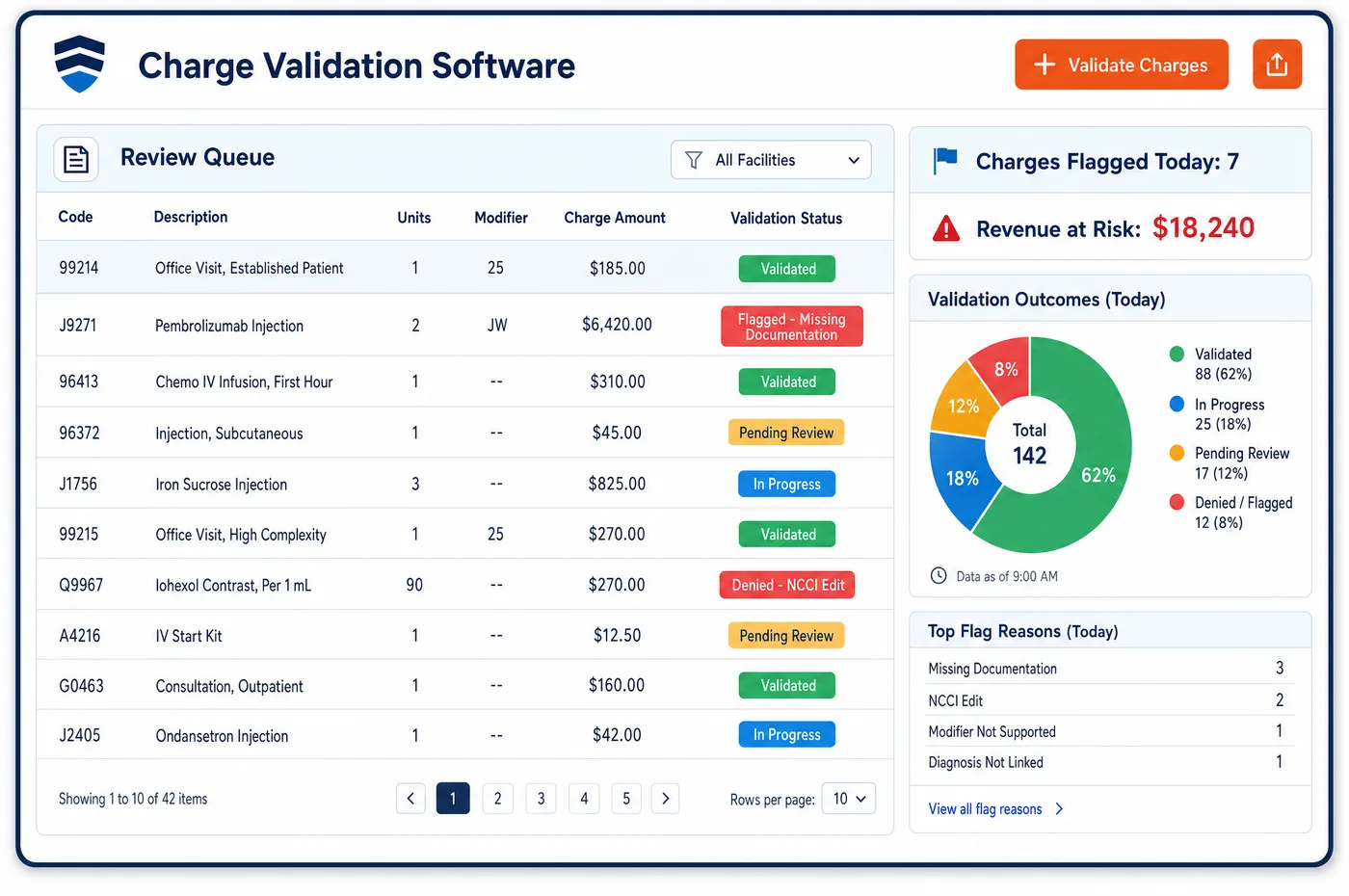
Charge Assembly in a Diagnostic Imaging Practice
A charge for an imaging study is assembled from several records. The order names the exam asked for. The technologist's record shows what was done: how many views, whether contrast was given, which side, and whether more images were added. The contrast record shows the agent and the amount in milliliters. The signed report confirms the study. Charge assembly software brings these together and picks the CPT code that fits what was done, not just what was ordered. A CT ordered without contrast but done with and without becomes a different code. A spine series is coded by the total views taken. A contrast agent is added as its own line by iodine concentration. Where staff have set a rule, the charge also gets a laterality modifier. The finished charge is the input to imaging charge validation, and from there the claim is built in imaging medical billing.
Why Is Charge Assembly Different in Diagnostic Imaging?
Imaging has a narrow gap between what is ordered and what is done. An order for a CT of the abdomen without contrast may become a study with contrast after a conversation with the radiologist. A mammogram screening may turn into a diagnostic exam. The code on the order is only a starting point, and the charge has to follow the exam that took place. That is why assembly reads the technologist's record and not the order alone.
Many codes in imaging are built from the study's details. Under the NCCI Medicare manual, CT and MRI have separate codes for without contrast, with contrast, and with and without contrast, and all the radiographs needed to finish a study are in the code. Preliminary films are not separate. For the spine, the views are totaled across regions and one code is reported. Staff cannot guess these from the order. They need the record of what was acquired.
Contrast is the supply that adds a separate line. Medicare pays for the agent apart from the exam, with a Q code, and the codes are split by iodine concentration. Choosing the wrong concentration is a common error, because the product name and the code range are not the same thing. Assembly has to take the agent and the volume from the record, and leave out the lines that the exam code already includes.
What Diagnostic Imaging Charge Assembly Software Handles
- Contrast by iodine concentration (Q9951, Q9965 to Q9967)
- Low osmolar contrast codes are split by iodine concentration. Q9965 covers 100 to 199 mg per mL, Q9966 covers 200 to 299 and Q9967 covers 300 to 399, each per mL, and Q9951 covers 400 or more. Assembly takes the concentration from the agent recorded, then the volume given as units. (CMS NCCI Policy Manual for Medicare Services, Chapter XII: HCPCS Codes A0000-V9999)
- High osmolar contrast (Q9958 to Q9964)
- High osmolar agents have their own set of codes, also chosen by iodine concentration. The same record fields drive both families, so a staff member does not search a list. (CMS NCCI Policy Manual for Medicare Services, Chapter XII: HCPCS Codes A0000-V9999)
- Contrast paid apart from the exam
- Because the agent's cost is not in the practice expense values, Medicare says to bill the Q code separately in addition to the imaging CPT code. The assembled charge shows the agent as its own line. (CMS Medicare Claims Processing Manual, Chapter 13: Radiology Services and Other Diagnostic Procedures (contrast media payment))
- With, without and with-and-without studies
- CT and MRI each have separate codes for these three cases, and the radiographs needed to complete a study are in the code. The exam performed, not the exam ordered, picks the code. (CMS NCCI Policy Manual for Medicare Services, Chapter IX: Radiology Services (CPT 70000-79999), 2026)
- Spine views summed
- When the 72081 to 72084 series and the region codes in 72020 to 72120 are done at one encounter, the views are summed and one code is reported. Assembly counts views from the technologist's record. (CMS NCCI Policy Manual for Medicare Services, Chapter IX: Radiology Services (CPT 70000-79999), 2026)
- Vascular access and contrast administration
- For CT and MRI, venous access and the administration of contrast are part of the imaging service and are not charged on their own. Assembly leaves those lines out of the charge. (CMS NCCI Policy Manual for Medicare Services, Chapter IX: Radiology Services (CPT 70000-79999), 2026)
How Does Diagnostic Imaging Charge Assembly Software Work?
1. Read the order and the exam record
The order gives the exam asked for. The technologist's record gives views, laterality, contrast and any added images. Where they differ, the record wins, and the difference is noted.
2. Select the exam code
Staff-set rules map the performed exam to a CPT code. Contrast status and the number of views decide among related codes, so a with-and-without study is not coded as a plain one.
3. Add contrast and supplies
The agent and the volume given become a contrast line by iodine concentration. Items that the exam code already covers, such as IV access and contrast administration, are left off.
4. Add modifiers and ownership
Laterality, the technical or professional owner and any rule-based modifier are attached. These choices follow imaging medical billing needs and the owner of each part of the study.
5. Send the assembled charge for checking
The completed charge goes to a review queue. Anything staff could not resolve, such as a missing contrast volume, is listed with the study, then checked in imaging charge validation.
Diagnostic Imaging Charge Assembly Software vs. Generic Software
| Area | Generic approach | Unlimited Systems |
|---|---|---|
| Exam code | Taken from the order and left as is. | Chosen from what was performed, using views and contrast status. |
| Contrast | Billed as one flat line, or not at all. | Assembled by agent concentration and volume given. |
| Included services | IV access and contrast injection added as extra lines. | Left off, because the exam code includes them. |
| Spine series | Each region coded as a separate exam. | Views totaled and one code chosen. |
| Missing details | Found at claim time. | Listed with the study when the technologist record is incomplete. |
Who Uses It in a Diagnostic Imaging Practice
- Technologist: A short list of the items billing needs from the exam: views, contrast agent and volume, laterality and any added images.
- Charge entry or coding staff: Charges that arrive already assembled, with exceptions listed, so coding time goes to the studies that need judgment.
- Radiologist: Fewer questions about what was done, since the charge follows the performed exam and links back to imaging patient management for the order history.
Diagnostic Imaging Charge Assembly Software FAQs
Charge assembly software builds the charge lines for an imaging study from the order, the technologist's record, the contrast record and the signed report. It selects the CPT code that matches what was done, adds contrast by HCPCS code and amount, counts views where needed and attaches laterality, so validation checks a complete charge.
Contrast is charged as its own line with a Q code in addition to the exam code. Low osmolar agents use Q9965, Q9966 or Q9967 by iodine concentration, and Q9951 for 400 or more. Each is reported per mL. The concentration comes from the agent recorded, and the volume given sets the units.
CT and MRI have separate codes for studies without contrast, with contrast, and with and without contrast. If the study performed differs from the one ordered, the code follows the performed study. The technologist's record shows which case applies, so assembly picks the right code rather than copying the order.
For CT and MRI under the NCCI Medicare manual, vascular access and the administration of contrast are part of the imaging service and are not reported separately. Charge assembly leaves those lines off. The contrast agent itself is still reported as its own item.
For the spine, the views taken at one encounter are totaled and one code is reported. When the 72081 to 72084 series and the region codes between 72020 and 72120 are done together, the NCCI manual says to sum the views. Assembly counts them from the technologist's record.
When a view count, a contrast volume or laterality is missing, the charge is listed in an exception queue with the study. Staff go back to the technologist or the record, add the item and release the charge. The claim is not built until the charge is complete.
Related Diagnostic Imaging Software
Billing & claims
In the revenue cycle
Charge Assembly for related specialties
Sources
- CMS NCCI Policy Manual for Medicare Services, Chapter XII: HCPCS Codes A0000-V9999
- CMS NCCI Policy Manual for Medicare Services, Chapter IX: Radiology Services (CPT 70000-79999), 2026
- CMS Medicare Claims Processing Manual, Chapter 13: Radiology Services and Other Diagnostic Procedures (contrast media payment)
GET STARTED
See Unlimited Systems in Action
Whether you're actively evaluating new technology or simply preparing for your next vendor renewal, Unlimited Systems can help you understand where your current workflows may be creating avoidable revenue risk.