
Front office
Diagnostic Imaging Patient Scheduling Software
Book each scanner, room and technologist for the exam on the order, with screening, contrast and implant questions settled before the slot.
Diagnostic Imaging Patient Scheduling Software books each study on the right scanner, in a slot long enough for that exam. Mammography, ultrasound, CT, MRI, PET and bone density each get their own exam type, room and technologist. A study is not offered until its order and any needed approval are on file.



 6,500+ specialty providers

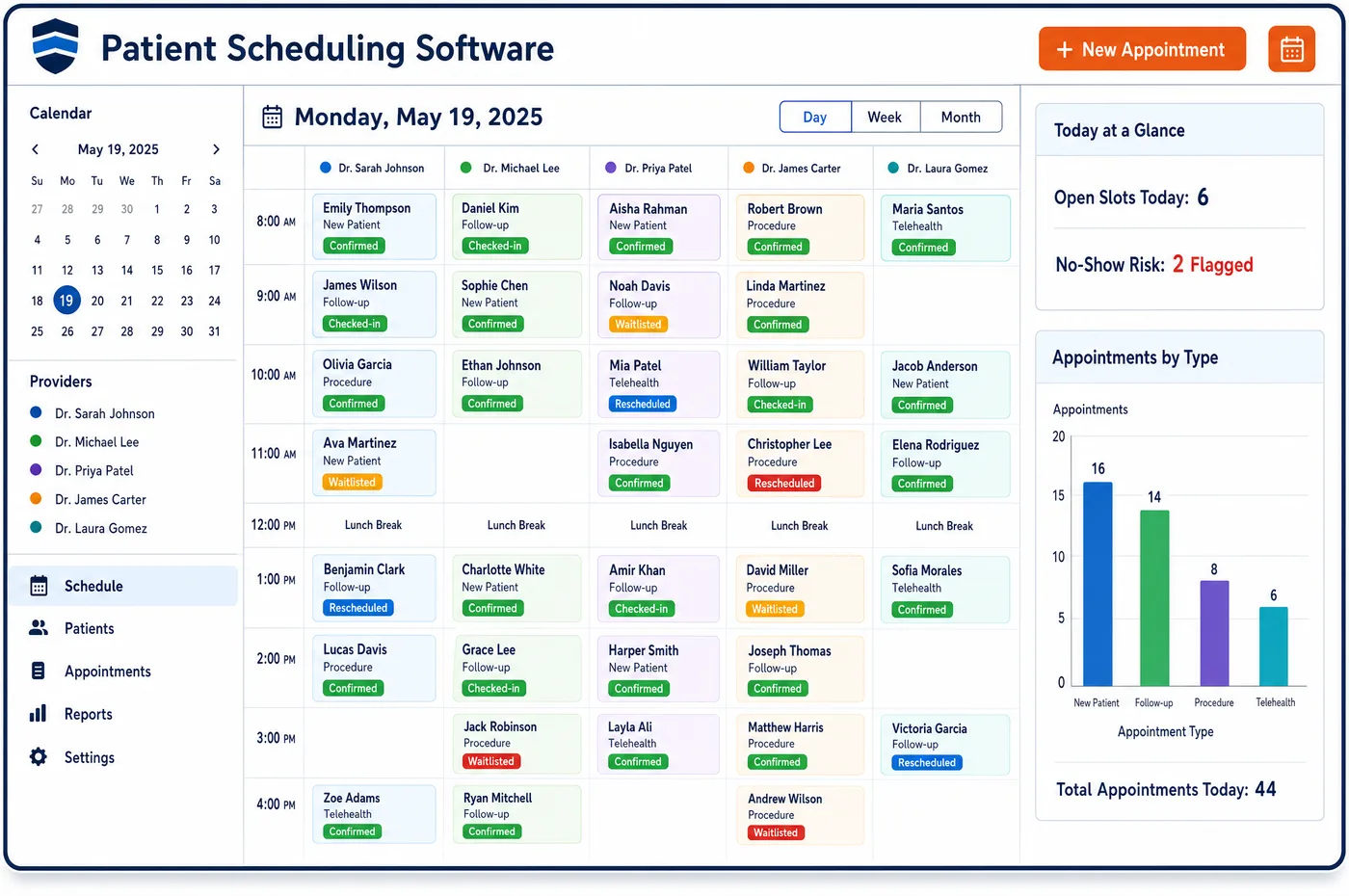
Patient Scheduling in a Diagnostic Imaging Practice
An imaging schedule is built around machines. A CT room, an MRI magnet and a mammography unit each hold one patient at a time, and each exam type runs a different length. Patient scheduling software keeps those equipment and room limits in the template, then adds the staff who can run each modality. A contrast study gets time for IV access. An MRI for a patient with a pacemaker gets a slot that matches the device check the center requires. A screening mammogram is offered only when the patient is due, and the slot leaves room if the technologist finds something that needs a diagnostic view. Booking checks the order and the approval from imaging financial clearance before it confirms. When a patient cancels, staff can offer the slot to a waitlist by text. Reminders and prep notes then go out through patient engagement.
Why Is Patient Scheduling Different in Diagnostic Imaging?
The scanner is the scarce resource in imaging, and the exam decides how long it is held. A chest x-ray takes minutes of room time. An MRI with and without contrast can fill a magnet for much longer. Booking every study into the same slot size leaves the magnet idle after short exams and runs the day late after long ones. The template has to know the exam, the machine and the patient's needs together.
Many studies carry preparation that has to be settled before the day. An MRI patient with an implanted device needs a safety check first. Medicare covers MRI for a patient with an implanted pacemaker only when the device is used under its FDA-approved MRI labeling, and the claim carries modifier KX. A contrast CT may need kidney results or an allergy review. A first lung screening needs a counseling visit before the scan. The schedule is the place where these steps are put in order.
Screening and diagnostic exams also blur into each other. A screening mammogram can turn into a diagnostic exam on the same day when the radiologist asks for more views. Medicare then expects modifier GG on the diagnostic code and modifier 59 or XU on the screening code. A schedule that holds time for that follow-up keeps the patient from leaving and returning, and it keeps the billing right.
What Diagnostic Imaging Patient Scheduling Software Handles
- Screening mammography with tomosynthesis (77067, 77063)
- Under the NCCI Medicare manual, add-on code 77063 for screening tomosynthesis may be reported with 77067 beginning in 2018. Screening with tomosynthesis is a single exam type with its own length, so the planned code set is known at booking. (CMS NCCI Policy Manual for Medicare Services, Chapter IX: Radiology Services (CPT 70000-79999), 2026)
- Same-day screening and diagnostic mammography
- When both are performed on one date, Medicare expects modifier GG on the diagnostic code and modifier 59 or XU on the screening code. Templates for screening rooms keep time open for diagnostic views, so the patient is not sent home and called back. (CMS NCCI Policy Manual for Medicare Services, Chapter IX: Radiology Services (CPT 70000-79999), 2026)
- Screening mammogram timing
- Medicare covers a screening mammogram once a year for women 40 and older, with no deductible or coinsurance when the provider accepts assignment. Scheduling offers a screening slot based on the date of the last one on the record. (Medicare.gov: Mammograms)
- MRI with an implanted pacemaker (KX)
- Since July 7, 2011, Medicare covers MRI for a patient with a pacemaker used under FDA-approved MRI labeling, and the claim reports modifier KX. The exam type for these patients carries a longer slot and a device review before it is confirmed. (CMS Medicare Claims Processing Manual, Chapter 13, Section 40: Magnetic Resonance Imaging (MRI) Procedures)
- Contrast administration is not billed separately
- For CT and MRI, the NCCI manual treats vascular access and contrast administration as part of the imaging service. The schedule adds IV time to the slot, but no separate administration charge is planned. (CMS NCCI Policy Manual for Medicare Services, Chapter IX: Radiology Services (CPT 70000-79999), 2026)
- First low-dose CT lung screening visit
- NCD 210.14 requires a counseling and shared decision-making visit before the first screening scan, with a documented order. Scheduling places the visit ahead of the scan and holds the CT slot until it is on file. (CMS National Coverage Determination 210.14: Lung Cancer Screening with Low Dose Computed Tomography (LDCT))
How Does Diagnostic Imaging Patient Scheduling Software Work?
1. Build exam types by modality
Each exam type has a length, a room or scanner and the staff who can run it. A contrast CT, an MRI of the knee and a screening mammogram are separate types, so one slot size does not stand in for all of them.
2. Check the order and approval first
Staff cannot confirm a study without an order that matches the exam. The approval status from imaging financial clearance shows on the booking screen, so a study that needs approval is held rather than booked.
3. Settle preparation before the date
Safety and contrast questions are sent when the slot is booked. Device answers, kidney results and counseling notes are checked before the day, which keeps a slot from being lost to a missing item.
4. Reserve time for what may follow
Screening slots keep room for diagnostic views, and a patient who may need an injection or a longer exam is placed in a slot that fits it. The technologist and the radiologist's availability are checked together.
5. Fill cancellations from the waitlist
A canceled slot goes out by text to waitlisted patients. The offer is made only to patients whose order and approval fit that exam type, so a filled slot does not end in a denial.
Diagnostic Imaging Patient Scheduling Software vs. Generic Software
| Area | Generic approach | Unlimited Systems |
|---|---|---|
| Slot length | One standard slot for every exam. | Length set by exam type, scanner and contrast need. |
| Equipment | Calendar keeps patients but not the machine. | Scanner, room and technologist booked as resources. |
| Screening exams | Callbacks scheduled on another date for diagnostic views. | Time held in screening slots for same-day diagnostic views. |
| MRI safety | Device questions raised at the door. | Device review set as a step before the slot is confirmed. |
| Cancellations | Open slots stay empty. | Waitlist offered by text, limited to patients whose orders fit. |
Who Uses It in a Diagnostic Imaging Practice
- Scheduler: A booking screen that shows the order, the approval and the exam length together, so the right slot is offered the first time from the record kept by imaging patient management.
- Chief technologist: A day built around real scanner and staff limits, with contrast and device preparation known ahead through imaging patient intake.
- Imaging center manager: Scanner use by modality and site, with cancellations refilled and screening follow-up time kept open.
Diagnostic Imaging Patient Scheduling Software FAQs
Patient scheduling software gives each imaging exam type its own length, room and staff. A chest x-ray, a contrast CT and an MRI of the spine are set up separately, so the scanner is held only as long as the study needs. Centers adjust lengths for contrast, for patients with devices and for studies that may run long.
Screening templates can keep room for diagnostic views. When a radiologist asks for more images on the same day, the patient stays instead of leaving and returning. Medicare then expects modifier GG on the diagnostic code and modifier 59 or XU on the screening code, so the billing team knows to look.
These patients are given an exam type with a device review before the slot is confirmed. Medicare covers MRI for a pacemaker used under its FDA-approved MRI labeling, and the claim carries modifier KX. Staff collect the device name and model ahead of time so the technologist can check the labeling before the day.
The scheduler shows the date of the patient's last screening mammogram. Medicare covers a screening mammogram once a year for women 40 and older, so staff can book a slot only when the patient is due. A patient who comes sooner can be told what to expect before the exam.
A first low-dose CT lung screening is scheduled after the counseling and shared decision-making visit. Medicare requires that visit, and an order, before the first scan. Staff hold the CT slot until the visit note and the order are on file, and they check the patient's age and smoking history against the coverage rules.
A canceled imaging slot can be offered by text to patients on the waitlist. Staff limit the offer to patients whose orders and approvals fit that exam type and scanner, so the new patient is not turned away at check-in. The reminder queue also tracks late cancellations by exam type.
Related Diagnostic Imaging Software
Front office
In the revenue cycle
Patient Scheduling for related specialties
Sources
- CMS NCCI Policy Manual for Medicare Services, Chapter IX: Radiology Services (CPT 70000-79999), 2026
- Medicare.gov: Mammograms
- CMS Medicare Claims Processing Manual, Chapter 13, Section 40: Magnetic Resonance Imaging (MRI) Procedures
- CMS National Coverage Determination 210.14: Lung Cancer Screening with Low Dose Computed Tomography (LDCT)
GET STARTED
See Unlimited Systems in Action
Whether you're actively evaluating new technology or simply preparing for your next vendor renewal, Unlimited Systems can help you understand where your current workflows may be creating avoidable revenue risk.