
Front office
Diagnostic Imaging Patient Registration Software
Capture the patient, the payer and the ordering provider correctly at sign-up, so every imaging claim starts clean.
Diagnostic Imaging Patient Registration Software captures who the patient is, who is paying and who ordered the exam before a scan is booked. It records identity, insurance, any radiology benefit manager and the patient's hospital or facility status. It also stores the ordering provider's name and NPI as Medicare enrollment shows them.



 6,500+ specialty providers

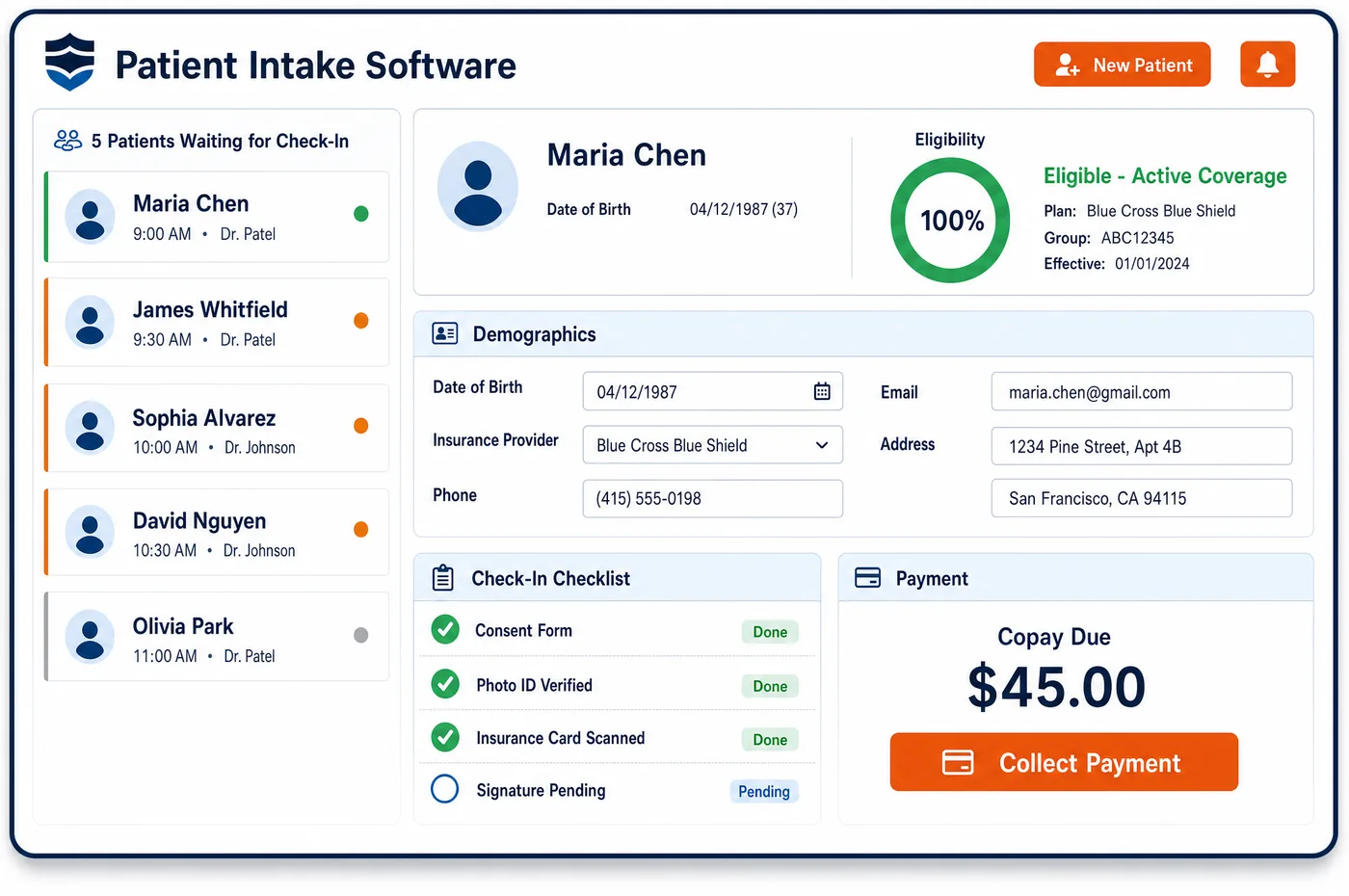
Patient Registration in a Diagnostic Imaging Practice
Registration at an imaging center starts with an order, not a phone call from the patient. The order names the study, the reason and the clinician who wants it. Patient registration software turns that order into a clean record. Staff look for an existing chart first, matching on name, birth date and member ID, so a returning patient keeps one history. Insurance cards are scanned and eligibility is checked against the payer. The ordering provider is captured as a person, with an individual NPI, since claims for ordered imaging are checked against Medicare's enrollment records. Registration also asks where the patient is staying. A hospital inpatient or a nursing facility resident in a covered Part A stay is billed differently from an outpatient. Patients who choose to pay on their own are flagged for a good faith estimate. What registration captures then flows into imaging patient management and into the pre-visit intake forms.
Why Is Patient Registration Different in Diagnostic Imaging?
The person who orders an imaging study is usually not on the imaging center's staff. That makes the ordering provider a registration field, not a background detail. Medicare checks claims for ordered imaging against its enrollment data. The ordering clinician needs an individual NPI. They must also be enrolled, or opted out, in an eligible specialty. A group NPI, a misspelled name or a nickname can sink a claim for a scan that was done well.
Payer details carry more weight too. Many commercial plans route CT, MRI and PET approvals through a radiology benefit manager, and the plan card may not say so. Registering the wrong plan, or an old one, sends the approval request to the wrong place. Plan rules also differ by product, so one payer may require approval on its commercial plans and not on its Medicare Advantage plans for the same scan.
Patient status is the third fact registration must get right. A patient who arrives from a hospital bed, or from a nursing facility, may not be billable to Medicare by the imaging center for some studies. Accident and work injury cases bring auto, no-fault or workers' compensation carriers, whose rules vary by state. Patient registration in imaging sorts these out before the scan. The best time is while the patient or the referring office is still on the line.
What Diagnostic Imaging Patient Registration Software Handles
- Medicare ordering eligibility (PECOS)
- To order imaging that Medicare pays for, the clinician needs an individual NPI, an approved or opt-out enrollment record and an eligible specialty. Organizational NPIs can't be used to order. Registration stores the individual NPI on each order, so staff can check it before the claim. (CMS: Ordering & Certifying (Medicare enrollment requirements for ordering providers))
- Ordering provider edits (N264, N265)
- Claims from imaging centers for ordered procedures are checked for a valid individual NPI and name. Missing or invalid details return remark codes N264 or N265. The name is captured as first and last name, with no nickname or credentials, to match enrollment. (Noridian Medicare JE Part B: PECOS ordering and referring edits)
- Item 17 with qualifier DK
- On the CMS-1500, the ordering provider goes in item 17 with qualifier DK. A paper claim with several ordering physicians is split, one form for each. Registration keeps the ordering provider on each study, so claims are built right either way. (CMS Medicare Claims Processing Manual, Chapter 26: Completing and Processing Form CMS-1500 (Items 17 and 20))
- SNF Part A residents
- For a nursing facility resident in a covered Part A stay, the facility bills the technical component of most radiology, and Medicare pays it through the SNF payment system. CT, MRI and angiography are excluded from that rule. Registration records the facility and the stay, so staff can tell which studies the center may claim itself. (CMS: Skilled Nursing Facility Consolidated Billing (excluded services))
- Good faith estimates for self-pay patients
- Patients who are not using insurance should get a good faith estimate when they schedule ahead or ask for one. Registration marks the patient as self-pay, which starts the estimate before the exam. (CMS: What is a good faith estimate?)
- Plan-specific radiology approval rules
- UnitedHealthcare lists CT, MRI, MRA, PET and nuclear cardiology for possible prior authorization, but says CT, MRI and MRA need none on its Medicare Advantage and D-SNP plans. Registration captures the exact plan, so the right rule applies. (UnitedHealthcare: Radiology prior authorization)
How Does Diagnostic Imaging Patient Registration Software Work?
1. Start from the order
The order arrives by fax, phone, e-mail or electronic interface and is matched to the patient. Staff record the study, the reason and the ordering clinician before anything else.
2. Find or create the record
A duplicate check on identity fields runs before a new chart is made. That keeps a patient's prior studies together for later comparison.
3. Capture insurance and plan type
Card images are scanned and eligibility is checked with the payer. The plan type is recorded, since it decides whether prior authorization runs through a radiology benefit manager.
4. Record status and liability
Registration asks whether the patient is a hospital inpatient, a nursing facility resident or an outpatient. Accident and workers' compensation details are captured with the carrier, since those claims follow state rules.
5. Hand off to intake and clearance
The finished record sends forms to the patient through intake. The payer and order details go to imaging financial clearance to check benefits and approval.
Diagnostic Imaging Patient Registration Software vs. Generic Software
| Area | Generic approach | Unlimited Systems |
|---|---|---|
| Ordering provider | Group name or a nickname copied from the fax. | Individual NPI and enrolled name on each order. |
| Duplicate charts | A new chart for each order. | Identity search before any new chart is made. |
| Plan type | Card copied without noting the benefit manager. | Plan recorded, so the right approval path applies. |
| Facility patients | Inpatients and SNF residents billed like outpatients. | Status captured, so the study goes to the right biller. |
| Self-pay patients | Estimate given only if the patient asks. | Self-pay flag starts a good faith estimate. |
Who Uses It in a Diagnostic Imaging Practice
- Registrar or scheduler: One screen for the order, the patient and the plan, with the fields that most often cause imaging denials checked at sign-up.
- Billing team: Claims that already carry the right ordering NPI, payer and patient status, so fewer come back with remark codes.
- Referring offices: Fewer callbacks, because missing order details are asked for once, at registration, instead of after a denial.
Diagnostic Imaging Patient Registration Software FAQs
Patient registration software checks the parts of an imaging order that payers look at. Those are the study, the reason for it, and the ordering clinician's name and NPI. It also captures the patient's identity, insurance and plan type, and whether the patient is a hospital or nursing facility patient. Getting these right at sign-up prevents many of the denials imaging centers see later.
Medicare only accepts an ordering provider who has an individual NPI, an approved or opt-out enrollment record and an eligible specialty. Organizational NPIs cannot be used to order. Claims for ordered imaging are checked against those records, and a missing or invalid NPI or name returns remark codes N264 or N265. Registering the individual NPI and enrolled name avoids those denials.
Registration asks where the patient is staying on the day of the scan. A hospital inpatient's imaging is billed through the hospital, and most radiology for a nursing facility resident in a covered Part A stay is billed by the facility. In those cases staff follow the center's arrangement with the hospital or facility instead of claiming the technical part under the patient's coverage, and some studies, such as CT and MRI for a nursing facility resident, can still be claimed. Outpatients are billed to their own insurance as usual.
Medicare covers a screening mammogram at the patient's own request, so no doctor's order or referral is needed, within age and frequency limits. Registration still records the patient's doctor, so results can be shared. Other payers set their own rules. A diagnostic mammogram, done for symptoms or a finding, needs an order from the treating clinician.
Self-pay patients are registered with a self-pay flag instead of an insurance plan. That flag starts a good faith estimate, which patients not using insurance should get when they schedule care ahead or ask for one. The estimate lists the expected charges for the exam, and the final bill is later compared against it.
When a patient brings a new card, registration scans it, checks eligibility and records the new plan type. A plan change can move the approval from one radiology benefit manager to another, or remove the need for one. Updating the plan before the exam lets clearance request a new approval if needed, rather than learning about it from a denial.
Related Diagnostic Imaging Software
Front office
In the revenue cycle
Patient Registration for related specialties
Sources
- CMS: Ordering & Certifying (Medicare enrollment requirements for ordering providers)
- Noridian Medicare JE Part B: PECOS ordering and referring edits
- CMS Medicare Claims Processing Manual, Chapter 26: Completing and Processing Form CMS-1500 (Items 17 and 20)
- CMS Medicare Claims Processing Manual, Chapter 13, Section 20.2.1: Hospital and Skilled Nursing Facility (SNF) Patients
- CMS: Skilled Nursing Facility Consolidated Billing (excluded services)
- CMS: What is a good faith estimate?
- UnitedHealthcare: Radiology prior authorization
- CMS Medicare Benefit Policy Manual, Chapter 15, Section 280.3: Screening Mammography
GET STARTED
See Unlimited Systems in Action
Whether you're actively evaluating new technology or simply preparing for your next vendor renewal, Unlimited Systems can help you understand where your current workflows may be creating avoidable revenue risk.