

Billing & claims
Orthopedics Invoicing Software
Invoice work injury carriers, attorneys, self-pay surgery patients and other parties that do not take a standard health plan claim, and track each bill to payment.
Orthopedics Invoicing Software produces and tracks the bills an orthopedic practice sends outside the normal health plan claim. That includes work injury carrier bills with their claim details, invoices for exams and records requested by carriers or attorneys, balances held on personal injury cases, and self-pay surgery packages. Each invoice is tracked until it is paid.



 6,500+ specialty providers
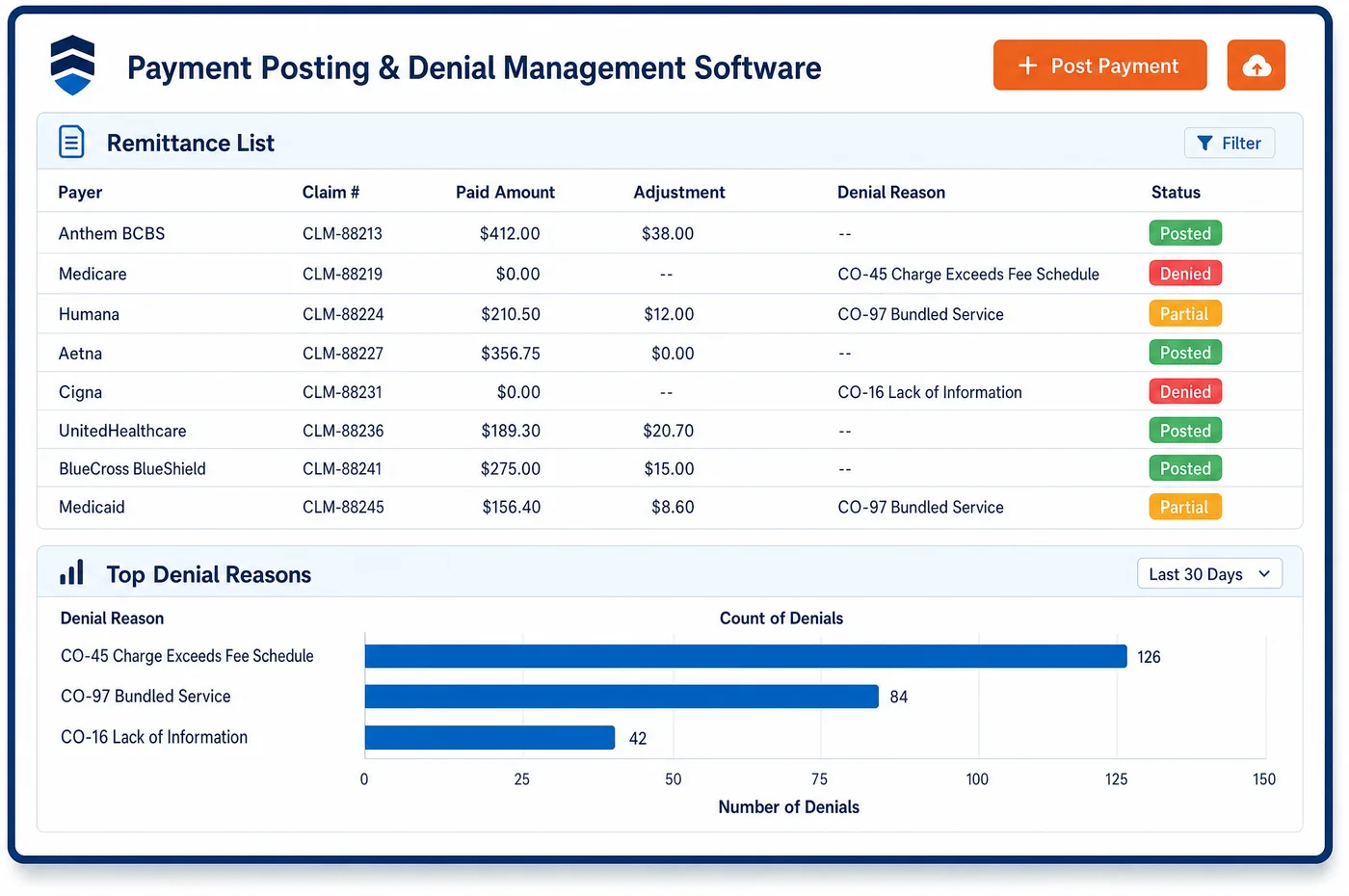
Invoicing in a Orthopedics Practice
Much orthopedic revenue does not follow the usual claim path. A workers' compensation carrier may want a bill with the claim number, the injury date and a work status note. A carrier or attorney may ask the surgeon for an independent exam, a records review or testimony, which is billed by invoice to whoever asked. A patient hurt in a crash may have a balance held while the case settles. A patient with no coverage may pay a package price for a knee scope. Unlimited Systems formats each invoice to the rules set for that payer and sends it electronically where the payer accepts it. Electronic filing runs over a real-time clearinghouse link. Patient invoices go out by email or text with a link to pay, and card-on-file payments post to the account. All invoices sit on one ledger with the patient and case, so open balances are easy to find by payer type.
Why Is Invoicing Different in Orthopedics?
Orthopedic practices bill more parties than most. Health plans and Medicare take claims, but workers' compensation billing follows each state's rules and fee schedule, and carriers often want reports with the bill. Auto and liability carriers have their own needs. Attorneys and carriers ask surgeons for exams and records that no claim code covers. Invoicing in orthopedics means meeting each of these formats and keeping track of who owes what.
Some balances wait a long time for payment. A personal injury case may not settle for a long while, and the practice may hold the balance until it does. When a liability carrier or settlement is responsible, Medicare should not be billed first, and CMS recovers payments it should not have made. Orthopedics invoicing software keeps these balances visible by case, with the attorney or carrier contact, so they are not lost in general AR.
Self-pay surgery adds a different kind of invoice. A patient who pays a package price for a scope or a fracture repair needs a clear bill that matches the good faith estimate they were given. The bill has to show what the package covers and what it does not. Invoicing ties the final bill to the estimate, sends it by email or text, and posts the payment to the same account. Standard claims still belong to orthopedic medical billing, and long-open balances move to orthopedic AR follow-up.
What Orthopedics Invoicing Software Handles
- Work and accident items on carrier bills
- Carrier bills carry the same facts as CMS-1500 items 10a to 10c and item 14: the accident type, the state and the injury date. Invoicing fills them from the case so a carrier does not reject the bill for missing details. (Medicare Claims Processing Manual, Chapter 26: Completing and Processing Form CMS-1500)
- State workers' compensation fee schedule conflicts (CARC 236)
- CARC 236 can be used when a code or modifier combination conflicts with workers' compensation state rules or fee schedule requirements. When a carrier returns it, the invoice is corrected to the state rule and resent. (X12 Claim Adjustment Reason Codes)
- Duplicate bills to carriers (CARC 18)
- CARC 18 marks an exact duplicate claim or service, normally with group code OA unless state workers' compensation rules require CO. Invoicing tracks what was sent to each carrier, so a resend is marked as a correction rather than a duplicate. (X12 Claim Adjustment Reason Codes)
- Good faith estimates for self-pay surgery
- Uninsured and self-pay patients receive a good faith estimate before surgery. The final self-pay invoice is compared to the estimate, which supports the patient-provider dispute process if the bill differs. (CMS No Surprises Act: Provider Requirements and Resources)
- Liability and no-fault balances for Medicare patients
- When a liability, no-fault or workers' compensation payer is responsible, CMS recovers Medicare payments made by mistake. Invoicing holds these balances on the case with the carrier or attorney, so Medicare is not billed first in error. (CMS Coordination of Benefits & Recovery Overview (Medicare Secondary Payer))
How Does Orthopedics Invoicing Software Work?
1. Pick the billing party
Each charge is tied to the party that owes it: a carrier, an attorney, an employer or the patient. Health plan claims go to claim billing. Everything else goes to invoicing.
2. Format the invoice
Invoice formats are set per payer, so staff do not edit each bill. Carrier bills carry the claim number, injury date and required notes. Exam and records invoices list the service and the person who asked for it.
3. Send it the right way
Electronic bills go out over a real-time clearinghouse link where the carrier accepts them. Paper or portal bills are logged with the date sent. Patient invoices go out by email or with a text-to-pay link.
4. Track to payment
Every invoice sits on one ledger with the patient and case. Open invoices are sorted by payer type and age. Personal injury balances show the attorney contact and case status.
5. Post and close
Payments post to the invoice and the patient account. Card-on-file payments post on their own. Short payments against a state fee schedule are flagged for review.
Orthopedics Invoicing Software vs. Generic Software
| Area | Generic approach | Unlimited Systems |
|---|---|---|
| Carrier bills | Typed by hand and mailed with a cover letter. | Formatted per carrier and sent electronically where accepted. |
| Exams and records | Billed from a spreadsheet, if at all. | Invoices tied to the request and the person who asked. |
| Personal injury balances | Lost in general AR for years. | Held on the case with the attorney contact and status. |
| Self-pay surgery | Final bill differs from the quote. | Final invoice checked against the good faith estimate. |
| Patient invoices | Paper bills only. | Email and text invoices with a link to pay. |
| Visibility | Invoices tracked in separate tools. | One ledger by payer type, case and age. |
Who Uses It in a Orthopedics Practice
- Billing specialist: Invoice formats set per carrier, so bills go out with the claim number, injury date and notes each one needs.
- Workers' compensation coordinator: A view of every open carrier invoice by claim number, with short payments against the fee schedule flagged.
- Practice administrator: Exam, records and testimony invoices billed and tracked instead of left on a spreadsheet.
- Patient: A clear self-pay invoice that matches the estimate, with a link to pay by phone.
Orthopedics Invoicing Software FAQs
Orthopedics invoicing software handles bills that do not go out as a standard health plan claim. That includes workers' compensation carrier bills, invoices for exams, records and testimony requested by carriers or attorneys, personal injury balances held until a case settles, and self-pay surgery invoices. Each invoice is formatted for its payer, sent the right way, and tracked on one ledger until paid.
Invoicing for workers' compensation carriers follows state rules and the carrier's needs. The bill carries the claim number, the injury date, the accident details and any notes or reports the carrier asks for. Payment is checked against the state fee schedule. If a carrier returns a code that cites state rules, the invoice is corrected to that rule and resent.
The practice can invoice attorneys and carriers for independent exams, records reviews, records copies and testimony. These services are billed to whoever asked for them, not to the patient's health plan. Each invoice is tied to the request and tracked on the same ledger as the patient's other balances, so these fees are not lost on a separate spreadsheet.
Personal injury balances are tracked on the patient's case with the attorney's contact and the case status. The practice can hold the balance while the case settles. Because the balance stays on the ledger by case, staff can see what is waiting and follow up. For Medicare patients, the liability carrier is billed first so Medicare is not billed in error.
Self-pay patients receive their invoice by email or text, with a link to pay. The final invoice is checked against the good faith estimate they got before surgery. It lists what the package price covers. Payments by card or card on file post straight to the patient's account, and any balance left is easy to see.
Invoicing does not need a separate system for electronic bills. Unlimited Financials files over a real-time clearinghouse link, and Unlimited Clearinghouse is available as part of the platform. Practices can also ask about connecting the clearinghouse they use today. Carriers that only take paper or a portal are logged with the date sent so follow-up stays on track.
Related Orthopedics Software
Billing & claims
Invoicing for related specialties
Sources
GET STARTED
See Unlimited Systems in Action
Whether you're actively evaluating new technology or simply preparing for your next vendor renewal, Unlimited Systems can help you understand where your current workflows may be creating avoidable revenue risk.