

Front office
Ambulatory Surgery Center Patient Registration Software
Capture identity, coverage and the guarantor once, checked against the surgeon's booking sheet, so the facility claim starts from clean data.
Ambulatory Surgery Center Patient Registration Software records who the patient is and who pays the facility fee before the case date. It takes details from the surgeon's booking, confirms identity, enters each plan in paying order and names the guarantor. It also asks the coverage questions that decide whether a self-pay estimate is owed.



 6,500+ specialty providers
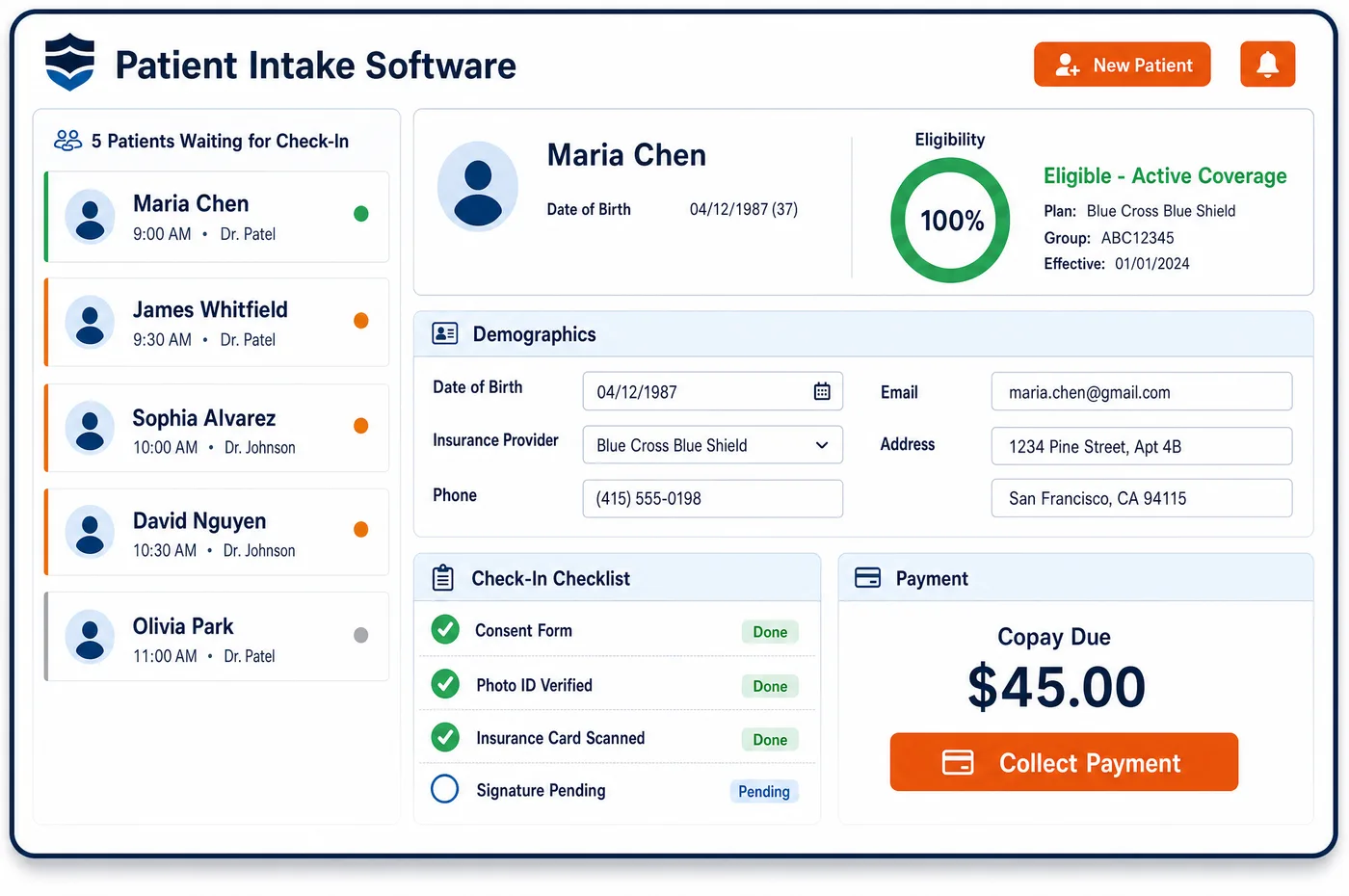
Patient Registration in a Ambulatory Surgery Center Practice
Registration at a surgery center usually starts with a booking sheet from a surgeon's office. That sheet often lists the plan the office billed last, which may be out of date or may not cover the center. Staff confirm the patient's legal name, birth date, address and phone, then match them against the ASC patient record so a returning patient is not entered twice. Each plan goes in with its member ID and group, in the order the plans pay. Staff ask Medicare patients whether another plan should pay first, since an employer plan or an accident carrier may be primary. Patients with no coverage, or who do not want a claim filed, are marked self-pay, which starts the good faith estimate. A guarantor is named for minors and for adults who need one. Ambulatory surgery center patient registration then hands the record to pre-op intake for forms and history.
Why Is Patient Registration Different in Ambulatory Surgery Center?
The surgeon's office and the center are separate billers. The office may have checked coverage for its own claim long before the case, and the plan may have changed since. A facility claim built from that old sheet can be rejected at the clearinghouse or denied for eligibility. Registration has to confirm the data for the center's own claim instead of inheriting it.
Payer order matters more for a surgical case than for an office visit. A knee scope after a fall at work may belong to a workers' compensation carrier, and a crash injury may involve an auto or liability carrier first. Those rules vary by state. For Medicare patients, the Medicare Secondary Payer rules decide when another plan pays before Medicare. A wrong order at sign-up becomes a denial, or a refund after the case is paid.
Self-pay patients are common in some ASC service lines, such as cosmetic surgery. Under the No Surprises Act, a facility must ask about coverage to learn whether a patient is uninsured or self-pay, and those patients are owed a good faith estimate. Patient registration is where that status is first recorded, so the estimate and the final bill start from the same facts.
What Ambulatory Surgery Center Patient Registration Software Handles
- Uninsured and self-pay status (No Surprises Act)
- The facility must ask whether the patient has a group plan, an individual plan, a federal program or FEHB coverage, and whether they want a claim filed. The answers set the self-pay flag that starts a good faith estimate. (CMS No Surprises Act: Overview of Key Consumer Protections)
- Medicare Part B cost-sharing for ASC services
- ASC facility services fall under Medicare Part B, so the usual Part B deductible and coinsurance apply. Registration records Part B coverage and any supplement that may pick up the coinsurance. (Medicare Claims Processing Manual, Chapter 14: Ambulatory Surgical Centers)
- Medicare Secondary Payer order
- When an employer plan, a liability carrier or workers' compensation should pay first, Medicare pays second. Staff ask the coverage questions at sign-up and store each plan in its paying order. (CMS Coordination of Benefits and Recovery overview (Medicare Secondary Payer))
- Notice of privacy practices (45 CFR 164.520)
- A provider with a direct treatment relationship must give the notice by the first service and make a good faith effort to get a written acknowledgment. Registration records the acknowledgment, or the reason it could not be obtained. (45 CFR 164.520: Notice of privacy practices for protected health information)
- Member data for the X12 270 inquiry
- The member ID, subscriber name, birth date and payer entered at sign-up are the fields the 270 eligibility inquiry sends. A typo here comes back as a rejected 271 response instead of benefits. (X12 transaction sets, including 270/271 eligibility)
- The center as billing provider
- Facility claims go out under the center's own Medicare enrollment as an ASC, which requires a Type 2 NPI. Each case is tied to that billing entity, while the surgeon's Type 1 NPI stays on the surgeon's own claim. (CMS-855B Enrollment and Policy Overview (ASCs, Type 2 NPI))
How Does Ambulatory Surgery Center Patient Registration Software Work?
1. Import the booking sheet
Patient details and the planned procedure arrive from the surgeon's office. Staff check them against existing records before creating anything new.
2. Confirm identity and contact details
Legal name, birth date, address, phone and preferred language are confirmed with the patient. Duplicate detection flags a likely match, so one person keeps one record.
3. Enter coverage in paying order
Each plan is entered with member ID, group and subscriber. Questions about work injuries, accidents and other plans decide which payer comes first.
4. Mark self-pay and the guarantor
Patients without coverage, or who choose not to file a claim, are marked self-pay. The guarantor is named, and any alternate payment method is recorded on the account.
5. Hand off to intake and clearance
Pre-op forms go out once the record is set. The coverage then moves to financial clearance for the case, where benefits and approvals are checked.
Ambulatory Surgery Center Patient Registration Software vs. Generic Software
| Area | Generic approach | Unlimited Systems |
|---|---|---|
| Source of data | Retyped from the surgeon's booking fax. | Booking details confirmed with the patient before the record is saved. |
| Duplicates | A second record for the same patient on each new case. | Likely matches flagged at entry. |
| Payer order | Whatever plan is on the booking sheet is billed first. | Coverage questions set the paying order for each case. |
| Self-pay patients | Status found only when a claim cannot be filed. | Self-pay flag set at sign-up, which starts the estimate. |
| Center-specific details | Notes kept in a binder or a spreadsheet. | Custom fields hold what the center needs, such as the referring office or the escort's contact. |
Who Uses It in a Ambulatory Surgery Center Practice
- Registration staff: One screen to confirm identity and coverage, with duplicate warnings and the coverage questions built in.
- Business office: Facility claims built from confirmed coverage in the right payer order, with the guarantor already named for statements.
- Patient financial counselor: Self-pay status and secondary coverage known early, so estimates and payment plans are discussed before the date of surgery.
Ambulatory Surgery Center Patient Registration Software FAQs
The surgeon's office checked coverage for its own claim, sometimes well before the case. The plan may have changed, and the facility benefit or network status can differ from the surgeon's. Patient registration at the ASC confirms the details and coverage for the center's own claim. The booking sheet is a starting point, but the facility claim uses the center's own record.
As a patient is entered, the new details are compared with existing records, and a likely match is flagged before a second record is created. Staff can then open the existing record and add the new case to it. This matters at a surgery center because many patients return for a second eye, a staged repair or another injection in a series.
Staff ask whether the case relates to a work injury, an accident or another health plan, and what coverage the patient holds today. For Medicare patients, the answers show whether another payer should pay first. Each plan is stored with member ID and group in paying order, so the facility claim is addressed to the payer that owes it.
A patient is self-pay when they have no coverage, or when they have coverage but choose not to have a claim filed. Under the No Surprises Act, staff must ask about both. Uninsured and self-pay patients are owed a good faith estimate, while people in federal programs such as Medicare are not. Setting the flag at sign-up lets the estimate go out on time.
The HIPAA Privacy Rule asks a provider with a direct treatment relationship to give its notice of privacy practices by the first service and to make a good faith effort to get a written acknowledgment. Registration records the signed acknowledgment, or notes why it was not obtained, so the center can show the effort was made.
Custom fields let the center capture details its own workflows need, such as the referring office or the responsible adult who will drive the patient home. These fields live on the patient record, so intake, scheduling and the business office see the same values. Staff stop keeping side lists, and reports can use the fields as well.
Related Ambulatory Surgery Center Software
Front office
In the revenue cycle
Patient Registration for related specialties
Sources
- CMS No Surprises Act: Overview of Key Consumer Protections
- Medicare Claims Processing Manual, Chapter 14: Ambulatory Surgical Centers
- CMS Coordination of Benefits and Recovery overview (Medicare Secondary Payer)
- 45 CFR 164.520: Notice of privacy practices for protected health information
- X12 transaction sets, including 270/271 eligibility
- CMS-855B Enrollment and Policy Overview (ASCs, Type 2 NPI)
GET STARTED
See Unlimited Systems in Action
Whether you're actively evaluating new technology or simply preparing for your next vendor renewal, Unlimited Systems can help you understand where your current workflows may be creating avoidable revenue risk.