
Platform & AI
Diagnostic Imaging EHR Integration Software
Carry the order, the ordering provider, the exam performed, the contrast used and the signed report from the clinical record into the charge, without re-keying.
Diagnostic Imaging EHR Integration Software connects the practice's electronic health record to billing, so the order, ordering provider, patient details, exam status and charge information move across without retyping. Billing sees what was ordered and done, and the clinical system sees account and appointment updates. Images stay in the imaging systems.



 6,500+ specialty providers

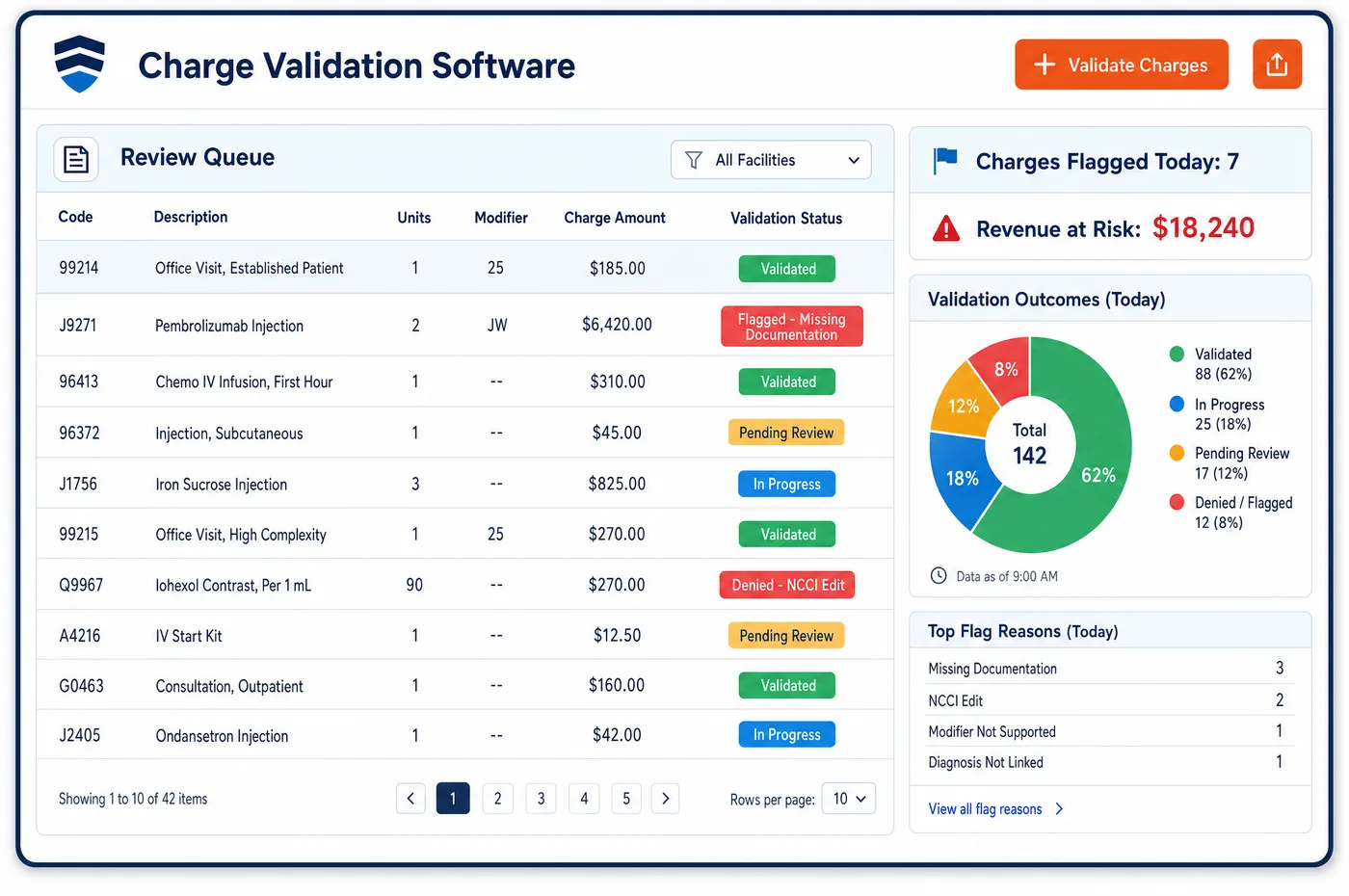
EHR Integration in a Diagnostic Imaging Practice
An imaging claim needs facts that start in the clinical record. The order names the study and the ordering provider's NPI. The exam record shows what was performed, on which scanner, with or without contrast. The report shows whether the read is signed. EHR integration moves those facts to billing as they change. Pre-built connectors to major EHR platforms and HL7 FHIR feeds keep demographics, activity and charge data current in both directions. A registration fix made in billing reaches the clinical system, and a change to an order reaches the billing account. Staff stop copying data between screens, and the two records stop drifting apart. The practice's interface team tests each connection in the developer sandbox before it touches live data. What the connection carries is set by the practice, and clinical images, which are large and stay in the imaging archive, are not part of it. The wider exchange story is in imaging interoperability.
Why Is EHR Integration Different in Diagnostic Imaging?
Imaging has an unusual relationship with the EHR. The radiologist often works in a separate reading system and the report returns to the EHR as a result. The study begins as an order written by someone outside the imaging group. If billing sees only the final charge, it has lost the order and the ordering provider's details. If it sees the order, the exam and the report as they happen, it can build the claim from facts rather than guesses.
The ordering provider is the clearest example. An imaging claim must name the physician who ordered the study, with a legal name and an NPI, and that physician must be enrolled or validly opted out. A name typed by hand at the front desk is a common source of rejections. When the order arrives through the EHR connection with the NPI attached, the claim carries the right data from the start, and imaging charge checks have less to repair.
Patient access adds a second reason. Information blocking rules cover providers, health IT developers and exchanges. Many imaging reports now appear in a patient portal soon after they are signed. Billing staff should know when a result has been released, because patients may call about a bill or a finding before the referring office has spoken to them. A connection that carries report status gives the front desk that knowledge, and it keeps the EHR the single place where clinical facts are kept.
What Diagnostic Imaging EHR Integration Software Handles
- Ordering provider name and NPI from the order
- Claims for ordered imaging must show the ordering provider's legal name and NPI, and Medicare requires the orderer to be enrolled or validly opted out. The order's provider details come across with the order, so the claim does not depend on desk typing. (42 CFR 424.507: Ordering covered imaging and clinical laboratory services)
- Order content at testing facilities
- A fixed-site testing facility performs only tests ordered in writing by the treating physician, and the order must give the diagnosis or other basis. The order's study and diagnosis are matched to the exam record before a claim is built. (42 CFR 410.33: Independent diagnostic testing facility)
- Signed report status
- Medicare says the professional component of a diagnostic test includes a written report. Report status from the clinical record tells billing when the read can be charged, and it lists studies that are done but not signed. (CMS Medicare Claims Processing Manual, Chapter 13: Radiology Services and Other Diagnostic Procedures)
- Contrast agent used
- Medicare pays low osmolar contrast under HCPCS Q9945 to Q9951 for non-hospital patients, in the same way as a drug furnished incident to a physician's service. The contrast documented in the record becomes a charge line, with units as the clinical team recorded them. (CMS Medicare Claims Processing Manual, Chapter 13: Radiology Services and Other Diagnostic Procedures)
- USCDI diagnostic imaging data class
- The US Core Data for Interoperability includes a diagnostic imaging class covering tests that produce images needing professional interpretation. Staff use it as a common list when the practice and its EHR decide which imaging facts to exchange. (ASTP/ONC: United States Core Data for Interoperability (USCDI), Diagnostic Imaging data class)
- Information blocking and result release
- Providers, certified health IT developers and exchanges are actors under 45 CFR Part 171. Release status for a report is shown on the account, so billing and the front desk know what the patient can already see. (ASTP/ONC: Information Blocking (45 CFR Part 171))
How Does Diagnostic Imaging EHR Integration Software Work?
1. Choose what moves
The practice and its EHR team decide which data crosses, such as orders, ordering provider, demographics, appointment status, exam status, report status and charge details. Images are not part of that list.
2. Test in the sandbox
Each connection is run against test data in the developer sandbox. The interface team checks that an order, an exam and a report produce the right account before live data flows.
3. Receive the order and exam
The order and the exam record arrive as they are entered. Billing builds the account from them, with the ordering provider's NPI and the exam performed.
4. Match report status to the charge
When the report is signed, billing is told and the professional charge is released. A study with an exam but no signed report waits in a queue in imaging workflow.
5. Send updates back
Corrections to demographics or insurance made in billing are sent back to the clinical system, so the two records stay in step.
Diagnostic Imaging EHR Integration Software vs. Generic Software
| Area | Generic approach | Unlimited Systems |
|---|---|---|
| Order data | Retyped at the front desk. | Received from the order, with the ordering provider's NPI. |
| Exam performed | Taken from a paper log or a call to the technologist. | Received from the exam record. |
| Contrast charges | Added from memory or from supply sheets. | Built from the contrast documented in the record. |
| Report status | Unknown until a coder asks. | Carried to billing when the report is signed. |
| Corrections | Fixed in one system only. | Sent both ways so the records agree. |
Who Uses It in a Diagnostic Imaging Practice
- Front desk: Orders and patient details already in place when the patient arrives, so registration is a check and not a re-entry.
- Coder: The order, the exam and the contrast used on one screen, so a code is chosen from the record and not from a phone call. Related edits sit in imaging claim review.
- Practice administrator: Fewer rejections from ordering provider errors, and one clear owner for each connection when something stops arriving.
Diagnostic Imaging EHR Integration Software FAQs
EHR integration moves data the practice chooses, such as orders, the ordering provider's NPI, demographics, appointment and exam status, report status and charge details. It moves in both directions, so corrections made in billing reach the clinical system. Large clinical images remain in the imaging systems where they were created.
Medicare requires the ordering provider's legal name and NPI on claims for ordered imaging. A name typed at the desk often has errors that cause rejections. When the order arrives through the EHR connection, the provider's details come with it, and the claim carries the right data from the start.
Report status in the clinical record is carried to billing. When the report is signed, the professional charge is released. A study that has an exam but no signed report waits in a queue for the reading group. Medicare treats the interpretation as including a written report, so the charge needs it.
Scans are not sent. Images are large files that belong in the imaging archive and the reading system. Billing needs the order, the exam performed, the contrast used, the report status and the patient's account. Those facts move by the connection that the practice sets up, and the images stay where clinicians use them.
Contrast documented by the technologist or nurse in the clinical record is carried across as a supply charge. For non-hospital Medicare patients, low osmolar contrast is billed under codes Q9945 to Q9951. The units come from the record, so the coder does not rely on supply sheets or memory.
Each connection can be run in a developer sandbox with test data first. The interface team checks that an order, an exam and a signed report produce the right account and charge. Problems are found and fixed before any real patient data crosses, which is safer than testing in production.
Related Diagnostic Imaging Software
Platform & AI
In the revenue cycle
EHR Integration for related specialties
Sources
- 42 CFR 424.507: Ordering covered imaging and clinical laboratory services
- 42 CFR 410.33: Independent diagnostic testing facility
- CMS Medicare Claims Processing Manual, Chapter 13: Radiology Services and Other Diagnostic Procedures
- ASTP/ONC: United States Core Data for Interoperability (USCDI), Diagnostic Imaging data class
- ASTP/ONC: Information Blocking (45 CFR Part 171)
GET STARTED
See Unlimited Systems in Action
Whether you're actively evaluating new technology or simply preparing for your next vendor renewal, Unlimited Systems can help you understand where your current workflows may be creating avoidable revenue risk.