
Platform & AI
Diagnostic Imaging Platform System Design
A cloud system that keeps each site, scanner and entity apart, models one study as global, technical and professional parts, and holds mammography records as long as the rule requires.
Diagnostic Imaging Platform System Design Software describes how the billing platform is built for imaging: web-based, backed up off site, secured for protected health information, and organized around studies, sites, scanners and entities. One study can have global, technical and professional parts, and each part keeps its own payer, site and owner on the record.



 6,500+ specialty providers

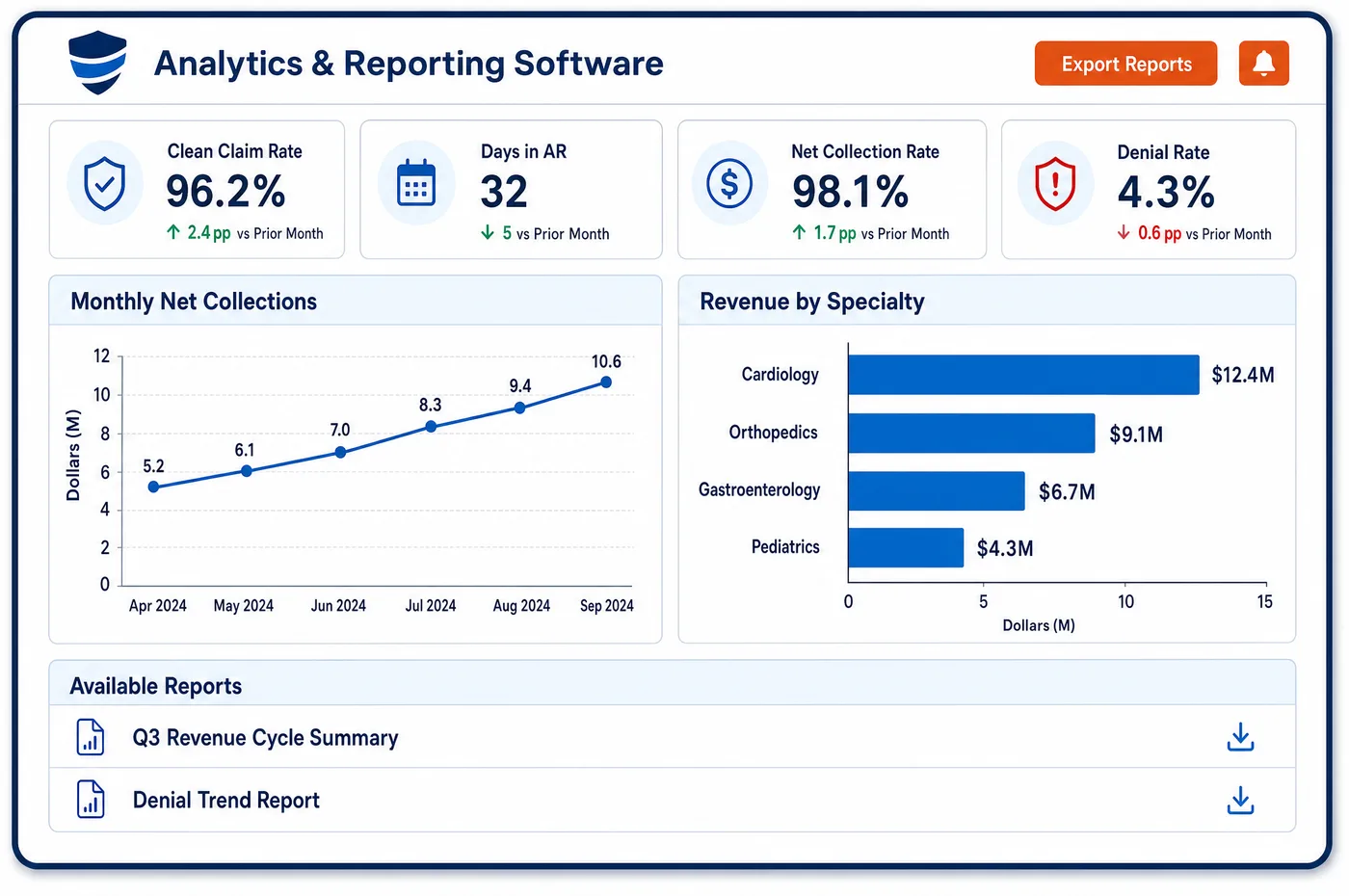
Platform System Design in a Diagnostic Imaging Practice
An imaging group is rarely one site. It may own freestanding centers, read for several hospitals and send a mobile unit to nursing homes. Platform system design for that business has to scale across sites without mixing them. The system is hosted in the cloud and reached through a web browser, so reading groups, center managers and billers log in from wherever they work. Data is backed up to off-site clusters in real time, and the system monitors for threats. Traffic between systems, including each API call, is encrypted. The data model starts with the study and the order behind it, then splits each study into the parts that get billed. Each part links to a site, a scanner, a reader, a payer and an entity. Access is set by role. A scheduler, a coder and an owner each see what their job needs, and every action is logged.
Why Is Platform System Design Different in Diagnostic Imaging?
Platform system design in imaging starts from a physical asset and a split payment. A scanner at one address produces a study, and that study may be paid to three different parties. A data model that treats a study as a single line cannot show who earned what. The model has to hold the study, each of its billed parts, the scanner and site that made it, and the reader who interpreted it, as linked records.
Entity lines matter more in imaging than in many fields. A fixed-site testing facility may not share its practice location, or the equipment used for its tests, with another Medicare-enrolled entity. That rule makes the physical site and the billing entity the same thing in the data. A system that lets staff move a scanner or a payer between entities without a trace can create compliance problems. The platform system design keeps those links fixed and keeps a history of any change.
Retention and uptime are also real. Mammography facilities must keep original mammograms and reports for set periods under federal rules, and state law may require longer. Under the HIPAA Security Rule, a covered entity needs a data backup plan, a disaster recovery plan and an emergency mode plan. A reading group that cannot reach its billing system cannot bill reads, and a center that cannot reach its schedule cannot book studies. The platform system design must cover both.
What Diagnostic Imaging Platform System Design Handles
- Contingency planning under the HIPAA Security Rule
- The rule requires a data backup plan, a disaster recovery plan and an emergency mode operation plan. The platform keeps real-time off-site backups, and the practice's team keeps its own recovery steps tested. (45 CFR 164.308: Administrative safeguards (risk analysis and contingency plan))
- Technical safeguards for access and audit
- The Security Rule requires unique user identification, an emergency access procedure, audit controls, person authentication and transmission security. Each user has a login, role access is set by the practice, and actions are recorded. (45 CFR 164.312: Technical safeguards)
- Site and entity separation for testing facilities
- A fixed-site testing facility may not share its practice location or its diagnostic equipment with another Medicare-enrolled entity. Each site, scanner and entity is its own record, and moves between them are logged. (42 CFR 410.33: Independent diagnostic testing facility)
- Studies split into billed parts
- Medicare pays the professional and technical parts of radiology separately, and both can be billed in one global line. Each study holds its global, technical and professional parts as linked lines with their own payer and billing entity. (CMS Medicare Claims Processing Manual, Chapter 13: Radiology Services and Other Diagnostic Procedures)
- Mobile and portable imaging
- Medicare has a separate transportation component for portable X-ray services, with HCPCS codes R0070 to R0075. A transport line is tied to the portable study and the stop where it was performed. (CMS Medicare Claims Processing Manual, Chapter 13: Radiology Services and Other Diagnostic Procedures)
- Mammography record retention
- Mammography facilities must keep original mammograms and reports for at least five years, or ten years if the patient has no further mammograms at the facility, or longer if state law requires it. Retention rules are set per record type. (21 CFR 900.12: Quality standards for mammography, including record retention)
How Does Diagnostic Imaging Platform System Design Work?
1. Set up entities and sites
In the platform system design, each billing entity, site and scanner is entered once and linked. Payer settings, bank details and tax IDs are held at the entity level.
2. Create the study record
A study is created from the order and the schedule, then split into global, technical and professional parts as the billing arrangement requires.
3. Assign roles
The practice sets which roles can see which sites, entities and patient details. Each login is unique, and sessions end after inactivity.
4. Protect and back up
Data is encrypted between systems and backed up off site as it changes. The system monitors for threats and keeps an audit log of access.
5. Review and recover
The practice reviews access logs and tests its recovery steps. Results are shared with leaders through imaging reporting.
Diagnostic Imaging Platform System Design vs. Generic Software
| Area | Generic approach | Unlimited Systems |
|---|---|---|
| Hosting | A server in a back office, backed up by hand. | Web-based and backed up off site as data changes. |
| Study model | One line per study. | Global, technical and professional parts as linked lines. |
| Entities | Scanners and payers moved with no trace. | Fixed links, with a history of any change. |
| Access | Shared logins. | Unique logins with role-based access and an audit log. |
| Mobile units | Transport charges kept on paper. | A transport line tied to the portable study. |
Who Uses It in a Diagnostic Imaging Practice
- IT lead: Platform system design with off-site backups and role-based access, so the group does not run servers at each site.
- Compliance officer: Unique logins, access logs and a fixed link between each site and entity, which support audits and enrollment reviews. Related rules are covered in HIPAA work.
- Radiology group owner: One platform that adds a new center or hospital contract without a new system, and keeps each entity's books apart.
Diagnostic Imaging Platform System Design FAQs
Platform system design describes how the platform is built to handle several sites, scanners and entities without mixing them. The system is web-based, backed up off site, and organized around studies and their billed parts. Each part links to a site, scanner, reader, payer and entity, so a new center can be added without a new system.
A study is stored as one record with linked lines for the global, technical and professional parts as the billing arrangement requires. Each line has its own payer, billing entity and site. The model keeps track of who is owed what, which matters when the scanner and the reader belong to different parties.
A fixed-site testing facility may not share its practice location or its diagnostic equipment with another Medicare-enrolled entity. The system therefore treats each site, scanner and entity as its own record, and logs any change. That makes reviews and enrollment checks easier, because the data shows the same separation the rule requires.
The HIPAA Security Rule requires a data backup plan, a disaster recovery plan and an emergency mode operation plan. The platform is backed up off site in real time. The practice also keeps its own recovery steps and tests them, since the rule covers both the vendor's systems and the practice's own work.
A mobile or portable imaging service is recorded with the stop where it was performed. Medicare has transportation codes R0070 to R0075 for portable X-ray services, and the transport line is tied to the study. For nursing home residents in a covered stay, the technical part may belong on the facility's bill.
The practice sets access by role. A scheduler, a coder, a billing manager and an owner each see only what their job needs, by site and entity. Every user has a unique login, and access is recorded in an audit log. The practice reviews the log as part of its own security checks.
Related Diagnostic Imaging Software
Platform & AI
In the revenue cycle
Platform System Design for related specialties
Sources
- 45 CFR 164.308: Administrative safeguards (risk analysis and contingency plan)
- 45 CFR 164.312: Technical safeguards
- 42 CFR 410.33: Independent diagnostic testing facility
- CMS Medicare Claims Processing Manual, Chapter 13: Radiology Services and Other Diagnostic Procedures
- 21 CFR 900.12: Quality standards for mammography, including record retention
GET STARTED
See Unlimited Systems in Action
Whether you're actively evaluating new technology or simply preparing for your next vendor renewal, Unlimited Systems can help you understand where your current workflows may be creating avoidable revenue risk.