
Platform & AI
Diagnostic Imaging Workflow Software
Work queues for unsigned reads, order mismatches, referral notices, second reads and facility bundling, each with an owner and a deadline.
Diagnostic Imaging Workflow Software routes imaging billing work to the right person and keeps it moving. Queues hold studies that wait for a signed report, orders that do not match the study done, referral notices and second reads. Each item has an owner, a reason and a date, and unfinished items rise to a lead.



 6,500+ specialty providers

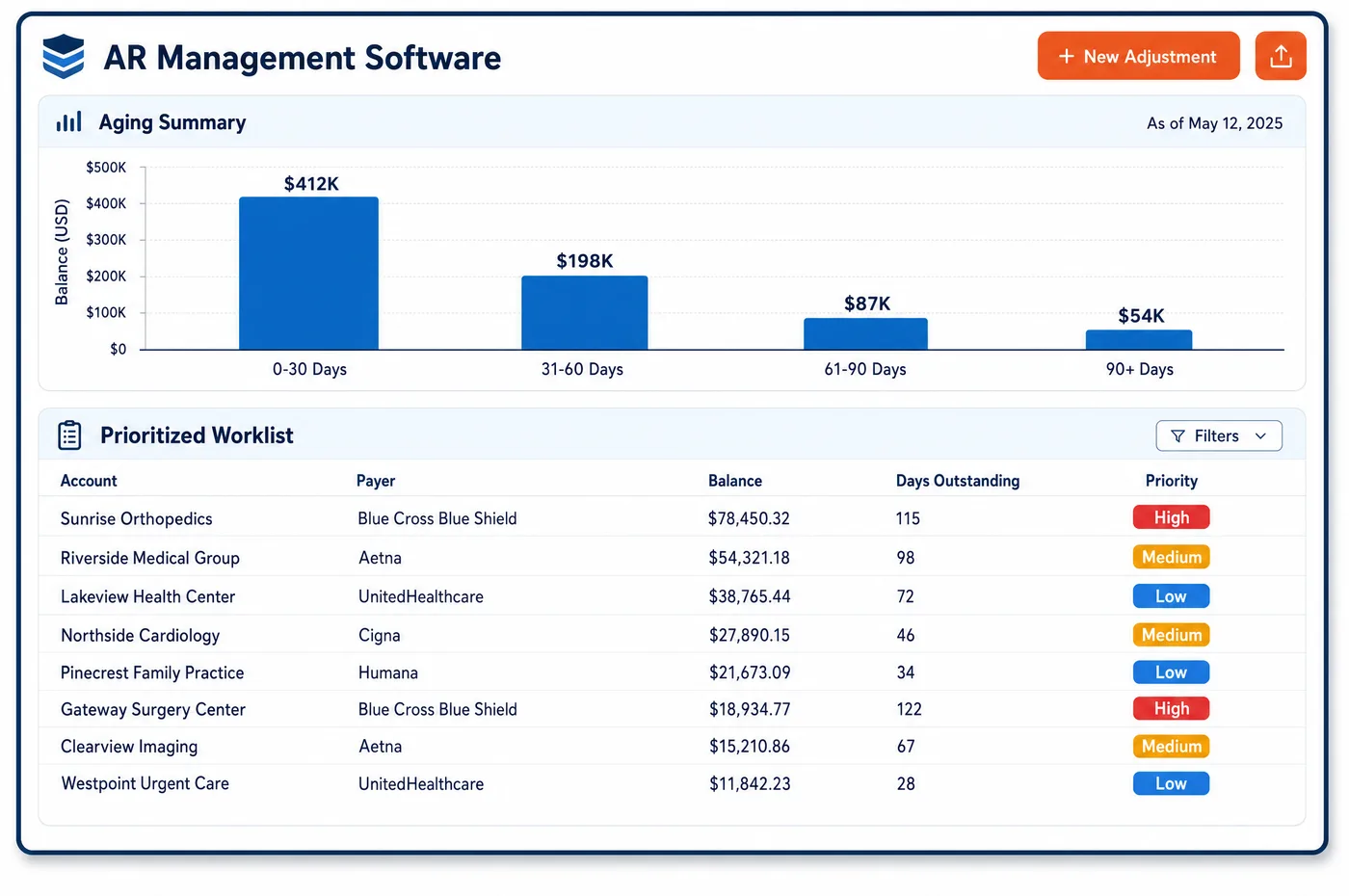
Workflow in a Diagnostic Imaging Practice
Imaging work does not move in a straight line. A study is scheduled, performed, read, signed, coded and billed, and it can stall at any step. Workflow software gives each stall its own queue, so the workflow never hides a stuck study. Studies done but not read go to the reading group. Reads awaiting a signature go to the radiologist. Orders that do not match the study go to the front office. Claims held by a billing rule go to a coder, and authorization problems go to the clearance team. Staff open a queue in the workflow, see what is waiting, and work the oldest or most valuable item first. Each item shows who owns it, why it is there and when it must be done. If nobody acts, the item moves up to a lead before a filing limit is at risk. Rules that run on their own come from imaging automation, and what they cannot decide lands in a queue for a person.
Why Is Workflow Different in Diagnostic Imaging?
The handoffs are what make imaging workflow hard, and a good workflow shows each one. The technologist finishes a study, the radiologist reads it later, a hospital or referring office holds the order, and billing sees none of that until a charge appears. At each handoff something can go missing. A report can sit unsigned. An order can be for one study while another was done. A patient can arrive with no approval. A workflow tool that shows every handoff, and who owns the next step, is the only way to catch these before they reach a payer.
The second hard part is that many imaging steps are gates. Under Medicare, the interpretation of a diagnostic test includes a written report, so the professional charge cannot go out before the report is signed. An independent diagnostic testing facility may perform only the tests the treating physician ordered in writing, and it may not add tests under its own protocols. A physician group that owns its own MRI or CT must give the patient a written notice about other suppliers at the time of the referral. Each gate needs a queue and an owner, or the claim goes out wrong or not at all.
Volume and mixed sites add pressure. A group may read for several hospitals, run a freestanding center and send a mobile unit to nursing homes. Each site has its own rules for orders, registration and payment, and some patients are covered under a facility's own bundled bill. Queues have to be sorted by site and by payer so staff learn the rules of the places they serve. The same view feeds imaging data visualization for managers.
What Diagnostic Imaging Workflow Software Handles
- Signed report gate for the professional charge
- Medicare says the professional component of a diagnostic test includes the interpretation and a written report. Finished studies with no signed report wait in a queue for the reading group, and the read is not released to billing until it is signed. (CMS Medicare Claims Processing Manual, Chapter 13: Radiology Services and Other Diagnostic Procedures)
- Second interpretations (modifier 77)
- For emergency department patients, Medicare generally pays one interpretation of an X-ray. A second read is paid, with modifier 77, only in unusual cases with documentation. A queue sends each second read to a coder who checks the note. (CMS Medicare Claims Processing Manual, Chapter 13: Radiology Services and Other Diagnostic Procedures)
- Written order match at testing facilities
- A fixed-site testing facility may perform only tests that the treating physician ordered in writing, and it may not add tests under its own protocols. Studies whose order and exam differ go to a front-office queue before billing. (42 CFR 410.33: Independent diagnostic testing facility)
- Referral notice for owner-referred MRI, CT and PET
- Under the Stark law, a physician who refers to an in-office MRI, CT or PET service must give the patient written notice that the patient may use other suppliers, at the time of the referral. A queue checks that the notice is on file for each such study. (42 CFR 411.355: General exceptions to the referral prohibition, including in-office ancillary services and the MRI, CT and PET notice)
- Portable X-rays for nursing home residents
- When a resident of a nursing facility is in a Medicare-covered stay, the technical part of a portable X-ray goes on the facility's Part A bill, while the reading physician bills the professional part. A queue flags those studies so the technical claim is not sent to Part B. (CMS Medicare Claims Processing Manual, Chapter 13: Radiology Services and Other Diagnostic Procedures)
- Mammography result communication
- Mammography facilities must send patients a plain-language summary of results and send a written report to the referring provider. A queue lists exams with no summary or report sent, and clinical staff finish them. (21 CFR 900.12: Quality standards for mammography, including patient and provider communication of results)
How Does Diagnostic Imaging Workflow Software Work?
1. Route by cause
Each item enters the workflow a queue because of a clear reason, such as no signed report, order mismatch or missing notice. The reason decides who owns it.
2. Assign an owner and a date
Every item shows its owner and a due date based on the payer's filing limit and the value of the study. Owners see their own list on the first screen.
3. Work the oldest and costliest first
Staff sort a queue by value and age. A held PET/CT outranks a single-view X-ray with the same age.
4. Escalate before a deadline
An item that has not moved by its due date goes to a lead. Leads see the whole queue by site and reading group, and can reassign work to another person.
5. Close with a note
Finishing an item in the workflow records what was done and releases the study to the next step. Patterns in the notes inform what imaging automation rules should take over.
Diagnostic Imaging Workflow Software vs. Generic Software
| Area | Generic approach | Unlimited Systems |
|---|---|---|
| Unsigned reads | Found when a coder runs a list at month end. | A queue by reader and age, worked daily. |
| Order mismatches | Caught by a denial. | Held in a front-office queue before billing. |
| Second reads | Billed in error or left unbilled. | Sent to a coder who reviews the documentation. |
| Owner referrals | Notice status unknown at billing. | A check that the notice is on file for each referred study. |
| Nursing home X-rays | The technical claim goes to the wrong payer. | Flagged by place of service before the claim is sent. |
Who Uses It in a Diagnostic Imaging Practice
- Front-office lead: A queue of order mismatches and missing approvals, sorted by the day of the scan, so problems are fixed before the claim is built.
- Reading group administrator: A list of reads that wait for a signature, by radiologist and site, so charges are not delayed by unsigned reports.
- Compliance officer: A record that shows which gates were checked for each study, such as the written order and the owner referral notice. Queue data also feeds imaging dashboards.
Diagnostic Imaging Workflow Software FAQs
Workflow software gives each stalled step its own queue and its own owner. Studies waiting for a signed report, orders that do not match the exam and claims held by a billing rule are kept apart. Staff open one queue, see what is waiting and work the costliest items first. Items past a due date rise to a lead.
Under Medicare, the professional component of a diagnostic test includes the interpretation and a written report. A study with no signed report is not ready for the read to be billed. A queue holds those studies by reader and age, and the charge is released when the report is signed.
A testing facility may perform only the tests ordered in writing by the treating physician. If the exam done differs from the order, the study goes to a front-office queue. Staff get a corrected order or confirm what was done before billing. Adding tests under a facility's own protocol is not allowed.
A physician who refers a patient to an in-office MRI, CT or PET service under the in-office ancillary exception must give written notice at the time of the referral that the patient may use other suppliers. Compliance staff keep that notice on file. A queue shows any study where it is missing.
For a resident in a Medicare-covered nursing facility stay, the technical part of a portable X-ray is bundled into the facility's Part A bill. The reading physician bills the professional part to Part B. A queue flags these studies by place of service, so the technical claim does not go to the wrong payer.
An item that has not moved by its due date goes to a lead. The lead sees the queue by site, payer and reading group, and can reassign work or call the payer. Due dates come from the payer's filing limit and the value of the study, so costly items are flagged first.
Related Diagnostic Imaging Software
Platform & AI
In the revenue cycle
Workflow for related specialties
Sources
- CMS Medicare Claims Processing Manual, Chapter 13: Radiology Services and Other Diagnostic Procedures
- 42 CFR 410.33: Independent diagnostic testing facility
- 42 CFR 411.355: General exceptions to the referral prohibition, including in-office ancillary services and the MRI, CT and PET notice
- 21 CFR 900.12: Quality standards for mammography, including patient and provider communication of results
GET STARTED
See Unlimited Systems in Action
Whether you're actively evaluating new technology or simply preparing for your next vendor renewal, Unlimited Systems can help you understand where your current workflows may be creating avoidable revenue risk.