
Front office
Chronic Care Financial Clearance Software
Confirm coverage, cost sharing, QMB status and program conflicts before a patient is enrolled, and again before each month is billed.
Chronic Care Financial Clearance Software checks that a care management patient can be enrolled and billed before the month's work starts. It confirms Medicare or plan coverage, flags QMB status, sets up the monthly cost sharing the patient was told about, and looks for services that can't be billed in the same month.



 6,500+ specialty providers
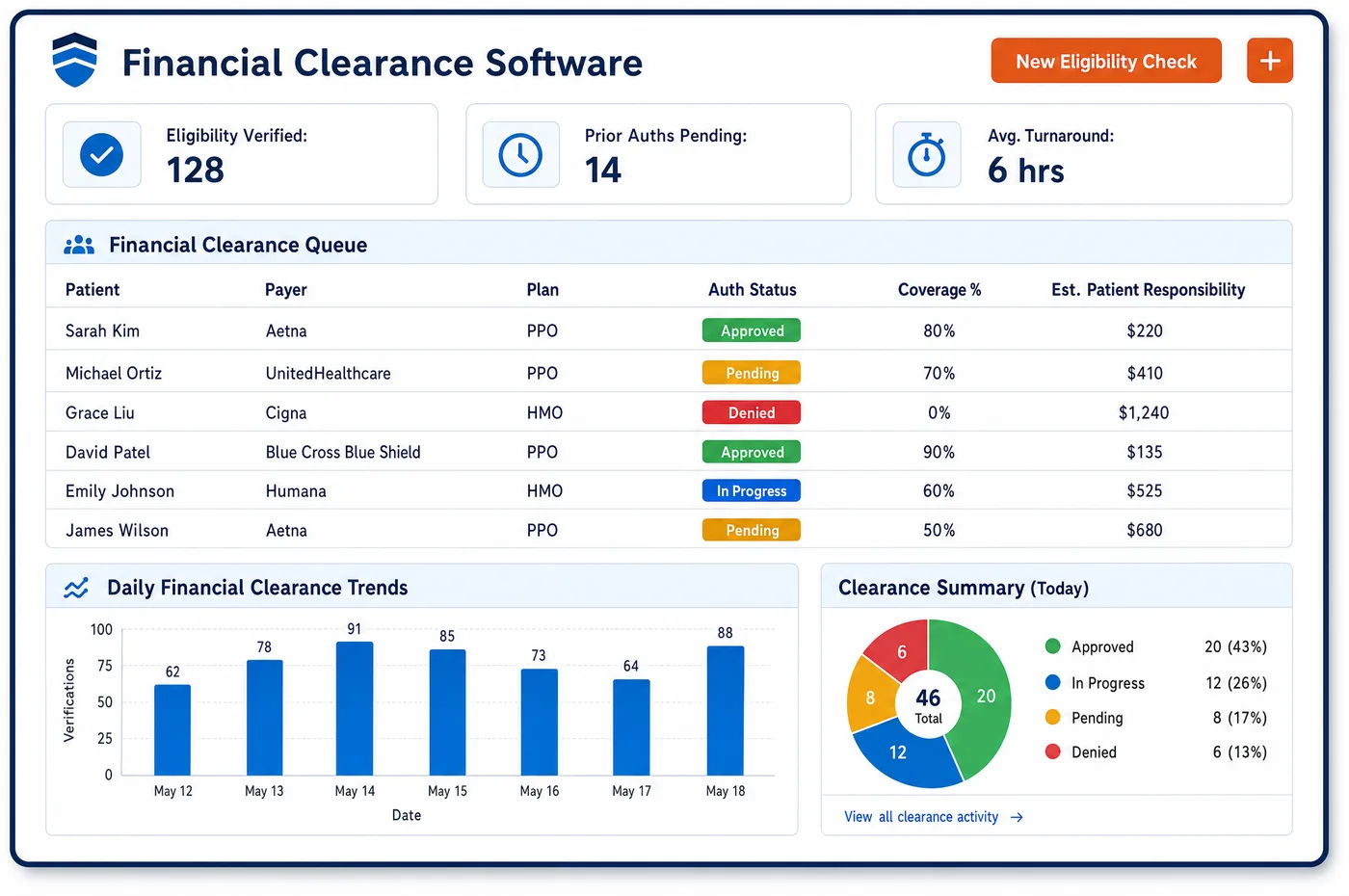
Financial Clearance in a Chronic Care Practice
Clearance in care management happens twice. The first check comes at enrollment. Staff confirm Part B or Medicare Advantage coverage, note any Medigap or Medicaid plan, and check QMB status, since a QMB patient can't be billed for cost sharing. They explain that the monthly service carries coinsurance, and they ask whether another practice already provides care management. Then the check repeats on a schedule for the whole enrolled panel. A patient may have moved to a new plan, started hospice, or begun home health that the practice supervises. Each of those changes what the practice can bill. For remote monitoring, staff also check whether the plan has its own approval rules for devices. Chronic care financial clearance software keeps these answers on the patient record, so the billing team knows before month end which patients are clear and which are on hold.
Why Is Financial Clearance Different in Chronic Care?
Care management claims recur every month, often for small amounts and with no visit. A lapsed plan or a change in coverage may go unnoticed for several claims in a row. Each one then denies or goes to the wrong payer. Financial clearance in chronic care has to run against the whole enrolled panel on a schedule, not only when someone books a visit.
The patient's share needs care too. CCM and APCM carry Part B cost sharing, and patients must hear about it before they consent. Many have a Medigap plan that pays the coinsurance. Others have QMB status, which means they can't be billed for it at all. A clearance step that sorts these cases keeps the practice from sending a statement it shouldn't send.
Some services can't share a month with CCM. CMS bars CCM in the same service period as home health supervision (G0181), hospice supervision (G0182) and certain ESRD services (90951 to 90970). Remote physiologic monitoring and remote therapeutic monitoring can't be billed together. These conflicts don't show up on an eligibility response. Clearance has to look at what else the practice bills for the patient.
What Chronic Care Financial Clearance Software Handles
- Part B cost sharing on CCM
- Patient cost sharing applies to CCM, and some patients have Medigap coverage to help pay it. Clearance records the coinsurance setup and the second plan before the first monthly claim, so the patient's share follows what they were told at consent. (CMS MLN Booklet: Chronic Care Management Services (MLN909188))
- QMB status from the eligibility check
- CMS tells providers to confirm QMB status through the MAC's provider portal or through their clearinghouse or vendor eligibility check. A QMB flag on the record stops any cost sharing from being billed to the patient. (CMS MLN Fact Sheet: Prohibition on Billing Qualified Medicare Beneficiaries (MLN7936176))
- Services that block CCM (G0181, G0182, 90951 to 90970)
- CCM can't be billed in the same service period as home health supervision, hospice supervision or certain ESRD services. Clearance checks the patient's other services each month and holds CCM when a conflict appears. (CMS MLN Booklet: Chronic Care Management Services (MLN909188))
- RPM eligibility conditions
- Remote physiologic monitoring needs an established patient, an acute or chronic condition, and a device that meets the FDA definition of a medical device. Only one practitioner can bill remote monitoring for a patient in a thirty-day period. (CMS MLN Booklet: Telehealth & Remote Monitoring (MLN901705))
- APCM eligibility by level (G0556, G0557, G0558)
- Any patient who consents can receive APCM. Level 1 covers zero or one chronic condition, level 2 covers two or more, and level 3 covers QMB patients with two or more. Clearance confirms the facts that set the level. (CMS: Advanced Primary Care Management (APCM) Services FAQ)
- No billing without consent
- If a patient declines CCM or never gives consent, CMS says the practitioner can't bill the patient for CCM services either. Clearance holds every claim until consent is on file. (CMS: Frequently Asked Questions about Billing the Physician Fee Schedule for CCM Services)
How Does Chronic Care Financial Clearance Software Work?
1. Check coverage at enrollment
Staff run eligibility verification against Medicare or the plan. The response confirms Part B or the Medicare Advantage plan, and staff note any Medigap, Medicaid or QMB status.
2. Explain the patient's share
Before consent, staff explain that the monthly service carries coinsurance and say whether a second plan is likely to pay it. The talking points are stored with the consent.
3. Look for program conflicts
Staff check whether the practice bills hospice or home health supervision, certain ESRD services, or remote therapeutic monitoring for the patient. A conflict holds the program until it is resolved.
4. Check plan rules for devices
Some Medicare Advantage and commercial plans set their own rules for remote monitoring devices. Staff check the plan's policy and record any prior authorization before the device ships.
5. Re-check the panel each month
Before the month's claims, eligibility is re-run for every enrolled patient. Patients with a lapsed plan or a new conflict are held, and the rest move on to care management medical billing.
Chronic Care Financial Clearance Software vs. Generic Software
| Area | Generic approach | Unlimited Systems |
|---|---|---|
| Timing | Coverage checked only at the initiating visit. | Coverage re-checked across the enrolled panel before each month's claims. |
| Patient share | Coinsurance billed to every patient the same way. | QMB and Medigap sorted first, so the patient sees the right share. |
| Program conflicts | Found when a claim denies. | Hospice, home health and ESRD conflicts checked before billing. |
| Device approvals | Devices shipped before anyone reads the plan's policy. | Plan rules and any approval recorded before setup. |
| Consent | Claims go out before consent is on file. | Claims held until consent is documented. |
Who Uses It in a Chronic Care Practice
- Enrollment coordinator: A clear answer at sign-up on coverage, QMB status and the patient's likely share, with the talking points ready for the consent call.
- Billing manager: A list each month of patients who are clear to bill and patients on hold, with the reason for each hold.
- Practice owner: Fewer care management claims lost to lapsed coverage or conflicts, and fewer statements that should never have gone out. Patients' monthly shares then flow into chronic care invoicing.
Chronic Care Financial Clearance Software FAQs
Financial clearance for CCM should run at enrollment and again before each month's claims. Care management months often pass with no visit, so nothing else prompts a fresh look at coverage. A monthly check across the enrolled panel catches plan changes, Medicaid changes and new conflicts such as hospice before claims go out to the wrong payer.
Patient cost sharing applies to CCM under Medicare Part B, so most patients owe coinsurance unless a second plan such as Medigap pays it. Patients with QMB status can't be billed for Medicare cost sharing at all. Patients should hear about possible cost sharing before they consent, and the clearance record shows which case applies.
CMS does not allow CCM in the same service period as home health care supervision (G0181), hospice care supervision (G0182) or certain ESRD services (90951 through 90970). A practice also can't bill remote physiologic monitoring and remote therapeutic monitoring together. Other limits may apply in CMS models, so staff should check model rules as well.
Original Medicare does not list prior authorization for remote physiologic monitoring in its RPM requirements, but some Medicare Advantage and commercial plans set their own rules. Staff should check each plan's policy before a device is shipped. RPM also requires an established patient, an acute or chronic condition and an FDA-defined medical device.
APCM level depends on the patient's chronic conditions and QMB status. Level 1 (G0556) covers zero or one chronic condition, level 2 (G0557) covers two or more, and level 3 (G0558) covers QMB patients with two or more. Clearance records the facts behind the level, so the right code goes on the claim.
If a patient declines CCM or never gives consent, Medicare's conditions of payment are not met. CMS says the practitioner can't then bill the patient for the service instead. Clearance holds the program until consent is documented, so no claim or statement goes out for a patient who hasn't agreed.
Related Chronic Care Software
Front office
In the revenue cycle
Financial Clearance for related specialties
Sources
- CMS MLN Booklet: Chronic Care Management Services (MLN909188)
- CMS: Frequently Asked Questions about Billing the Physician Fee Schedule for CCM Services
- CMS MLN Fact Sheet: Prohibition on Billing Qualified Medicare Beneficiaries (MLN7936176)
- CMS MLN Booklet: Telehealth & Remote Monitoring (MLN901705)
- CMS: Advanced Primary Care Management (APCM) Services FAQ
GET STARTED
See Unlimited Systems in Action
Whether you're actively evaluating new technology or simply preparing for your next vendor renewal, Unlimited Systems can help you understand where your current workflows may be creating avoidable revenue risk.