

Front office
Chronic Care Patient Registration Software
Register care management patients with the Medicare coverage, QMB status, supplemental plan and caregiver contacts that monthly billing depends on.
Chronic Care Patient Registration Software records who a care management patient is and how each month will be paid. It holds the Medicare or Medicare Advantage plan, QMB status, any Medigap plan, the phone numbers that work for monthly calls, and the caregivers who can speak for the patient. One clean identity then carries every claim.



 6,500+ specialty providers
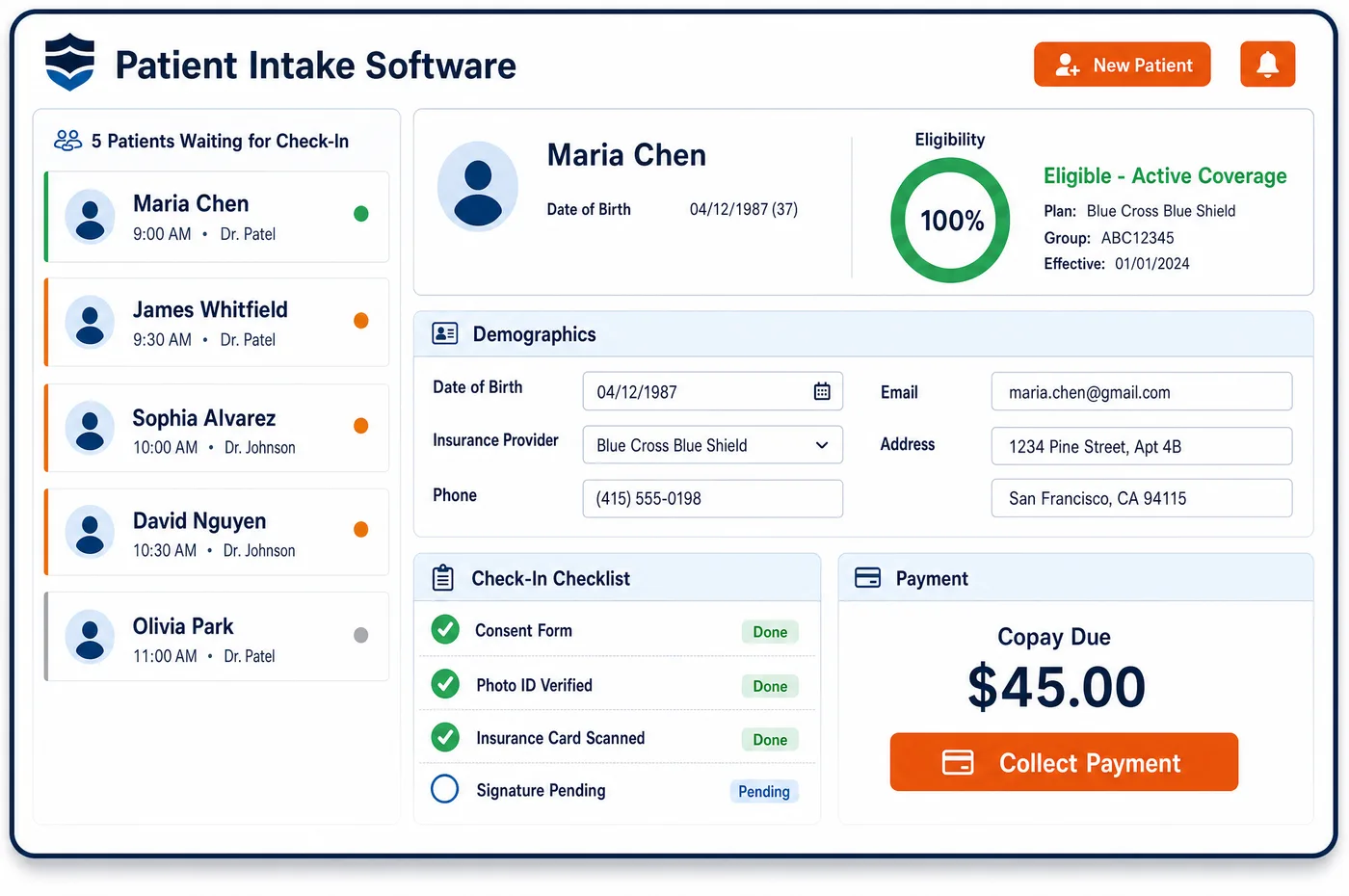
Patient Registration in a Chronic Care Practice
Sign-up for a care management program looks a lot like sign-up for a visit. A few fields just matter far more. Most patients are on Medicare, so the Medicare number comes first, along with whether the patient is in Original Medicare or a Medicare Advantage plan. A patient with QMB status can't be billed for Medicare cost sharing. That status also sets the APCM level. A Medigap plan often picks up the monthly coinsurance, so it goes in as second coverage. Most CCM work happens by phone. The best number, the best time to call and the caregiver who can speak for the patient all belong on the record. Chronic care patient registration software reads the card images, checks coverage and keeps one identity per patient. That way a patient isn't enrolled twice under two records and billed twice in one month.
Why Is Patient Registration Different in Chronic Care?
The claim for a care management month often goes out with no visit that month. Nothing at a front desk prompts staff to re-check the card. If the patient changed plans, moved into a Medicare Advantage plan or gained Medicaid, the next CCM claim goes to the wrong payer or bills the wrong person. Patient registration in chronic care has to be refreshed on a schedule, not only when the patient walks in.
Cost sharing makes the coverage fields sensitive. CCM and APCM carry Part B cost sharing, and patients are told this when they consent. A Qualified Medicare Beneficiary, though, must not be billed for Medicare deductibles, coinsurance or copays at all. Registration that misses QMB status leads to statements that federal law bars. Sign-up that misses a Medigap plan leaves the coinsurance with a patient who already pays for coverage.
Identity matters more than usual too. Only one practitioner can bill CCM for a patient in a calendar month, and only one can bill APCM. A duplicate record, or a patient enrolled by two sites of the same group, can produce two claims for one service month. Contacts matter as well: the care plan copy, the monthly calls and the round-the-clock access all depend on reaching the right person on the right phone.
What Chronic Care Patient Registration Software Handles
- Medicare Part B coverage for care management
- CCM and APCM are paid under the Physician Fee Schedule, which is part of Medicare Part B. Staff record the Medicare number and whether the patient is in Original Medicare or a Medicare Advantage plan. An MA plan sets its own rules. (CMS MLN Booklet: Chronic Care Management Services (MLN909188))
- QMB status and APCM level 3 (G0558)
- Providers must not bill QMB patients for Part A or Part B cost sharing. That holds even when Medicaid pays less than the full amount. QMB status also sets the APCM level, since G0558 is for QMB patients with two or more chronic conditions. (CMS MLN Fact Sheet: Prohibition on Billing Qualified Medicare Beneficiaries (MLN7936176))
- Medigap coverage for coinsurance
- CMS notes that some patients have Medigap coverage that helps pay CCM cost sharing. The Medigap plan goes in as second coverage. The monthly coinsurance then goes to that plan before any balance reaches the patient. (CMS MLN Booklet: Chronic Care Management Services (MLN909188))
- Place of service on care management claims
- CMS says the place of service on a CCM claim should be where the billing practitioner would usually see the patient in person. Staff link the patient to that practice location. This holds for patients who live in assisted living or nursing homes too. (CMS: Frequently Asked Questions about Billing the Physician Fee Schedule for CCM Services)
- One CCM practitioner per calendar month
- Consent helps prevent double billing, because the patient learns that only one practitioner can bill CCM each month. Sign-up adds a question about any other practice that gives care management. It also keeps one identity for the patient across the group's sites. (CMS MLN Booklet: Chronic Care Management Services (MLN909188))
- Caregivers on the care plan
- The care plan can include a caregiver assessment. CMS expects a copy to go to patients and caregivers when needed. Staff list each caregiver, how to reach them, and what the patient lets them discuss. (CMS MLN Booklet: Chronic Care Management Services (MLN909188))
How Does Chronic Care Patient Registration Software Work?
1. Pre-register from the patient's phone
Patients or caregivers fill in their details and upload the front and back of each card before the initiating visit. Fields flow into the record, so staff don't retype them during chronic care patient intake.
2. Check coverage and QMB status
Coverage is checked against the Medicare card or the plan card. Staff note whether the patient is in Original Medicare or a Medicare Advantage plan. They also note whether the patient shows QMB or other dual-eligible status.
3. Add Medigap and Medicaid coverage
Medigap, retiree and Medicaid plans are entered in the right order. That order decides where the monthly coinsurance goes after Medicare pays.
4. Record contacts for remote care
The best phone number, the best time to call, the language and each caregiver are stored. These fields drive the monthly calls and reminders, which happen far more often than visits.
5. Keep one identity across sites
Staff search before making a new record, so a patient seen at two sites stays one patient. The record then opens into patient management for chronic care, where consent and programs are tracked.
Chronic Care Patient Registration Software vs. Generic Software
| Area | Generic approach | Unlimited Systems |
|---|---|---|
| Coverage checks | Checked only when the patient comes in for a visit. | Re-checked on a schedule, since care management months often have no visit. |
| QMB status | Not captured, so coinsurance statements go out by mistake. | QMB status stored at registration and visible to billing. |
| Supplemental plans | Medigap entered as a free-text note. | Medigap set up as secondary coverage in the right order. |
| Contacts | One home phone from years ago. | Best number, best time to call, language and caregivers on file. |
| Duplicate records | Two records for one patient across sites. | A search before each new record keeps one identity per patient. |
Who Uses It in a Chronic Care Practice
- Front desk or enrollment staff: A short sign-up that patients or caregivers can finish at home, with card images read into the record. The data is clean before financial clearance for care management runs.
- Care coordinator: Working phone numbers, call times and caregiver contacts, so the monthly calls reach someone the first time.
- Billing manager: QMB status, Medicare Advantage plans and Medigap coverage set up before the first monthly claim goes out.
Chronic Care Patient Registration Software FAQs
Patient registration for CCM should capture the Medicare Beneficiary Identifier, whether the patient is in Original Medicare or a Medicare Advantage plan, QMB status, any supplemental or Medicaid coverage, and phone numbers that work for monthly calls. It should also list caregivers and what they may discuss. These fields matter because most care management months are billed without a visit to prompt a fresh check.
Federal law bars Medicare providers from billing QMB patients for Part A and Part B cost sharing, including deductibles and coinsurance. Care management carries cost sharing every month, so a missed QMB flag can send statements that should never go out. QMB status also decides whether APCM is billed as G0558, the level for QMB patients with two or more chronic conditions.
CMS notes that some patients have Medigap insurance that helps cover CCM cost sharing. When that plan is registered as secondary coverage, the coinsurance can go to it after Medicare pays, rather than straight to the patient. Patients should still hear about possible cost sharing when they consent, since not every plan pays the same way.
Staff search for the patient before creating any new record, so one person seen at two sites keeps one identity. The consent step also asks whether another practice already provides CCM, since only one practitioner can bill it in a calendar month. One record and one enrollment keep the practice from sending two claims for the same month.
CMS guidance says the place of service on a CCM claim should be the location where the billing practitioner would ordinarily see the patient face to face. CCM is priced in both facility and non-facility settings. Registration ties each patient to the practice location that sees them, so the claim carries that location every month.
Many care management patients rely on a spouse, an adult child or another caregiver. CMS expects the care plan to go to patients and caregivers when needed, and the plan can include a caregiver assessment. Registering each caregiver, their phone number and what the patient allows them to discuss helps staff share the right details with the right person.
Related Chronic Care Software
Front office
In the revenue cycle
Patient Registration for related specialties
Sources
GET STARTED
See Unlimited Systems in Action
Whether you're actively evaluating new technology or simply preparing for your next vendor renewal, Unlimited Systems can help you understand where your current workflows may be creating avoidable revenue risk.