
Front office
Chronic Care Patient Scheduling Software
Book initiating visits, recurring care calls, device setups and post-discharge follow-ups around each patient's named care team member.
Chronic Care Patient Scheduling Software books the visits and calls a care management program runs on. Initiating visits, recurring care manager calls, care plan reviews, device setup sessions and post-discharge follow-ups each get their own type, owner and length, so every enrolled patient has a next contact on the calendar.



 6,500+ specialty providers
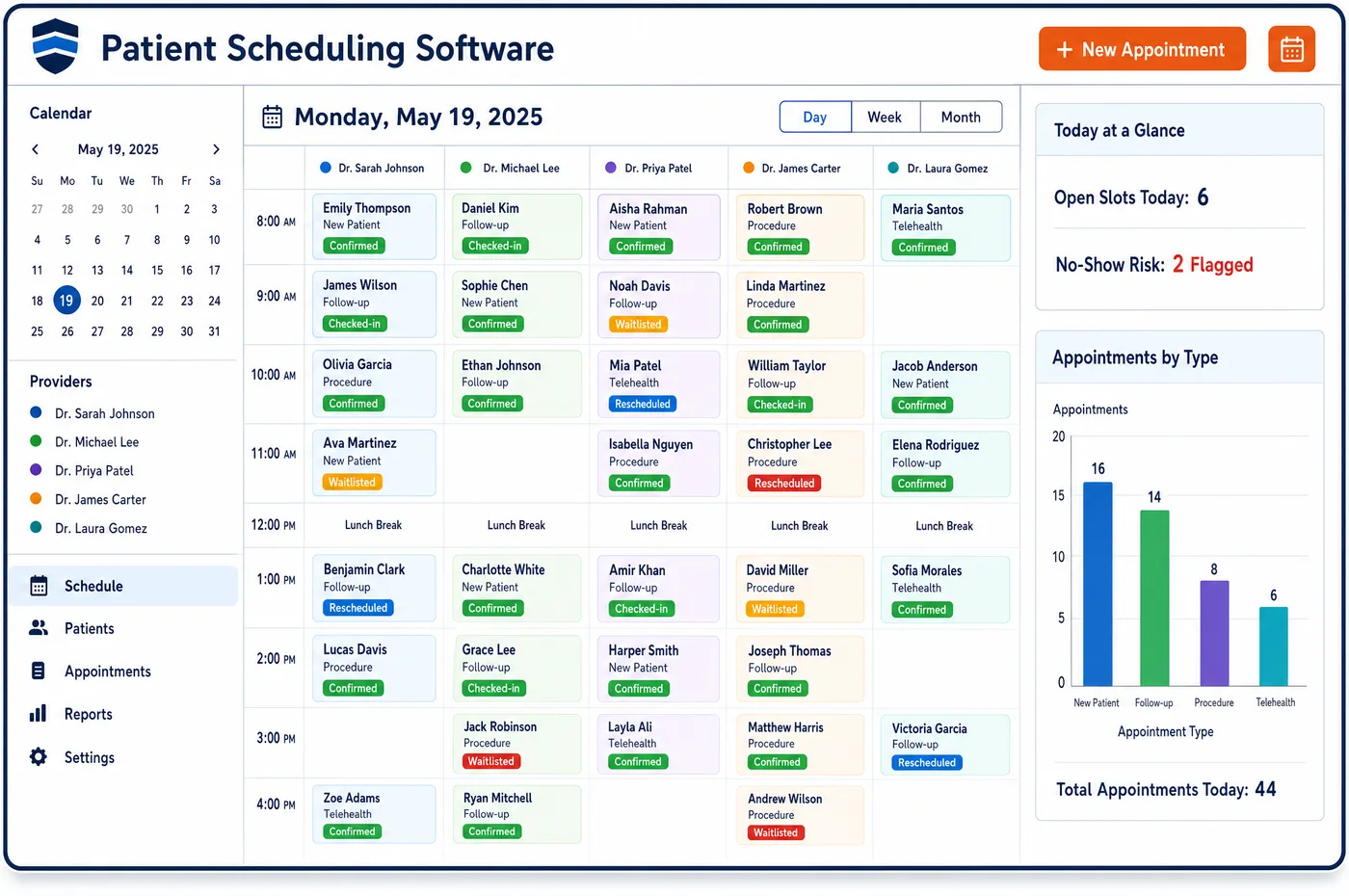
Patient Scheduling in a Chronic Care Practice
Most of a care management month happens off the visit calendar, but it still needs a schedule. Each enrolled patient has a named care team member, and the schedule gives that person a recurring call slot with each patient. Initiating visits are booked as their own type, so the practitioner knows care management will be discussed. Annual wellness visits are booked on each patient's yearly cycle. A patient starting remote monitoring gets a setup and teaching session. When a patient leaves the hospital, the follow-up visit has to fit the transitional care window, so it is booked at once. Near the end of each calendar month, the schedule shows which patients still have no logged contact. Staff can book a call before the month closes. Chronic care patient scheduling software also sends reminders, keeps a waitlist for open visit slots, and shows the on-call coverage that round-the-clock access depends on.
Why Is Patient Scheduling Different in Chronic Care?
Care management is billed by time or by month, not by appointment. Even so, the work only gets done if someone owns it. CMS expects each CCM patient to have a chosen care team member they can book routine visits with and who stays in regular touch. A schedule built only for visits leaves those calls to memory, and memory fails at month end.
Transitions put hard limits on the calendar. Code 99495 needs a face-to-face visit within fourteen calendar days of discharge, and 99496 needs one within seven. Both need contact with the patient or caregiver within two business days. Patient scheduling in chronic care has to find room for those visits quickly, often for patients who need a ride or a caregiver to come along.
Programs also need resources beyond a provider. A remote monitoring setup needs the device and a staff member who can teach it. A care plan review may need the practitioner and the care manager together. APCM expects practices to offer more ways to get care, such as home visits or expanded hours. Each of these is a different visit type with its own length and staff.
What Chronic Care Patient Scheduling Software Handles
- Named care team member
- CCM calls for a care team member the patient can book routine visits with and who stays in regular touch. The schedule gives that person a recurring call slot for each patient on their panel. (CMS MLN Booklet: Chronic Care Management Services (MLN909188))
- TCM follow-up visits (99495, 99496)
- Code 99495 needs a face-to-face visit within fourteen calendar days of discharge and 99496 within seven, plus contact within two business days. Discharges are booked as their own visit type, so the window shows on the calendar. (CMS MLN Booklet: Transitional Care Management Services (MLN908628))
- Initiating visits for CCM and APCM
- A CCM initiating visit can be a comprehensive E/M visit, an annual wellness visit or an initial preventive exam, with care management discussed. Booking it as its own type tells the practitioner what the visit is for. (CMS MLN Booklet: Chronic Care Management Services (MLN909188))
- Annual wellness visits
- The annual wellness visit can serve as a CCM initiating visit. Booking it on each patient's yearly cycle keeps that door open for patients the practice hasn't enrolled yet. (CMS MLN Booklet: Chronic Care Management Services (MLN909188))
- RPM setup sessions (99453)
- Setup and teaching on the device are reported once with 99453. A setup visit type books the device and a trained staff member together, so the patient leaves knowing how to send readings. (CMS MLN Booklet: Telehealth & Remote Monitoring (MLN901705))
- APCM access options
- APCM's service elements include scheduling successive routine visits and offering other ways to get care, such as home visits or expanded hours. Each option is set up as a visit type with its own staff and length. (CMS: Advanced Primary Care Management Services)
How Does Chronic Care Patient Scheduling Software Work?
1. Set visit and call types
Initiating visits, care calls, care plan reviews, device setups, wellness visits and discharge follow-ups each get their own type. Each type has an owner, a length and the staff it needs.
2. Give each patient a recurring call
Every enrolled patient gets a recurring slot with their named care team member. Calls follow the patient's best time to call, recorded at patient intake.
3. Book discharge follow-ups first
When a hospital discharge is reported, the follow-up visit is booked inside the transitional care management window. The care manager also schedules the first contact call.
4. Watch the month-end gap
Near the end of each month, the schedule lists patients with no logged contact yet. Staff book calls so the month's care is done and documented before it closes.
5. Remind and refill
Reminders go out by text through chronic care patient engagement. When a patient cancels a visit, waitlist patients are offered the slot.
Chronic Care Patient Scheduling Software vs. Generic Software
| Area | Generic approach | Unlimited Systems |
|---|---|---|
| Care calls | Calls made from a sticky note when someone has time. | Recurring call slots for each patient's named care team member. |
| Discharge follow-ups | Booked whenever a slot opens, sometimes outside the window. | Booked as a discharge type inside the TCM window. |
| Initiating visits | Booked as a routine visit with no flag. | Booked as an initiating visit, so care management is discussed. |
| Month end | Patients with no contact are found after the month closes. | A list of patients with no contact while there is still time to call. |
| Device setup | The device and a trained staff member booked separately. | Device and staff booked together in one setup visit. |
Who Uses It in a Chronic Care Practice
- Care manager: A calendar of recurring calls for their own panel, with month-end gaps in view. Calls that run long are logged through care management workflow queues.
- Scheduler: Visit types that set the length and staff for initiating visits, device setups and discharge follow-ups.
- Practice manager: A view of care calls, visits and on-call coverage across the team, so staffing matches the enrolled panel.
Chronic Care Patient Scheduling Software FAQs
Patient scheduling for CCM books recurring calls as well as visits. Each enrolled patient gets a regular slot with their named care team member, at the time they said works best. Visits such as initiating visits, care plan reviews and discharge follow-ups are booked as their own types. The calendar then shows every planned contact, not only the office visits.
Transitional care management needs contact with the patient or caregiver within two business days of discharge. Code 99495 needs a face-to-face visit within fourteen calendar days, and 99496 needs one within seven, with a higher level of decision making. Booking the follow-up as soon as a discharge is reported keeps the visit inside the window.
An E/M visit, an annual wellness visit or an initial preventive exam only counts as a CCM initiating visit if care management is discussed during it. Booking it as its own type tells the practitioner and staff what the visit is for. It also gives intake time to send the forms and consent the visit needs.
A remote monitoring setup visit can book the device and a trained staff member together. Setup and patient teaching are reported once with 99453. Booking both in one visit means the patient leaves with a working device and knows how to send readings, which the monthly device code depends on.
Near the end of each calendar month, the schedule lists enrolled patients with no logged contact yet. Staff can book calls before the month closes, so care is given and documented in time. CMS still expects care to continue after a billing threshold is met, so the list is about care first and billing second.
CCM and APCM both call for 24/7 access to a practitioner or clinical staff for urgent needs. The schedule can show who is on call each night and weekend, so after-hours calls reach someone who can see the care plan. Routine calls still go to the patient's named care team member during the day.
Related Chronic Care Software
Front office
In the revenue cycle
Patient Scheduling for related specialties
Sources
GET STARTED
See Unlimited Systems in Action
Whether you're actively evaluating new technology or simply preparing for your next vendor renewal, Unlimited Systems can help you understand where your current workflows may be creating avoidable revenue risk.